Getting started in TypeScript Modern Rich Text Editor
The TypeScript Modern Rich Text Editor is a WYSIWYG control for creating, editing, and formatting rich text content. This section explains how to set up and use the Modern Rich Text Editor in a Vite-based TypeScript project.
Prerequisites
This guide uses Vite as the bundler and development environment. Install Node.js 24.13.0 or higher before proceeding. For detailed information about Vite’s capabilities and configuration options, refer to the Vite documentation.
Create a TypeScript application
To set up a TypeScript application, run the following command.
npm create vite@latest my-app -- --template vanilla-tsThis command will prompt you to install the required packages and start the application. Select the options as shown below.

As Syncfusion packages are not installed yet, currently, the No option will be selected. Then, navigate to the project directory and install the dependencies using the following commands:
cd my-app
npm install
Adding Modern Rich Text Editor package
All the available Essential® JS 2 packages are published in the npmjs.com public registry.
To install the Modern Rich Text Editor control, use the following command:
npm install @syncfusion/ej2-richtexteditor-uiAdding CSS reference
Syncfusion provides multiple themes for the Modern Rich Text Editor control. For a complete list of available themes, refer to the themes packages.
To apply the Tailwind 3 theme, install the corresponding theme package using the following command:
npm install @syncfusion/ej2-tailwind3-themeThe installed theme package includes an index.css file that automatically imports all the required dependency styles. Import the following stylesheet into src/style.css.
@import '../node_modules/@syncfusion/ej2-tailwind3-theme/styles/rich-text-editor-ui/index.css';To apply the application-specific styles correctly, import style.css into src/main.ts and remove all the default styles from src/style.css and use the Modern Rich Text Editor styles provided above.
Adding Modern Rich Text Editor control
Now, you can start adding the Modern Rich Text Editor control to the application. For getting started, add the Modern Rich Text Editor initialization code in the src/main.ts file and add the target element in the index.html file using the following sample.
import { RichTextEditorUI } from '@syncfusion/ej2-richtexteditor-ui';

const editor: RichTextEditorUI = new RichTextEditorUI({});

editor.appendTo('#editor');@import '../node_modules/@syncfusion/ej2-tailwind3-theme/styles/rich-text-editor-ui/index.css';<!doctype html>
<html lang="en">
<head>
<meta charset="UTF-8" />
<link rel="icon" type="image/svg+xml" href="/vite.svg" />
<meta name="viewport" content="width=device-width, initial-scale=1.0" />
<title>Syncfusion TypeScript Modern Rich Text Editor</title>
</head>
<body>
<div id="editor"></div>
<script type="module" src="/src/main.ts"></script>
</body>
</html>Run the Application
Use the following command to run the application in the browser.
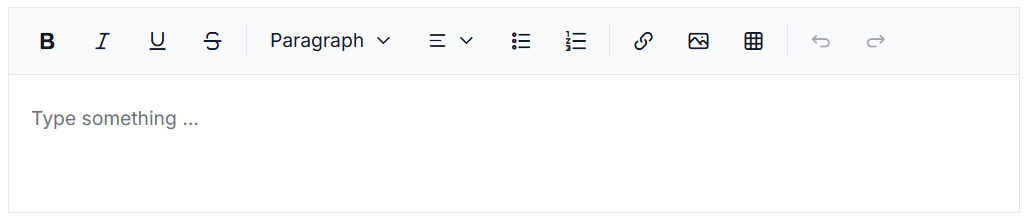
npm run devThe Syncfusion® TypeScript Modern Rich Text Editor is displayed in the browser as shown below.