XHTML Validation in Blazor Rich Text Editor
The Blazor Rich Text Editor includes an EnableXhtml property that allows for continuous validation of the Rich Text Editor’s source content against the XHTML standard. When content is entered or modified in the editor, this feature ensures ongoing compliance by automatically removing invalid elements and attributes.
The Blazor Rich Text Editor checks the following settings on validation:
Validating attributes
- Case Sensitivity: All attributes must be in lowercase.
- Quotation Marks: Proper use of quotation marks around attribute values is enforced.
- Validity: Only valid attributes for corresponding HTML elements are allowed.
- Required Attributes: All required attributes for HTML elements must be included.
Validating HTML elements
- Case Sensitivity: All HTML tags must be in lowercase.
- Proper Closing: All opening tags must have corresponding closing tags.
- Element Validity: Only valid HTML elements are permitted.
- Nesting: Elements must be properly nested to maintain structure.
- Root Element: The content must have a single root element.
- Element Hierarchy: Inline elements cannot contain block elements.
@using Syncfusion.Blazor.RichTextEditor

<SfRichTextEditor EnableXhtml="true">
    <RichTextEditorToolbarSettings Items="Items"></RichTextEditorToolbarSettings>
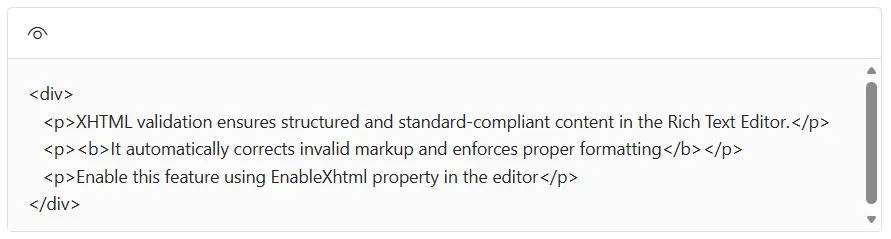
    <DIV>
        <p>XHTML validation ensures structured and standard-compliant content in the Rich Text Editor.</p>
        <B>It automatically corrects invalid markup and enforces proper formatting</b>
        <p>Enable this feature using EnableXhtml property in the editor</P>
    </DIV>
</SfRichTextEditor>

@code {
    private List<ToolbarItemModel> Items = new List<ToolbarItemModel>()
    {
        new ToolbarItemModel() { Command = ToolbarCommand.SourceCode }
    };
}
You can refer to our Blazor Rich Text Editor feature tour page for its groundbreaking feature representations. You can also explore our Blazor Rich Text Editor example to learn how to render and configure the Blazor Rich Text Editor tools.