Update Reports
This section explains on how to add Reports in the Syncfusion Report Server.
Steps to update a Report
Reports can be updated to move the Report to a different category. Name, description and the Report file(.rdl) can be changed for the Report in the update Report dialog box.
-
Click on the
Updateoption in the context menu of the Report to be updated to open the update Report dialog box.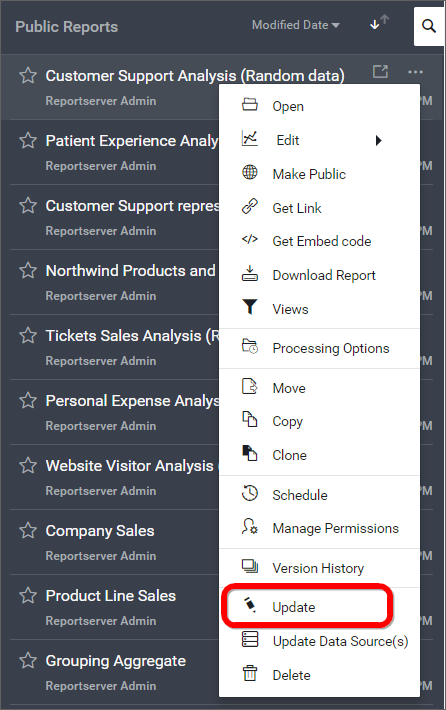
-
Click on the
Updatebutton in theUpdate Reportdialog box after making changes to the Category, Name, Description or to the Report file(.rdl). Comments can also be added if there is a change in the Report file(.rdl) to maintain asVersion Comments.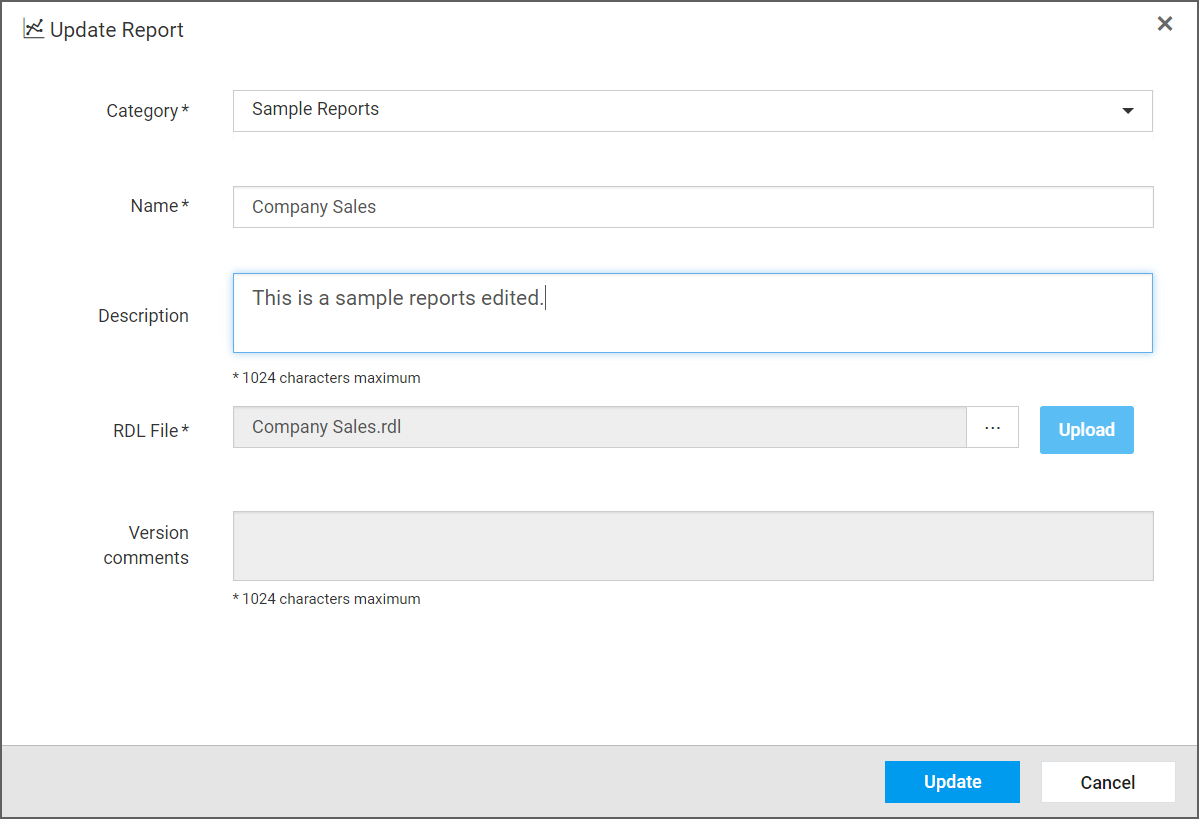
REST API Reference
The following table illustrates the list of available APIs related to update reports in Syncfusion Report Server.
| Action | HTTP Method | Endpoint | Description |
|---|---|---|---|
| UpdateReport | PUT | /api/v5.0/reports | Update report to the server. Report details must be passed as input. |