How can I help you?
Customization in .NET MAUI Effects View (SfEffectsView)
The SfEffectsView control provides support to customize animation duration, color, and more. This section explains how to customize the Effects View control.
Ripple animation duration
The RippleAnimationDuration property of SfEffectsView is used to customize the duration of ripple animation.
<ContentPage
    xmlns:effectsView="clr-namespace:Syncfusion.Maui.Toolkit.EffectsView;assembly=Syncfusion.Maui.Toolkit">
    <ContentPage.Content>
	<effectsView:SfEffectsView RippleAnimationDuration="800"/>
	</ContentPage.Content>
</ContentPage>
using Syncfusion.Maui.Toolkit.EffectsView;
var effectsView = new SfEffectsView()
{
RippleAnimationDuration = 800
};
this.Content = effectsView;Scale animation duration
The ScaleAnimationDuration property of SfEffectsView is used to customize the duration of scale animation.
<ContentPage
    xmlns:effectsView="clr-namespace:Syncfusion.Maui.Toolkit.EffectsView;assembly=Syncfusion.Maui.Toolkit">
    <ContentPage.Content>
	<effectsView:SfEffectsView
        ScaleAnimationDuration="800"
        LongPressEffects="Scale"
        ScaleFactor="0.85"/>
	</ContentPage.Content>
</ContentPage>
using Syncfusion.Maui.Toolkit.EffectsView;
var effectsView = new SfEffectsView()
{
ScaleAnimationDuration = 800,
LongPressEffects = SfEffects.Scale,
ScaleFactor = 0.85
};
this.Content = effectsView;Rotation animation duration
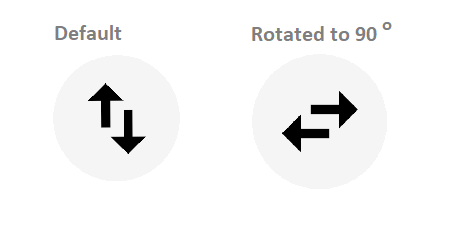
The RotationAnimationDuration property of SfEffectsView is used to customize the duration of rotation animation.
<ContentPage
    xmlns:effectsView="clr-namespace:Syncfusion.Maui.Toolkit.EffectsView;assembly=Syncfusion.Maui.Toolkit">
    <ContentPage.Content>
	<effectsView:SfEffectsView
        RotationAnimationDuration="800"
        Angle="180"
        TouchDownEffects="Rotation"/>
	</ContentPage.Content>
</ContentPage>
using Syncfusion.Maui.Toolkit.EffectsView;
var effectsView = new SfEffectsView()
{
RotationAnimationDuration = 800,
Angle = 180,
TouchDownEffects = SfEffects.Rotation
};
this.Content = effectsView;Initial ripple factor
The InitialRippleFactor property of SfEffectsView is used to customize the radius of the ripple when ripple animation starts.
<ContentPage
    xmlns:effectsView="clr-namespace:Syncfusion.Maui.Toolkit.EffectsView;assembly=Syncfusion.Maui.Toolkit">
    <ContentPage.Content>
	<effectsView:SfEffectsView InitialRippleFactor="0.1"/>
	</ContentPage.Content>
</ContentPage>
using Syncfusion.Maui.Toolkit.EffectsView;
var effectsView = new SfEffectsView
{
InitialRippleFactor = 0.1
};
this.Content = effectsView;
Scale factor
The ScaleFactor property of SfEffectsView is used to customize the scale of the view.
<ContentPage
    xmlns:effectsView="clr-namespace:Syncfusion.Maui.Toolkit.EffectsView;assembly=Syncfusion.Maui.Toolkit">
    <ContentPage.Content>
	<effectsView:SfEffectsView
        ScaleFactor="0.85"
        LongPressEffects="Scale"
        TouchDownEffects="None"
        TouchUpEffects="None"/>
	</ContentPage.Content>
</ContentPage>
using Syncfusion.Maui.Toolkit.EffectsView;
var effectsView = new SfEffectsView
{
ScaleFactor = 0.85,
LongPressEffects = SfEffects.Scale,
TouchDownEffects = SfEffects.None,
TouchUpEffects = SfEffects.None
};
this.Content = effectsView;
Highlight background
The HighlightBackground property of SfEffectsView is used to customize the color of the highlight effect.
<ContentPage
    xmlns:effectsView="clr-namespace:Syncfusion.Maui.Toolkit.EffectsView;assembly=Syncfusion.Maui.Toolkit">
    <ContentPage.Content>
	<effectsView:SfEffectsView
        HighlightBackground="#2196F3"
        TouchDownEffects="Highlight"/>
	</ContentPage.Content>
</ContentPage>
using Syncfusion.Maui.Toolkit.EffectsView;
var effectsView = new SfEffectsView
{
effectsView.HighlightBackground = new SolidColorBrush(Colors.Aqua),
TouchDownEffects = SfEffects.Highlight
};
this.Content = effectsView;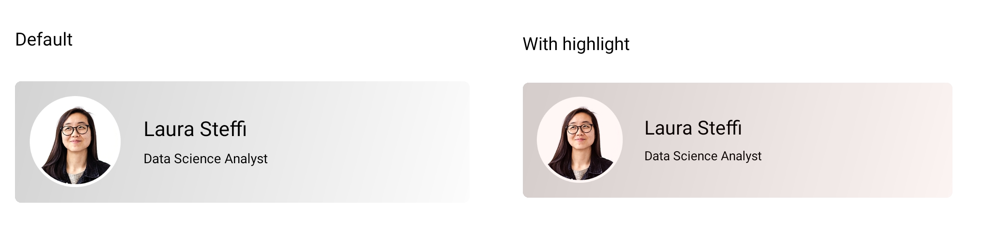
Ripple background
The RippleBackground property of SfEffectsView is used to customize the color of the ripple.
<ContentPage
   xmlns:effectsView="clr-namespace:Syncfusion.Maui.Toolkit.EffectsView;assembly=Syncfusion.Maui.Toolkit">
    <ContentPage.Content>
	<effectsView:SfEffectsView RippleBackground="#2196F3"/>
	</ContentPage.Content>
</ContentPage>
using Syncfusion.Maui.Toolkit.EffectsView;
var effectsView = new SfEffectsView
{
RippleBackground = new SolidColorBrush(Colors.Aqua)
};
this.Content = effectsView;
Selection background
The SelectionBackground property of SfEffectsView is used to customize the color of selection effect.
<ContentPage
    xmlns:effectsView="clr-namespace:Syncfusion.Maui.Toolkit.EffectsView;assembly=Syncfusion.Maui.Toolkit">
    <ContentPage.Content>
	<effectsView:SfEffectsView
        LongPressEffects="Selection"
        SelectionBackground="#2196F3"/>
	</ContentPage.Content>
</ContentPage>
using Syncfusion.Maui.Toolkit.EffectsView;
var effectsView = new SfEffectsView
{
LongPressEffects = SfEffects.Selection,
SelectionBackground = new SolidColorBrush(Colors.Aqua)
};
this.Content = effectsView;
Angle
The Angle property of SfEffectsView is used to customize the rotation angle.
<ContentPage
    xmlns:effectsView="clr-namespace:Syncfusion.Maui.Toolkit.EffectsView;assembly=Syncfusion.Maui.Toolkit">
    <ContentPage.Content>
	<effectsView:SfEffectsView
        Angle="180"
        TouchDownEffects="Ripple,Rotation"/>
	</ContentPage.Content>
</ContentPage>
using Syncfusion.Maui.Toolkit.EffectsView;
var effectsView = new SfEffectsView
{
Angle = 180,
TouchDownEffects = SfEffects.Ripple | SfEffects.Rotation
};
this.Content = effectsView;