Axis line in .NET MAUI Chart
10 Jan 20253 minutes to read
Customization
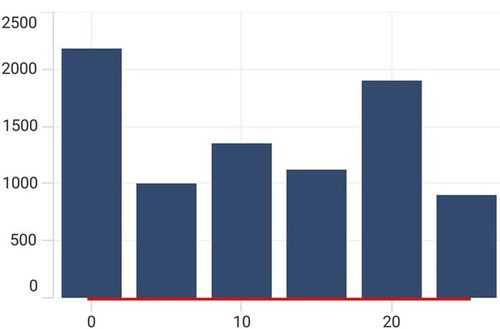
Cartesian chart axis provides support to customize the style of axis line by defining the AxisLineStyle property as shown in the below code snippet.
<chart:SfCartesianChart>
    . . .
    <chart:SfCartesianChart.XAxes>
        <chart:NumericalAxis>
            <chart:NumericalAxis.AxisLineStyle>
                <chart:ChartLineStyle StrokeWidth="2"
                                      Stroke="Red"/>
            </chart:NumericalAxis.AxisLineStyle>
        </chart:NumericalAxis>
    </chart:SfCartesianChart.XAxes>
    . . .
</chart:SfCartesianChart>
SfCartesianChart chart = new SfCartesianChart();
. . .
NumericalAxis primaryAxis = new NumericalAxis();
// Define the style for the axis line
ChartLineStyle axisLineStyle = new ChartLineStyle()
{
Stroke = Colors.Red,
StrokeWidth = 2,
};
primaryAxis.AxisLineStyle = axisLineStyle; // Apply the defined axis line style to the primary axis
chart.XAxes.Add(primaryAxis);
. . .
this.Content = chart;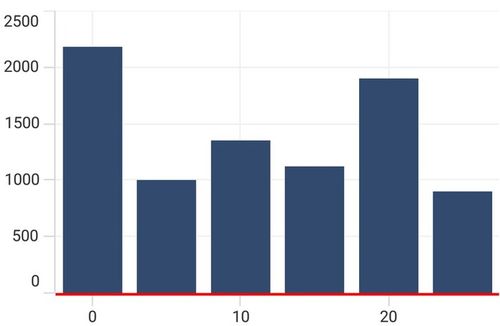
Offset
The padding to the axis line is defined by using the AxisLineOffset property.
<chart:SfCartesianChart>
    . . .
    <chart:SfCartesianChart.XAxes>
        <chart:NumericalAxis AxisLineOffset="25">
            <chart:NumericalAxis.AxisLineStyle>
                <chart:ChartLineStyle StrokeWidth="2"
                                      Stroke="Red"/>
            </chart:NumericalAxis.AxisLineStyle>
        </chart:NumericalAxis>
    </chart:SfCartesianChart.XAxes>
    . . .
</chart:SfCartesianChart>
SfCartesianChart chart = new SfCartesianChart();
. . .
NumericalAxis primaryAxis = new NumericalAxis();
primaryAxis.AxisLineOffset = 25; // Set the axis line offset to position the axis line away from the plotted area
ChartLineStyle axisLineStyle = new ChartLineStyle()
{
Stroke = Colors.Red,
StrokeWidth = 2,
};
primaryAxis.AxisLineStyle = axisLineStyle;
chart.XAxes.Add(primaryAxis);
. . .
this.Content = chart;