Critical Path in UWP Gantt Chart
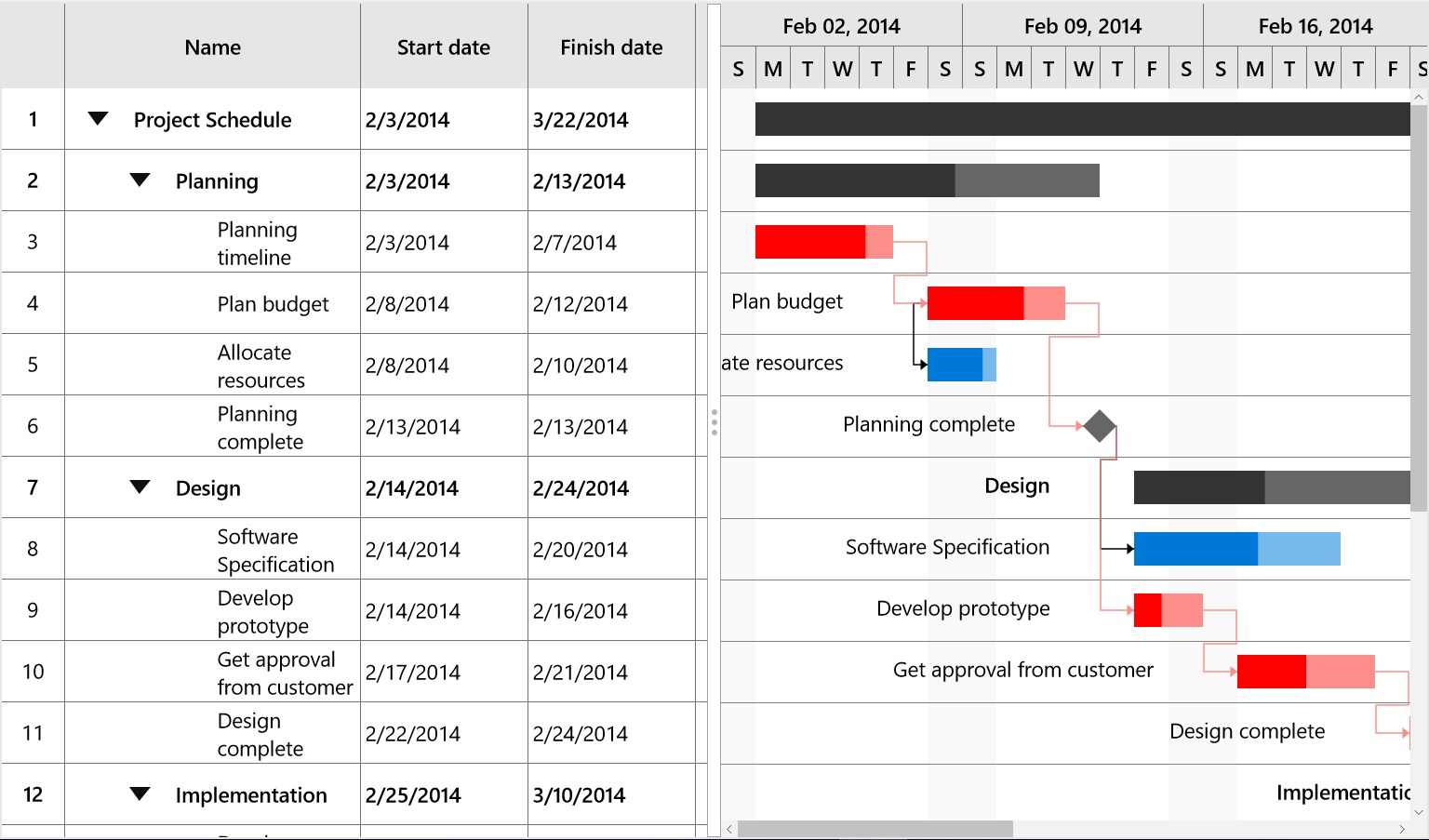
Critical path is a chain of linked critical tasks that defines the finish date of the project. It can be highlighted by enabling the HighlightCriticalTasks property as demonstrated in the following code sample.
<gantt:SfGantt HighlightCriticalTasks="True"/>SfGantt gantt = new SfGantt
{
HighlightCriticalTasks = true
};
Customization
You can customize the color of critical path using the following properties:
-
CriticalTaskBarBrush: Specifies the color to highlight the critical task bar color. -
CriticalProgressBrush: Specifies the color to highlight the critical task bar progress color.
The same
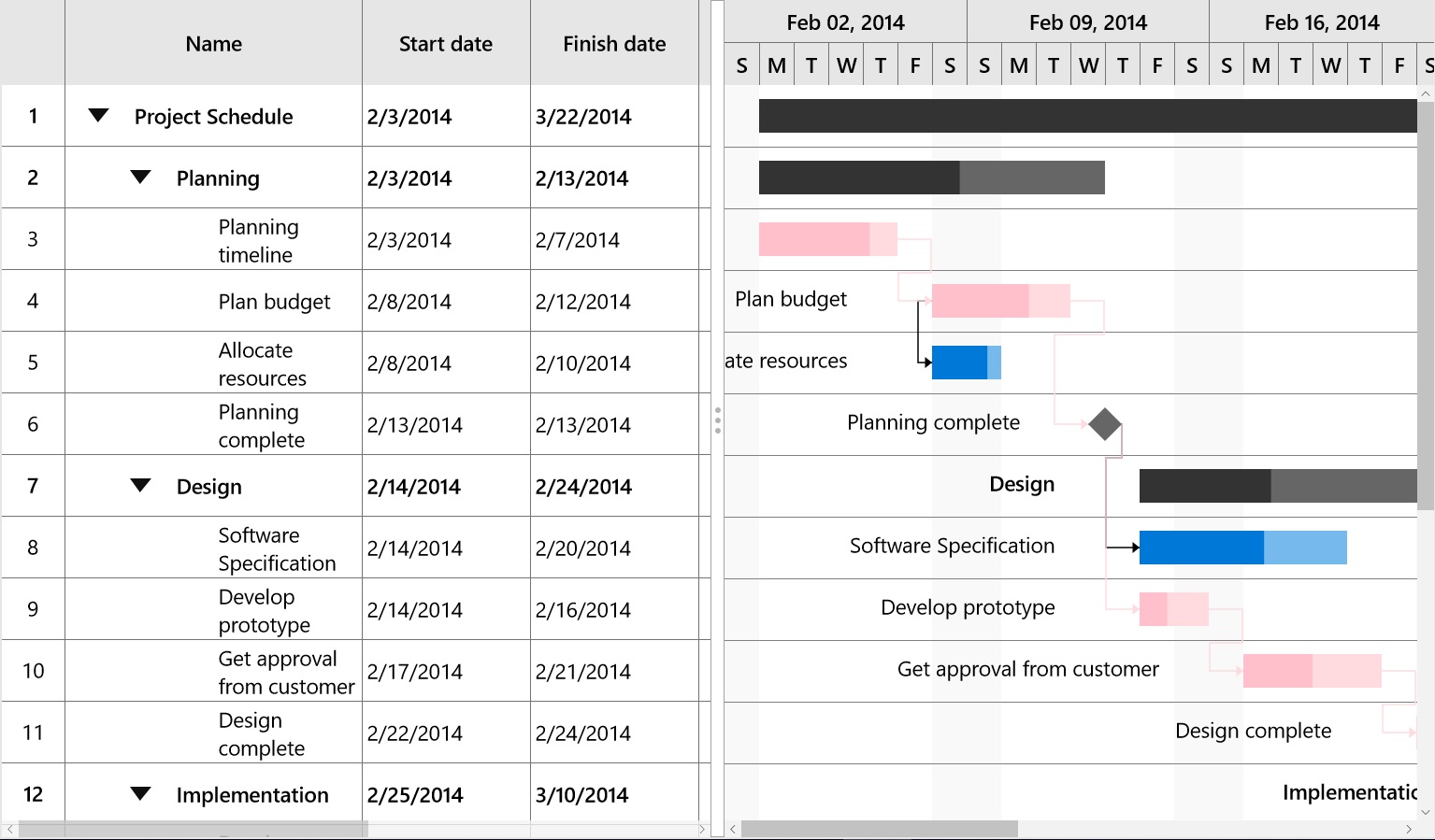
CriticalTaskBarBrushis applied to connector lines that connect two critical tasks.
<gantt:SfGantt HighlightCriticalTasks="True" CriticalTaskBarBrush="#ffdbe0" CriticalProgressBarBrush="Pink" />SfGantt gantt = new SfGantt
{
HighlightCriticalTasks = true,
CriticalTaskBarBrush = new SolidColorBrush(Color.FromArgb(255, 255, 219, 224)),
CriticalProgressBarBrush = new SolidColorBrush(Colors.Pink)
};
By default, the HighlightCriticalTasks property is disabled.