Data Binding with Local and Remote Sources in ASP.NET MVC Kanban
The Kanban uses DataManager, which supports both RESTful data service binding and list binding. The DataSourceproperty of Kanban can be assigned either with the instance of DataManager or List, as it supports the following two data binding methods:
- Local data
- Remote data
Local data
To bind local list data to the Kanban, you can simply assign a list to the DataSource property. The list can also be provided as an instance of DataManager and assigned to the Kanban DataSource property.
@Html.EJS().Kanban("kanban").KeyField("Status").DataSource((IEnumerable<object>)ViewBag.data).Columns(col =>
            {
           col.HeaderText("To Do").KeyField("Open").Add();
           col.HeaderText("In Progress").KeyField("InProgress").Add();
           col.HeaderText("Testing").KeyField("Testing").Add();
           col.HeaderText("Done").KeyField("Close").Add();
       }).CardSettings(card =>  {
           card.ContentField("Summary").HeaderField("Id");
       }).Render()
public class KanbanDataModels
{
public string Id { get; set; }
public string Title { get; set; }
public string Status { get; set; }
public string Summary { get; set; }
public string Type { get; set; }
public string Priority { get; set; }
public string Tags { get; set; }
public Double Estimate { get; set; }
public string Assignee { get; set; }
public int RankId { get; set; }
public string Color { get; set; }
public List<KanbanDataModels> KanbanTasks()
{
List<KanbanDataModels> TaskDetails = new List<KanbanDataModels>();
TaskDetails.Add(new KanbanDataModels { Id = "Task 1", Title = "Task - 29001", Status = "Open", Summary = "Analyze the new requirements gathered from the customer.", Type = "Story", Priority = "Low", Tags = "Analyze,Customer", Estimate = 3.5, Assignee = "Nancy Davloio", RankId = 1, Color = "#8b447a" });
TaskDetails.Add(new KanbanDataModels { Id = "Task 2", Title = "Task - 29002", Status = "InProgress", Summary = "Improve application performance", Type = "Improvement", Priority = "Normal", Tags = "Improvement", Estimate = 6, Assignee = "Andrew Fuller", RankId = 1, Color = "#7d7297" });
TaskDetails.Add(new KanbanDataModels { Id = "Task 3", Title = "Task - 29003", Status = "Open", Summary = "Arrange a web meeting with the customer to get new requirements.", Type = "Others", Priority = "Critical", Tags = "Meeting", Estimate = 5.5, Assignee = "Janet Leverling", RankId = 2, Color = "#27AE60" });
TaskDetails.Add(new KanbanDataModels { Id = "Task 4", Title = "Task - 29004", Status = "InProgress", Summary = "Fix the issues reported in the IE browser.", Type = "Bug", Priority = "Release Breaker", Tags = "IE", Estimate = 2.5, Assignee = "Janet Leverling", RankId = 2, Color = "#cc0000" });
TaskDetails.Add(new KanbanDataModels { Id = "Task 5", Title = "Task - 29005", Status = "Review", Summary = "Fix the issues reported by the customer.", Type = "Bug", Priority = "Low", Tags = "Customer", Estimate = 3.5, Assignee = "Steven walker", RankId = 1, Color = "#cc0000" });
TaskDetails.Add(new KanbanDataModels { Id = "Task 6", Title = "Task - 29007", Status = "Validate", Summary = "Validate new requirements", Type = "Improvement", Priority = "Low", Tags = "Validation", Estimate = 1.5, Assignee = "Robert King", RankId = 1, Color = "#7d7297" });
TaskDetails.Add(new KanbanDataModels { Id = "Task 7", Title = "Task - 29009", Status = "Review", Summary = "Fix the issues reported in Safari browser.", Type = "Bug", Priority = "Release Breaker", Tags = "Fix,Safari", Estimate = 1.5, Assignee = "Nancy Davloio", RankId = 2, Color = "#cc0000" });
TaskDetails.Add(new KanbanDataModels { Id = "Task 8", Title = "Task - 29010", Status = "Close", Summary = "Test the application in the IE browser.", Type = "Story", Priority = "Low", Tags = "Review,IE", Estimate = 5.5, Assignee = "Margaret hamilt", RankId = 3, Color = "#8b447a" });
TaskDetails.Add(new KanbanDataModels { Id = "Task 9", Title = "Task - 29011", Status = "Validate", Summary = "Validate the issues reported by the customer.", Type = "Story", Priority = "High", Tags = "Validation,Fix", Estimate = 1, Assignee = "Steven walker", RankId = 1, Color = "#8b447a" });
TaskDetails.Add(new KanbanDataModels { Id = "Task 10", Title = "Task - 29015", Status = "Open", Summary = "Show the retrieved data from the server in grid control.", Type = "Story", Priority = "High", Tags = "Database,SQL", Estimate = 5.5, Assignee = "Margaret hamilt", RankId = 4, Color = "#8b447a" });
TaskDetails.Add(new KanbanDataModels { Id = "Task 11", Title = "Task - 29016", Status = "InProgress", Summary = "Fix cannot open user’s default database SQL error.", Priority = "Critical", Type = "Bug", Tags = "Database,Sql2008", Estimate = 2.5, Assignee = "Janet Leverling", RankId = 4, Color = "#cc0000" });
TaskDetails.Add(new KanbanDataModels { Id = "Task 12", Title = "Task - 29017", Status = "Review", Summary = "Fix the issues reported in data binding.", Type = "Story", Priority = "Normal", Tags = "Databinding", Estimate = 3.5, Assignee = "Janet Leverling", RankId = 4, Color = "#8b447a" });
TaskDetails.Add(new KanbanDataModels { Id = "Task 13", Title = "Task - 29018", Status = "Close", Summary = "Analyze SQL server 2008 connection.", Type = "Story", Priority = "Release Breaker", Tags = "Grid,Sql", Estimate = 2, Assignee = "Andrew Fuller", RankId = 4, Color = "#8b447a" });
TaskDetails.Add(new KanbanDataModels { Id = "Task 14", Title = "Task - 29019", Status = "Validate", Summary = "Validate databinding issues.", Type = "Story", Priority = "Low", Tags = "Validation", Estimate = 1.5, Assignee = "Margaret hamilt", RankId = 1, Color = "#8b447a" });
TaskDetails.Add(new KanbanDataModels { Id = "Task 15", Title = "Task - 29020", Status = "Close", Summary = "Analyze grid control.", Type = "Story", Priority = "High", Tags = "Analyze", Estimate = 2.5, Assignee = "Margaret hamilt", RankId = 5, Color = "#8b447a" });
TaskDetails.Add(new KanbanDataModels { Id = "Task 16", Title = "Task - 29021", Status = "Close", Summary = "Stored procedure for initial data binding of the grid.", Type = "Others", Priority = "Release Breaker", Tags = "Databinding", Estimate = 1.5, Assignee = "Steven walker", RankId = 6, Color = "#27AE60" });
TaskDetails.Add(new KanbanDataModels { Id = "Task 17", Title = "Task - 29022", Status = "Close", Summary = "Analyze stored procedures.", Type = "Story", Priority = "Release Breaker", Tags = "Procedures", Estimate = 5.5, Assignee = "Janet Leverling", RankId = 7, Color = "#8b447a" });
TaskDetails.Add(new KanbanDataModels { Id = "Task 18", Title = "Task - 29023", Status = "Validate", Summary = "Validate editing issues.", Type = "Story", Priority = "Critical", Tags = "Editing", Estimate = 1, Assignee = "Nancy Davloio", RankId = 1, Color = "#8b447a" });
TaskDetails.Add(new KanbanDataModels { Id = "Task 19", Title = "Task - 29024", Status = "Review", Summary = "Test editing functionality.", Type = "Story", Priority = "Normal", Tags = "Editing,Test", Estimate = 0.5, Assignee = "Nancy Davloio", RankId = 5, Color = "#8b447a" });
TaskDetails.Add(new KanbanDataModels { Id = "Task 20", Title = "Task - 29025", Status = "Open", Summary = "Enhance editing functionality.", Type = "Improvement", Priority = "Low", Tags = "Editing", Estimate = 3.5, Assignee = "Andrew Fuller", RankId = 5, Color = "#7d7297" });
TaskDetails.Add(new KanbanDataModels { Id = "Task 21", Title = "Task - 29026", Status = "InProgress", Summary = "Improve the performance of the editing functionality.", Type = "Epic", Priority = "High", Tags = "Performance", Estimate = 6, Assignee = "Nancy Davloio", RankId = 5, Color = "#6d7492" });
TaskDetails.Add(new KanbanDataModels { Id = "Task 22", Title = "Task - 29027", Status = "Open", Summary = "Arrange web meeting with the customer to show editing demo.", Type = "Others", Priority = "High", Tags = "Meeting,Editing", Estimate = 5.5, Assignee = "Steven walker", RankId = 6, Color = "#27AE60" });
TaskDetails.Add(new KanbanDataModels { Id = "Task 23", Title = "Task - 29029", Status = "Review", Summary = "Fix the editing issues reported by the customer.", Type = "Bug", Priority = "Low", Tags = "Editing,Fix", Estimate = 3.5, Assignee = "Janet Leverling", RankId = 6, Color = "#cc0000" });
TaskDetails.Add(new KanbanDataModels { Id = "Task 24", Title = "Task - 29030", Status = "Testing", Summary = "Fix the issues reported by the customer.", Type = "Bug", Priority = "Critical", Tags = "Customer", Estimate = 3.5, Assignee = "Steven walker", RankId = 1 });
TaskDetails.Add(new KanbanDataModels { Id = "Task 25", Title = "Task - 29031", Status = "Testing", Summary = "Fix the issues reported in Safari browser.", Type = "Bug", Priority = "Release Breaker", Tags = "Fix,Safari", Estimate = 1.5, Assignee = "Nancy Davloio", RankId = 2 });
TaskDetails.Add(new KanbanDataModels { Id = "Task 26", Title = "Task - 29032", Status = "Testing", Summary = "Check Login page validation.", Type = "Story", Priority = "Release Breaker", Tags = "Testing", Estimate = 0.5, Assignee = "Michael Suyama", RankId = 3 });
TaskDetails.Add(new KanbanDataModels { Id = "Task 27", Title = "Task - 29033", Status = "Testing", Summary = "Fix the issues reported in data binding.", Type = "Story", Priority = "Normal", Tags = "Databinding", Estimate = 3.5, Assignee = "Janet Leverling", RankId = 4 });
TaskDetails.Add(new KanbanDataModels { Id = "Task 28", Title = "Task - 29034", Status = "Testing", Summary = "Test editing functionality.", Type = "Story", Priority = "Normal", Tags = "Editing,Test", Estimate = 0.5, Assignee = "Nancy Davloio", RankId = 5 });
TaskDetails.Add(new KanbanDataModels { Id = "Task 29", Title = "Task - 29035", Status = "Testing", Summary = "Fix editing issues reported in Firefox.", Type = "Bug", Priority = "Critical", Tags = "Editing,Fix", Estimate = 1.5, Assignee = "Robert King", RankId = 7 });
TaskDetails.Add(new KanbanDataModels { Id = "Task 30", Title = "Task - 29036", Status = "Testing", Summary = "Test editing feature in the IE browser.", Type = "Story", Priority = "Normal", Tags = "Testing", Estimate = 5.5, Assignee = "Janet Leverling", RankId = 10 });
return TaskDetails;
}
}public class HomeController : Controller
{
public ActionResult Index()
{
ViewBag.data = new KanbanDataModels().KanbanTasks();
return View();
}
}Output be like the below.
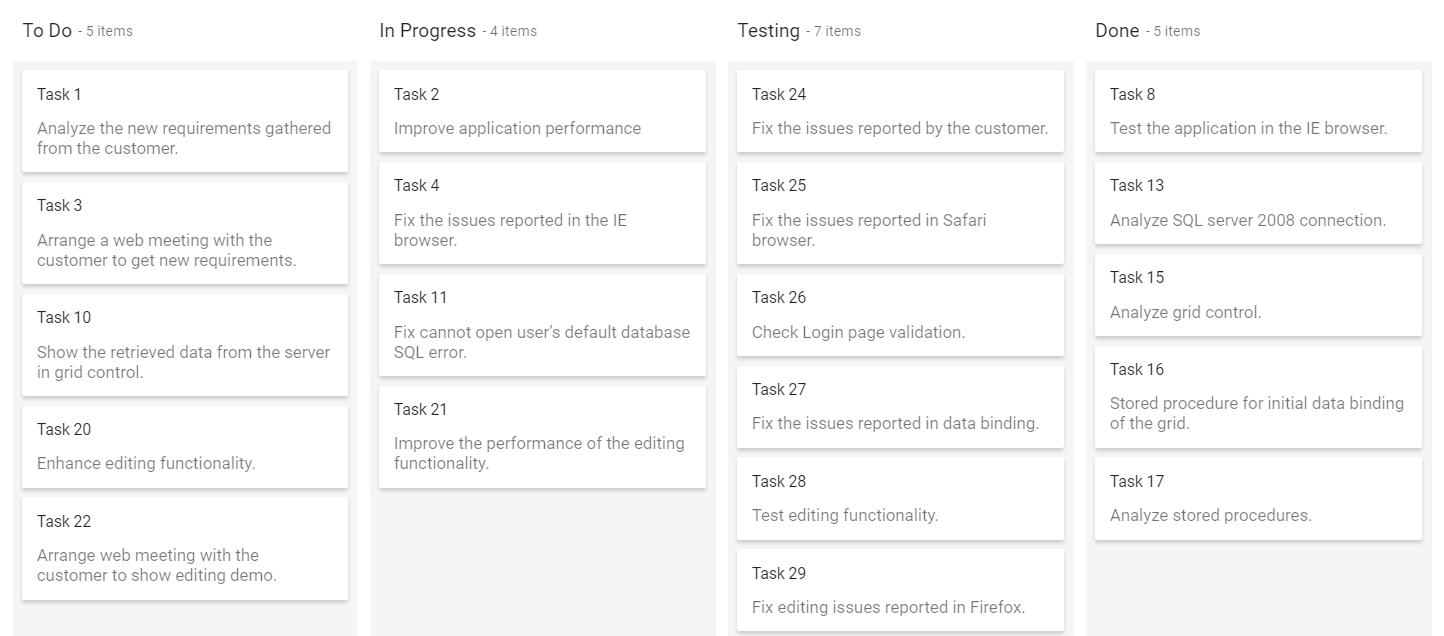
By default,
DataManagerusesJsonAdaptorfor binding local data.
Remote data
To bind remote data to kanban component, assign service data as an instance of DataManager to the DataSourceproperty. To interact with remote data source, provide the endpoint url.
@Html.EJS().Kanban("kanban").KeyField("Status").AllowDragAndDrop(false).DataSource(dataManger =>
       { dataManger.Url("https://services.syncfusion.com/aspnet/production/api/Kanban").CrossDomain(true);
       }).Columns(col=> {
           col.HeaderText("To Do").KeyField("Open").Add();
           col.HeaderText("In Progress").KeyField("InProgress").Add();
           col.HeaderText("Testing").KeyField("Testing").Add();
           col.HeaderText("Done").KeyField("Close").Add();
       }).CardSettings(card =>  {
            card.ContentField("Summary").HeaderField("Id");
            }).DialogOpen("onDialogOpen").Render()
<script>
    function onDialogOpen(args) {
        args.cancel = true;
    }
</script>
public class HomeController : Controller
{
public ActionResult Index()
{
return View();
}
}Output be like the below.
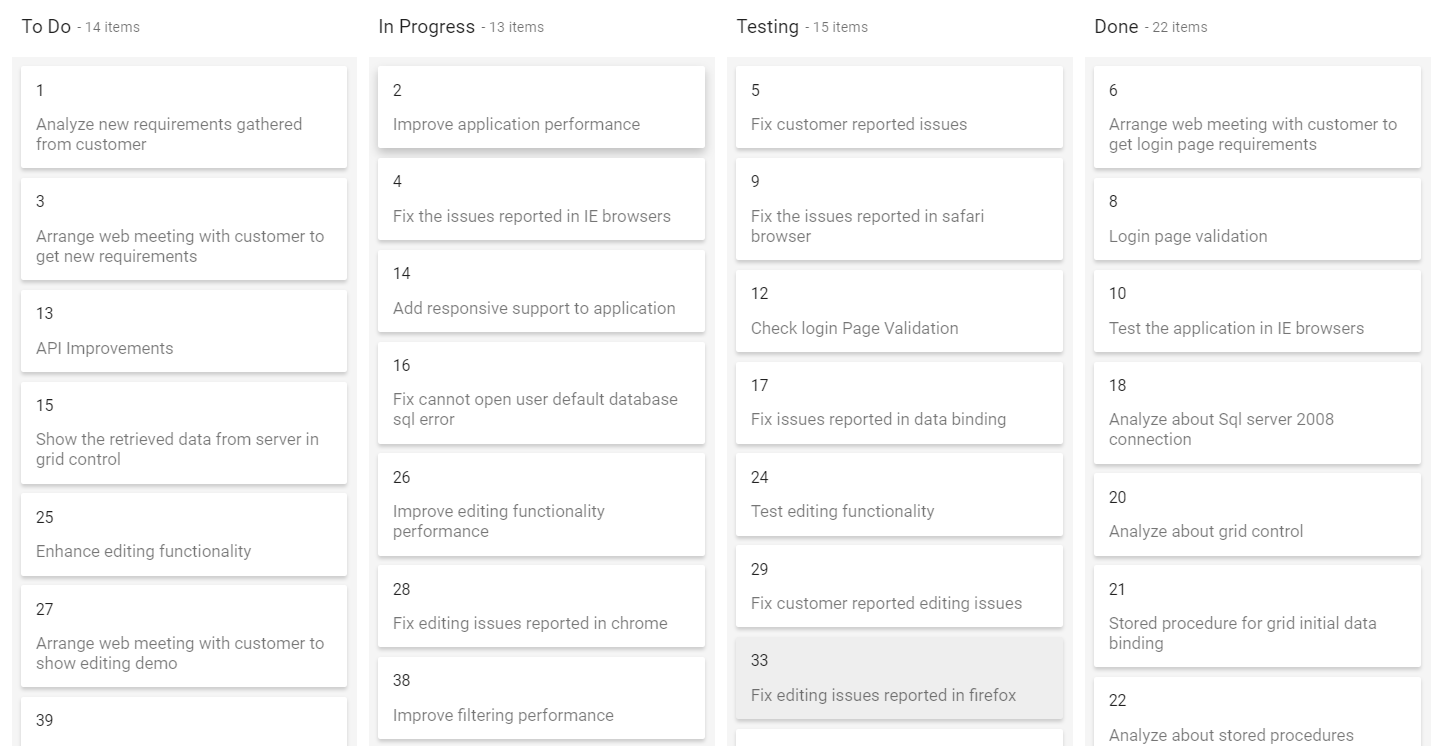
By default,
DataManageruses ODataAdaptor for remote data-binding.
OData services
OData is a standardized protocol for creating and consuming data. You can retrieve data from OData service using the DataManager. Refer to the following code example for remote Data binding using OData service.
@Html.EJS().Kanban("kanban").KeyField("Status").AllowDragAndDrop(false).DataSource(dataManger => {
            dataManger.Url("https://services.syncfusion.com/aspnet/production/api/Kanban").CrossDomain(true).Adaptor("ODataAdaptor");
            }).Columns(col=> {
           col.HeaderText("To Do").KeyField("Open").Add();
           col.HeaderText("In Progress").KeyField("InProgress").Add();
           col.HeaderText("Testing").KeyField("Testing").Add();
           col.HeaderText("Done").KeyField("Close").Add();
           }).CardSettings(card =>  {
            card.ContentField("Summary").HeaderField("Id");
            }).DialogOpen("onDialogOpen").Render()
<script>
    function onDialogOpen(args) {
        args.cancel = true;
    }
</script>
public class HomeController : Controller
{
public ActionResult Index()
{
return View();
}
}OData v4 services
The ODataV4 is an improved version of OData protocols, and the DataManager can also retrieve and consume OData v4 services. For more details on OData v4 services, refer to the OData Documentation. To bind OData v4 service, use the ODataV4Adaptor.
@Html.EJS().Kanban("kanban").KeyField("Status").AllowDragAndDrop(false).DataSource(dataManger => {
            dataManger.Url("https://services.syncfusion.com/aspnet/production/api/Kanban").CrossDomain(true).Adaptor("ODataAdaptor");
            }).Columns(col=> {
           col.HeaderText("To Do").KeyField("Open").Add();
           col.HeaderText("In Progress").KeyField("InProgress").Add();
           col.HeaderText("Testing").KeyField("Testing").Add();
           col.HeaderText("Done").KeyField("Close").Add();
           }).CardSettings(card =>  {
            card.ContentField("Summary").HeaderField("Id");
            }).DialogOpen("onDialogOpen").Render()
<script>
    function onDialogOpen(args) {
        args.cancel = true;
    }
</script>
public class HomeController : Controller
{
public ActionResult Index()
{
return View();
}
}Output be like the below.
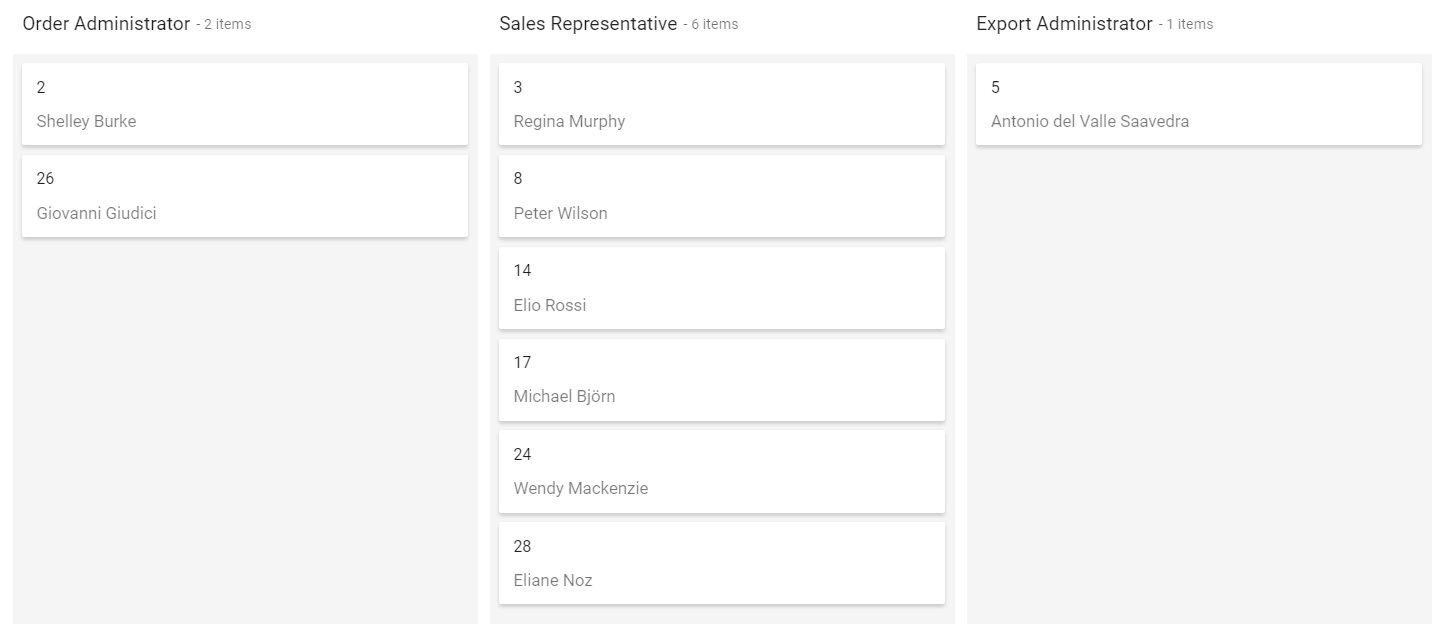
Web API
You can use WebApiAdaptor to bind kanban with Web API created using OData endpoint.
@Html.EJS().Kanban("kanban").KeyField("Status").AllowDragAndDrop(false).DataSource(dataManger =>
       { dataManger.Url("/api/Tasks").CrossDomain(true).Adaptor("WebApiAdaptor");
       }).Columns(col=> {
           col.HeaderText("To Do").KeyField("Open").Add();
           col.HeaderText("In Progress").KeyField("InProgress").Add();
           col.HeaderText("Testing").KeyField("Testing").Add();
           col.HeaderText("Done").KeyField("Close").Add();
       }).CardSettings(card =>  {
           card.ContentField("Summary").HeaderField("Id");
       }).DialogOpen("onDialogOpen").Render()
<script>
    function onDialogOpen(args) {
        args.cancel = true;
    }
</script>
public class HomeController : Controller
{
public ActionResult Index()
{
return View();
}
}Below server-side controller code to get the Kanban data.
[HttpGet]
        public object Get()
        {
            var data = OrdersDetails.GetAllRecords().ToList();
            return data;
        }
URL adaptor
The CRUD (Create, Read, Update and Delete) actions can be performed easily on Kanban cards using the various adaptors available within the DataManager. Most preferably, we will be using UrlAdaptor for performing CRUD actions on Kanban.
The CRUD operation in Kanban can be mapped to server-side controller actions using the properties InsertUrl, RemoveUrl, UpdateUrl, and CrudUrl.
-
InsertUrl– You can perform a single insertion operation on the server-side. -
UpdateUrl– You can update single data on the server-side. -
RemoveUrl– You can remove single data on the server-side. -
CrudUrl– You can perform bulk data operation on the server-side.
@Html.EJS().Kanban("kanban").KeyField("Status").DataSource(dataManger =>
       { dataManger.Url("/Home/DataSource").UpdateUrl("/Home/Update").InsertUrl("/Home/Insert").RemoveUrl("/Home/Delete").CrossDomain(true).Adaptor("UrlAdaptor");
       }).Columns(col=> {
           col.HeaderText("To Do").KeyField("Open").Add();
           col.HeaderText("In Progress").KeyField("InProgress").Add();
           col.HeaderText("Testing").KeyField("Testing").Add();
           col.HeaderText("Done").KeyField("Close").Add();
       }).CardSettings(card =>  {
           card.ContentField("Summary").HeaderField("Id");
       }).Render()
public class HomeController : Controller
{
public ActionResult Index()
{
return View();
}
}The server-side controller code to handle the CRUD operations are as follows.
private NORTHWNDEntities db = new NORTHWNDEntities();
public ActionResult DataSource() {
    var DataSource = db.Tasks.ToList();
    return Json(DataSource, JsonRequestBehavior.AllowGet);
}
public ActionResult Insert(Params value) {
    //Insert card data into the database
    return Json(value, JsonRequestBehavior.AllowGet);
}
public ActionResult Update(Params value) {
    //Update card data into the database
    return Json(value, JsonRequestBehavior.AllowGet);
}
public void Delete(Params value) {
    //Delete card data from the database
}

public class Params {
    public int Id { get; set; }
    public string Status { get; set; }
    public string Summary { get; set; }
    public string Assignee { get; set; }
}
The
CrudUrlis used to update the bulk data sent to the server-side. Multiple selections andSortByasIndexproperties are used forCrudUrlproperties to update the modified bulk data to the server-side.
Custom adaptor
It is possible to create your own custom adaptor by extending the built-in available adaptors. The following example demonstrates the custom adaptor usage and how to add a custom field TaskId for the cards by overriding the built-in response processing using the ProcessResponse method of the ODataAdaptor.
@Html.EJS().Kanban("kanban").KeyField("Status").AllowDragAndDrop(false).Columns(col=> {
           col.HeaderText("To Do").KeyField("Open").Add();
           col.HeaderText("In Progress").KeyField("InProgress").Add();
           col.HeaderText("Testing").KeyField("Testing").Add();
           col.HeaderText("Done").KeyField("Close").Add();
       }).CardSettings(card =>  {
            card.ContentField("Summary").HeaderField("Id");
            }).DialogOpen("onDialogOpen").Created("onCreate").Render()
<script>
    function onDialogOpen(args) {
        args.cancel = true;
    }

    function onCreate(args) {
        class TaskIdAdaptor extends ej.data.ODataAdaptor {
            processResponse() {
                var i = 0;
                // calling base class processResponse function
                var original = super.processResponse.apply(this, arguments);
                original.forEach((item) => item['Id'] = 'Task - ' + ++i);
                return original;
            }
        }
        var kanban = document.querySelector('#kanban').ej2_instances[0];
        kanban.dataSource = new ej.data.DataManager({
        url: "https://services.syncfusion.com/aspnet/production/api/Kanban",
            adaptor: new TaskIdAdaptor()
        });
    }
</script>
public class HomeController : Controller
{
public ActionResult Index()
{
return View();
}
}Output be like the below.
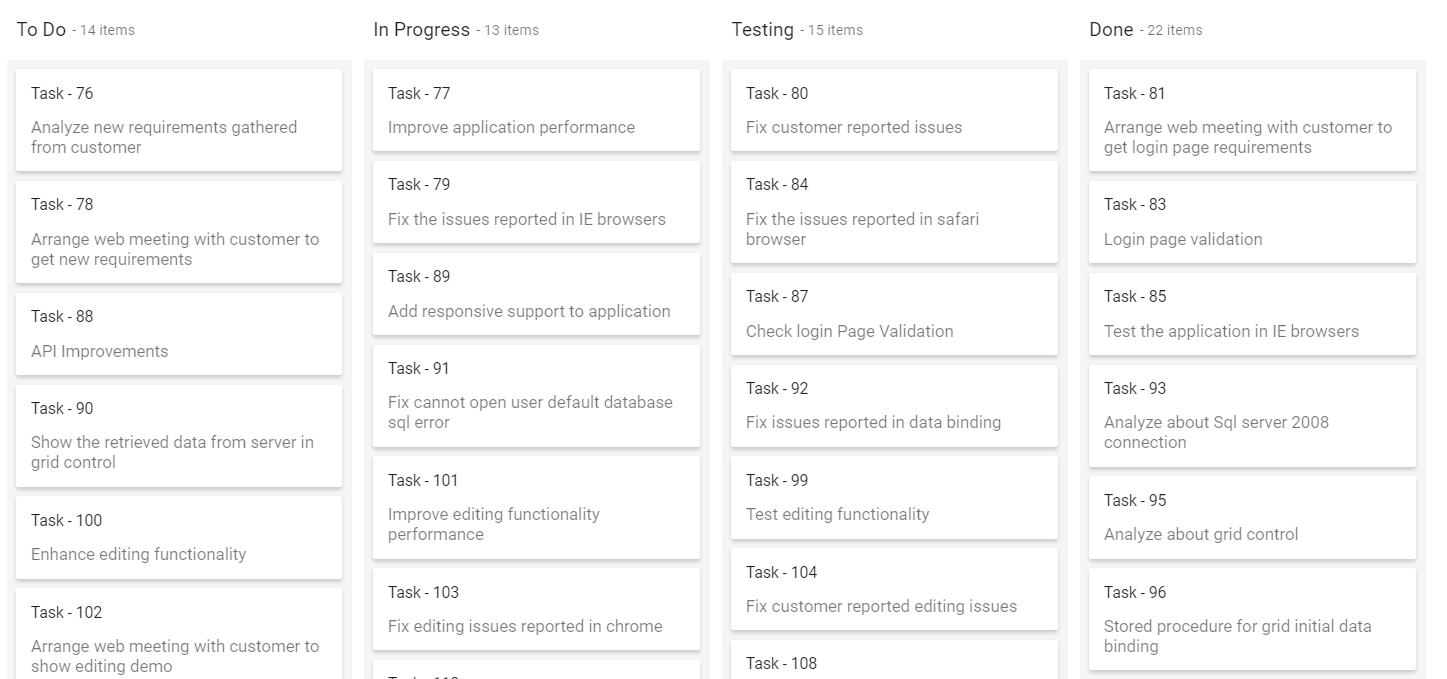
Sending additional parameters to the server
To add a custom parameter to the data request, use the addParams method of Query class. Assign the Query object with additional parameters to the kanban Query property.
@Html.EJS().Kanban("kanban").KeyField("Status").AllowDragAndDrop(false).DataSource(dataManger =>
       { dataManger.Url("https://services.syncfusion.com/aspnet/production/api/Kanban").CrossDomain(true);
       }).Query("new ej.data.Query().addParams('ej2kanban', 'true')").Columns(col=> {
           col.HeaderText("To Do").KeyField("Open").Add();
           col.HeaderText("In Progress").KeyField("InProgress").Add();
           col.HeaderText("Testing").KeyField("Testing").Add();
           col.HeaderText("Done").KeyField("Close").Add();
       }).CardSettings(card =>  {
            card.ContentField("Summary").HeaderField("Id");
            }).DialogOpen("onDialogOpen").Render()
<script>
    function onDialogOpen(args) {
        args.cancel = true;
    }
</script>
public class HomeController : Controller
{
public ActionResult Index()
{
return View();
}
}The parameters added using the
Queryproperty will be sent along with the data request for every kanban action.
Handling HTTP error
During server interaction from the kanban, some server-side exceptions may occur, and you can acquire those error messages or exception details
in client-side using the ActionFailure event.
The argument passed to the ActionFailure event contains the error details returned from the server.
@Html.EJS().Kanban("kanban").KeyField("Status").AllowDragAndDrop(false).DataSource(dataManger =>
       { dataManger.Url("'http://some.com/invalidUrl").CrossDomain(true);
       }).Columns(col=> {
           col.HeaderText("To Do").KeyField("Open").Add();
           col.HeaderText("In Progress").KeyField("InProgress").Add();
           col.HeaderText("Testing").KeyField("Testing").Add();
           col.HeaderText("Done").KeyField("Close").Add();
       }).CardSettings(card =>  {
            card.ContentField("Summary").HeaderField("Id");
            }).ActionFailure("onActionFailure").Render()
<script>
    function onActionFailure() {
        var span = document.createElement('span');
        this.element.parentNode.insertBefore(span, this.element);
        span.style.color = '#FF0000'
        span.innerHTML = 'Server exception: 404 Not found'
    }
</script>
public class HomeController : Controller
{
public ActionResult Index()
{
ViewBag.data = new KanbanDataModels().KanbanTasks();
return View();
}
}Output be like the below.

The
ActionFailureevent will be triggered not only for the server errors, but also when there is an exception while processing the kanban actions.
Loading data via ajax
You can use Kanban DataSource property to bind the datasource to Kanban from external ajax request. In the following code, we have fetched the datasource from the server using ajax request and provided that to the DataSource property by using the OnSuccess event of ajax.
@Html.EJS().Button("btn").Content("ajax").Render()
            @Html.EJS().Kanban("kanban").KeyField("ShipCountry").Columns(col=> {
            col.HeaderText("Denmark").KeyField("Denmark").Add();
            col.HeaderText("Brazil").KeyField("Brazil").Add();
            col.HeaderText("Switzerland").KeyField("Switzerland").Add();
            col.HeaderText("Germany").KeyField("Germany").Add();
            }).CardSettings(card =>  {
            card.ContentField("ShippedDate").HeaderField("OrderID");
            }).Created("onCreate").Render()

<script>
    function onCreate() {
        var kanbanObj = this;
        var button = document.getElementById('btn');
        button.addEventListener("click", function (e) {
        let ajax = new ej.base.Ajax("https://services.syncfusion.com/aspnet/production/api/Orders", "GET");
            ajax.send();
            ajax.onSuccess = function (data) {
                kanbanObj.dataSource = JSON.parse(data);
            };
        });
    }
</script>
public class HomeController : Controller
{
public ActionResult Index()
{
ViewBag.data = new KanbanDataModels().KanbanTasks();
return View();
}
}Output be like the below.
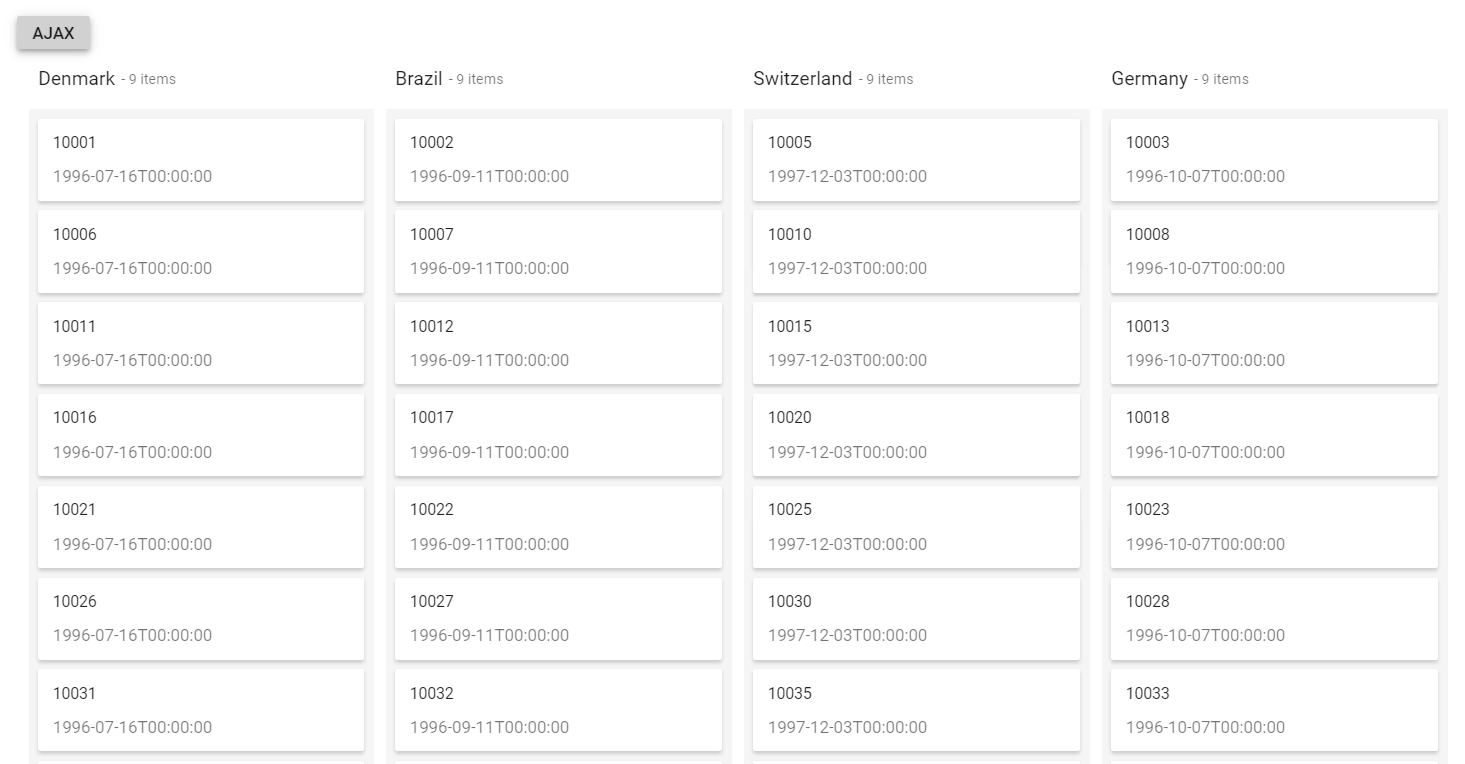
* If you bind the DataSource from this way, then it acts like a local dataSource. So you cannot perform any server-side crud actions.