Splitting and Merging Tasks in ASP.NET MVC Gantt Chart
Splitting task at load time
To split a task at load time, define segment details in both hierarchical and self-referential ways. Refer below link for more details.
Split task dynamically
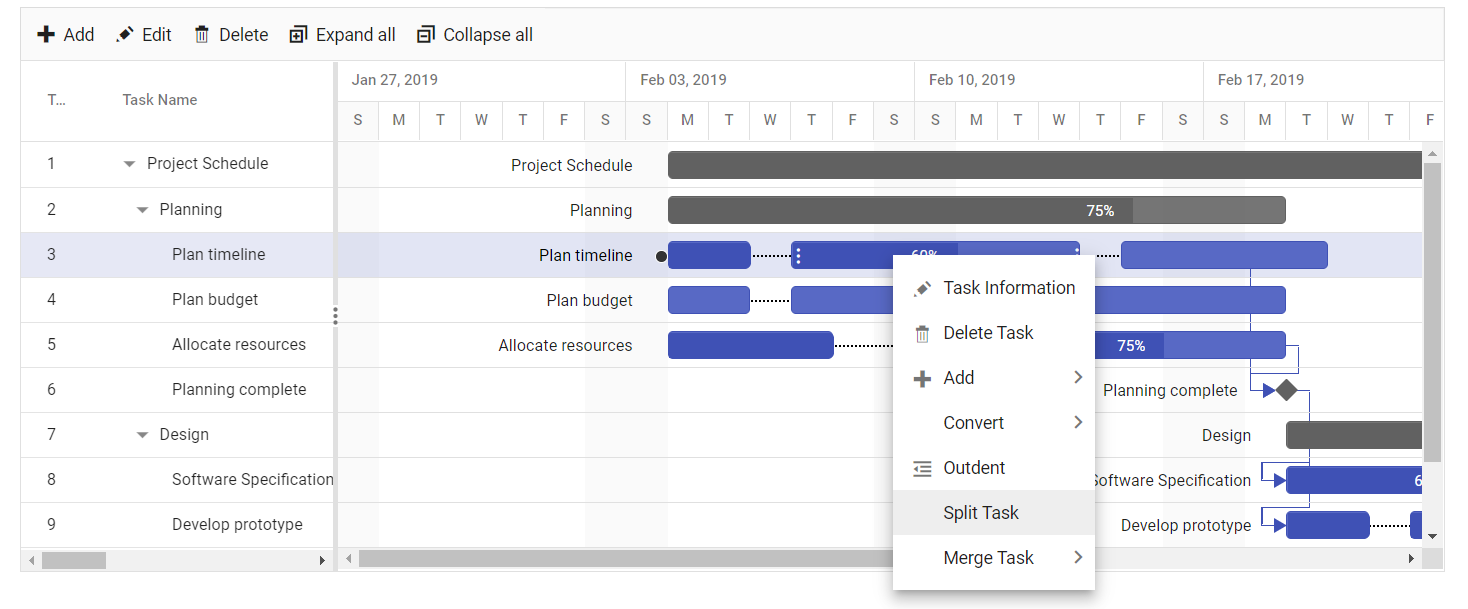
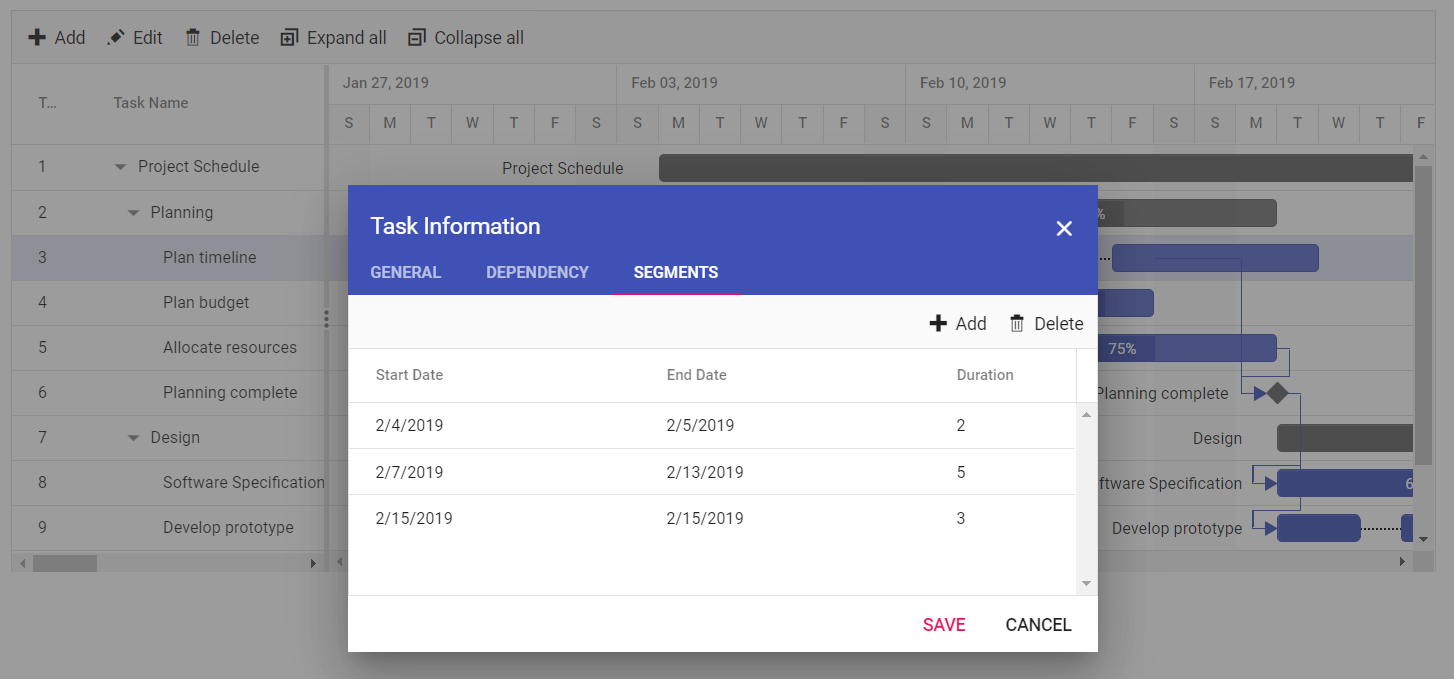
The task can be split dynamically, either using the context menu or dialog.
-
Dialog:Segmentstab is rendered in add/edit dialog when theTaskFields.SegmentsorTaskFields.segmentIdproperty is mapped. Using this tab, split the task based on the original start and end date of a particular task. -
Context menu: When theTaskFields.SegmentsorTaskFields.SegmentIdproperty is mapped and theEnableContextMenuproperty is enabled,Split Taskitem will be included in the context menu.
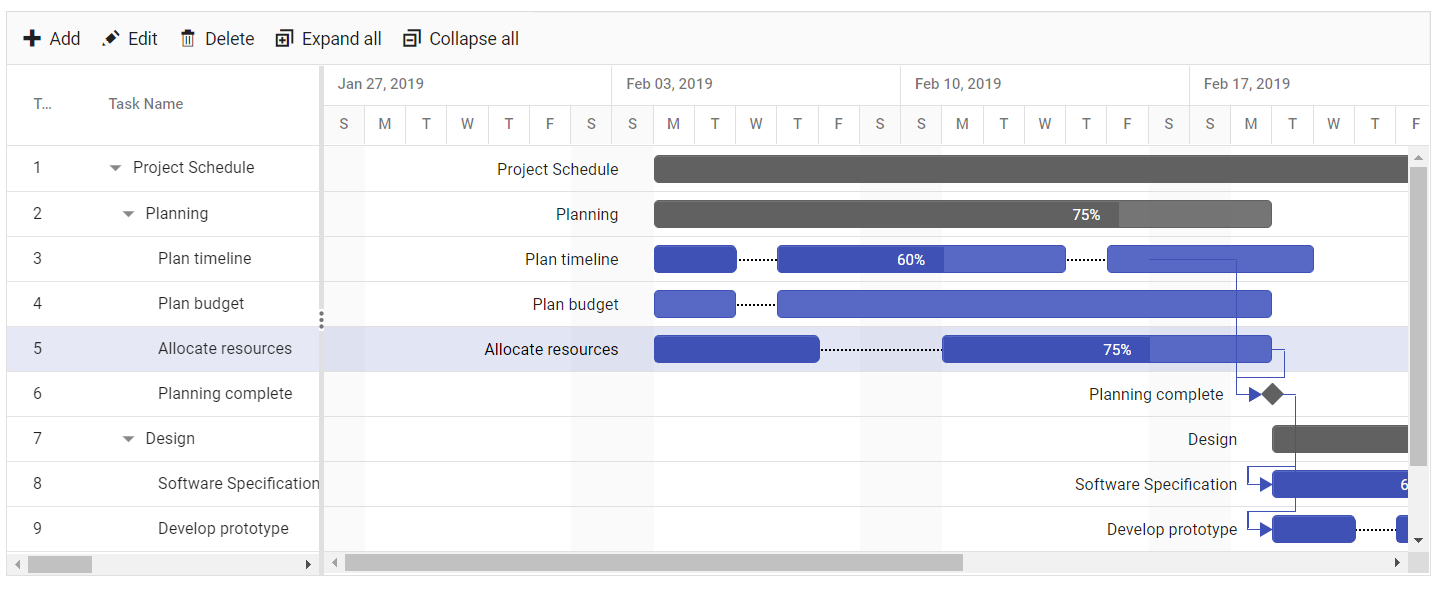
@Html.EJS().Gantt("Gantt").DataSource((IEnumerable<object>)ViewBag.DataSource).Height("450px").Toolbar(new List<string>()
  { "Add", "Cancel", "CollapseAll", "Delete", "Edit", "ExpandAll", "Search", "Update" }).TaskFields(ts => ts.Id("TaskId").Name(
                "TaskName").StartDate("StartDate").EndDate("EndDate").Duration("Duration").Progress("Progress").Child("SubTasks").Segments("Segments")
                ).EnableContextMenu(true).EditSettings(es=>
                es.AllowEditing(true).AllowAdding(true).AllowDeleting(true).AllowTaskbarEditing(true)).Render()
public ActionResult SplitTasks()
{
ViewBag.DataSource = GanttData.SplitTasksData();
return View();
}
Merge tasks
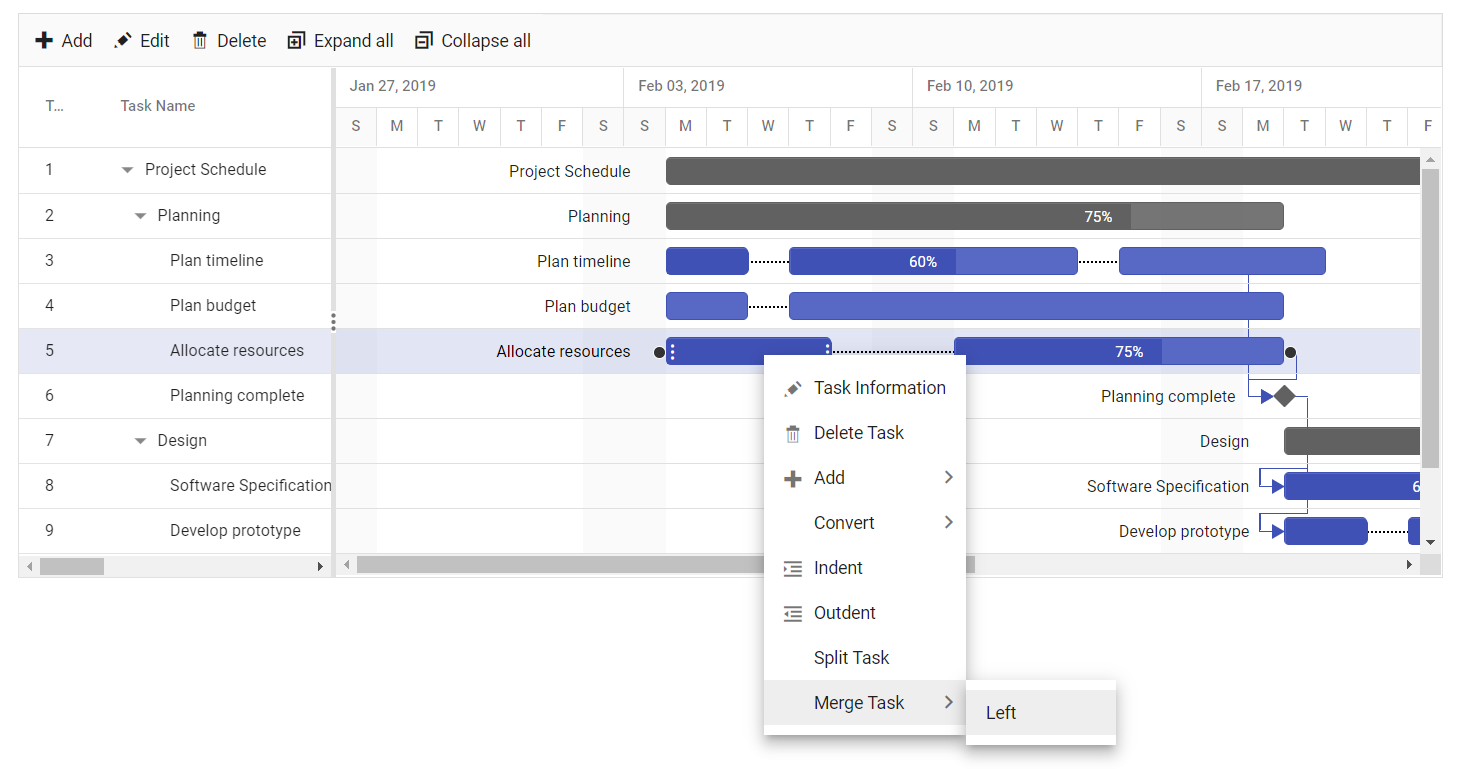
The split tasks can be merged either using the Merge Task item of the Context menu or using the dialog. Merge the tasks by dragging the segments together in the UI.
Limitations of Split tasks
- Parent and milestone tasks cannot be split into segments.
- The task must have a width greater than the timeline unit cell to be split.
- Split task is not supported with
Multi taskbar.