Virtual Scrolling in ASP.NET Core Gantt Chart
Virtual scrolling in the ASP.NET Core Gantt Chart enhances performance by rendering only visible tasks and timeline segments, minimizing DOM operations for large datasets or extensive timelines. It includes row virtualization for handling thousands of tasks (e.g., 10,000 tasks in a project) and timeline virtualization for wide timelines (e.g., multi-year projects). Row virtualization renders tasks within the viewport, while timeline virtualization loads timeline cells on-demand during horizontal scrolling, ensuring efficient rendering for complex project management.
Configure row virtualization
Row virtualization, enabled by setting enableVirtualization to true, only tasks visible in the Gantt’s viewport, determined by the height property in pixels (e.g., “600px”). All tasks are fetched initially but rendered on-demand during vertical scrolling, reducing load times for large datasets. For example, a project with 10,000 tasks renders only the 50 visible tasks, improving performance.
Set the Gantt Height in pixels to define the viewport and control how many records are displayed. The following example enables row virtualization:
@page
@model CoreSamples.Pages.IndexModel
@{
ViewData["Title"] = "Home page";
}

<ejs-gantt id="ganttDefault" dataSource="@Model.GanttDataSourceCollection" height="450px" treeColumnIndex="1"
    enableVirtualization="true" allowSelection="true" highlightWeekends="true">

    <e-gantt-taskfields id="TaskId" name="TaskName" startDate="StartDate" endDate="EndDate" duration="Duration"
        progress="Progress" parentID="ParentId">
    </e-gantt-taskfields>

    <e-gantt-columns>
        <e-gantt-column field="TaskId" headerText="Task ID" width="100"></e-gantt-column>
        <e-gantt-column field="TaskName" headerText="Task Name" width="250"></e-gantt-column>
        <e-gantt-column field="StartDate"></e-gantt-column>
        <e-gantt-column field="Duration"></e-gantt-column>
        <e-gantt-column field="Progress"></e-gantt-column>
    </e-gantt-columns>

    <e-gantt-splittersettings columnIndex="2"></e-gantt-splittersettings>

    <e-gantt-labelsettings leftLabel="TaskName" taskLabel="Progress">
    </e-gantt-labelsettings>

</ejs-gantt>
using Microsoft.AspNetCore.Mvc.RazorPages;
namespace CoreSamples.Pages
{
public class IndexModel : PageModel
{
public List<GanttDataSource> GanttDataSourceCollection { get; set; }
public void OnGet()
{
GanttDataSourceCollection = GetTaskCollection();
}
private List<GanttDataSource> GetTaskCollection()
{
var tempData = GetBaseTaskCollection();
var virtualData = new List<GanttDataSource>();
for (int i = 0; i < 50; i++)
{
int x = virtualData.Count + 1;
virtualData.Add(new GanttDataSource
{
TaskId = x,
TaskName = "Project " + (i + 1)
});
foreach (var task in tempData)
{
virtualData.Add(new GanttDataSource
{
TaskId = task.TaskId + x,
TaskName = task.TaskName,
StartDate = task.StartDate,
EndDate = task.EndDate,
Duration = task.Duration,
Progress = task.Progress,
ParentId = task.ParentId.HasValue ? task.ParentId + x : x
});
}
}
return virtualData;
}
private List<GanttDataSource> GetBaseTaskCollection()
{
return new List<GanttDataSource>()
{
new GanttDataSource { TaskId = 1, TaskName = "Product concept", StartDate = new DateTime(2019,4,2), EndDate = new DateTime(2019,4,21) },
new GanttDataSource { TaskId = 2, TaskName = "Defining the product and its usage", StartDate = new DateTime(2019,4,2), Duration = 3, Progress = 30, ParentId = 1 },
new GanttDataSource { TaskId = 3, TaskName = "Defining target audience", StartDate = new DateTime(2019,4,2), Duration = 3, ParentId = 1 },
new GanttDataSource { TaskId = 4, TaskName = "Prepare product sketch and notes", StartDate = new DateTime(2019,4,5), Duration = 2, Progress = 30, ParentId = 1 },
new GanttDataSource { TaskId = 5, TaskName = "Concept approval", StartDate = new DateTime(2019,4,8), Duration = 0 },
new GanttDataSource { TaskId = 6, TaskName = "Market research", StartDate = new DateTime(2019,4,2), EndDate = new DateTime(2019,4,21) },
new GanttDataSource { TaskId = 7, TaskName = "Demand analysis", StartDate = new DateTime(2019,4,4), EndDate = new DateTime(2019,4,21), ParentId = 6 },
new GanttDataSource { TaskId = 8, TaskName = "Customer strength", StartDate = new DateTime(2019,4,9), Duration = 4, Progress = 30, ParentId = 7 },
new GanttDataSource { TaskId = 9, TaskName = "Market opportunity analysis", StartDate = new DateTime(2019,4,9), Duration = 4, ParentId = 7 },
new GanttDataSource { TaskId = 10, TaskName = "Competitor analysis", StartDate = new DateTime(2019,4,15), Duration = 4, Progress = 30, ParentId = 6 },
new GanttDataSource { TaskId = 11, TaskName = "Product strength analsysis", StartDate = new DateTime(2019,4,15), Duration = 4, ParentId = 6 },
new GanttDataSource { TaskId = 12, TaskName = "Research complete", StartDate = new DateTime(2019,4,18), Duration = 0, ParentId = 6 },
new GanttDataSource { TaskId = 13, TaskName = "Product design and development", StartDate = new DateTime(2019,4,4), EndDate = new DateTime(2019,4,21) },
new GanttDataSource { TaskId = 14, TaskName = "Functionality design", StartDate = new DateTime(2019,4,19), Duration = 3, Progress = 30, ParentId = 13 },
new GanttDataSource { TaskId = 15, TaskName = "Quality design", StartDate = new DateTime(2019,4,19), Duration = 3, ParentId = 13 },
new GanttDataSource { TaskId = 16, TaskName = "Define reliability", StartDate = new DateTime(2019,4,24), Duration = 2, Progress = 30, ParentId = 13 },
new GanttDataSource { TaskId = 17, TaskName = "Identifying raw materials", StartDate = new DateTime(2019,4,24), Duration = 2, ParentId = 13 },
new GanttDataSource { TaskId = 18, TaskName = "Define cost plan", StartDate = new DateTime(2019,4,4), EndDate = new DateTime(2019,4,21), ParentId = 13 },
new GanttDataSource { TaskId = 19, TaskName = "Manufacturing cost", StartDate = new DateTime(2019,4,26), Duration = 2, Progress = 30, ParentId = 18 },
new GanttDataSource { TaskId = 20, TaskName = "Selling cost", StartDate = new DateTime(2019,4,26), Duration = 2, ParentId = 18 },
new GanttDataSource { TaskId = 21, TaskName = "Development of the final design", StartDate = new DateTime(2019,4,30), EndDate = new DateTime(2019,4,21), ParentId = 13 },
new GanttDataSource { TaskId = 22, TaskName = "Defining dimensions and package volume", StartDate = new DateTime(2019,4,30), Duration = 2, Progress = 30, ParentId = 21 },
new GanttDataSource { TaskId = 23, TaskName = "Develop design to meet industry standards", StartDate = new DateTime(2019,5,2), Duration = 2, ParentId = 21 },
new GanttDataSource { TaskId = 24, TaskName = "Include all the details", StartDate = new DateTime(2019,5,6), Duration = 3, ParentId = 21 },
new GanttDataSource { TaskId = 25, TaskName = "CAD computer-aided design", StartDate = new DateTime(2019,5,9), Duration = 3, Progress = 30, ParentId = 13 },
new GanttDataSource { TaskId = 26, TaskName = "CAM computer-aided manufacturing", StartDate = new DateTime(2019,9,14), Duration = 3, ParentId = 13 },
new GanttDataSource { TaskId = 27, TaskName = "Design complete", StartDate = new DateTime(2019,5,16), Duration = 0, ParentId = 13 },
new GanttDataSource { TaskId = 28, TaskName = "Prototype testing", StartDate = new DateTime(2019,5,17), Duration = 4, Progress = 30 },
new GanttDataSource { TaskId = 29, TaskName = "Include feedback", StartDate = new DateTime(2019,5,17), Duration = 4 },
new GanttDataSource { TaskId = 30, TaskName = "Manufacturing", StartDate = new DateTime(2019,5,23), Duration = 5, Progress = 30 },
new GanttDataSource { TaskId = 31, TaskName = "Assembling materials to finsihed goods", StartDate = new DateTime(2019,5,30), Duration = 5 },
new GanttDataSource { TaskId = 32, TaskName = "Feedback and testing", StartDate = new DateTime(2019,4,4), EndDate = new DateTime(2019,4,21) },
new GanttDataSource { TaskId = 33, TaskName = "Internal testing and feedback", StartDate = new DateTime(2019,6,6), Duration = 3, Progress = 45, ParentId = 32 },
new GanttDataSource { TaskId = 34, TaskName = "Customer testing and feedback", StartDate = new DateTime(2019,6,11), Duration = 3, Progress = 50, ParentId = 32 },
new GanttDataSource { TaskId = 35, TaskName = "Final product development", StartDate = new DateTime(2019,4,4), EndDate = new DateTime(2019,4,21) },
new GanttDataSource { TaskId = 36, TaskName = "Important improvements", StartDate = new DateTime(2019,6,14), Duration = 4, Progress = 30, ParentId = 35 },
new GanttDataSource { TaskId = 37, TaskName = "Address any unforeseen issues", StartDate = new DateTime(2019,6,14), Duration = 4, Progress = 30, ParentId = 35 },
new GanttDataSource { TaskId = 38, TaskName = "Final product", StartDate = new DateTime(2019,4,4), EndDate = new DateTime(2019,4,21) },
new GanttDataSource { TaskId = 39, TaskName = "Branding product", StartDate = new DateTime(2019,6,20), Duration = 4, ParentId = 38 },
new GanttDataSource { TaskId = 40, TaskName = "Marketing and presales", StartDate = new DateTime(2019,6,26), Duration = 4, Progress = 30, ParentId = 38 }
};
}
}
public class GanttDataSource
{
public int TaskId { get; set; }
public string TaskName { get; set; }
public DateTime? StartDate { get; set; }
public DateTime? EndDate { get; set; }
public int? Duration { get; set; }
public int? Progress { get; set; }
public int? ParentId { get; set; }
}
}
Configure timeline virtualization
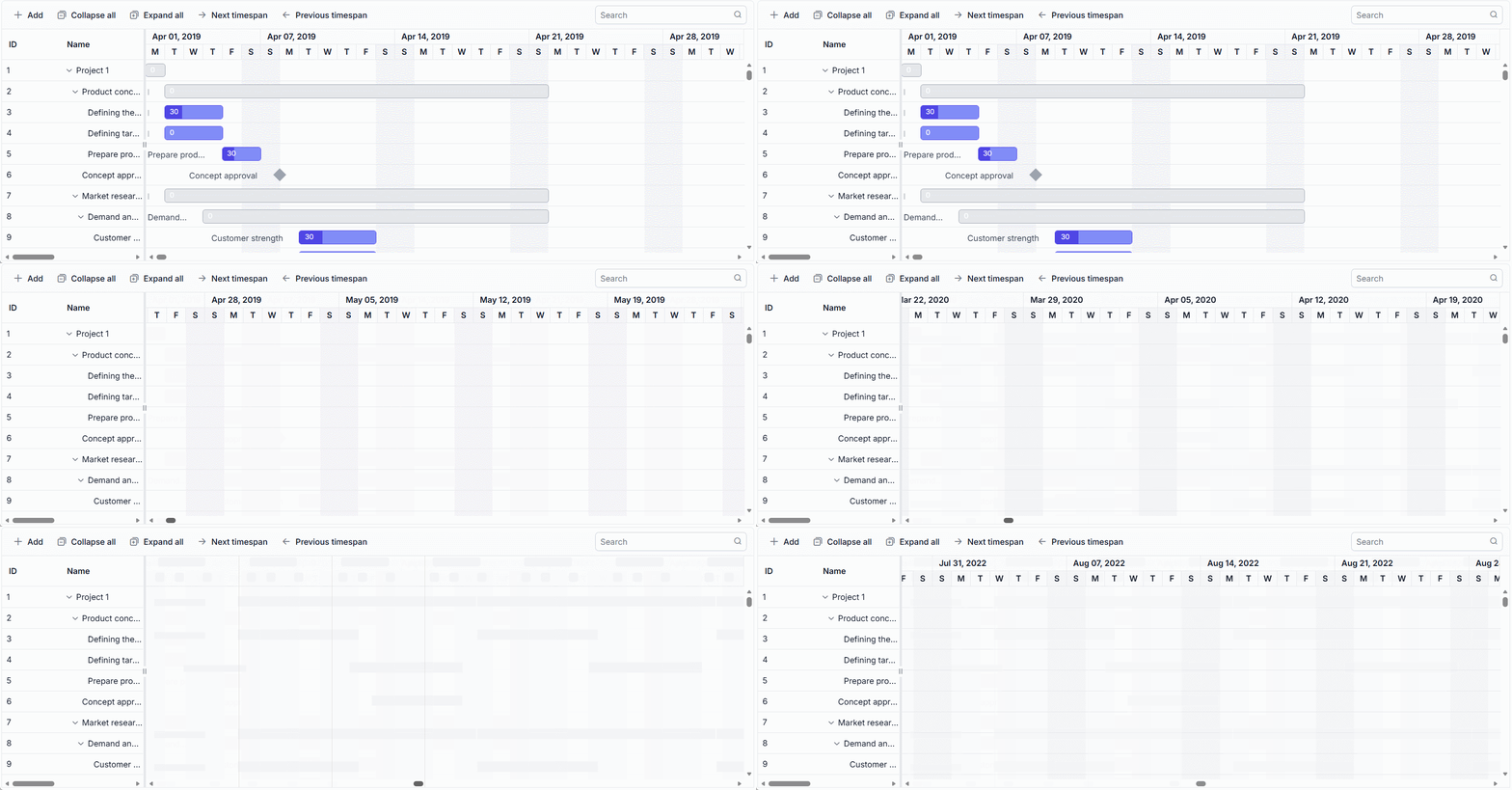
Timeline virtualization, enabled by setting enableTimelineVirtualization to true, renders timeline cells for three times the Gantt width initially. Additional cells are rendered on demand during horizontal scrolling, which improves performance for wide timelines, such as multi-year projects. The following example enables timeline virtualization:
@page
@model IndexModel

<ejs-gantt id='VirtualScroll' dataSource="@Model.GanttDataSourceCollection" height="450px"
                           highlightWeekends="true" enableVirtualization="true" enableTimelineVirtualization="true" allowSelection="true" gridLines="Both">
                    <e-gantt-taskfields id="TaskId" name="TaskName" startDate="StartDate"
                                        duration="Duration" autoCalculateDateScheduling="false"
                                        toolbar="@(new List<string>() { "Add", "Edit", "Update", "Delete", "Cancel", "ExpandAll", "CollapseAll", "Indent", "Outdent" })"> progress="Progress" parentID="ParentID">
                    </e-gantt-taskfields>
                    <e-gantt-editsettings allowAdding="true" allowEditing="true" allowDeleting="true"
                                          allowTaskbarEditing="true" showDeleteConfirmDialog="true"></e-gantt-editsettings>
                    <e-gantt-columns>
                        <e-gantt-column field="TaskId" width="140"></e-gantt-column>
                        <e-gantt-column field="TaskName" width="250"></e-gantt-column>
                        <e-gantt-column field="StartDate"></e-gantt-column>
                        <e-gantt-column field="EndDate"></e-gantt-column>
                        <e-gantt-column field="Duration"></e-gantt-column>
                        <e-gantt-column field="Progress"></e-gantt-column>
                    </e-gantt-columns>
                    <e-gantt-labelSettings taskLabel="Progress"></e-gantt-labelSettings>
                    <e-gantt-splittersettings columnIndex="2"></e-gantt-splittersettings>
                </ejs-gantt>
public IActionResult Index()
{
ViewBag.dataSource = GanttData.VirtualData();
return View();
}
Virtual scrolling limitations
Virtual scrolling has the following limitations:
- Immutable mode is not supported with virtualization.
- Cell selection is not persisted because rows and cells are rendered on demand.
- Browser element-height limits restrict the maximum number of records that can be loaded with row virtualization.
- Set the Gantt height in pixels to define the row virtualization viewport. If you set the height to 100%, its parent container must also have an explicit height.
- When virtual scrolling loads records in pages, Gantt public methods operate on the records available in the current page rather than the entire data source.