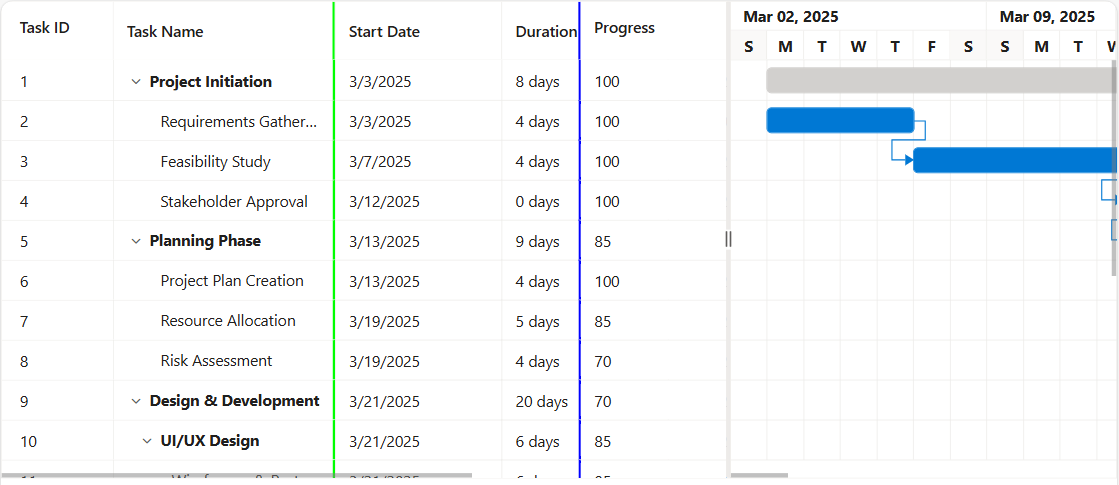
Frozen Columns with Left and Right Pinning in ASP.NET Core Gantt Chart
The Syncfusion® ASP.NET Core Gantt Chart control provides a frozen columns feature that keeps selected columns fixed while scrolling horizontally through large datasets. This functionality ensures that critical information remains visible at all times, improving readability and user experience. By maintaining key columns in view, it simplifies navigation and makes referencing important data points easier when working with extensive project details.
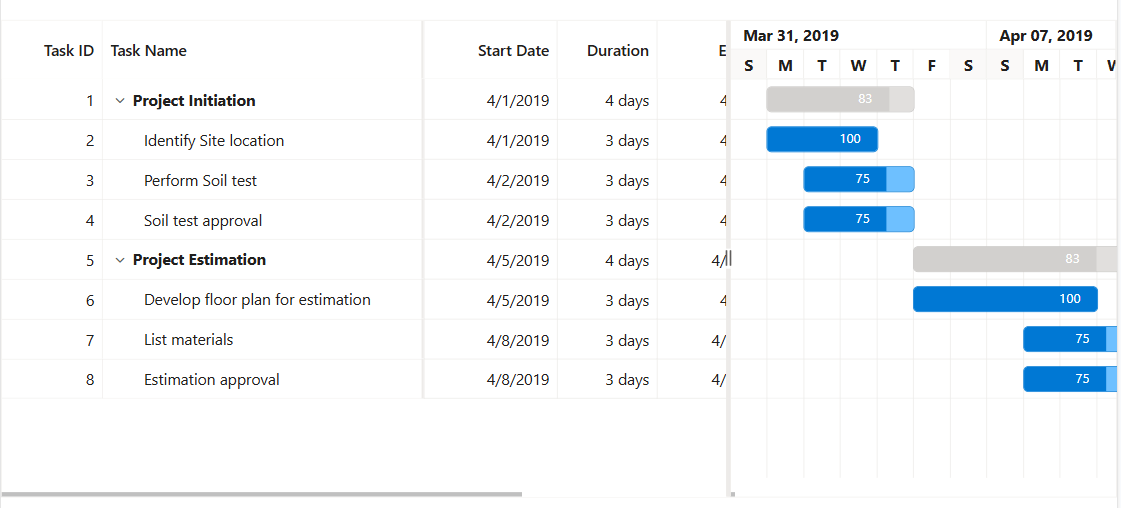
Freeze particular columns
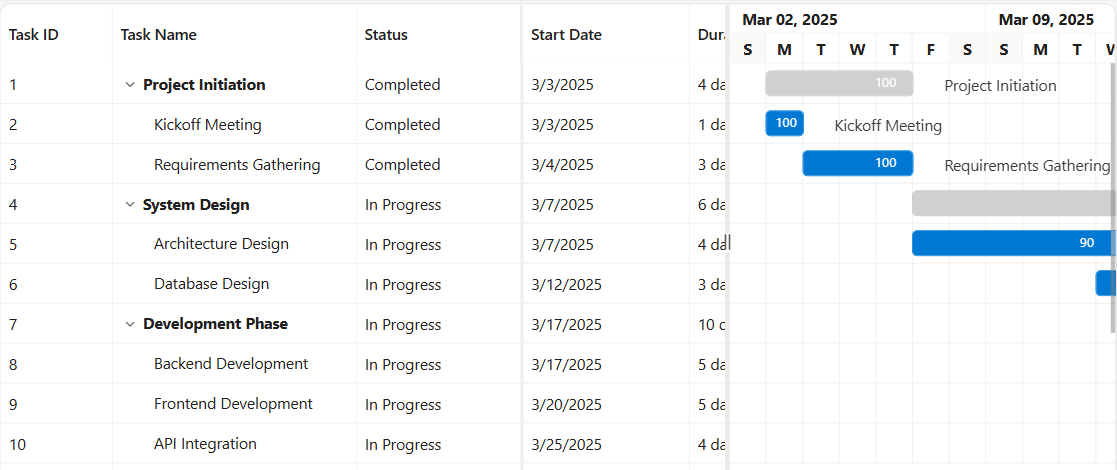
Freeze direction
The freeze direction is not compatible when both the
isFrozenandfrozenColumnsproperties are enabled simultaneously.
Change default frozen line color
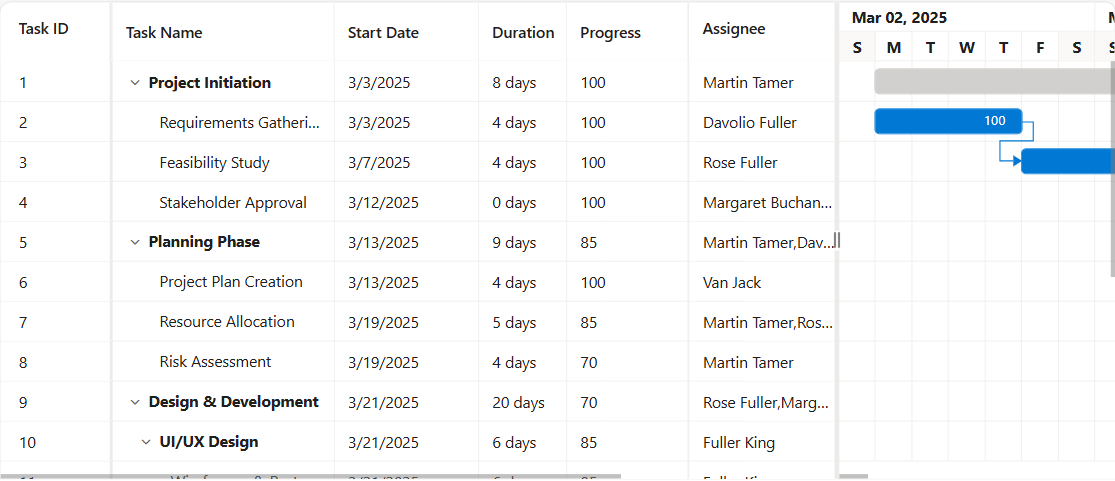
The frozen line borders of frozen columns in the Syncfusion® ASP.NET Core Gantt Chart control can be customized by applying custom CSS styles to the respective frozen columns. This allows to change the border color of left, right, and fixed frozen columns to match your application’s design and theme.
To change the default frozen line color, use the following CSS class names and apply the desired border color:
For left frozen columns:
.e-gantt .e-leftfreeze.e-freezeleftborder {
    border-right-color: rgb(0, 255, 0) !important;
}
For right frozen columns:
.e-gantt .e-rightfreeze.e-freezerightborder {
    border-left-color: rgb(0, 0, 255) !important;
}
For fixed frozen columns, both left and right borders need to be specified as mentioned below:
.e-gantt .e-leftfreeze.e-freezeleftborder {
    border-right-color: rgb(0, 255, 0) !important;
}

.e-gantt .e-rightfreeze.e-freezerightborder {
    border-left-color: rgb(0, 0, 255) !important;
}
The following example demonstrates how to change the default frozen line color using CSS: