Syncfusion® .NET MAUI PDF Viewer Toolbox Control
9 Dec 20252 minutes to read
The Syncfusion® .NET MAUI PDF Viewer Toolbox Control for the .NET MAUI platform is a valuable resource for developers looking to seamlessly integrate Syncfusion® PDF Viewer SDK component into their applications, it streamlines the workflow by simplifying the integration and configuration of Syncfusion® PDF Viewer SDK component.
Launching Syncfusion® .NET MAUI PDF Viewer Toolbox from the Syncfusion® menu
To launch the Syncfusion® .NET MAUI PDF Viewer Toolbox from the Syncfusion® menu in Visual Studio, follow these steps:
- Open Visual Studio 2022 or later.
- Go to the Extensions menu at the top of the Visual Studio window.
- Click on Syncfusion® within the Extensions menu.
- In the Syncfusion® submenu, locate and click on Essential Studio® for PDF Viewer SDK.
-
From the Essential Studio® for PDF Viewer SDK submenu, select Launch Syncfusion® .NET MAUI PDF Viewer Toolbox.
This toolbox provides a set of tools and features to easily incorporate Syncfusion® PDF Viewer SDK component into your .NET MAUI application.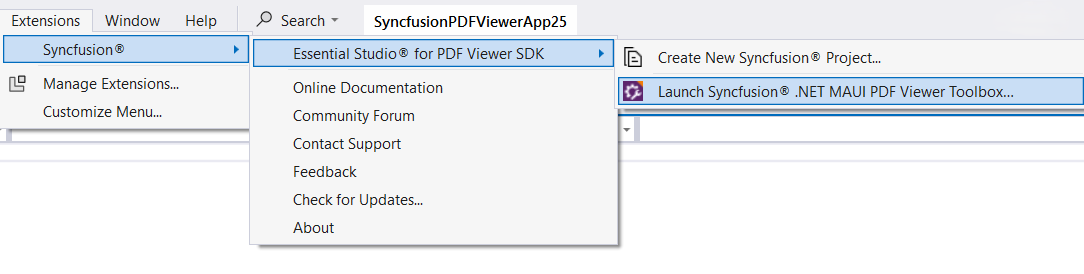
Launching Syncfusion® .NET MAUI PDF Viewer Toolbox from the View menu
To launch the Syncfusion® .NET MAUI Toolbox from the View menu in Visual Studio, simply follow these steps:
- Open Visual Studio 2022 or later.
- At the top menu, click on View.
- From the drop-down menu, select Other Windows.
-
In the sub-menu that appears, click on Syncfusion® .NET MAUI PDF Viewer Toolbox.
This toolbox provides a set of tools and features to easily incorporate Syncfusion® PDF Viewer SDK component into your .NET MAUI application.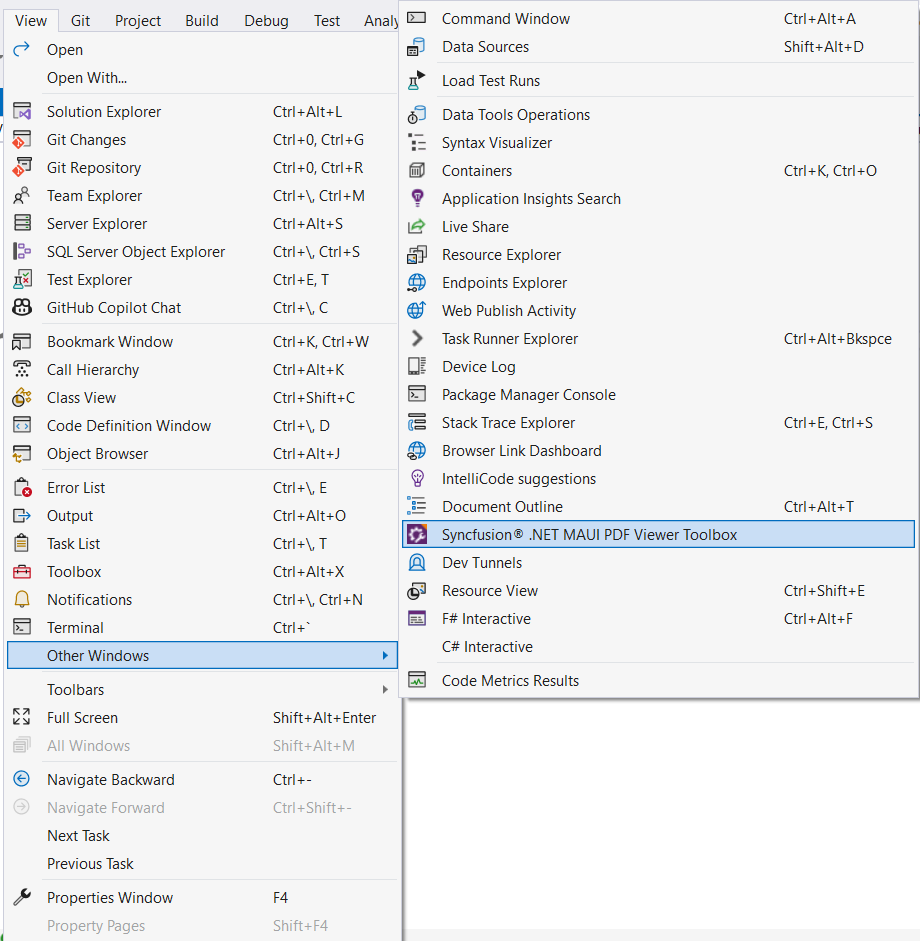
Add Syncfusion® .NET MAUI PDF Viewer Toolbox Component
To incorporate Syncfusion® PDF Viewer SDK component into your XAML design file, simply drag and drop them from the toolbox. This intuitive approach automatically inserts the component’s code and required namespace into the XAML file, and also installs the necessary NuGet packages.
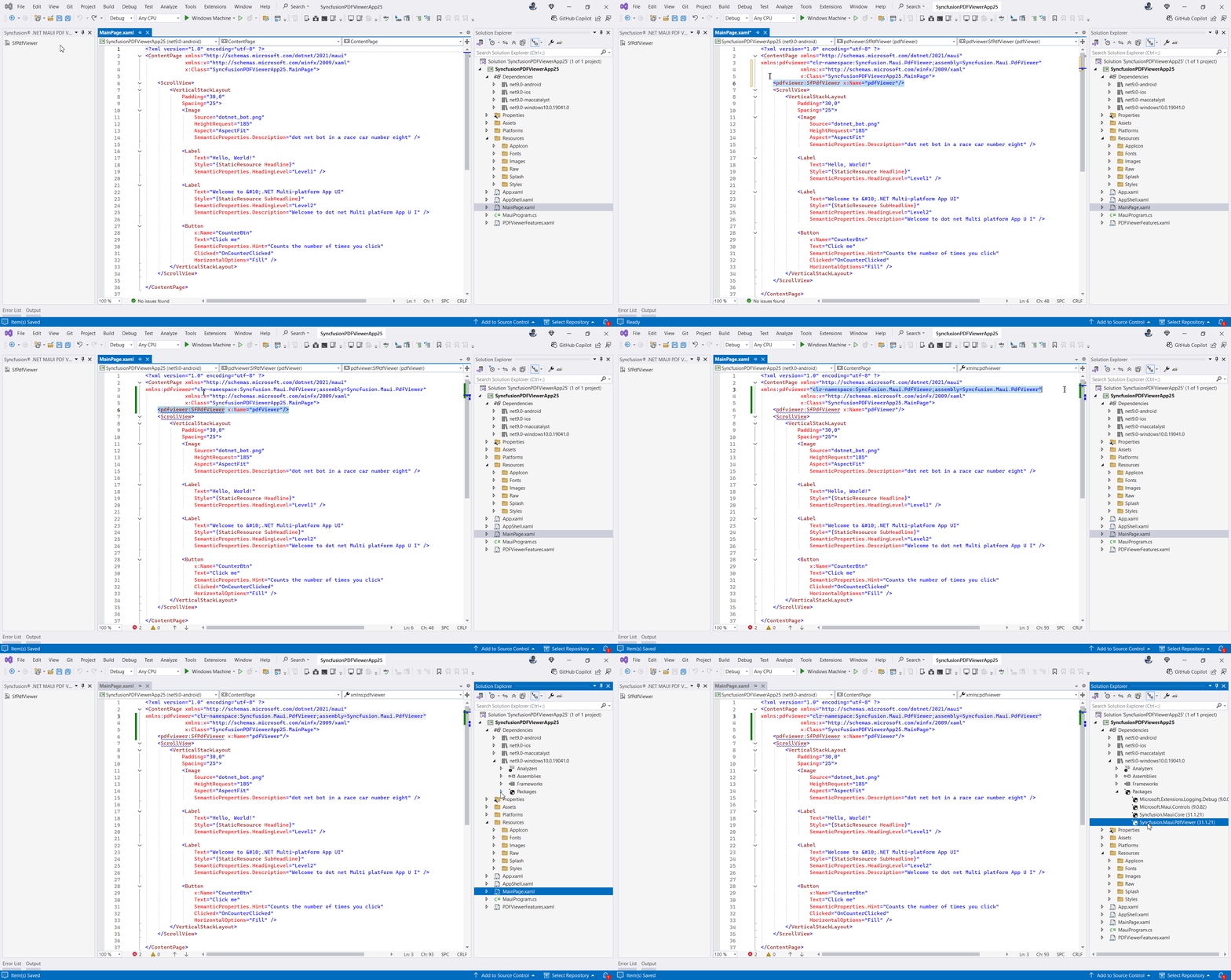
Then, Syncfusion® licensing registration required message box will be shown if you installed the trial setup or NuGet packages since Syncfusion® introduced the licensing system from 2018 Volume 2 (v16.2.0.41) Essential Studio® release. Navigate to the help topic, which is shown in the licensing message box to generate and register the Syncfusion® license key to your project. Refer to this blog post for understanding the licensing changes introduced in Essential Studio®.