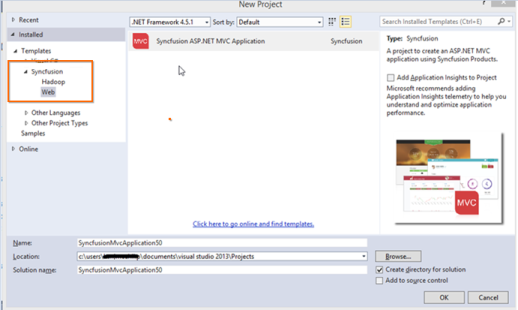
While creating a new Syncfusion® project there are now two icons in the window to select from. How to get rid of this?
28 Jan 20251 minute to read
Navigate to Visual Studio Tools->Extensions and Updates. The Installed Syncfusion® MVC Extensions are displayed along with its version. Refer to the following screenshot for more information.
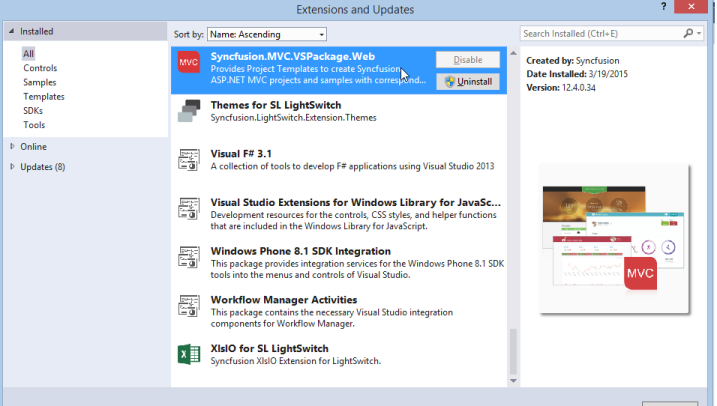
- If Syncfusion.MVC.VsPackage.Web is present more than once, uninstall the Syncfusion.MVC.VSPackage.Web VSIX of that particular version that is no longer in use by clicking the Uninstall button.
-
Restart Visual Studio. Now you can see the Syncfusion® ASP.NET MVC project template without multiple entries.