Configuration Options
22 Jan 20261 minute to read
Sorting and Filtering in Spreadsheet
You can configure sorting and filtering for the first row of your worksheet.
-
Configure Sorting and Filtering :
-
After opening the file, click
Document Viewerin the bottom right corner of the status bar or go toSettings > Tools > Document Viewerto configure sorting and filtering on the first row of the worksheet for quicker access.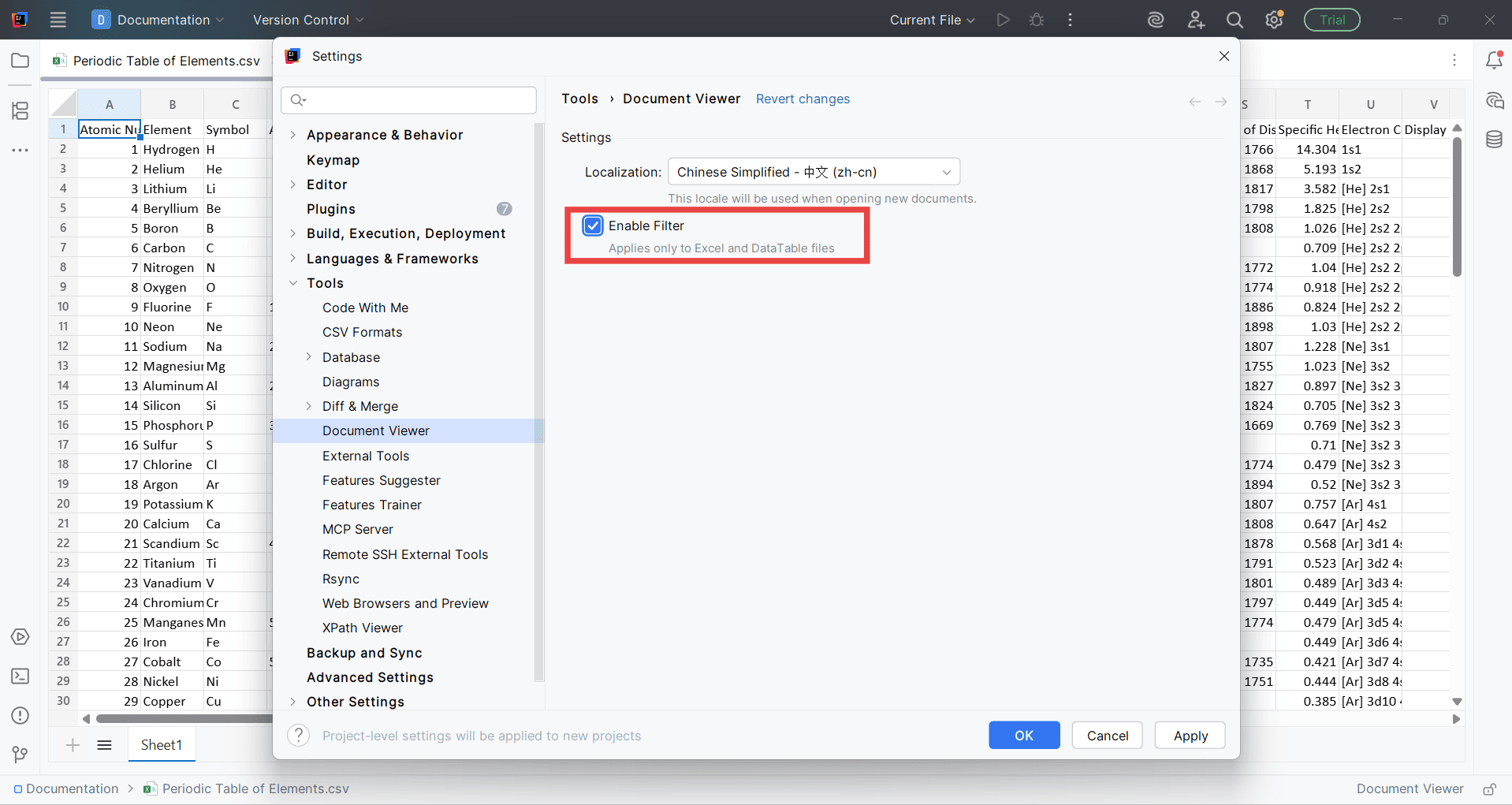
-
Note: Document Viewer enables the filtering and sorting option only for the spreadsheet files.
Localization
You can apply your language preferences effectively.
-
Configure Localization :
-
After opening the file, click
Document Viewerin the status bar or go toSettings > Extensions > Document Viewerto configure language preferences.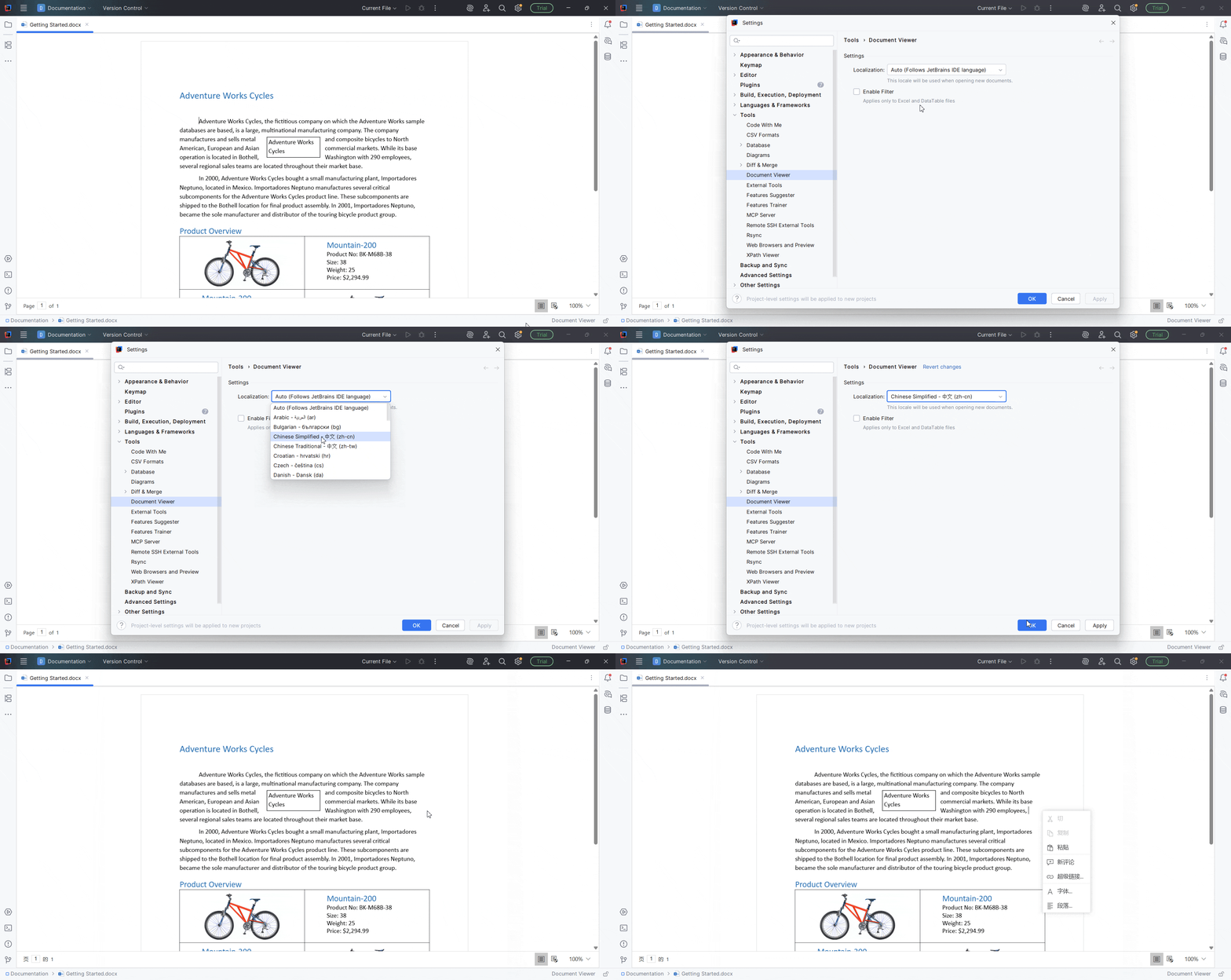
-
Note: Apart from English, the Document Viewer supports 32 additional languages such as Arabic, Bulgarian, Chinese Simplified, Chinese Traditional, Croatian, Czech, Danish, etc., ensuring a localized experience for global users.