Supported LaTeX in .NET Word
13 Aug 20262 minutes to read
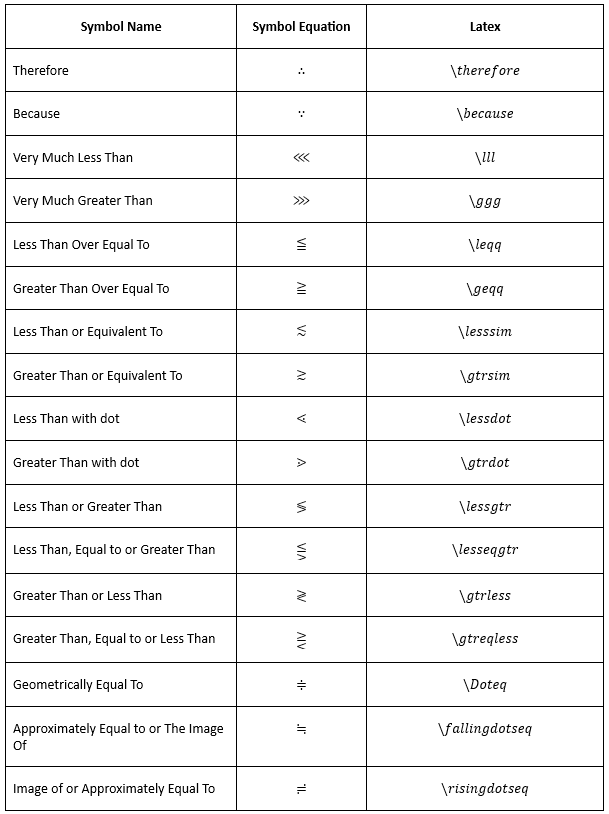
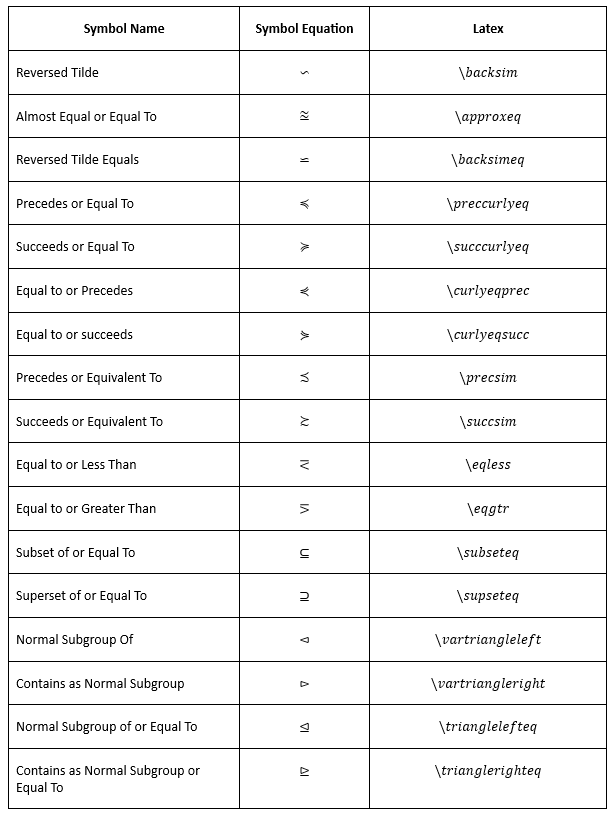
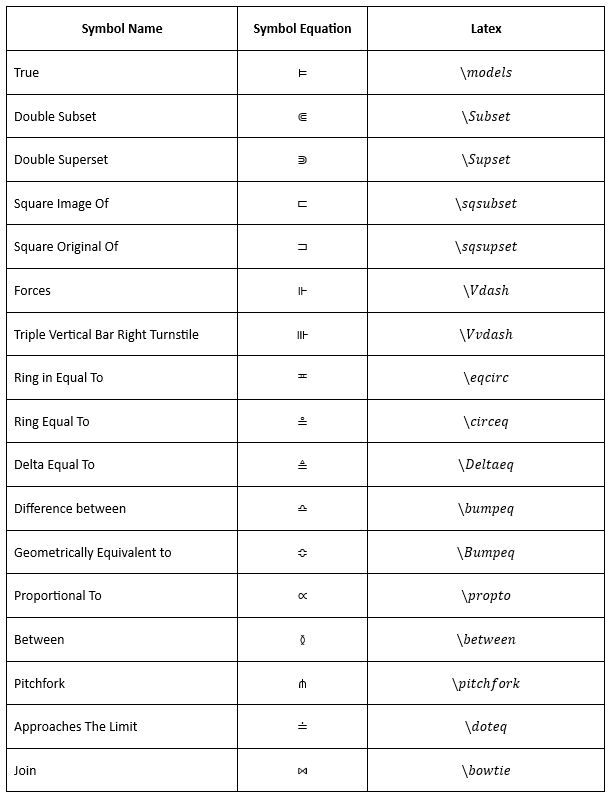
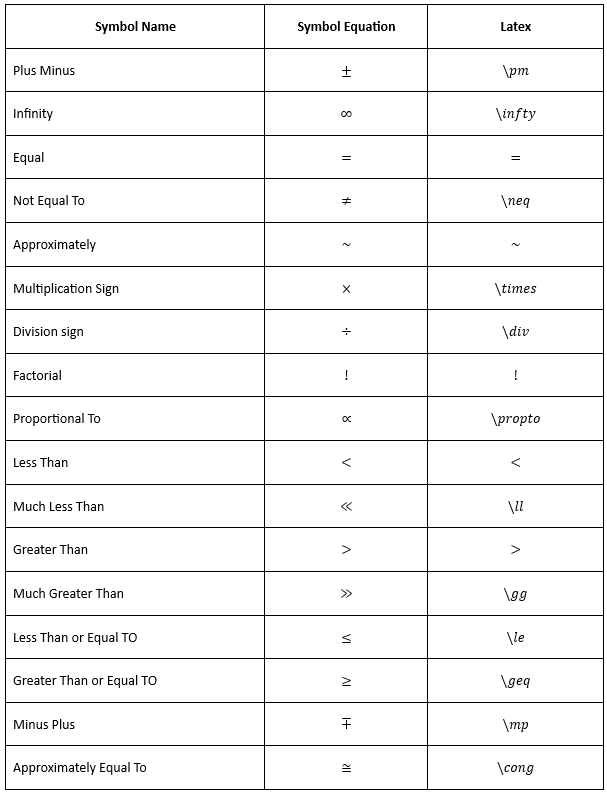
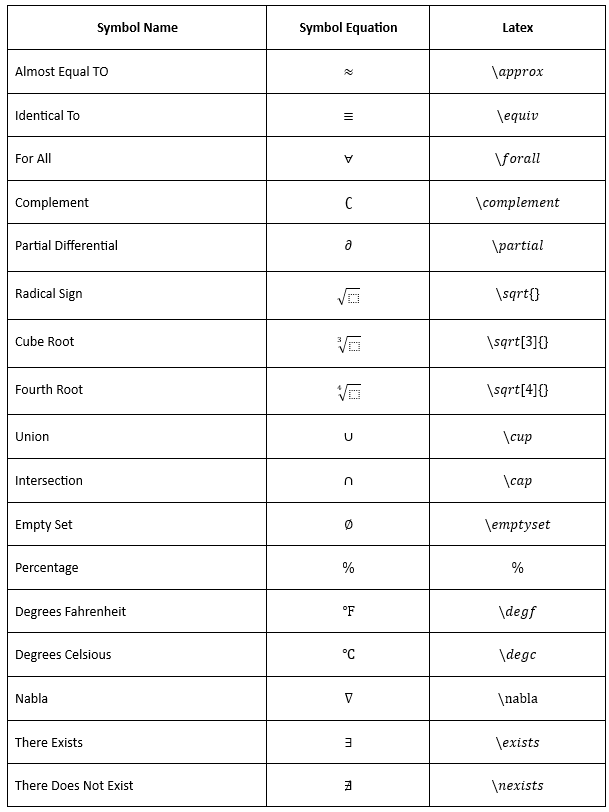
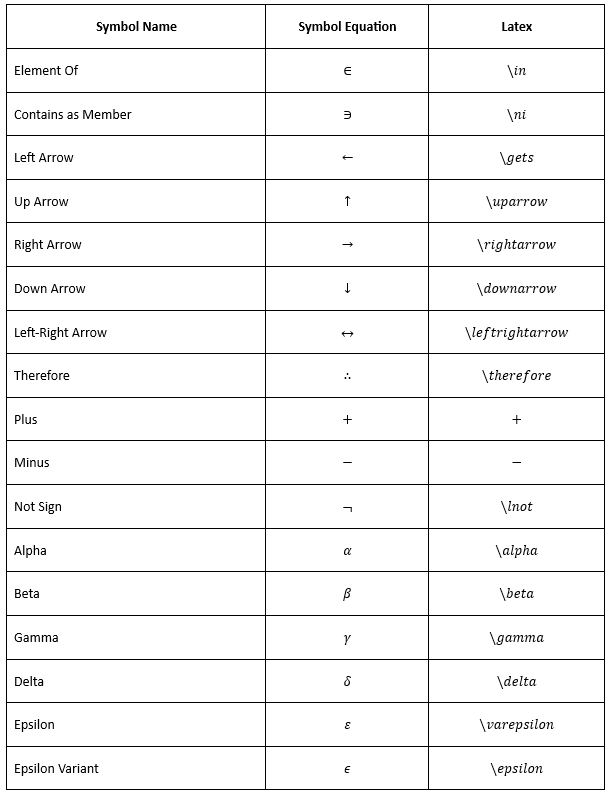
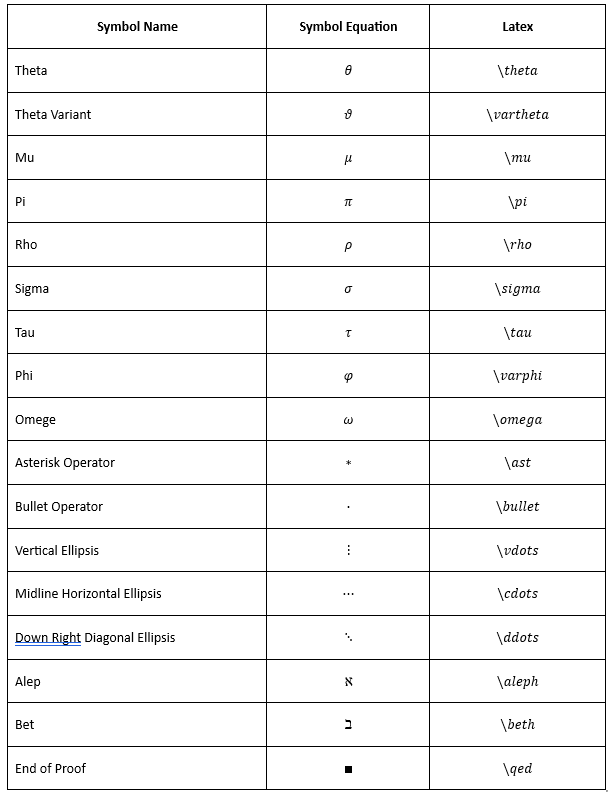
The .NET Word (DocIO) library allows you to insert the following supported symbols in an equation using LaTeX.
To learn how to create equations from these symbols, see Working with LaTeX.
TheAppendMathAPI used to add LaTeX is available starting with v20.1.0.47 of Syncfusion DocIO.
Equations are supported only in documents saved in the Open XML format (.docx); they cannot be used in the Word 97-2003 (.doc) format.
Arrows
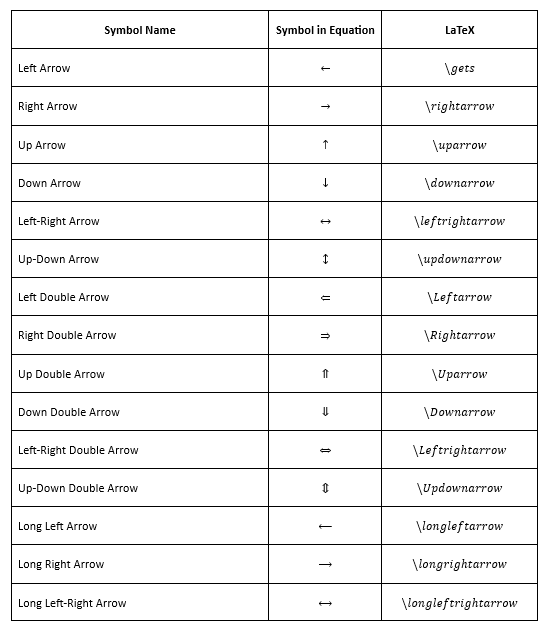
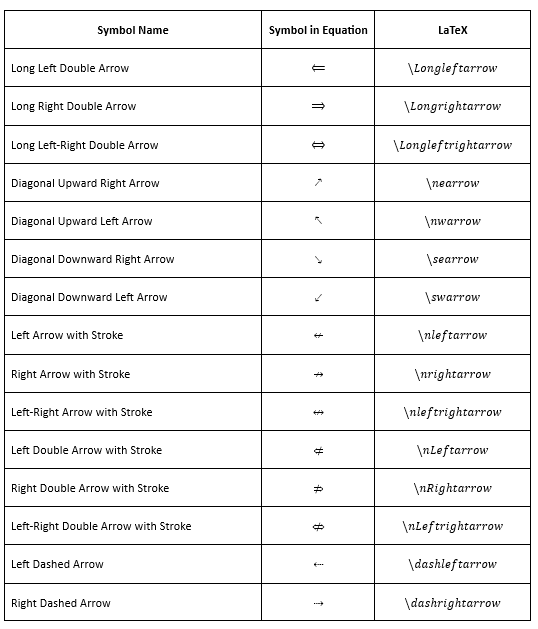
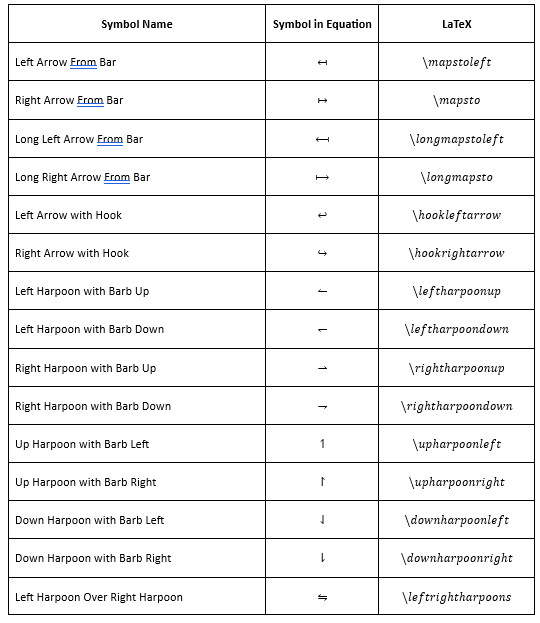
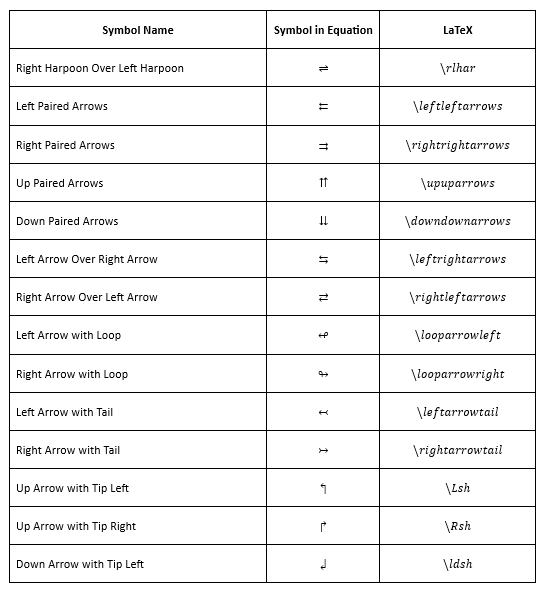
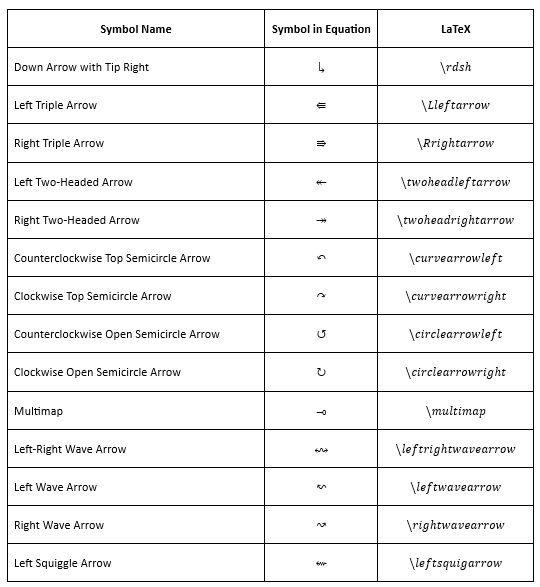
The following image demonstrates the LaTeX supported in .NET Word Library to create arrow symbols.
Basic Math
The following image demonstrates the LaTeX supported in .NET Word Library to create basic math symbols.
Geometry
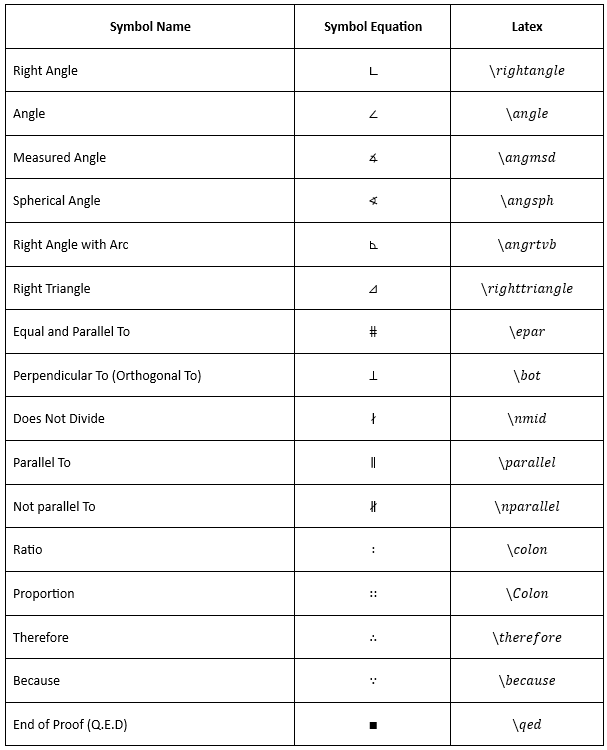
The following image demonstrates the LaTeX supported in .NET Word Library to create geometry symbols.
Greek Letters
Lower Case
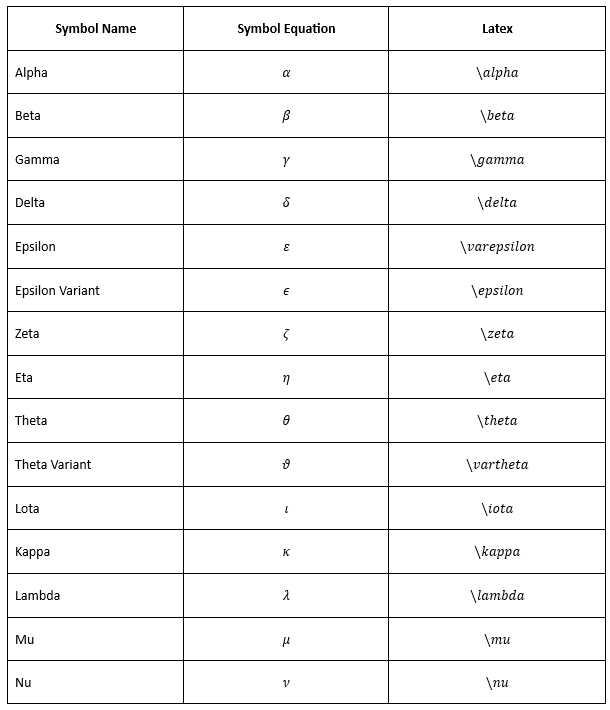
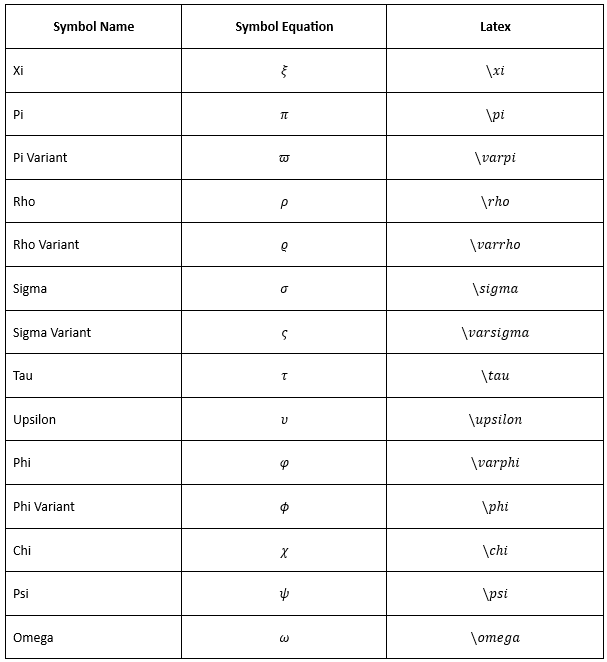
The following image demonstrates the LaTeX supported in .NET Word Library to create lower case Greek letters.
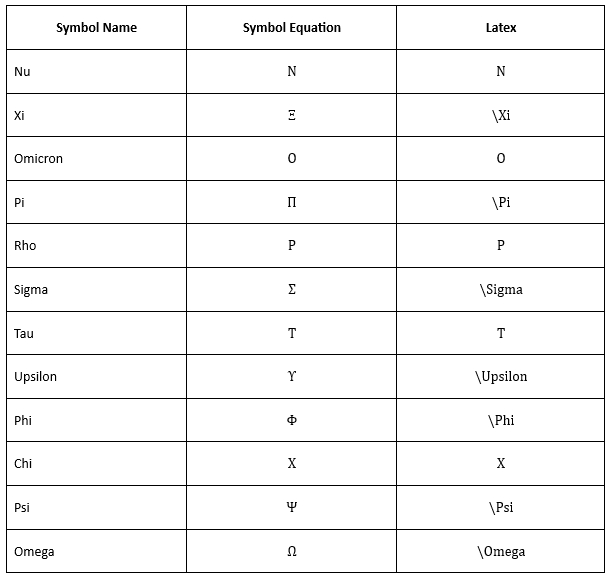
Upper Case
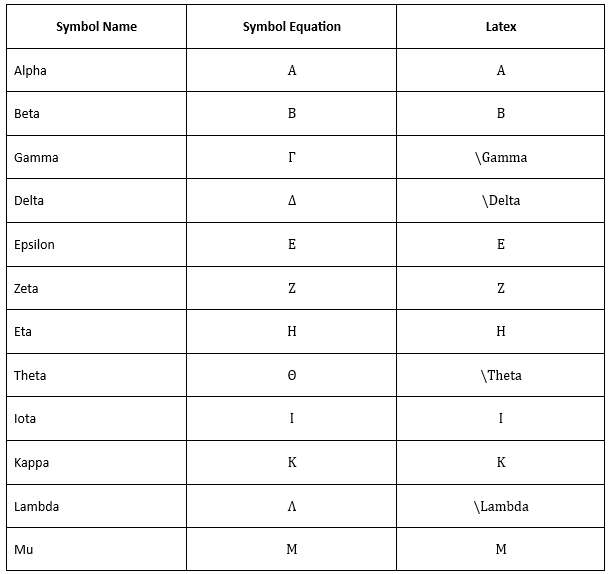
The following image demonstrates the LaTeX supported in .NET Word Library to create upper case Greek letters.
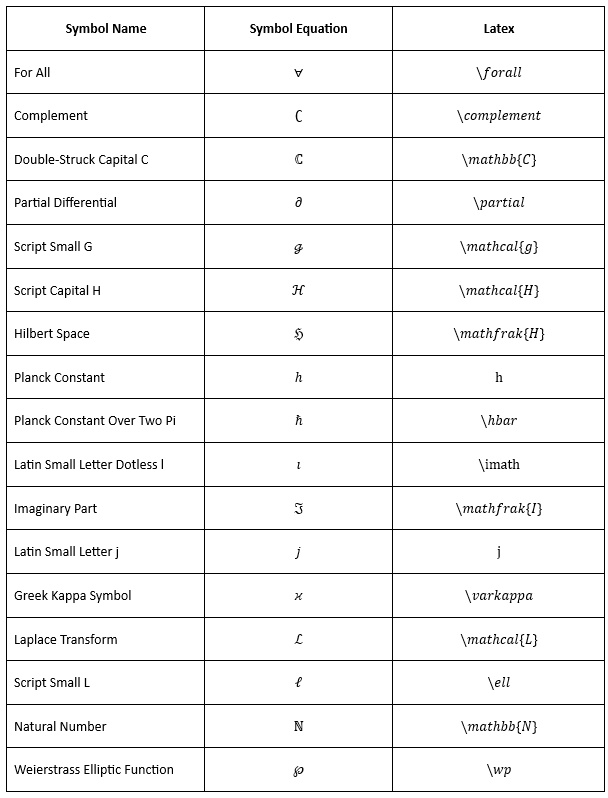
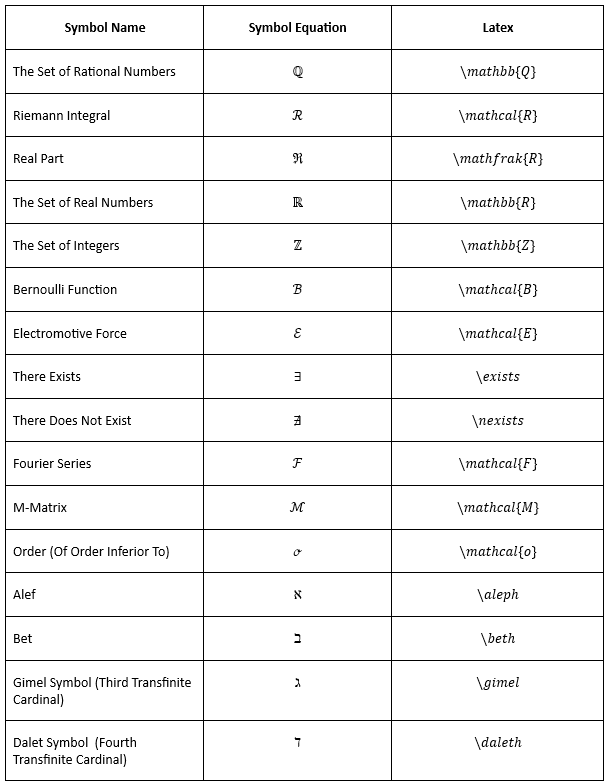
Letter-Like Symbols
The following image demonstrates the LaTeX supported in .NET Word Library to create letter-like symbols.
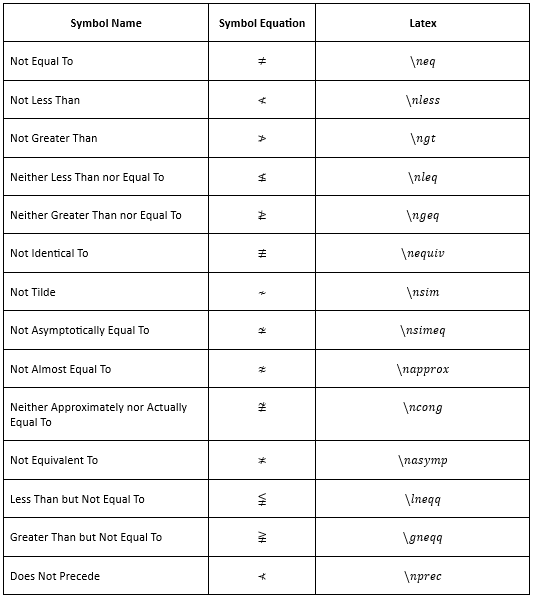
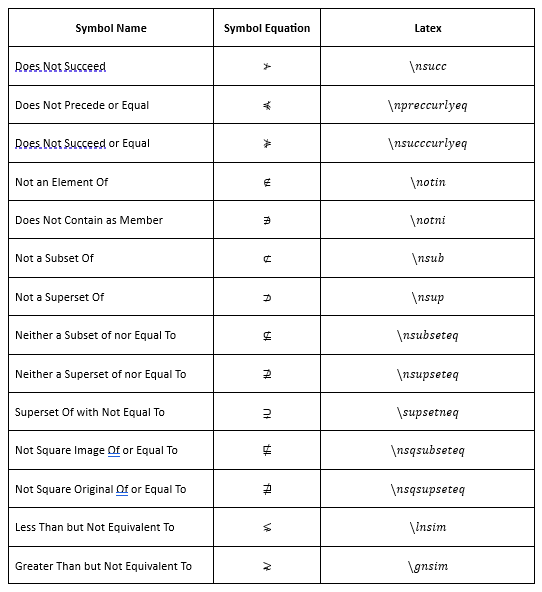
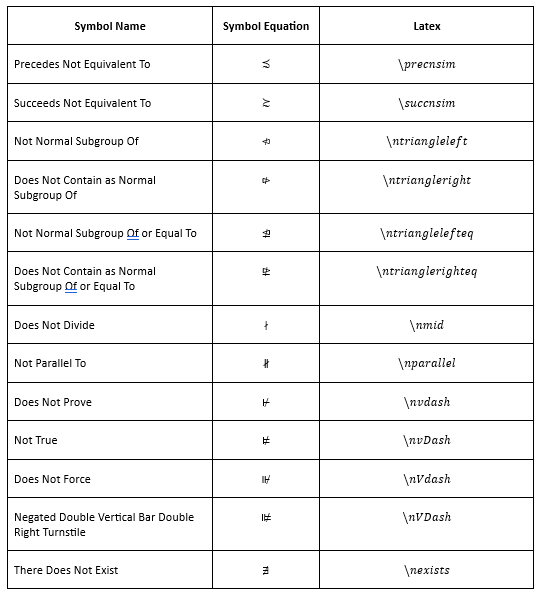
Negated Relations
The following image demonstrates the LaTeX supported in .NET Word Library to create negated relations.
Operators
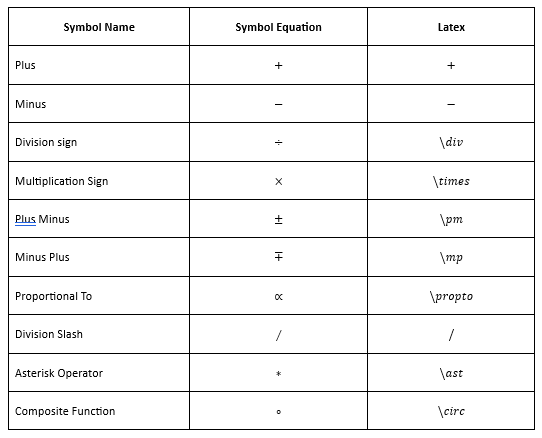
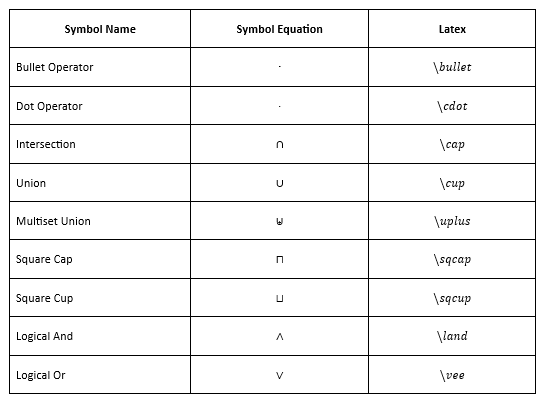
Common Binary Operators
The following image demonstrates the LaTeX supported in .NET Word Library to create common binary operators.
Common Relational Operators
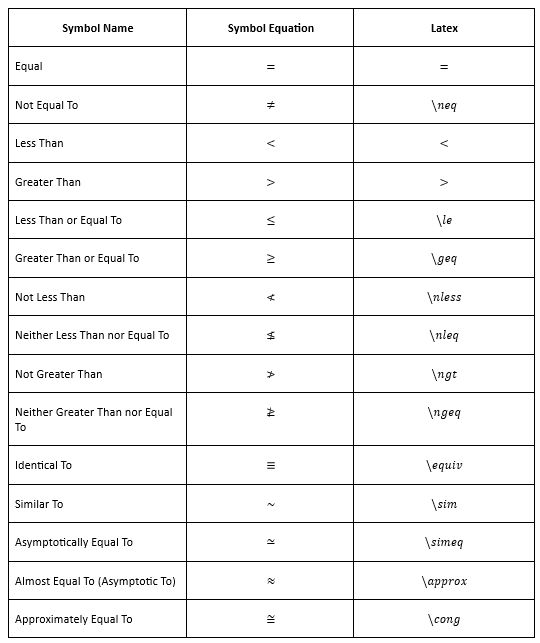
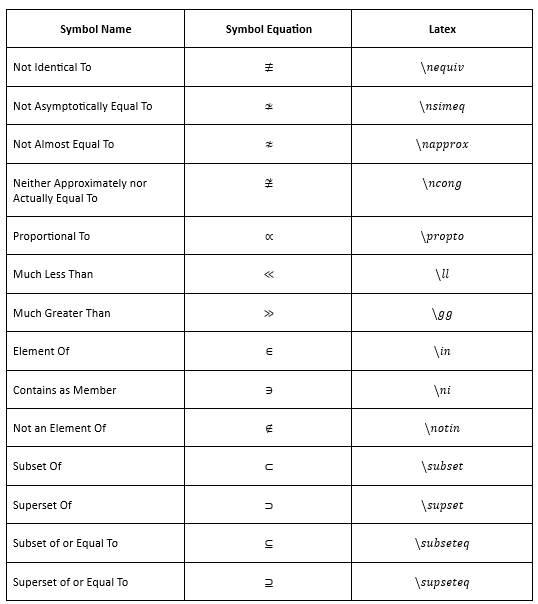
The following image demonstrates the LaTeX supported in .NET Word Library to create common relational operators.
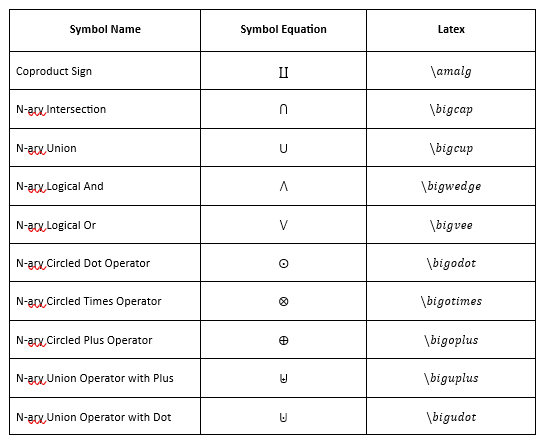
Basic N-ary Operators
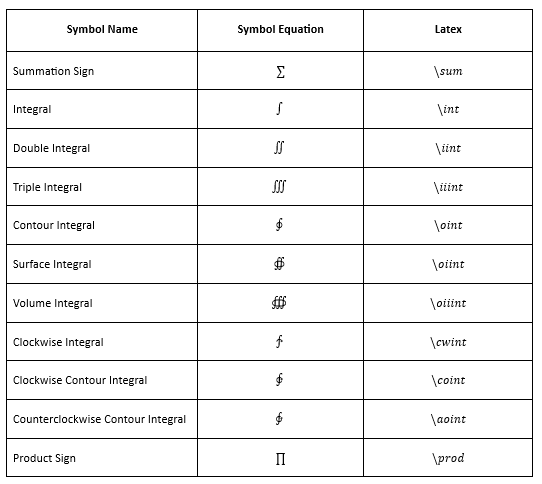
The following image demonstrates the LaTeX supported in .NET Word Library to create basic N-ary operators.
Advanced Binary Operators
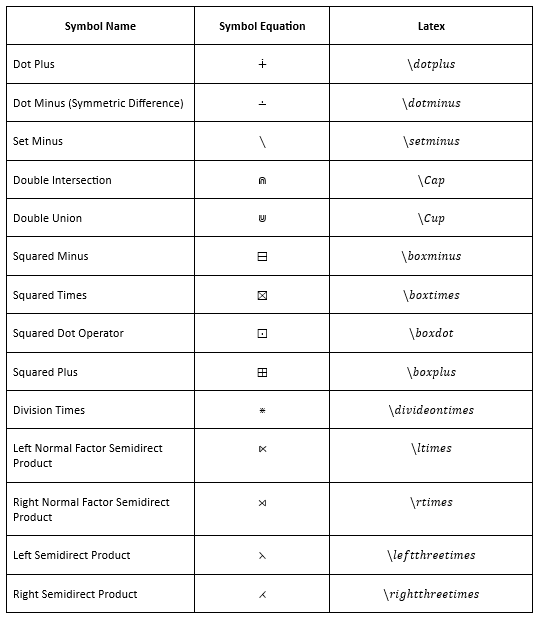
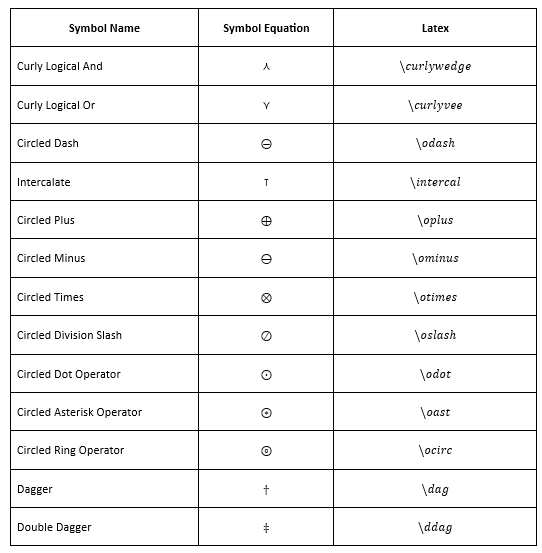
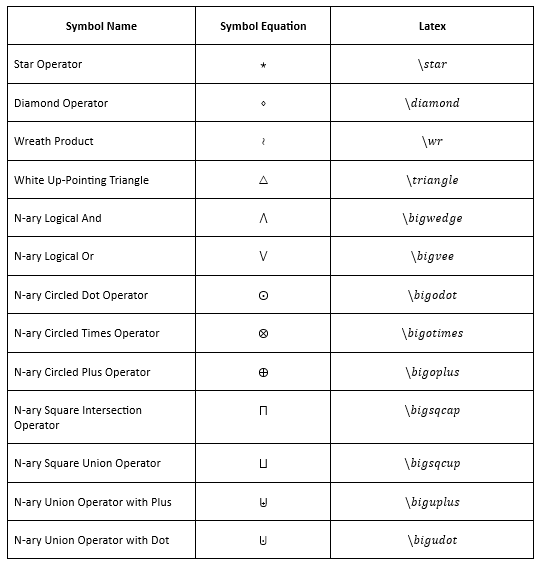
The following image demonstrates the LaTeX supported in .NET Word Library to create advanced binary operators.
Advanced Relational Operators
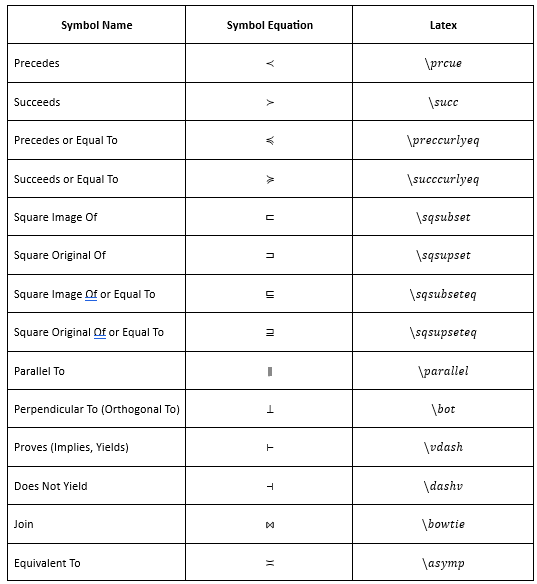
The following image demonstrates the LaTeX supported in .NET Word Library to create advanced relational operators.