Open and save a PowerPoint presentation on macOS
3 Aug 20262 minutes to read
Syncfusion® PowerPoint is a .NET Core PowerPoint library used to create, read, edit, and convert PowerPoint documents programmatically without Microsoft PowerPoint or interop dependencies. Using this library, you can open and save a PowerPoint presentation in a .NET Core application on macOS.
Steps to open and save a PowerPoint presentation programmatically
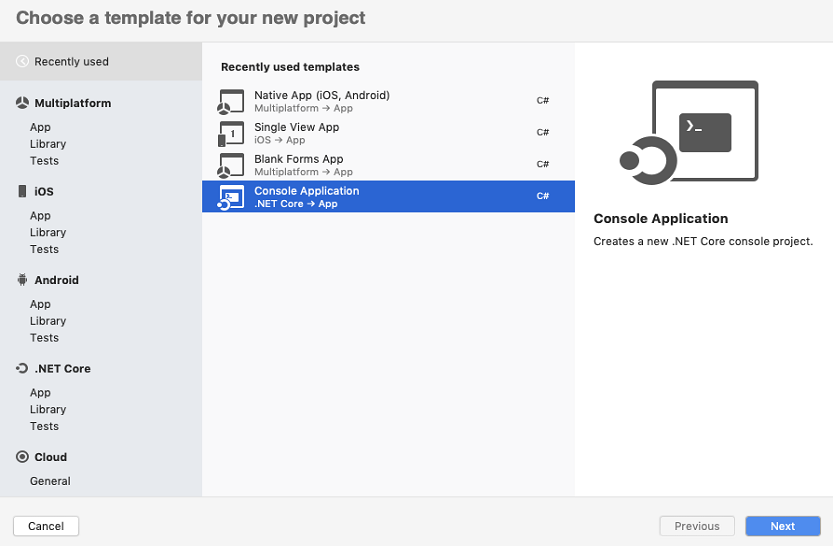
Step 1: Create a new C# .NET Core console application in your IDE.
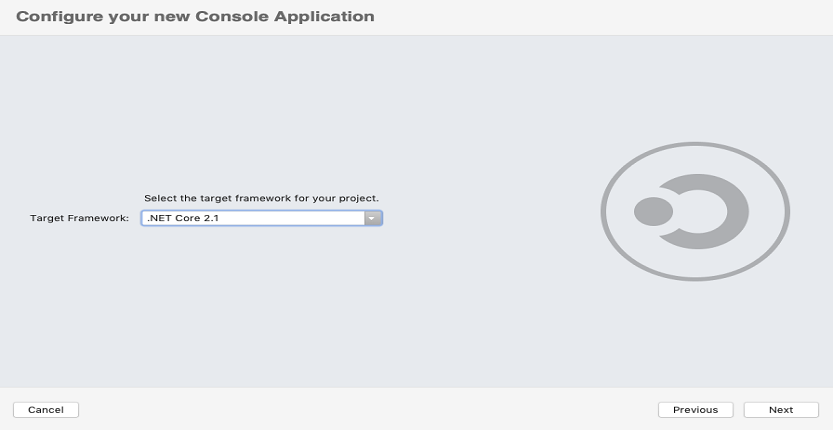
Step 2: Select the target .NET framework
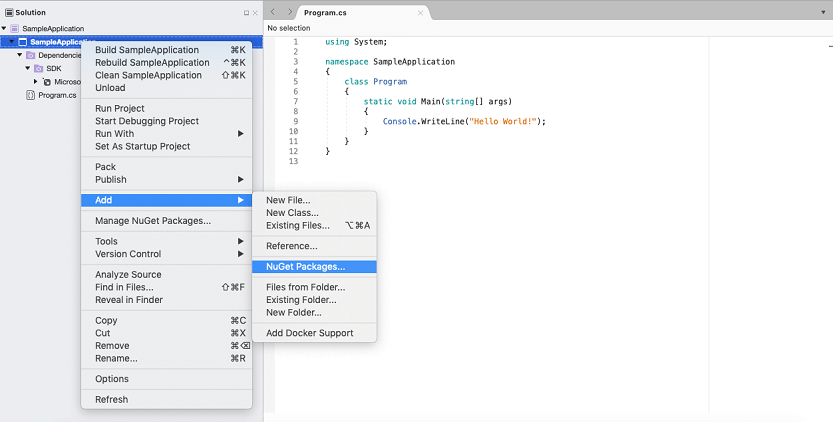
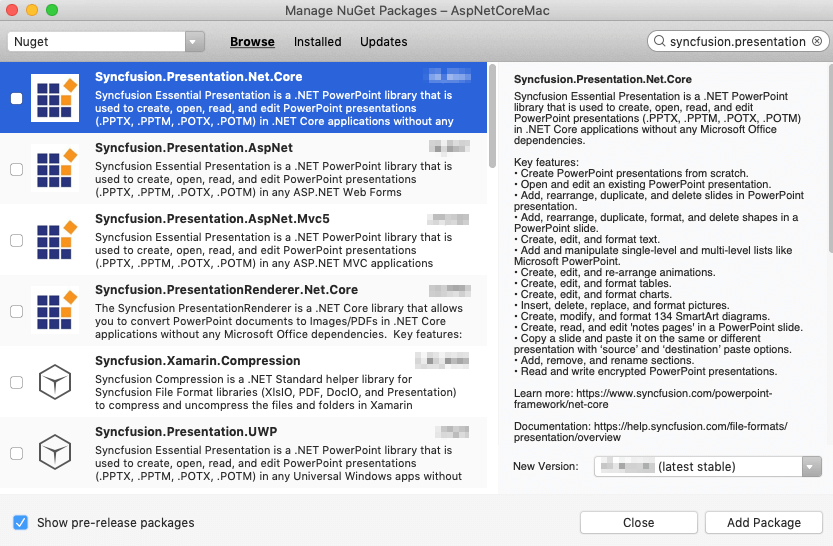
Step 3: Install the Syncfusion.Presentation.Net.Core NuGet package as reference to your .NET Standard applications from NuGet.org.
If you reference Syncfusion® assemblies from the trial setup or from the NuGet feed, you must add the
Syncfusion.Licensingassembly reference and include a license key in your projects. Please refer to this link to learn about registering a Syncfusion® license key in your application.
Step 4: Include the following namespaces in the Program.cs file.
using Syncfusion.Presentation;Step 5: Add the following code snippet in the Program.cs file to open an existing PowerPoint presentation in a .NET Core application on macOS.
//Open an existing PowerPoint presentation
IPresentation pptxDoc = Presentation.Open("Sample.pptx")
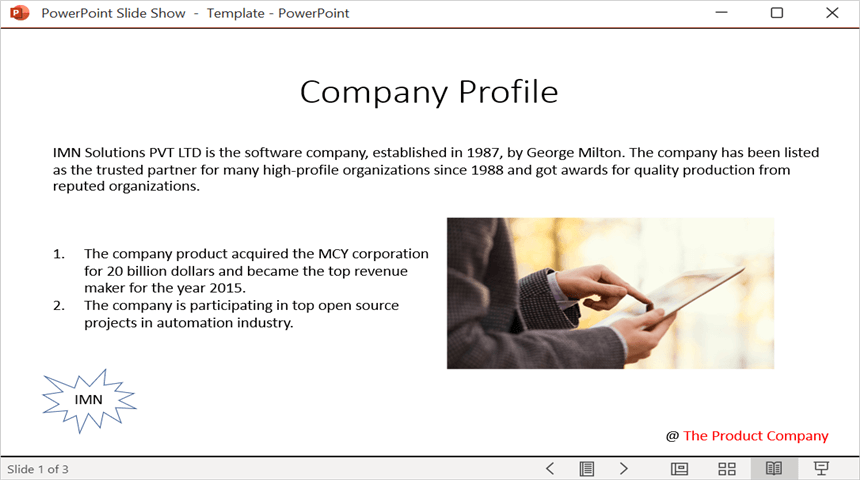
Step 6: The following code snippet demonstrates accessing a shape from a slide and changing the text within it. The sample assumes the first shape on the first slide is a text shape that contains the text “Company History”.
//Gets the first slide from the PowerPoint presentation
ISlide slide = pptxDoc.Slides[0];
//Gets the first shape of the slide
IShape shape = slide.Shapes[0];
//Change the text of the shape
if (shape.TextBody != null && shape.TextBody.Text == "Company History")
{
    shape.TextBody.Text = "Company Profile";
}
Step 7: The following code example saves the PowerPoint presentation in a .NET Core application on macOS.
//Save the PowerPoint presentation
pptxDoc.Save("Output.pptx");
//Close the PowerPoint presentation
pptxDoc.Close();
You can download a complete working sample from GitHub.
Step 9: Build and run the application from the project directory using the following command:
dotnet run
By executing the program, you will get the PowerPoint document as follows.
Looking for the full .NET PowerPoint Library component overview, features, pricing, and documentation? Visit the .NET PowerPoint Library page.