Open and save Presentation in ASP.NET
3 Aug 20264 minutes to read
The ASP.NET Web Forms platform is deprecated. You can use the same product from the ASP.NET Core platform. For more information on migrating the .NET PowerPoint Library from .NET Framework to .NET Core, refer here. This content is retained for legacy support.
Syncfusion® PowerPoint is a .NET PowerPoint library used to create, read, edit and convert PowerPoint documents programmatically without Microsoft PowerPoint or interop dependencies. Using this library, you can open and save a PowerPoint presentation in ASP.NET.
Steps to open and save PowerPoint Presentation programmatically
Step 1: In Visual Studio, create a new C# ASP.NET Web Forms Application project.
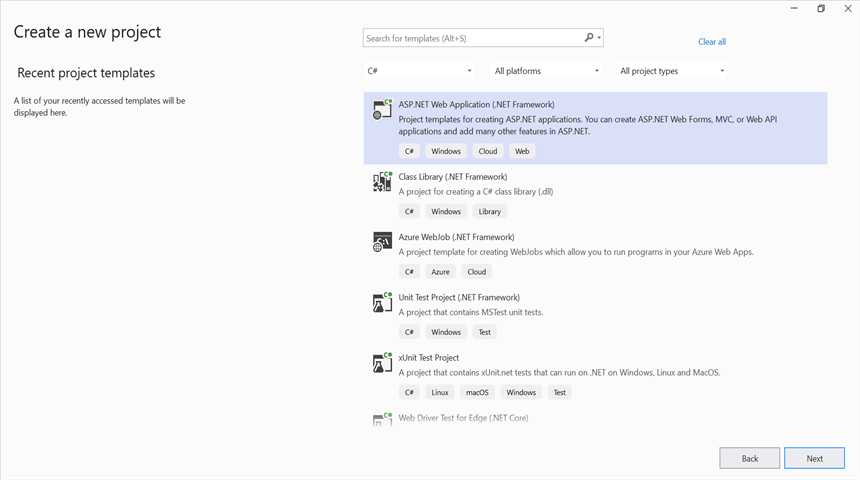
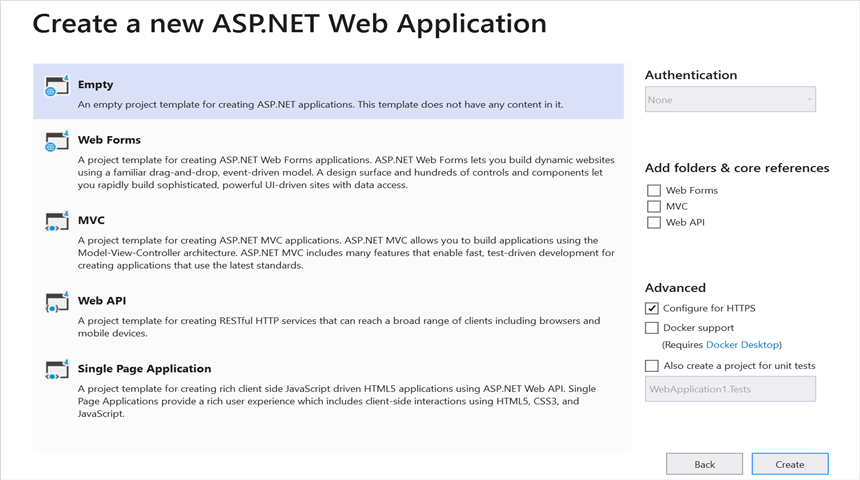
Step 2: Select the Empty template to create the project. After the project is created, add a new Web Form item named MainPage.aspx (right-click the project → Add → New Item → Web Form).
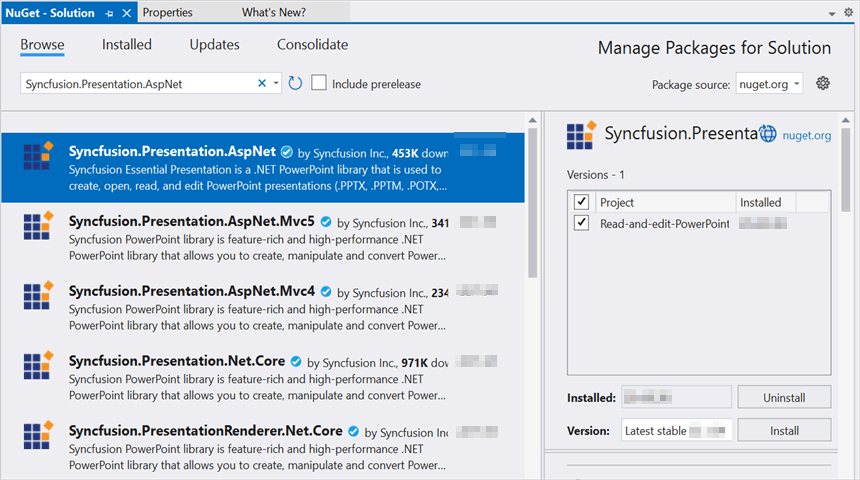
Step 3: Install the Syncfusion.Presentation.AspNet NuGet package as a reference to your .NET Framework application from NuGet.org.
Starting with v16.2.0.x, if you reference Syncfusion® assemblies from the trial setup or from the NuGet feed, you must also add the
Syncfusion.Licensingassembly reference and include a license key in your projects. Refer to this link to learn about registering the Syncfusion® license key in your application.
Step 4: Open MainPage.aspx.cs and include the following namespaces, then add the MainPage partial class declaration that the MainPage.aspx markup inherits from.
using System;
using System.Web.UI;
using Syncfusion.Presentation;

namespace Read_and_edit_PowerPoint_presentation
{
    public partial class MainPage : Page
    {
    }
}
Step 5: Add a new button in the MainPage.aspx as shown below.
<%@ Page Language="C#" AutoEventWireup="true" CodeBehind="MainPage.aspx.cs" Inherits="Read_and_edit_PowerPoint_presentation.WebForm1" %>
<!DOCTYPE html>
<html xmlns="http://www.w3.org/1999/xhtml">
<head runat="server">
<title>Open and Save Presentation</title>
</head>
<body>
    <form id="form1" runat="server">
        <div>
            <asp:Button ID="Button1" runat="server" Text="Open and Save Presentation" OnClick="OnButtonClicked" />
        </div>
    </form>
</body>
</html>
Step 6: Add the OnButtonClicked handler in MainPage.aspx.cs to open an existing PowerPoint presentation, edit a shape, and stream the result to the client. The complete handler is shown below.
protected void OnButtonClicked(object sender, EventArgs e)
{
    // Open an existing PowerPoint presentation
    IPresentation pptxDoc = Presentation.Open(Server.MapPath("~/App_Data/Template.pptx"));

    // Get the first slide from the PowerPoint presentation
    ISlide slide = pptxDoc.Slides[0];
    // Get the first shape of the slide
    IShape shape = slide.Shapes[0] as IShape;
    // Change the text of the shape
    if (shape != null && shape.TextBody != null && shape.TextBody.Text == "Company History")
    {
        shape.TextBody.Text = "Company Profile";
    }

    // Save the PowerPoint presentation to the HTTP response (downloads the file in the browser)
    pptxDoc.Save("Result.pptx", FormatType.Pptx, Response);
    // Close the PowerPoint presentation to release resources
    pptxDoc.Close();
    Response.End();
}
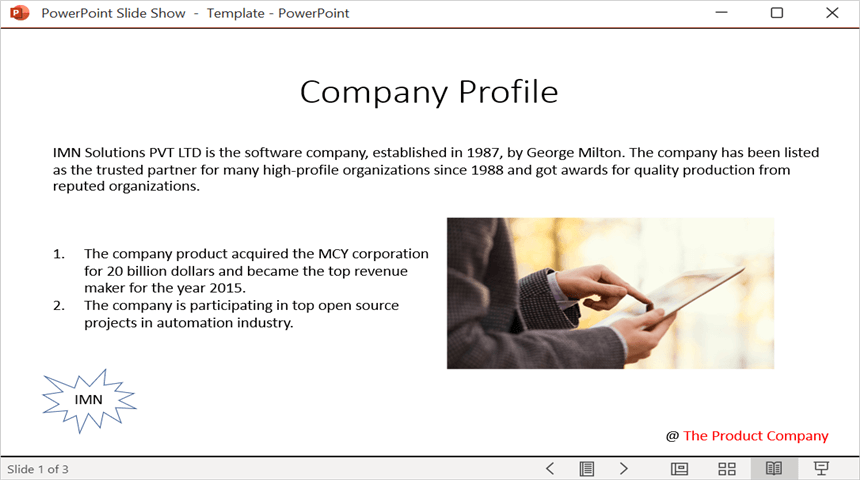
Step 7: Run the application and click Open and Save Presentation. The browser downloads Result.pptx, which contains the modified text on the first slide.
You can download a complete working sample from GitHub.
By executing the program, you will get the PowerPoint document as follows.
Looking for the full .NET PowerPoint Library component overview, features, pricing, and documentation? Visit the .NET PowerPoint Library page.