How to Reference the Blazor Smart PDF Viewer script
14 Aug 20261 minute to read
You can include the SfSmartPdfViewer script in a Blazor application using any of the following methods.
CDN reference
Reference the script using a CDN for a quick setup without hosting files locally. For guidance, see the CDN reference.
Static web assets
Reference the script from the installed NuGet package via static web assets. For guidance, see Reference script from static web assets.
Custom Resource Generator
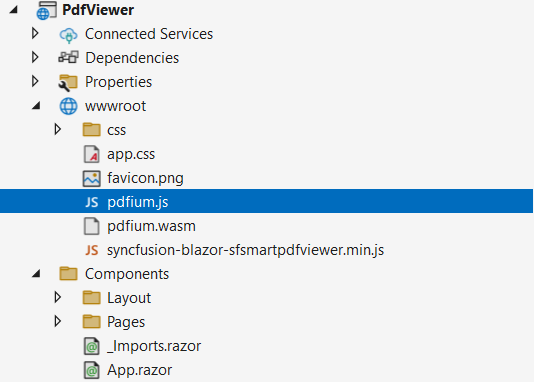
To include custom scripts, use the Custom Resource Generator. The pdfium.js and pdfium.wasm binaries must be added to the application separately, typically under wwwroot. Ensure that the page can resolve their paths at runtime.
Script and Pdfium files in the application
The following image shows the script and Pdfium files referenced in a Blazor SfSmartPdfViewer application.