Enable Print Rotation in Vue PDF Viewer
14 Aug 20262 minutes to read
This guide shows how to enable automatic rotation of landscape pages during printing so they match the paper orientation and reduce clipping. Use enablePrintRotation when printing documents that include landscape pages, and you want them rotated to match the printer paper orientation.
Prerequisites
- The
Printmodule must be injected intoPdfViewerComponent.
Steps to enable print rotation
- Inject the required modules (including
Print) intoPdfViewerComponent. - Set
enablePrintRotation={true}in the PDF Viewer during initialization.
Example
<template>
  <div id="app">
    <ejs-pdfviewer
      id="pdfviewer"
      :documentPath="documentPath"
      :resourceUrl="resourceUrl"
      :enablePrintRotation="true"
      style="height: 100vh"
    >
    </ejs-pdfviewer>
  </div>
</template>

<script>
import {
  PdfViewerComponent,
  Toolbar,
  Magnification,
  Navigation,
  LinkAnnotation,
  BookmarkView,
  Annotation,
  ThumbnailView,
  Print,
  TextSelection,
  TextSearch,
  FormFields,
  FormDesigner,
  PageOrganizer,
} from '@syncfusion/ej2-vue-pdfviewer';

export default {
  name: 'App',
  components: {
    'ejs-pdfviewer': PdfViewerComponent,
  },
  data() {
    return {
      documentPath: 'https://cdn.syncfusion.com/content/pdf/pdf-succinctly.pdf',
      resourceUrl:
        'https://cdn.syncfusion.com/ej2/33.2.13/dist/ej2-pdfviewer-lib',
    };
  },

  provide: {
    PdfViewer: [
      Toolbar,
      Magnification,
      Navigation,
      LinkAnnotation,
      BookmarkView,
      Annotation,
      ThumbnailView,
      Print,
      TextSelection,
      TextSearch,
      FormFields,
      FormDesigner,
      PageOrganizer,
    ],
  },
};
</script>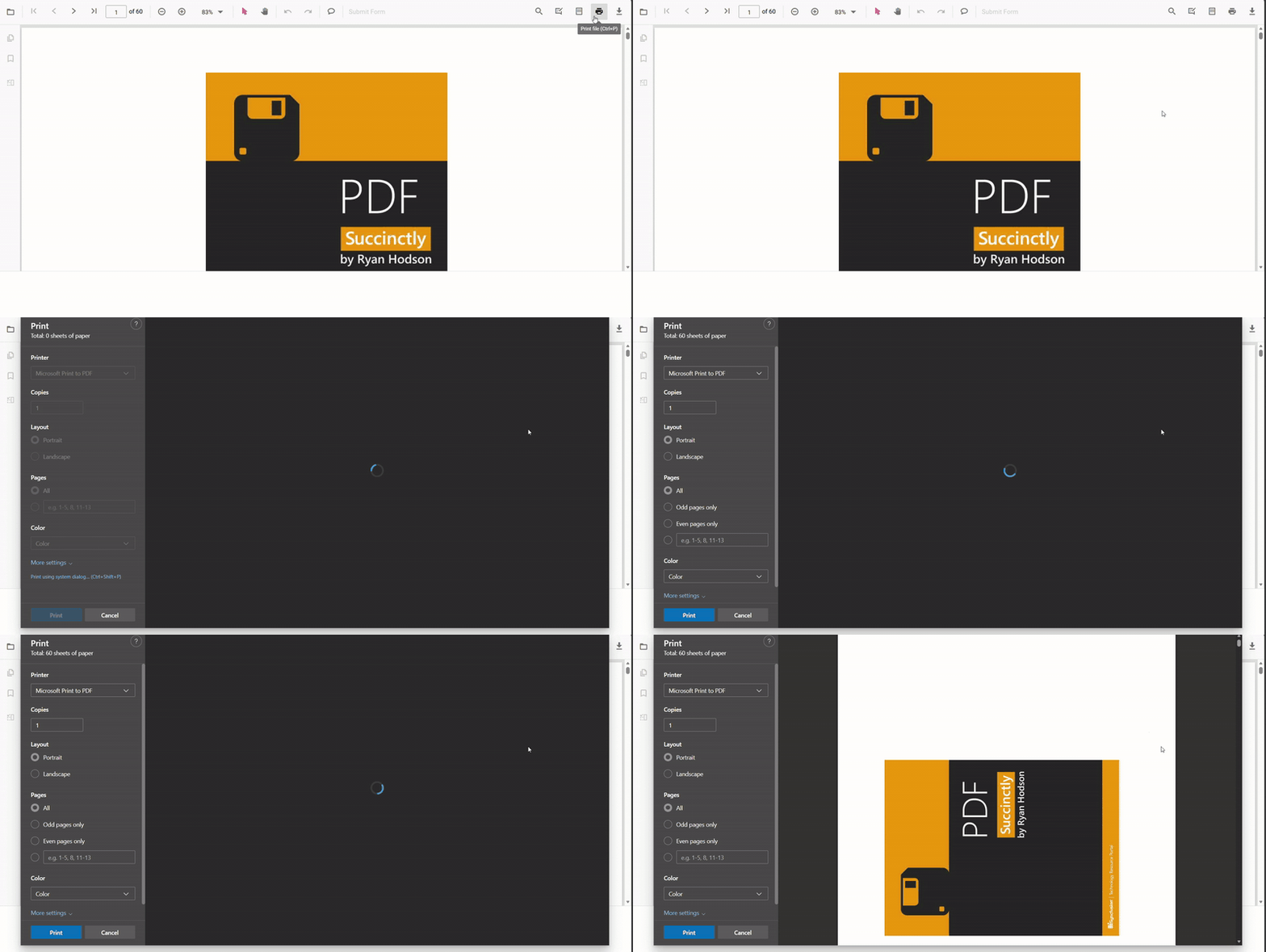
Troubleshooting
- If you need to preserve original page orientation for archival printing, set
enablePrintRotation: false. - Confirm that injected modules include
Printor the property will have no effect.