Load Password-Protected PDF in React PDF Viewer
14 Aug 20261 minute to read
This article explains how to open password-protected PDF files in the React PDF Viewer. The viewer supports both user‑interactive loading (Open File dialog) and programmatic loading using APIs.
1. Opening a Password-Protected PDF Using the Open File Dialog
When the user selects a password-protected PDF using the built‑in Open File option:
- The viewer detects that the document is encrypted
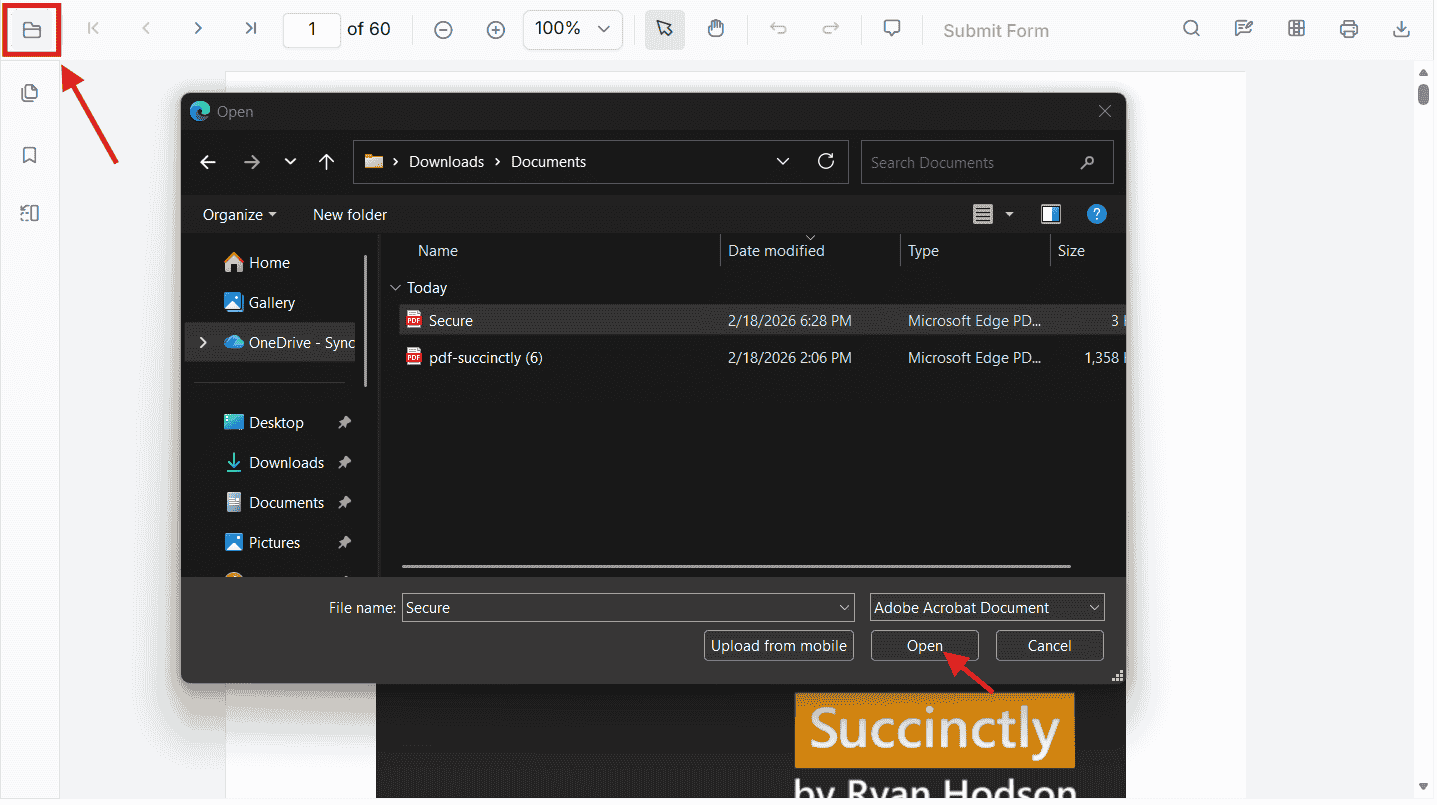
- A password input popup is automatically displayed
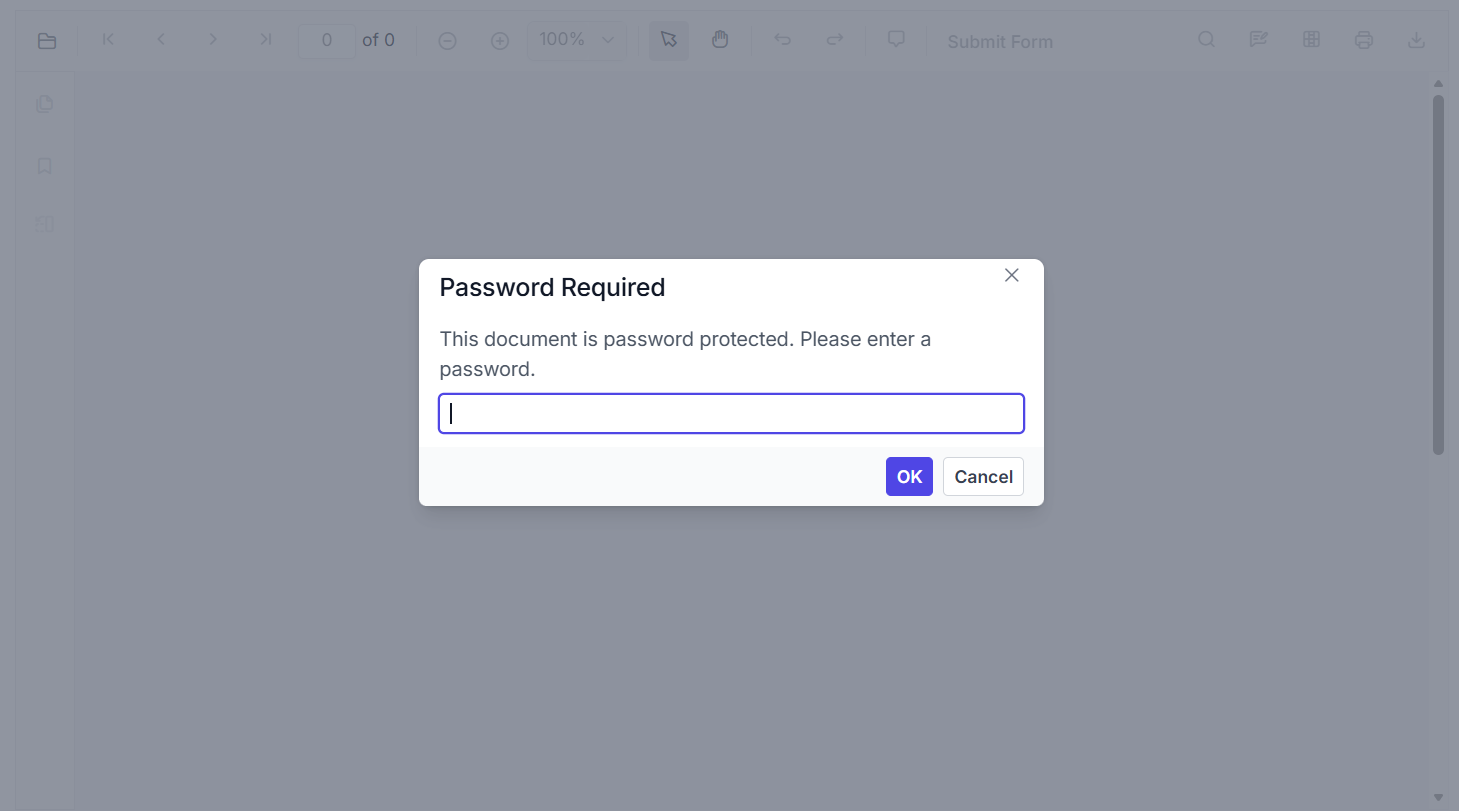
-
The user enters the password
-
The document is decrypted and loaded
No additional configuration or code is required.
This approach works for all password-protected PDFs opened locally by the user.
2. Opening a Password-Protected PDF Programmatically
If you load a password-protected PDF from a URL or through custom logic, the viewer provides two behaviors depending on how the file is loaded.
2.1 Load the Document Using viewer.load(url, password)
You can directly pass the password in the load method:
viewer.load(
  'https://your-api/password-protected.pdf',
  'Password'
);- If the password is correct → the PDF loads immediately
- If the password is incorrect → the viewer displays the incorrect password popup
- If no password is provided → the password popup is shown automatically
This is useful when the password is known beforehand.
2.2 Loading a Password-Protected PDF Using documentPath
If the documentPath points to a password-protected PDF:
<PdfViewerComponent
        id="container"
        //Load URL for Password Protected Document
        documentPath="https://cdn.syncfusion.com/content/pdf/pdf-succinctly.pdf"
        resourceUrl="https://cdn.syncfusion.com/ej2/31.2.2/dist/ej2-pdfviewer-lib"
        style={{ height: '640px' }}
    >
The viewer will:
- Detect encryption
- Show the password popup automatically
- Allow the user to enter the correct password
- Then load the PDF
No password should be passed inside
documentPath.