Download in JavaScript (ES6) PDF Viewer
15 Aug 20264 minutes to read
The PDF Viewer supports downloading the currently loaded PDF document. Use the enableDownload option to enable or disable download functionality. The examples below demonstrate standalone and server-backed configurations.
<!DOCTYPE html>
<html lang="en">

<head>
    <title>Essential JS 2</title>
    <meta charset="utf-8" />
    <meta name="viewport" content="width=device-width, initial-scale=1.0, user-scalable=no" />
    <meta name="description" content="Essential JS 2" />
    <meta name="author" content="Syncfusion" />
    <link rel="shortcut icon" href="resources/favicon.ico" />
    <link href="https://maxcdn.bootstrapcdn.com/bootstrap/3.3.7/css/bootstrap.min.css" rel="stylesheet" />

    <!--style reference from app-->
    <link href="/styles/styles.css" rel="stylesheet" />

    <!--system js reference and configuration-->
    <script src="node_modules/systemjs/dist/system.src.js" type="text/javascript"></script>
    <script src="system.config.js" type="text/javascript"></script>
</head>

<body>
    <!--Element which will render as PdfViewer -->
    <div id="PdfViewer"></div>
</body>

</html>import { PdfViewer, Toolbar,Magnification,Navigation, Annotation, LinkAnnotation,ThumbnailView,BookmarkView,
TextSelection, TextSearch, Print} from '@syncfusion/ej2-pdfviewer';
PdfViewer.Inject(Toolbar,Magnification,Navigation, Annotation, LinkAnnotation,ThumbnailView,BookmarkView,
TextSelection, TextSearch, Print);
let pdfviewer: PdfViewer = new PdfViewer({enableDownload: true});
pdfviewer.appendTo('#PdfViewer');
pdfviewer.load('https://cdn.syncfusion.com/content/pdf/pdf-succinctly.pdf', null);import { PdfViewer, Toolbar,Magnification,Navigation, Annotation, LinkAnnotation,ThumbnailView,BookmarkView,
TextSelection, TextSearch, Print} from '@syncfusion/ej2-pdfviewer';
PdfViewer.Inject(Toolbar,Magnification,Navigation, Annotation, LinkAnnotation,ThumbnailView,BookmarkView,
TextSelection, TextSearch, Print);
let pdfviewer: PdfViewer = new PdfViewer({enableDownload: true});
pdfviewer.serviceUrl = 'https://document.syncfusion.com/web-services/pdf-viewer/api/pdfviewer/';
pdfviewer.appendTo('#PdfViewer');
pdfviewer.load('https://cdn.syncfusion.com/content/pdf/pdf-succinctly.pdf', null);Note: When loading documents from other origins, ensure that CORS is correctly configured on the server. In server-backed mode, the document is streamed through the serviceUrl endpoint, which must allow download requests.
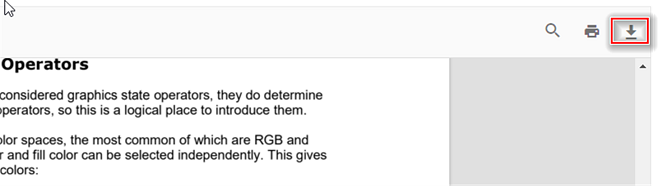
Invoke the download action programmatically with a simple button example:
import { PdfViewer, Toolbar, Magnification, Navigation, Annotation, LinkAnnotation,ThumbnailView,BookmarkView, TextSelection} from '@syncfusion/ej2-pdfviewer';

PdfViewer.Inject(Toolbar,Magnification,Navigation, Annotation, LinkAnnotation,ThumbnailView,BookmarkView, TextSelection);

let pdfviewer: PdfViewer = new PdfViewer();
pdfviewer.appendTo('#PdfViewer');
pdfviewer.load('https://cdn.syncfusion.com/content/pdf/pdf-succinctly.pdf', null);
pdfviewer.download();
import { PdfViewer, Toolbar, Magnification, Navigation, Annotation, LinkAnnotation,ThumbnailView,BookmarkView, TextSelection} from '@syncfusion/ej2-pdfviewer';
PdfViewer.Inject(Toolbar,Magnification,Navigation, Annotation, LinkAnnotation,ThumbnailView,BookmarkView, TextSelection);
let pdfviewer: PdfViewer = new PdfViewer();
pdfviewer.serviceUrl = 'https://document.syncfusion.com/web-services/pdf-viewer/api/pdfviewer/';
pdfviewer.appendTo('#PdfViewer');
pdfviewer.load('https://cdn.syncfusion.com/content/pdf/pdf-succinctly.pdf', null);
pdfviewer.download();How to get the base64 string while downloading the PDF document
The [downloadEnd] (https://ej2.syncfusion.com/documentation/api/pdfviewer/#downloadend) event fires after a download completes and exposes the downloaded document as a base64 string.
The following example illustrates how to access the downloaded document as a base64 string. Note: Handling very large base64 strings may impact memory usage; consider using a stream when possible.
<button id="download">Download</button>
<button id="load">Load</button>
let pdfstream: string;

document.getElementById('download').addEventListener('click', function () {
    //API to perform download action.
    pdfviewer.downloadEnd = function (args) {
        pdfstream = args.downloadDocument;
        //Print the document as a base64 string in the console window.
        console.log(pdfstream);
    };
    pdfviewer.download();
});

document.getElementById('load').addEventListener('click', function () {
    //Load the base64 string in the viewer.
    pdfviewer.load(pdfstream, null);
});