Extract Pages in Blazor PDF Viewer
18 Aug 20262 minutes to read
The Blazor PDF Viewer component provides an Extract Pages tool in the Organize Pages UI to export selected pages as a new PDF file. The Extract Pages tool is enabled by default.
Extract Pages in Organize Pages
To extract pages from the PDF document:
- Open the Organize Pages panel in the PDF Viewer toolbar.
- Select the pages you want to extract by clicking the checkboxes next to the page thumbnails.
- Click the Extract Document button in the Organize Pages toolbar.
- The viewer downloads the selected pages as a new PDF document.
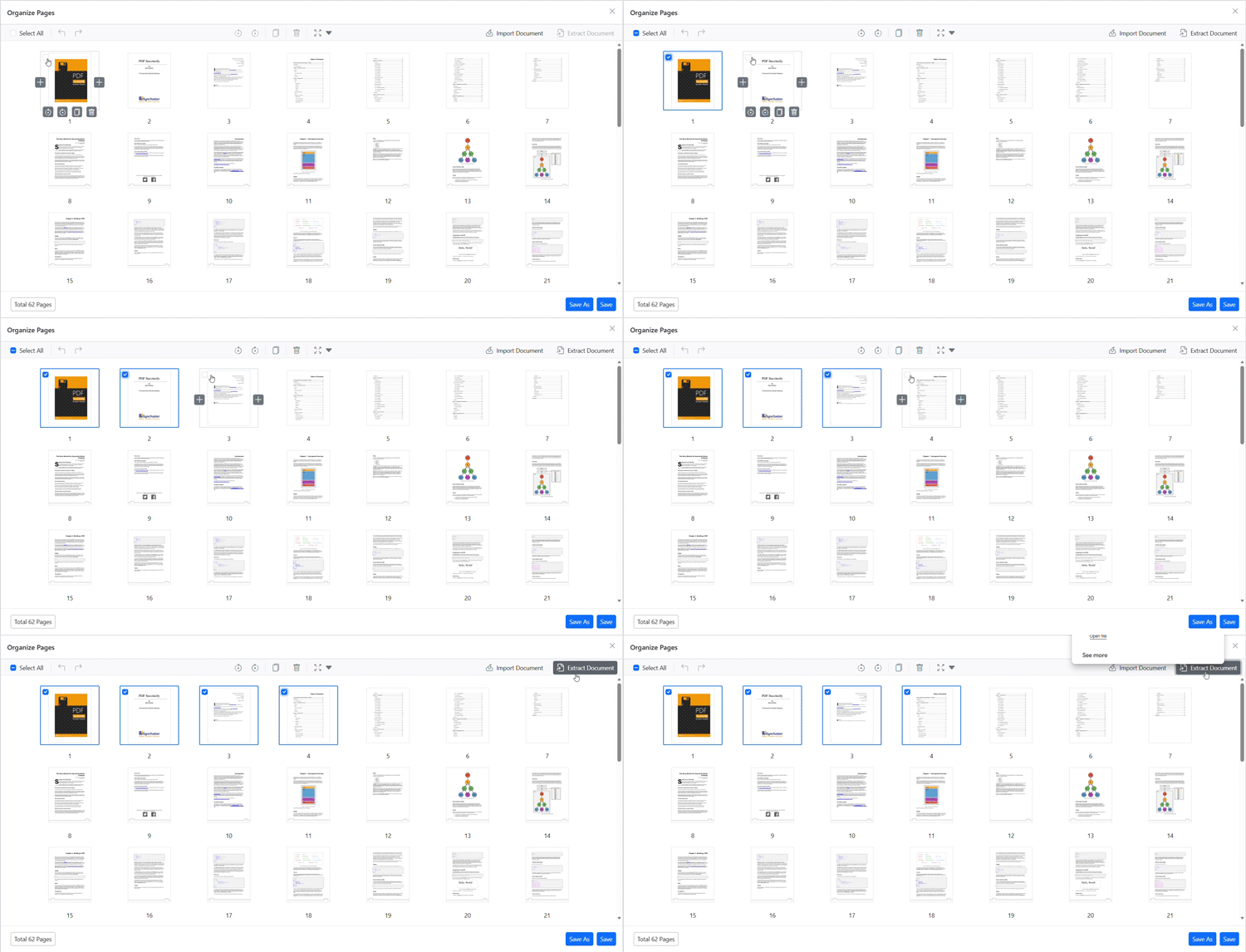
Note: Page extraction will download only the selected pages as a separate PDF file. The original document remains unchanged.
Programmatic options and APIs
You can also extract pages through code using the following methods:
Extract pages programmatically
You can extract pages programmatically using the Blazor PDF Viewer’s ExtractPagesAsync method. The following example extracts pages 1 and 2:
@using System.Collections.Generic
@using Syncfusion.Blazor.Buttons

<SfButton OnClick="ExtractMethod">Extract</SfButton>
<SfPdfViewer2 @ref="Viewer" DocumentPath="https://cdn.syncfusion.com/content/pdf/pdf-succinctly.pdf"
              Height="100%"
              Width="100%">
</SfPdfViewer2>

@code {
    private SfPdfViewer2? Viewer;

    private async Task ExtractMethod() {
        await Viewer?.ExtractPagesAsync([1,2]);
    }
}
Extract pages and load the result programmatically
You can also extract pages and immediately load the extracted pages back into the viewer using the ExtractPagesAsStreamAsync method. The method returns the extracted PDF as a stream:
@using System.Collections.Generic
@using Syncfusion.Blazor.Buttons

<SfButton OnClick="ExtractMethodStream">Extract Stream</SfButton>
<SfPdfViewer2 @ref="Viewer" DocumentPath="https://cdn.syncfusion.com/content/pdf/pdf-succinctly.pdf"
              Height="100%"
              Width="100%">
</SfPdfViewer2>

@code {
    private SfPdfViewer2? Viewer;
    Stream? docStream;

    private async Task ExtractMethodStream() {
        docStream = await Viewer?.ExtractPagesAsStreamAsync([1,2]);
        await Viewer?.LoadAsync(docStream, null);
    }
}