Modify Form Fields in ASP.NET MVC PDF Viewer
21 Oct 202624 minutes to read
You can modify form fields using the UI or API.
Modify PDF Form Field Properties using the UI
- Right click a field → Properties to update settings.
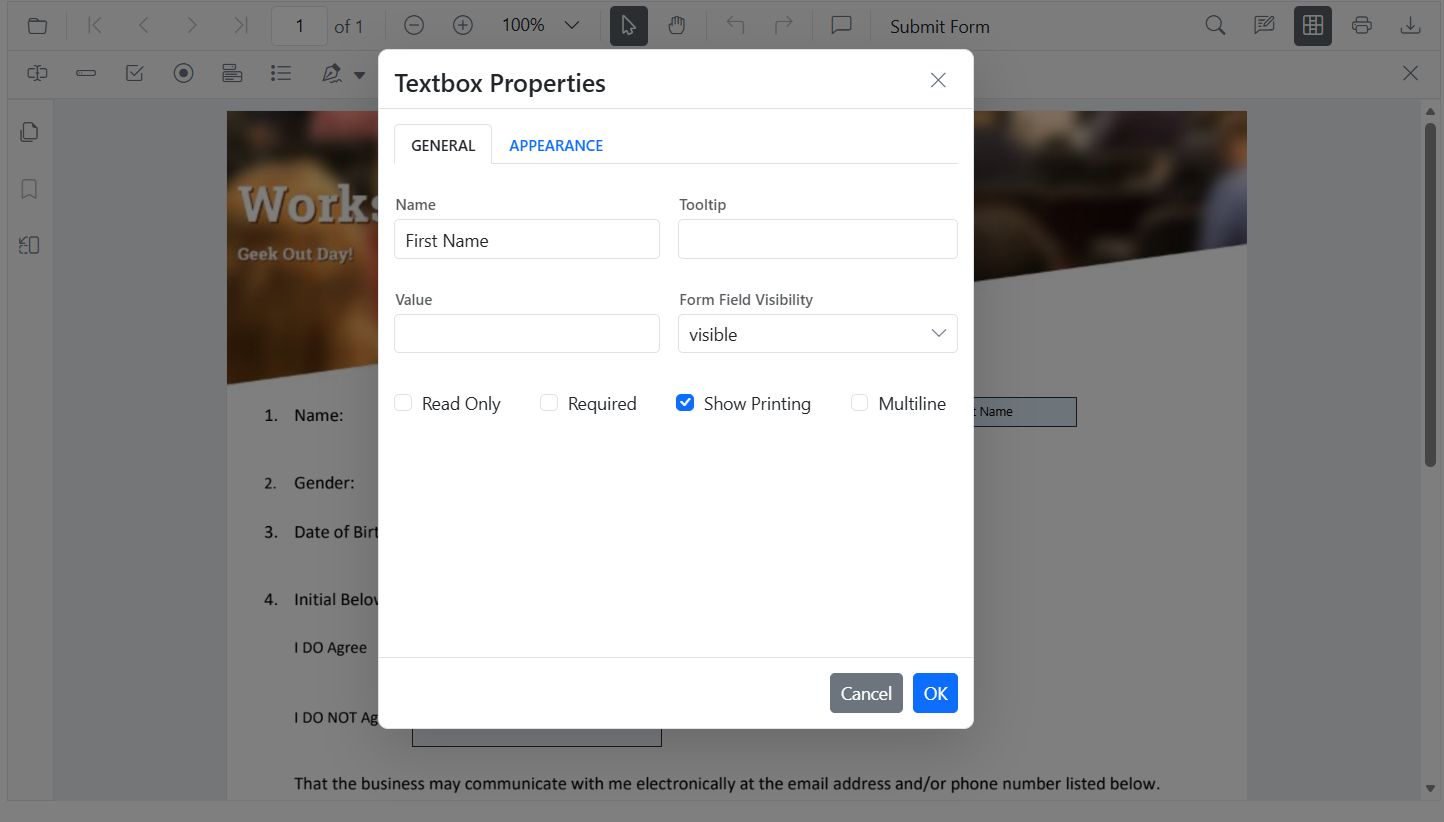
- Drag to move; use handles to resize.
- Use the toolbar to toggle field mode or add new fields.
Modify PDF Form Field Properties programmatically
Use updateFormField() to change behavior/data (including position and size):
<div style="width:100%;height:120px">
        <button id="modifyTextbox">Apply Textbox Changes</button>
    </div>

    <div style="width:100%;height:600px">
        @Html.EJS().PdfViewer("pdfviewer").DocumentPath("https://cdn.syncfusion.com/content/pdf/form-filling-document.pdf").Render()
    </div>

    <script>
        document.addEventListener('DOMContentLoaded', function () {
            var pdfviewer = document.getElementById('pdfviewer').ej2_instances[0];
            document.getElementById('modifyTextbox').addEventListener('click', function () {
                var fields = pdfviewer.retrieveFormFields();
                var field = fields.find(function (f) { return f.name === 'First Name'; }) || fields[0];
                if (field) {
                    pdfviewer.formDesignerModule.updateFormField(field, {
                        value: 'John',
                        fontFamily: 'Courier',
                        fontSize: 12,
                        fontStyle: 'None',
                        color: 'black',
                        backgroundColor: 'white',
                        borderColor: 'black',
                        thickness: 2,
                        alignment: 'Left',
                        maxLength: 50
                    });
                }
            });
        });
    </script>
Modify PDF Form Field Properties by Field type
Textbox
- UI: Update value, font, size, colors, border thickness, alignment, max length, multiline.
- API: updateFormField() for value, typography, alignment, colors, borders.
<div style="width:100%;height:120px">
        <button id="modifyTextbox">Apply Textbox Changes</button>
    </div>

    <div style="width:100%;height:600px">
        @Html.EJS().PdfViewer("pdfviewer").DocumentPath("https://cdn.syncfusion.com/content/pdf/form-filling-document.pdf").Render()
    </div>

    <script>
        document.addEventListener('DOMContentLoaded', function () {
            var pdfviewer = document.getElementById('pdfviewer').ej2_instances[0];
            document.getElementById('modifyTextbox').addEventListener('click', function () {
                var fields = pdfviewer.retrieveFormFields();
                var field = fields.find(function (f) { return f.name === 'First Name'; }) || fields[0];
                if (field) {
                    pdfviewer.formDesignerModule.updateFormField(field, {
                        value: 'John',
                        fontFamily: 'Courier',
                        fontSize: 12,
                        fontStyle: 'None',
                        color: 'black',
                        backgroundColor: 'white',
                        borderColor: 'black',
                        thickness: 2,
                        alignment: 'Left',
                        maxLength: 50
                    });
                }
            });
        });
    </script>
Password
- UI: Tooltip, required, max length, font, appearance.
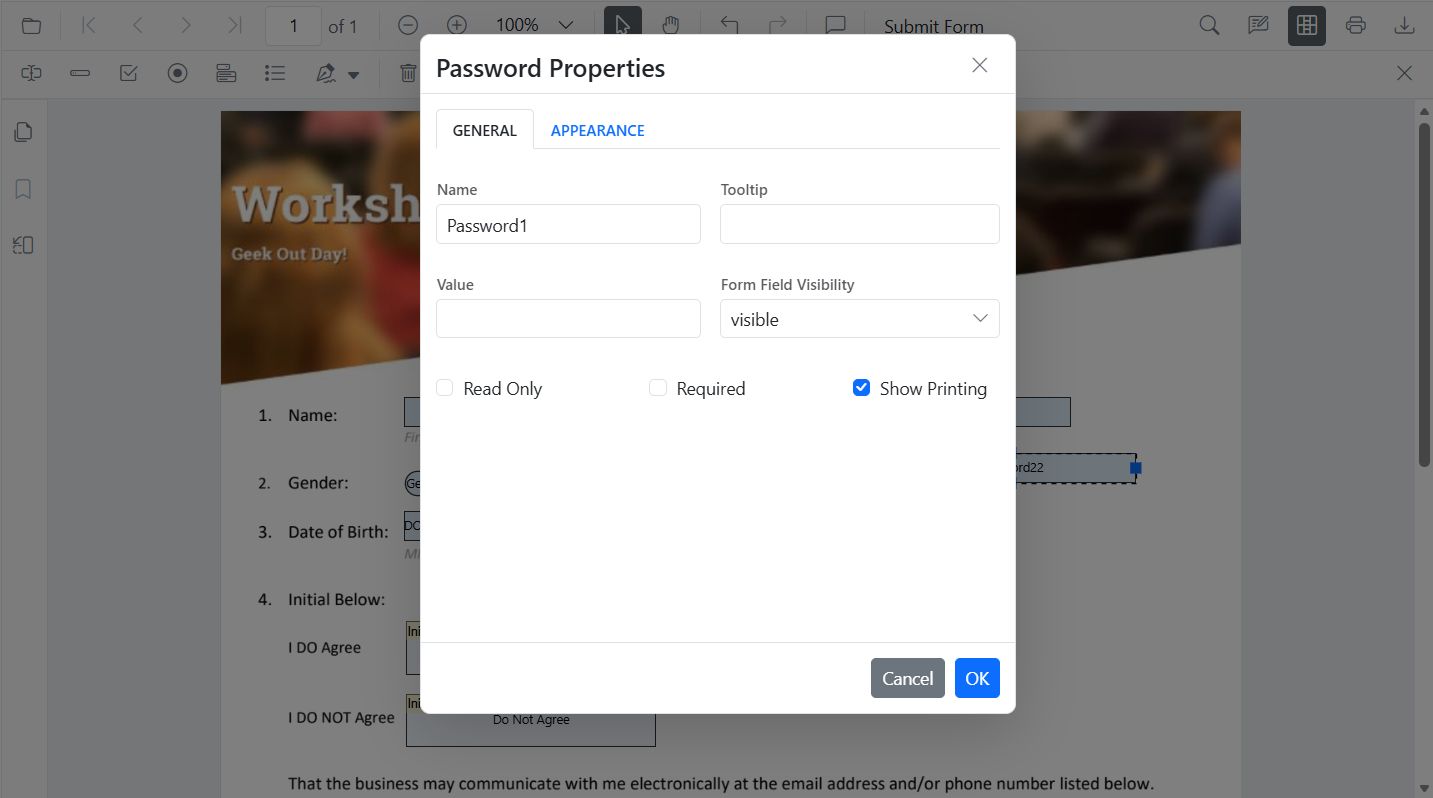
- API: updateFormField() for tooltip, validation flags, typography, colors, alignment, borders.
<div style="width:100%;height:120px">
        <button id="modifyPasswordBox">Edit PasswordBox</button>
    </div>

    <div style="width:100%;height:600px">
        @Html.EJS().PdfViewer("pdfviewer").DocumentPath("https://cdn.syncfusion.com/content/pdf/form-filling-document.pdf").Render()
    </div>

    <script>
        document.addEventListener('DOMContentLoaded', function () {
            var pdfviewer = document.getElementById('pdfviewer').ej2_instances[0];
            document.getElementById('modifyPasswordBox').addEventListener('click', function () {
                var fields = pdfviewer.retrieveFormFields();
                var field = fields.find(function (f) { return f.name === 'Password'; });
                if (field) {
                    pdfviewer.formDesignerModule.updateFormField(field, {
                        tooltip: 'Enter your password',
                        isReadOnly: false,
                        isRequired: true,
                        isPrint: true,
                        fontFamily: 'Courier',
                        fontSize: 10,
                        color: 'black',
                        borderColor: 'black',
                        backgroundColor: 'white',
                        alignment: 'Left',
                        maxLength: 20,
                        thickness: 1
                    });
                }
            });
        });
    </script>
CheckBox
- UI: Toggle checked state.
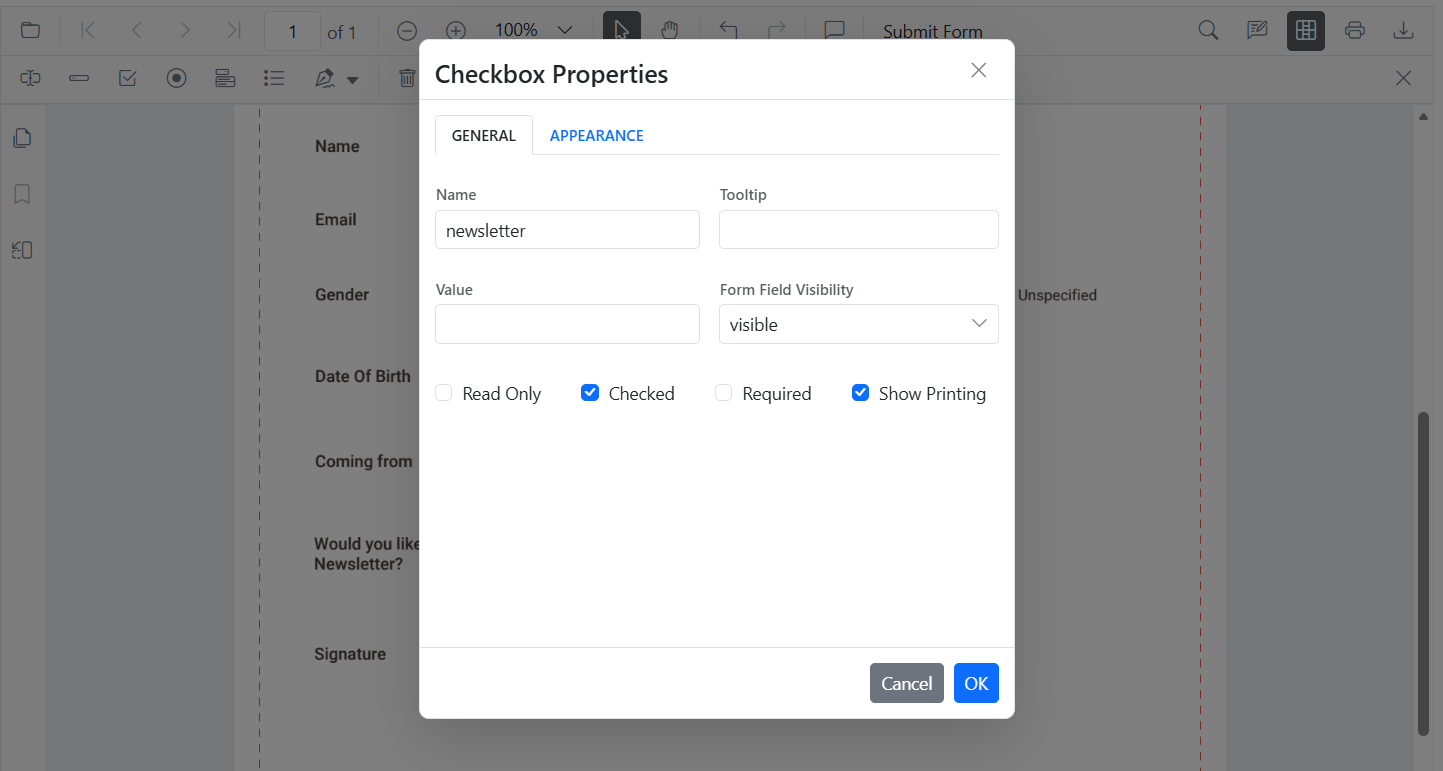
- API: updateFormField() for isChecked, tooltip, colors, borders.
<div style="width:100%;height:120px">
        <button id="modifyCheckbox">Modify CheckBox</button>
    </div>

    <div style="width:100%;height:600px">
        @Html.EJS().PdfViewer("pdfviewer").DocumentPath("https://cdn.syncfusion.com/content/pdf/form-filling-document.pdf").Render()
    </div>

    <script>
        document.addEventListener('DOMContentLoaded', function () {
            var pdfviewer = document.getElementById('pdfviewer').ej2_instances[0];
            document.getElementById('modifyCheckbox').addEventListener('click', function () {
                var fields = pdfviewer.retrieveFormFields();
                var cb = fields.find(function (f) { return f.name === 'Subscribe'; });
                if (cb) {
                    pdfviewer.formDesignerModule.updateFormField(cb, {
                        isChecked: true,
                        backgroundColor: 'white',
                        borderColor: 'black',
                        thickness: 2,
                        tooltip: 'Subscribe to newsletter'
                    });
                }
            });
        });
    </script>
RadioButton
- UI: Set selected item in a group (same Name).
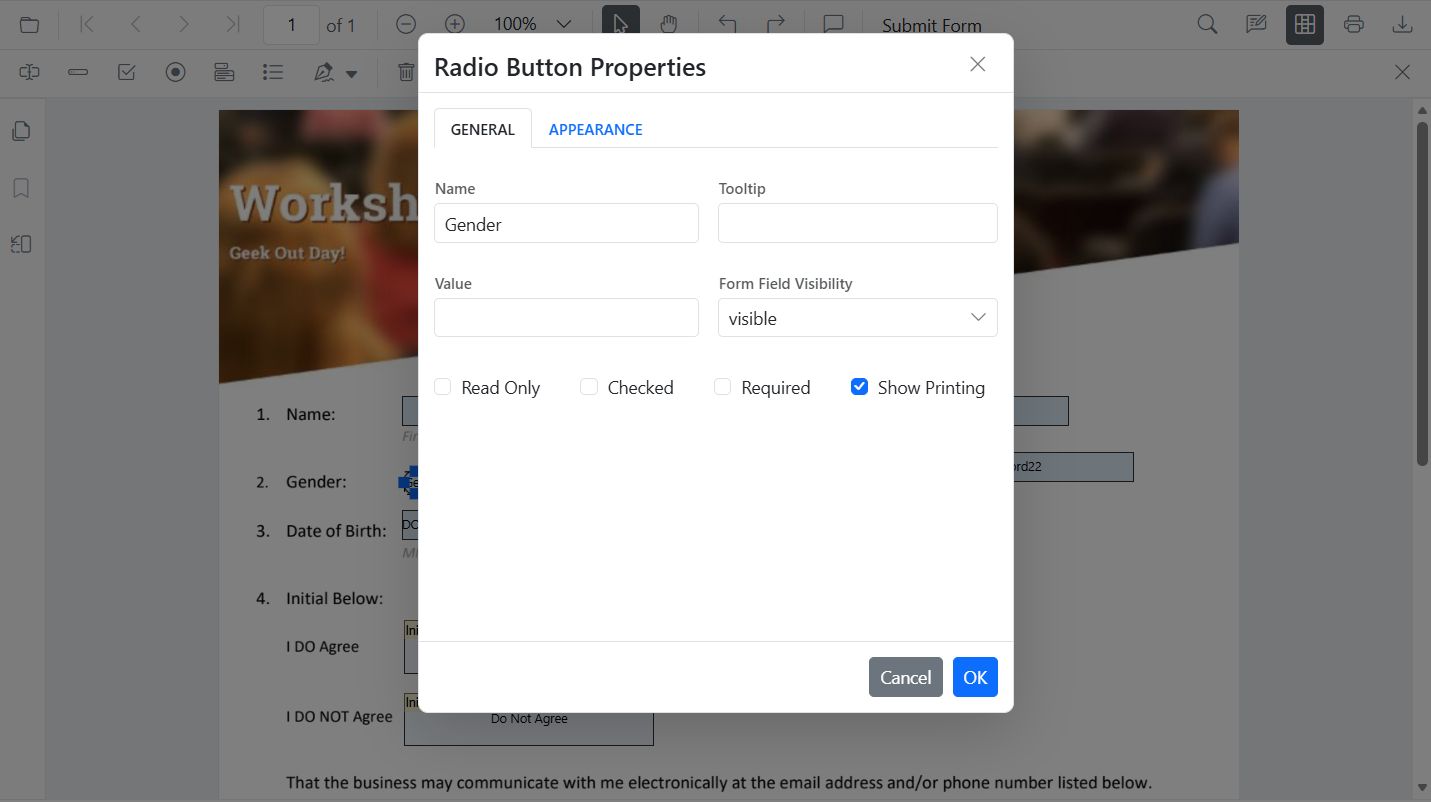
- API: updateFormField() to set selected value and border appearance.
<div style="width:100%;height:120px">
        <button id="editRadio">Modify RadioButton</button>
    </div>

    <div style="width:100%;height:600px">
        @Html.EJS().PdfViewer("pdfviewer").DocumentPath("https://cdn.syncfusion.com/content/pdf/form-filling-document.pdf").Render()
    </div>

    <script>
        document.addEventListener('DOMContentLoaded', function () {
            var pdfviewer = document.getElementById('pdfviewer').ej2_instances[0];
            document.getElementById('editRadio').addEventListener('click', function () {
                var fields = pdfviewer.retrieveFormFields();
                var genderRadios = fields.filter(function (f) { return f.name === 'Gender'; });
                if (genderRadios[1]) {
                    pdfviewer.formDesignerModule.updateFormField(genderRadios[0], { isSelected: false });
                    pdfviewer.formDesignerModule.updateFormField(genderRadios[1], { isSelected: true, thickness: 2, borderColor: 'black' });
                }
            });
        });
    </script>
ListBox
- UI: Add/remove items, set selection, adjust fonts/colors.
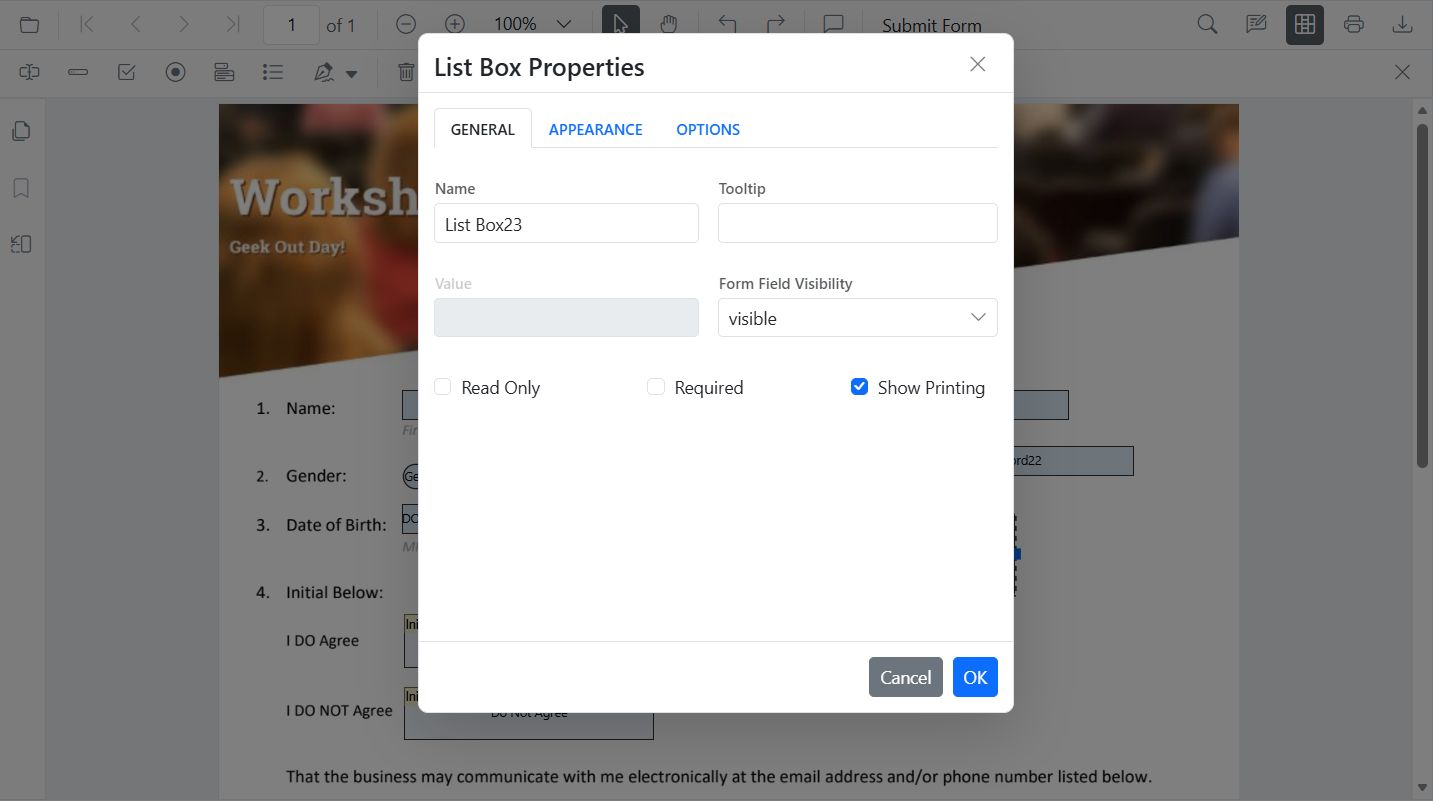
- API: updateFormField() for items, selection, borders.
<div style="width:100%;height:120px">
        <button id="editListBox">Edit ListBox</button>
    </div>

    <div style="width:100%;height:600px">
        @Html.EJS().PdfViewer("pdfviewer").DocumentPath("https://cdn.syncfusion.com/content/pdf/form-filling-document.pdf").Render()
    </div>

    <script>
        document.addEventListener('DOMContentLoaded', function () {
            var pdfviewer = document.getElementById('pdfviewer').ej2_instances[0];
            document.getElementById('editListBox').addEventListener('click', function () {
                var fields = pdfviewer.retrieveFormFields();
                var lb = fields.find(function (f) { return f.name === 'States'; });
                if (lb) {
                    var option = [
                        { itemName: 'Alabama', itemValue: 'AL' },
                        { itemName: 'Alaska', itemValue: 'AK' },
                        { itemName: 'Arizona', itemValue: 'AZ' }
                    ];
                    pdfviewer.formDesignerModule.updateFormField(lb, {
                        fontFamily: 'Courier',
                        fontSize: 5,
                        color: 'black',
                        backgroundColor: 'white',
                        tooltip: 'listbox',
                        options: option
                    });
                }
            });
        });
    </script>
DropDown
- UI: Add/remove items, default value, appearance.
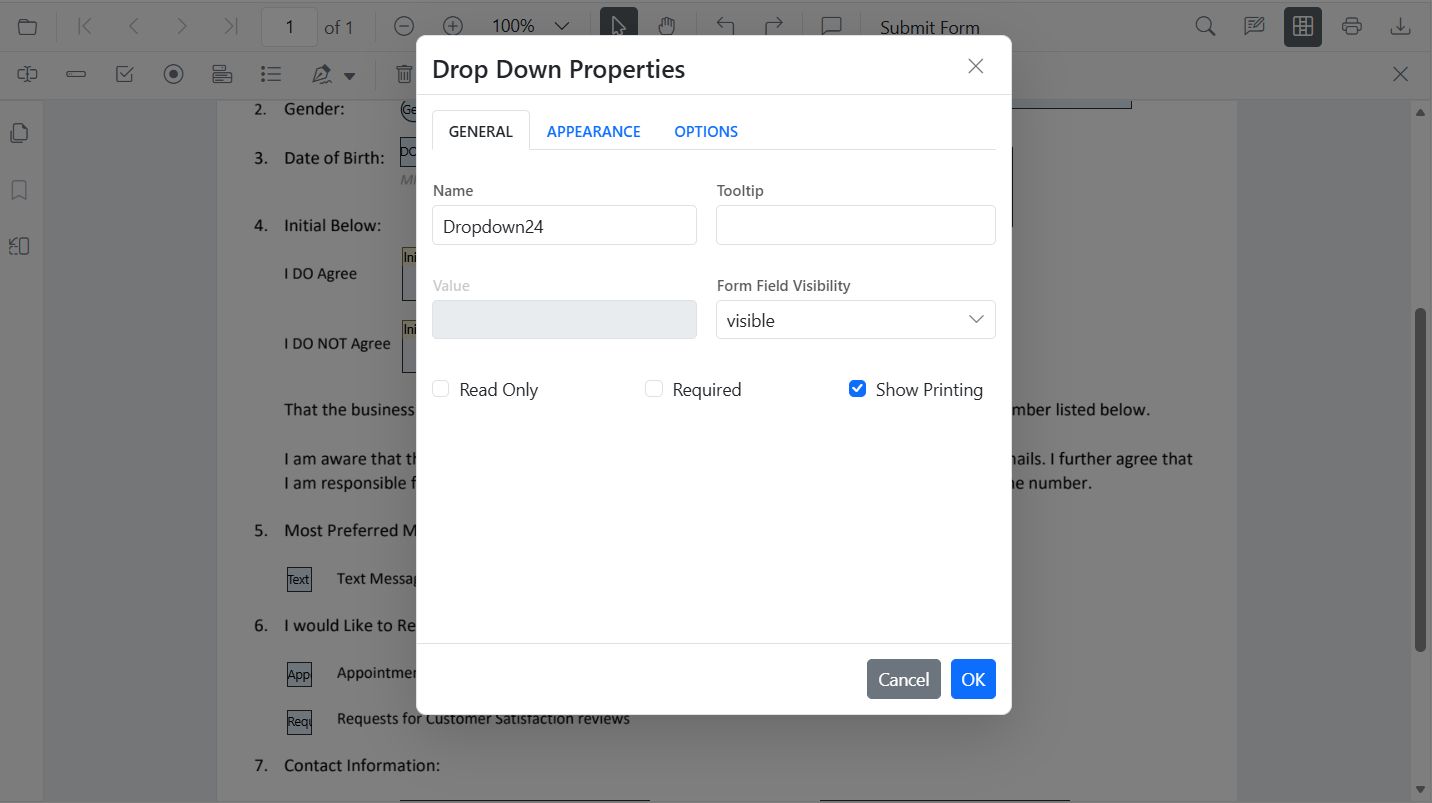
- API: updateFormField() for items, value, borders.
<div style="width:100%;height:120px">
        <button id="editDropDown">Edit DropDown</button>
    </div>

    <div style="width:100%;height:600px">
        @Html.EJS().PdfViewer("pdfviewer").DocumentPath("https://cdn.syncfusion.com/content/pdf/form-filling-document.pdf").Render()
    </div>

    <script>
        document.addEventListener('DOMContentLoaded', function () {
            var pdfviewer = document.getElementById('pdfviewer').ej2_instances[0];
            document.getElementById('editDropDown').addEventListener('click', function () {
                var fields = pdfviewer.retrieveFormFields();
                var dd = fields.find(function (f) { return f.name === 'Country'; });
                if (dd) {
                    pdfviewer.formDesignerModule.updateFormField(dd, {
                        options: [
                            { itemName: 'USA', itemValue: 'US' },
                            { itemName: 'Canada', itemValue: 'CA' },
                            { itemName: 'Mexico', itemValue: 'MX' }
                        ],
                        value: 'US',
                        fontFamily: 'Courier',
                        fontSize: 10,
                        color: 'black',
                        borderColor: 'black',
                        backgroundColor: 'white'
                    });
                }
            });
        });
    </script>
Signature Field
- UI: Tooltip, thickness, indicator text, required/visibility.
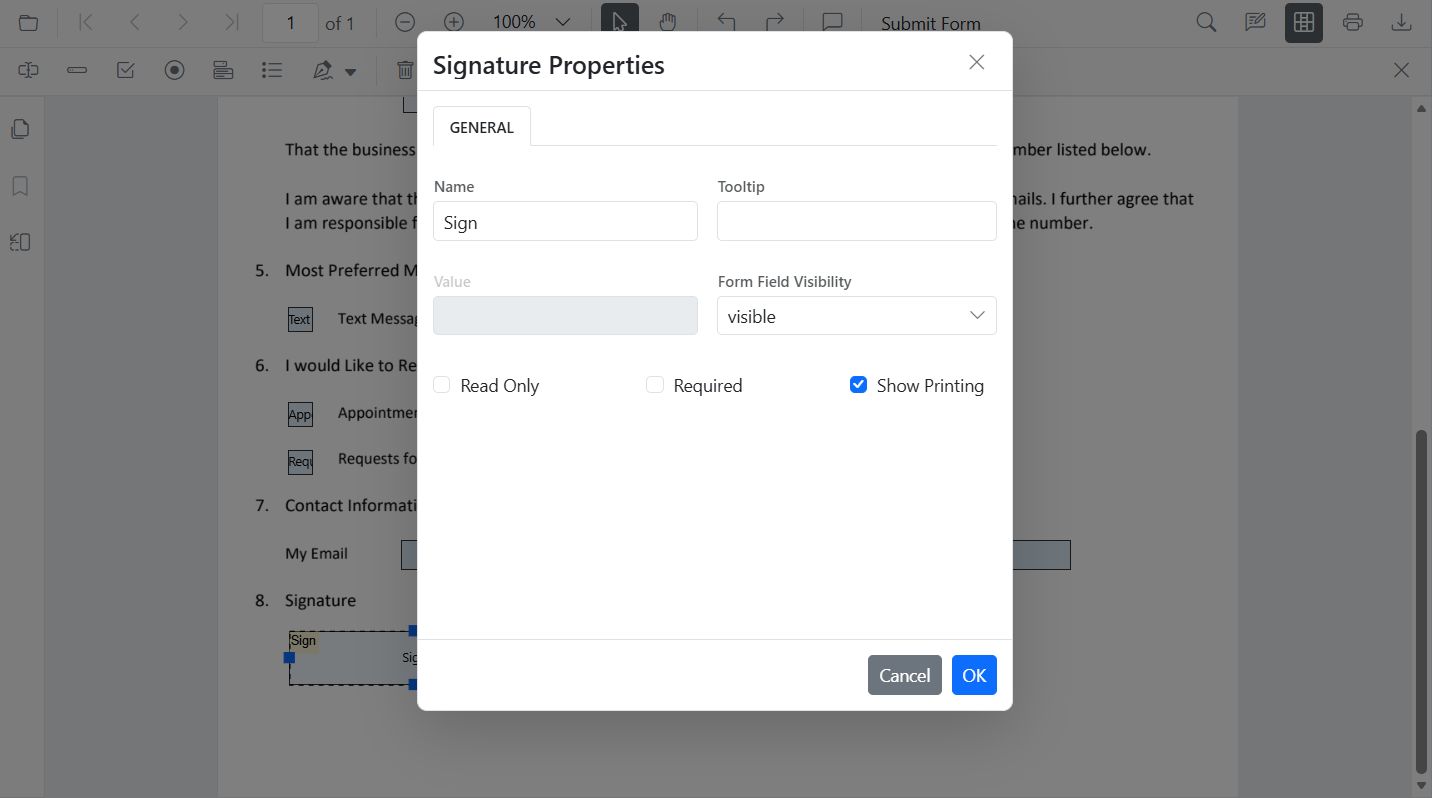
- API: updateFormField() for tooltip, required, colors, borders.
<div style="width:100%;height:120px">
        <button id="editSignature">Edit Signature</button>
    </div>

    <div style="width:100%;height:600px">
        @Html.EJS().PdfViewer("pdfviewer").DocumentPath("https://cdn.syncfusion.com/content/pdf/form-filling-document.pdf").Render()
    </div>

    <script>
        document.addEventListener('DOMContentLoaded', function () {
            var pdfviewer = document.getElementById('pdfviewer').ej2_instances[0];
            document.getElementById('editSignature').addEventListener('click', function () {
                var fields = pdfviewer.retrieveFormFields();
                var sig = fields.find(function (f) { return f.name === 'Sign'; });
                if (sig) {
                    pdfviewer.formDesignerModule.updateFormField(sig, {
                        tooltip: 'Please sign here',
                        thickness: 3,
                        isRequired: true,
                        isPrint: true,
                        backgroundColor: 'white',
                        borderColor: 'black'
                    });
                }
            });
        });
    </script>
Initial Field
- UI: Tooltip, indicator text, thickness, required/visibility.
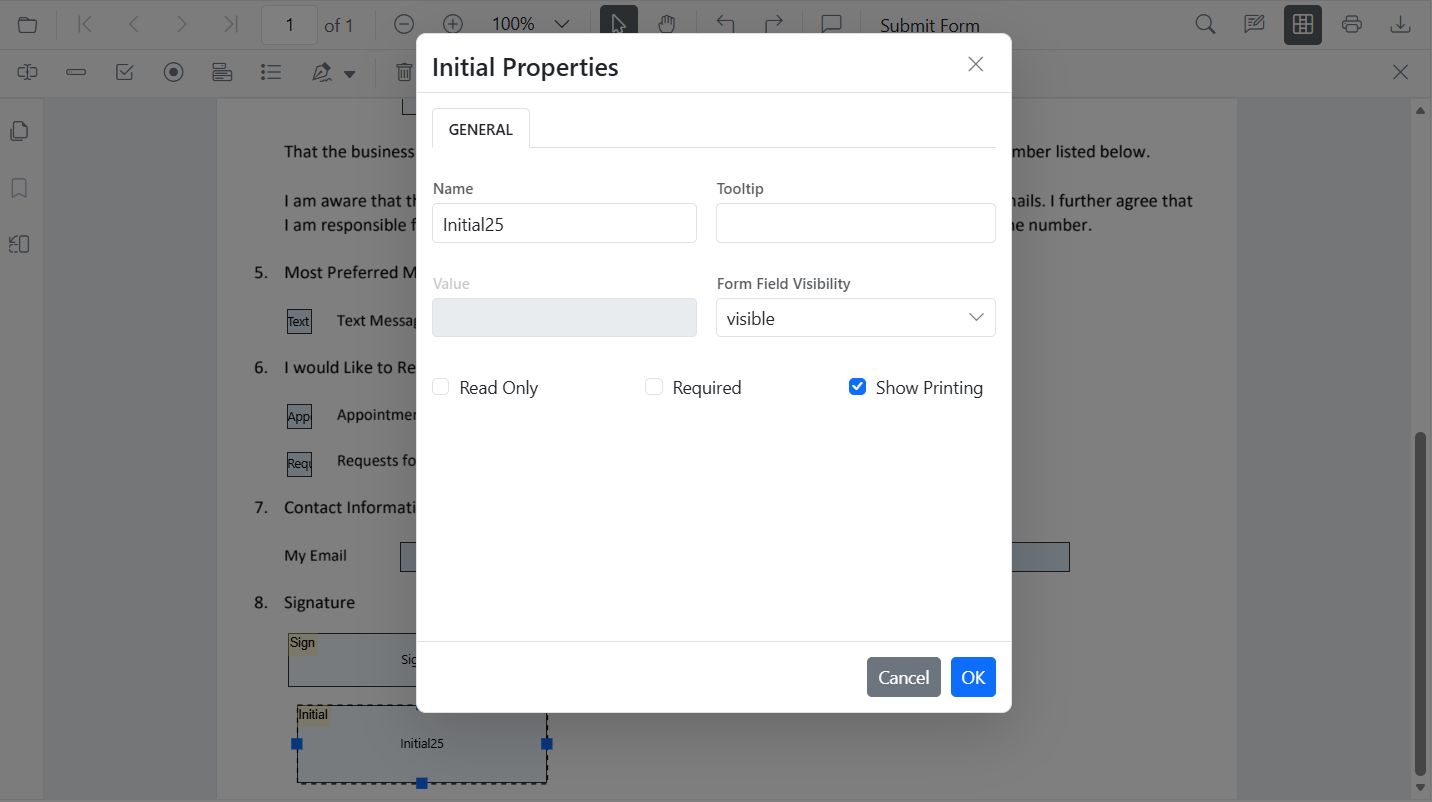
- API: updateFormField() for tooltip, required, colors, borders.
<div style="width:100%;height:120px">
        <button id="editInitial">Edit Initial</button>
    </div>

    <div style="width:100%;height:600px">
        @Html.EJS().PdfViewer("pdfviewer").DocumentPath("https://cdn.syncfusion.com/content/pdf/form-filling-document.pdf").Render()
    </div>

    <script>
        document.addEventListener('DOMContentLoaded', function () {
            var pdfviewer = document.getElementById('pdfviewer').ej2_instances[0];
            document.getElementById('editInitial').addEventListener('click', function () {
                var fields = pdfviewer.retrieveFormFields();
                var init = fields.find(function (f) { return f.name === 'Initial'; });
                if (init) {
                    pdfviewer.formDesignerModule.updateFormField(init, {
                        tooltip: 'Add your initials',
                        thickness: 2,
                        isRequired: true,
                        isPrint: true,
                        backgroundColor: 'white',
                        borderColor: 'black'
                    });
                }
            });
        });
    </script>
DateTime Picker
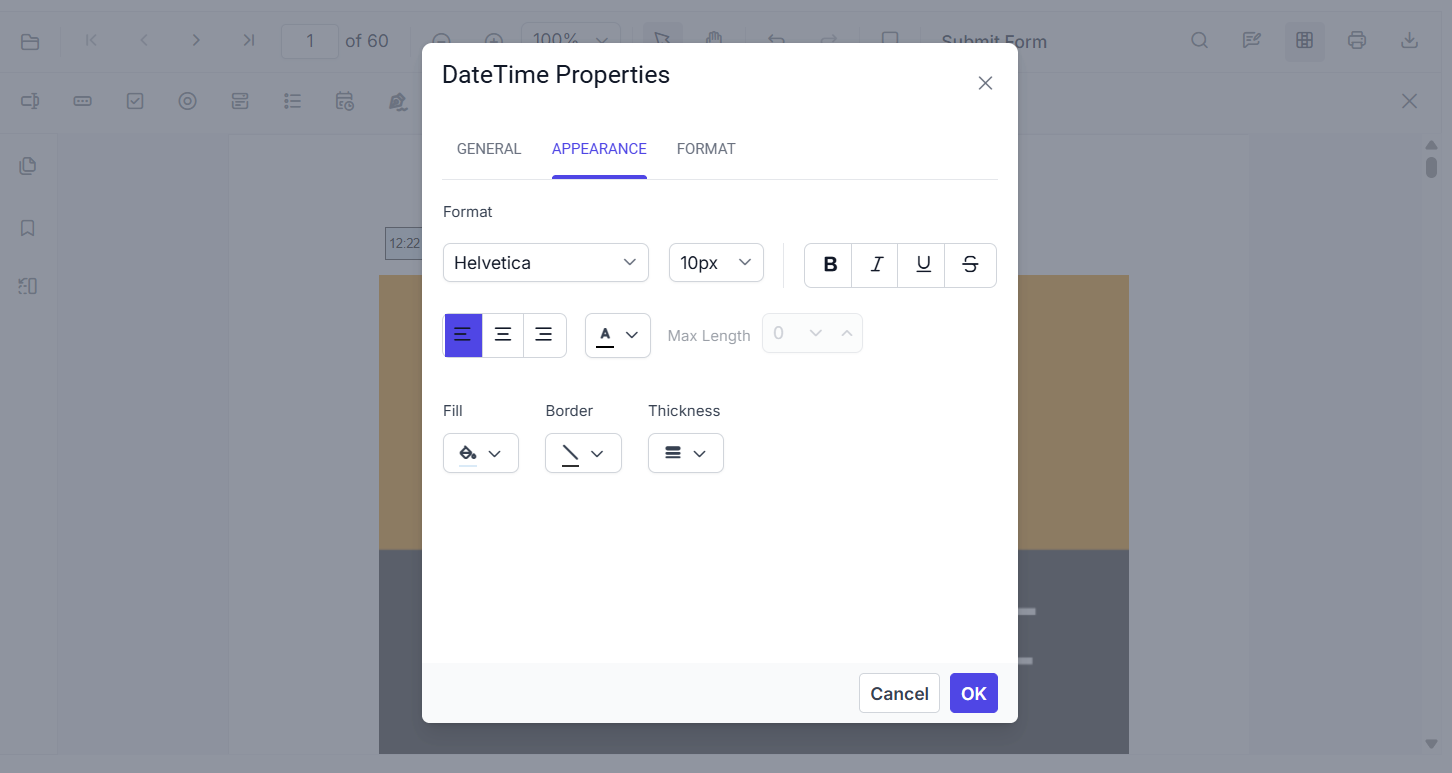
Select a DateTime Picker field in Form Designer to review or change its settings. The toolbar includes the DateTime Picker tool, and the page displays date and time fields.
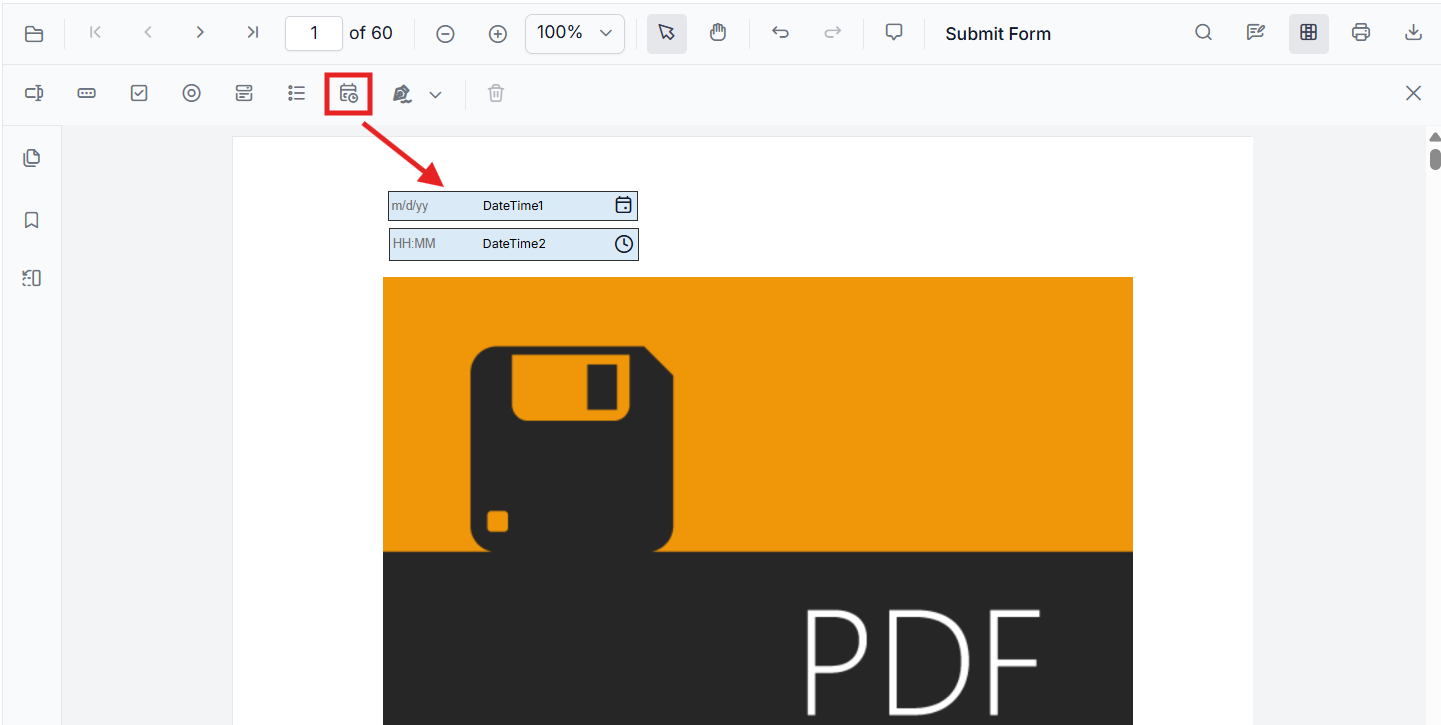
Date and time fields can also be used to enter values directly or choose a value from the picker:
-
For a date field, type a date or open the calendar picker.
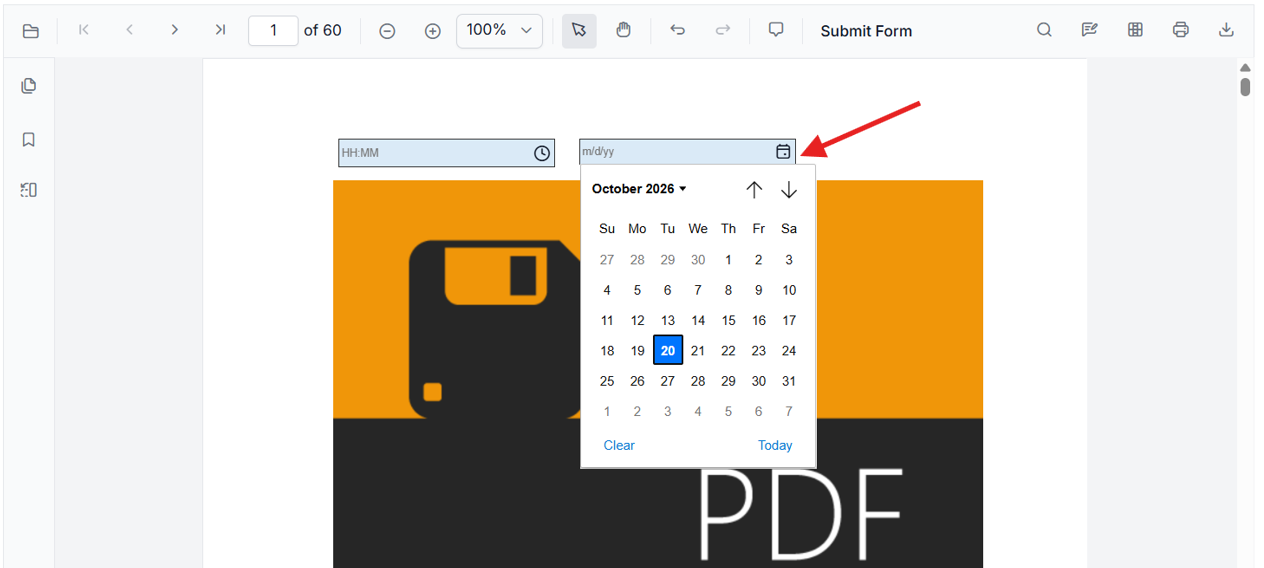
-
For a time field, type a time or open the time picker.
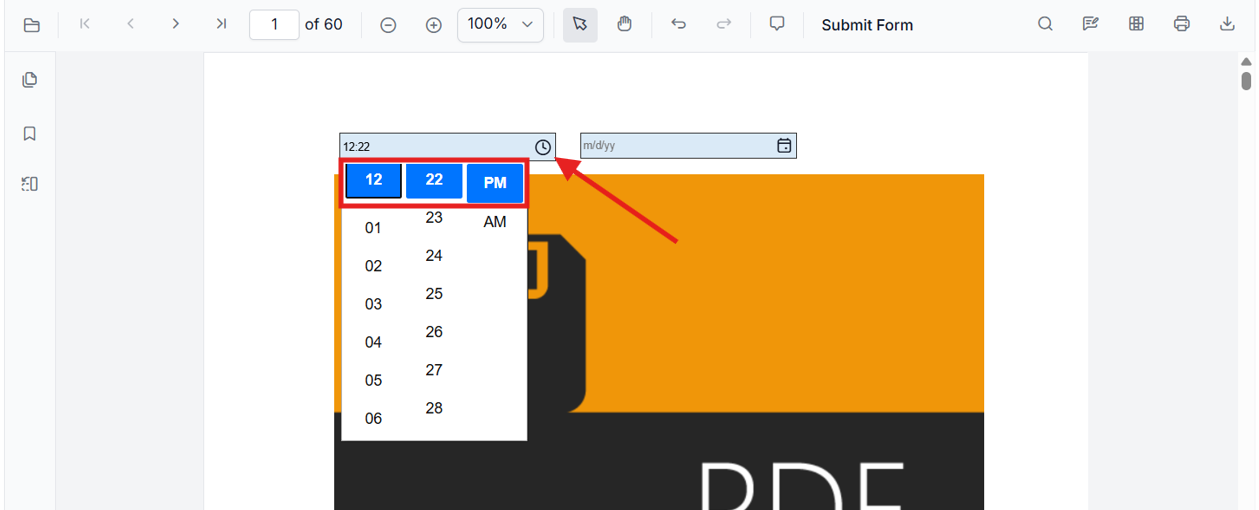
Use the field’s General properties to review or edit its name, value, tooltip, visibility, read-only and required settings, and print visibility.
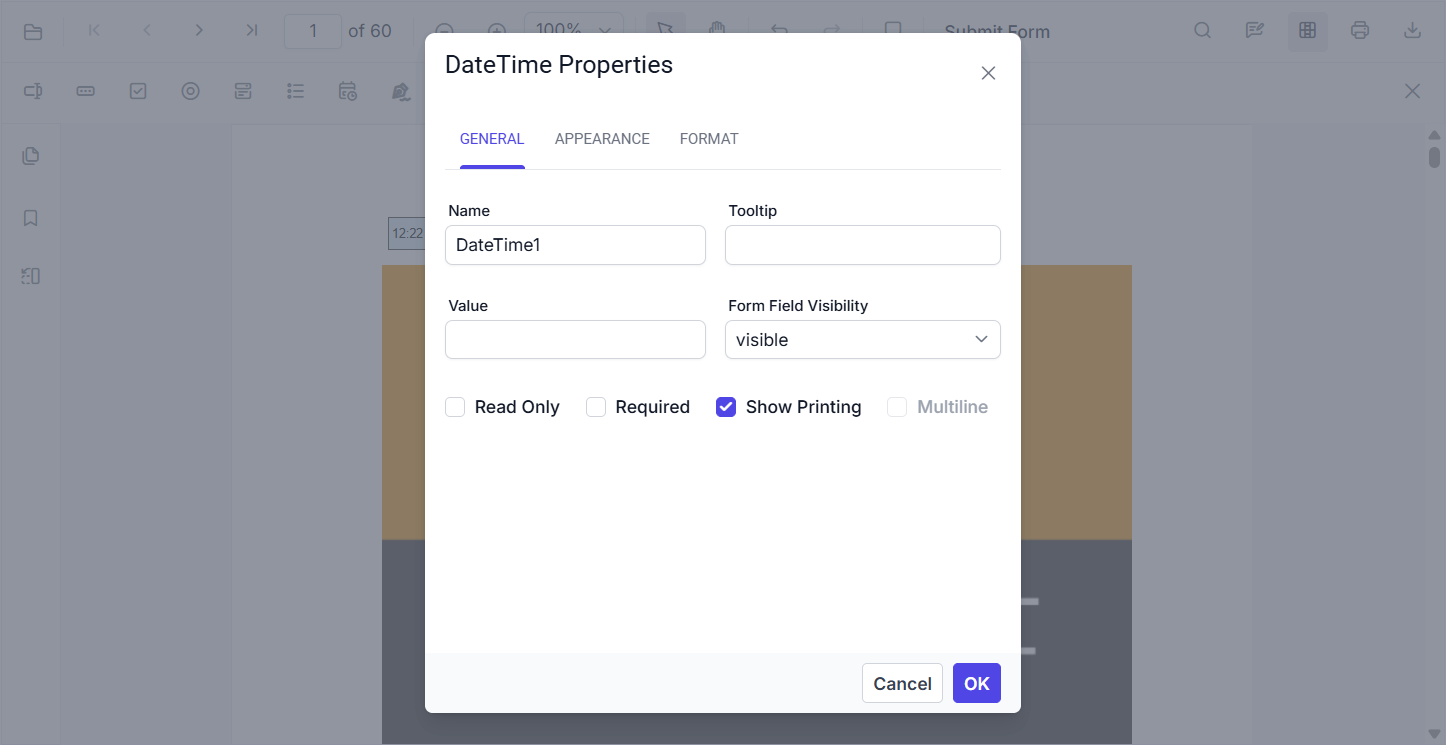
The Appearance properties include font, colors, border, and alignment.
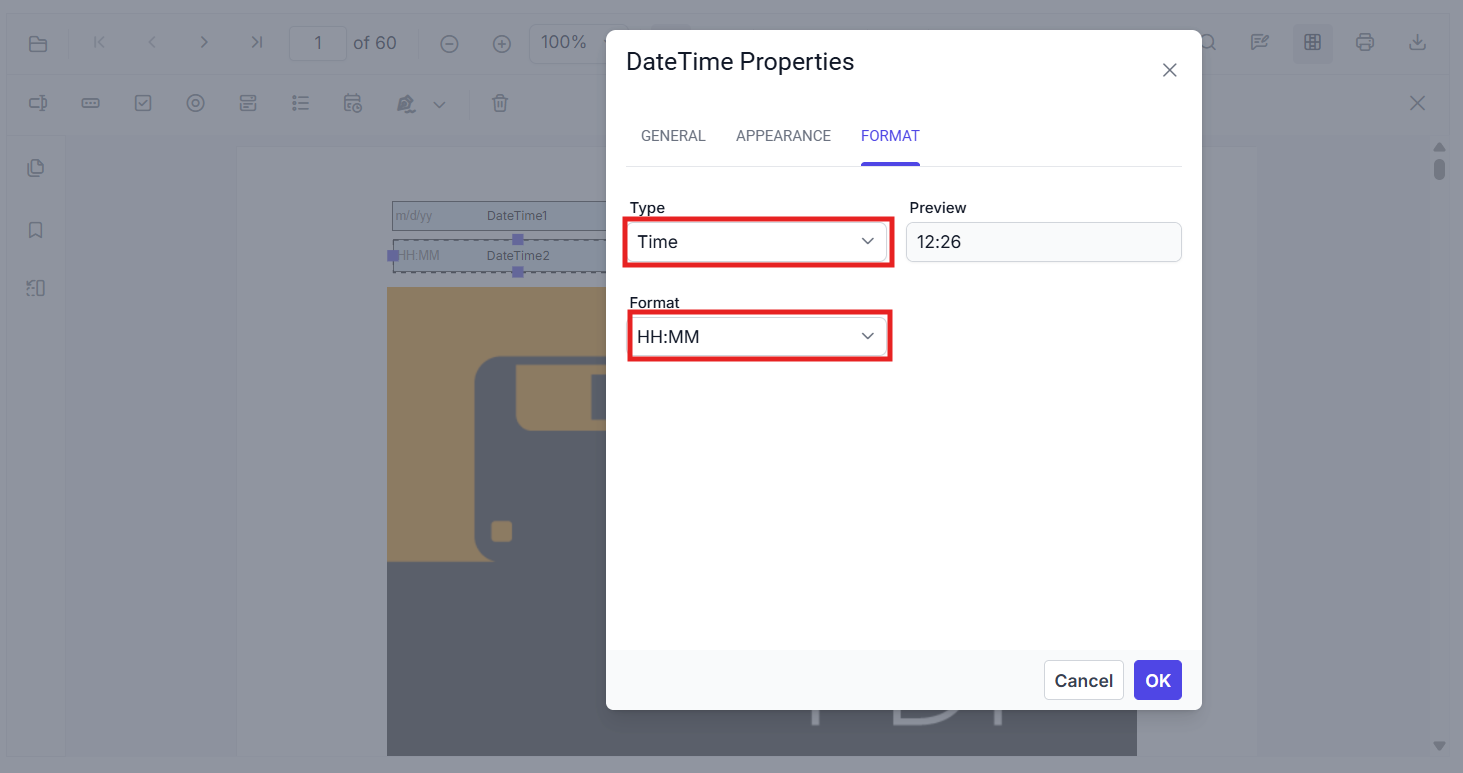
Use the Format tab to change the field type (Date or Time), select a display format, and review the preview.
- API: updateFormField() for value, format script, typography, colors, borders.