Download in ASP.NET Core PDF Viewer
14 Aug 20263 minutes to read
The PDF Viewer component enables users to download the currently loaded PDF document. Downloads can be triggered through the user interface or programmatically via code. This feature allows end users to save documents locally for offline access or archival purposes.
By default, the download button appears in the PDF Viewer toolbar. Set the enableDownload property to true to enable the download feature, or false to hide the download button:
<div style="width:100%;height:600px">
    <ejs-pdfviewer id="pdfviewer"
                   style="height:600px"
                   documentPath="https://cdn.syncfusion.com/content/pdf/pdf-succinctly.pdf"
                   enableDownload="true">
    </ejs-pdfviewer>
</div>
<div style="width:100%;height:600px">
<ejs-pdfviewer id="pdfviewer"
style="height:600px"
serviceUrl="/api/PdfViewer"
documentPath="https://cdn.syncfusion.com/content/pdf/pdf-succinctly.pdf"
enableDownload="true">
</ejs-pdfviewer>
</div>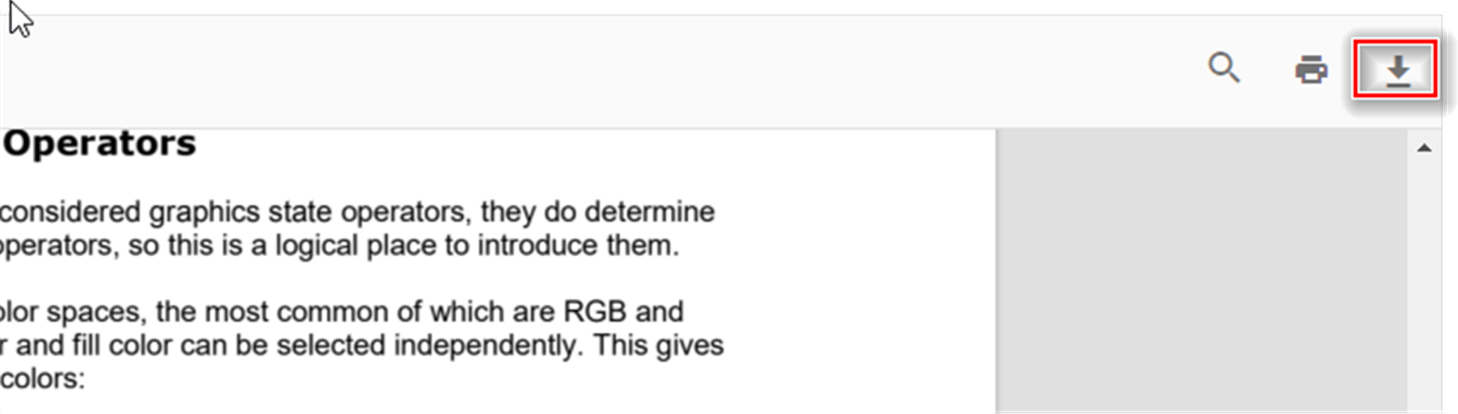
In addition to the toolbar button, the PDF Viewer provides the download() method to programmatically trigger document downloads. This method initiates a download of the currently displayed PDF file using the document’s filename or a default name as shown below:
<div style="width:100%;height:600px">
    <ejs-pdfviewer id="pdfviewer"
                   style="height:600px"
                   documentPath="https://cdn.syncfusion.com/content/pdf/form-designer.pdf"
                   enableDownload="true"
                   documentLoad="documentLoaded">
    </ejs-pdfviewer>
</div>
<script>
    function documentLoaded() {
        var pdfViewer = document.getElementById('pdfviewer').ej2_instances[0];
        pdfViewer.download();
    }
</script>
<div style="width:100%;height:600px">
<ejs-pdfviewer id="pdfviewer"
style="height:600px"
serviceUrl="/api/PdfViewer"
documentPath="https://cdn.syncfusion.com/content/pdf/form-designer.pdf"
enableDownload="true"
documentLoad="documentLoaded">
</ejs-pdfviewer>
</div>
<script>
function documentLoaded() {
var pdfViewer = document.getElementById('pdfviewer').ej2_instances[0];
pdfViewer.download();
}
</script>Retrieving base64 data during download
The PDF Viewer component provides the downloadEnd event, which fires when the download process completes. This event can be used to retrieve the downloaded document as a base64-encoded string for custom processing, server transmission, or storage purposes.