Getting Started with JavaScript PDF in TypeScript app
13 Aug 20268 minutes to read
The JavaScript PDF Library is used to create, read, and edit PDF documents. The JavaScript PDF Library also offers functionality to merge, split, stamp, fill PDF forms, and secure PDF files.
This guide explains how to integrate the JavaScript PDF Library into a TypeScript application that runs in the browser. The generated PDF is downloaded directly from the browser; no server-side PDF rendering is required.
Prerequisites
Before you begin, make sure you have the following installed:
- Node.js 18 or later.
- npm 9 or later, or Yarn 1.22 or later.
- TypeScript 4.5 or later.
- Code Studio, Visual Studio Code, or another code editor.
- A browser-based bundler or dev server.
To verify your Node.js and npm versions, run:
node --version
npm --version
Project Setup
Create a new project folder and initialize it:
mkdir pdf-typescript-app
cd pdf-typescript-app
npm init -y
Install TypeScript and the Vite dev server as development dependencies:
npm install typescript vite --save-devInitialize the TypeScript configuration:
npx tsc --initThe following minimal configuration is sufficient for this guide:
{
  "compilerOptions": {
    "target": "ES2020",
    "module": "ESNext",
    "lib": ["DOM", "ES2020"],
    "strict": true,
    "moduleResolution": "bundler"
  }
}
The
outDirsetting is ignored by Vite; the bundled output is emitted todist/automatically.
Configure the Start Script
Add a start script to package.json so you can launch the Vite dev server with npm start:
{
  "scripts": {
    "start": "vite",
    "build": "vite build",
    "preview": "vite preview"
  }
}
Install the JavaScript PDF Library
All Syncfusion® JS 2 packages are published in the npmjs.com registry. The npm install command below resolves @syncfusion/ej2-pdf to the latest stable version compatible with TypeScript 4.5 or later.
- To install the JavaScript PDF Library, use the following command.
npm install @syncfusion/ej2-pdf --saveFor image and data extraction features, install the
@syncfusion/ej2-pdf-data-extractpackage as an add-on. Note the following:
- Ensure that your application includes an
ej2-pdf-libfolder within a publicly accessible static directory (such aspublic/,dist/, orwwwroot/).- This folder must contain the required
.jsand.wasmfiles needed for image and data extraction.- This setup is not required for basic PDF creation.
Transitive Dependencies
The following packages are included automatically by @syncfusion/ej2-pdf and do not need to be installed separately:
-
@syncfusion/ej2-base— common utilities used by the library. -
@syncfusion/ej2-compression— compression support used by PDF features.
License Registration
If your project requires a Syncfusion license, register the license key before using the PDF API. Add the following code at the top of your entry point (e.g., index.ts):
import { registerLicense } from '@syncfusion/ej2-base';

registerLicense('YOUR_LICENSE_KEY');
Replace YOUR_LICENSE_KEY with the key from your Syncfusion account. For more information, see the Syncfusion licensing documentation.
Create a PDF document using TypeScript
This sample is intended for browser-based TypeScript applications. It is not designed for server-side rendering or Node.js-only execution.
- Add a simple button to
index.htmland a<script type="module">tag that loadsindex.ts. The button must exist before the click handler inindex.tsruns.
<html>
  <head>
    <title>Button onclick Example</title>
  </head>
  <body>
    <button id="normalButton">Create PDF document</button>
    <script type="module" src="/src/index.ts"></script>
  </body>
</html>- Include the following namespaces in
index.tsfile.
import { PdfDocument, PdfGraphics, PdfPage, PdfFont, PdfFontFamily, PdfFontStyle, PdfBrush } from '@syncfusion/ej2-pdf';- Include the following code example in the click event of the button in
index.tsto generate a PDF document
document.getElementById('normalButton').onclick = (): void => {
  // Create a new PDF document
  const pdf = new PdfDocument();
  // Add a new page
  const page: PdfPage = pdf.addPage();
  // Get graphics from the page
  const graphics: PdfGraphics = page.graphics;
  // Set font
  const font: PdfFont = pdf.embedFont(PdfFontFamily.helvetica, 36, PdfFontStyle.regular);
  // Create a new black brush
  const brush = new PdfBrush({r: 0, g: 0, b: 0});
  // Draw text
  graphics.drawString('Hello World!!!', font, {x: 20, y: 20, width: graphics.clientSize.width - 20, height: 60}, brush);
  // Save and download PDF
  pdf.save('output.pdf');
  // Destroy the PDF document instance
  pdf.destroy();
};
Code Explanation
-
registerLicense(key)— registers the Syncfusion license key at application startup. Required for commercial usage. -
PdfDocument— creates a new PDF document instance. -
addPage()— appends a blank page to the document and returns thePdfPageobject. -
page.graphics— returns thePdfGraphicsdrawing surface for the page. -
embedFont(family, size, style)— embeds one of the standard PDF font families (here, Helvetica 36pt regular) and returns aPdfFontobject. -
new PdfBrush({ r, g, b })— creates a solid color brush from an RGB object (each channel0-255); here, black. -
drawString(text, font, layoutRect, brush)— draws the text inside the rectangle defined byx,y,width, andheight. -
graphics.clientSize.width— the writable width of the page in points. -
save('output.pdf')— saves the PDF and triggers a browser download with the specified file name. The file is sent to the browser’s default downloads folder. -
destroy()— releases native resources held by the document.
Run the application
The quickstart project is configured to compile and run in the browser. Use the following command from the project root to start the application:
npm startVite serves the application at http://localhost:5173. Open this URL in a browser and click Create PDF document to download the generated file as output.pdf.
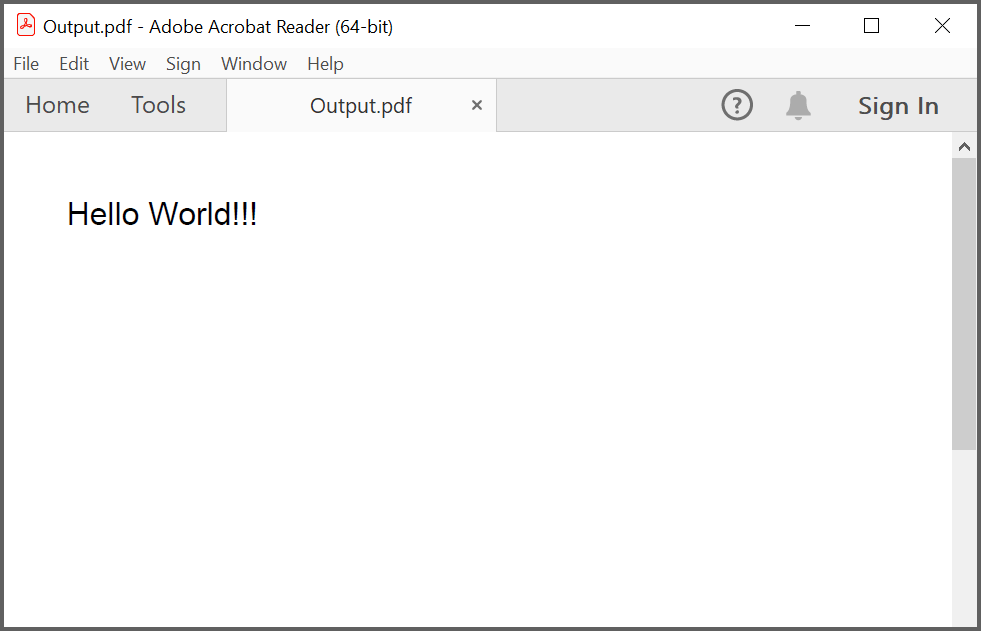
The generated PDF contains a single page with the text “Hello World!!!” drawn at the top-left.
By executing the program, you will get the PDF document as follows.
The first run may take a few seconds while Vite optimizes dependencies. Subsequent runs are faster.
Troubleshooting
| Problem | Cause | Resolution |
|---|---|---|
Error: Cannot find module '@syncfusion/ej2-pdf' |
The package is not installed | Run npm install @syncfusion/ej2-pdf --save
|
TS2304: Cannot find name 'PdfDocument' (or similar) |
The import line is missing | Confirm the import block at the top of index.ts is present |
| Button click does nothing | The button ID does not match | Confirm the button’s id is normalButton
|
Failed to resolve import "@syncfusion/ej2-pdf" |
The bundler cannot resolve the package | Confirm node_modules/ exists and that you ran npm install
|
ReferenceError: document is not defined |
The code ran in a Node-only context (e.g., SSR) | This sample is browser-only; run it in a browser via npm start
|
Cannot GET / |
The dev server is not running | Run npm start and wait for “Local: http://localhost:5173/” |
| PDF does not download | The browser blocks the download | Check the browser’s download settings and downloads folder |
registerLicense warning at runtime |
The license key is missing or invalid | Confirm the key is set in index.ts and is the correct key for your Syncfusion account |