How can I help you?
Create or Generate a PDF File in a Node.js Server Environment
11 Jun 20265 minutes to read
The Syncfusion® TypeScript PDF library is used to create, read, and edit PDF documents. This library also offers functionality to merge, split, stamp, fill forms, and secure PDF files.
This guide explains how to integrate the Syncfusion TypeScript PDF library into an application with Node.js server environment.
Integrate the PDF library into a Node.js Server Environment
Step1: All Syncfusion JS 2 packages are published in npmjs.com registry.To install the PDF library, use the following command.
npm install @syncfusion/ej2-pdf --saveNOTE
For data extraction features, you need to install the
@syncfusion/ej2-pdf-data-extractpackage as an add-on.
Image extraction and image‑based redaction features are optimized for browser environments where visual rendering is available. These features rely on browser technologies such as DOM APIs, Canvas, and client‑side rendering, and therefore are not supported in pure Node.js server environments.
Step2: The following list of dependencies are required to use the TypeScript PDF library component in your application.
|-- @syncfusion/ej2-compression
|-- @syncfusion/ej2-base
Step3: Add a simple button to index.html and attach a click handler that uses the TypeScript PDF API to create a new PDF document.
<html>
  <head>
    <title>PDF Generator</title>
  </head>
  <body>
    <h2>Generate PDF Example</h2>
    <button onclick="generatePDF()">Create PDF</button>
    <script>
      async function generatePDF() {
        const response = await fetch('http://localhost:3000/generate-pdf');
        const blob = await response.blob();
        const url = window.URL.createObjectURL(blob);
        const a = document.createElement('a');
        a.href = url;
        a.download = 'Output.pdf';
        document.body.appendChild(a);
        a.click();
        a.remove();
        window.URL.revokeObjectURL(url);
      }
    </script>
  </body>
</html>- Create a new project folder and initialize it.
mkdir pdf-node-app
cd pdf-node-app
npm init -y- Include the following namespaces in
server.jsfile.
import { PdfDocument, PdfGraphics, PdfPage, PdfFont, PdfFontFamily, PdfFontStyle, PdfBrush } from '@syncfusion/ej2-pdf';- Include the following code example in the Node.js environment to generate a PDF document
const express = require('express');
const {
  PdfDocument,
  PdfFontFamily,
  PdfFontStyle,
  PdfBrush
} = require('@syncfusion/ej2-pdf');
const app = express();
const PORT = 3000;
// Serve frontend files
app.use(express.static('public'));
// PDF generation API
app.get('/generate-pdf', (req, res) => {
  // Create PDF document
  const document = new PdfDocument();
  const page = document.addPage();
  const graphics = page.graphics;
  const font = document.embedFont(
    PdfFontFamily.helvetica,
    36,
    PdfFontStyle.regular
  );
  const brush = new PdfBrush({ r: 0, g: 0, b: 0 });
  graphics.drawString(
    'Hello from Frontend!',
    font,
    {
      x: 20,
      y: 20,
      width: graphics.clientSize.width - 20,
      height: 60
    },
    brush
  );
  // Save PDF as bytes
  const pdfBytes = document.save();
  document.destroy();
  // Send PDF to browser
  res.setHeader('Content-Type', 'application/pdf');
  res.setHeader('Content-Disposition', 'attachment; filename=Output.pdf');
  res.send(Buffer.from(pdfBytes));
});
// Start server
app.listen(PORT, () => {
  console.log(`Server running at http://localhost:${PORT}`);
});
Run the following command to start the Node.js server:
node server.jsThis command starts the server and allows you to generate and download the PDF file from the browser.
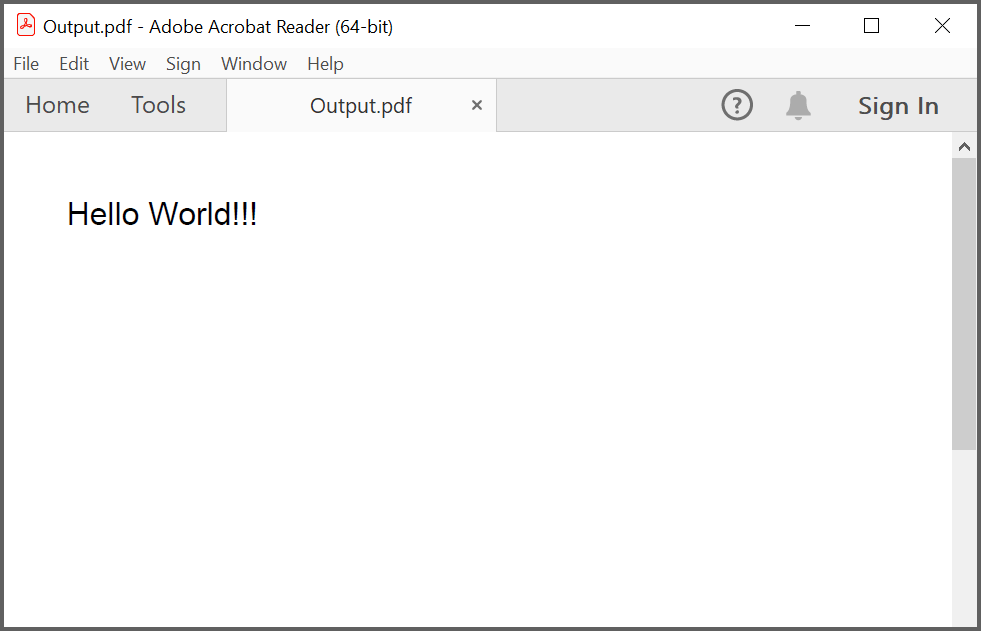
By executing the program, you will get the PDF document as follows.
Click here to explore the rich set of Syncfusion® PDF library features.