Getting Started with JavaScript PDF in JavaScript app
13 Aug 202610 minutes to read
Syncfusion® JS 2 (global script) is an ES5-formatted distribution of the JavaScript PDF Library that runs directly in any modern web browser without a build step or bundler. The all-in-one ej2.min.js bundle exposes the ej.pdf namespace, which contains the PDF document, page, graphics, font, and brush classes.
This guide explains how to integrate the JavaScript PDF Library into a static HTML page. The generated PDF is downloaded directly from the browser; no server-side PDF rendering is required.
Prerequisites
Before you begin, make sure you have the following:
- A modern web browser such as the latest versions of Microsoft Edge, Google Chrome, Mozilla Firefox, or Safari.
- A static file server. The page must be served over
http://orhttps://(not opened directly from disk) because the CDN scripts and the PDF download use APIs that are restricted under thefile://protocol. - A text editor such as Visual Studio Code, Code Studio, or Notepad.
Common static-server options include:
-
Node.js (recommended):
npx serve(no install required) - VS Code: the Live Server extension
CDN Syntax
The JS 2 global scripts and styles are hosted on the Syncfusion CDN in the following format:
Syntax:
Script:
https://cdn.syncfusion.com/ej2/{Version}/dist/{PACKAGE_NAME}.min.js
Example:
Script:
https://cdn.syncfusion.com/ej2/31.2.15/dist/ej2.min.js
The example uses the all-in-one
ej2.min.jsbundle, which exposes theej.pdfnamespace along with other Essential JS 2 controls. A PDF-only CDN bundle is not provided separately. Replace31.2.15with the latest available version when starting a new project.
Create the HTML Page
Step 1: Create a folder named my-app for your project.
Step 2: Add the CDN reference in the <head> of index.html (the file is created in the next step).
<head>
    <!-- JavaScript PDF Library (CDN) -->
    <script src="https://cdn.syncfusion.com/ej2/31.2.15/dist/ej2.min.js"></script>
</head>
Step 3: Create a complete index.html inside my-app with the following content. The CDN reference is loaded in the <head> and the PDF generation script is placed at the end of <body> so the button exists before the click handler is attached.
<!DOCTYPE html>
<html lang="en">
<head>
    <meta charset="UTF-8">
    <title>Create PDF document</title>
    <!-- JavaScript PDF Library (CDN) -->
    <script src="https://cdn.syncfusion.com/ej2/31.2.15/dist/ej2.min.js"></script>
</head>
<body>
    <div class="container py-4">
        <h1 class="h4 mb-3">Create PDF document</h1>
        <p class="text-muted">Click the button to generate and download a PDF.</p>
        <button id="createPdf" class="btn btn-primary">Generate PDF document</button>
    </div>
    <script>
        document.getElementById('createPdf').addEventListener('click', function () {
            // Create a new PDF document
            const pdf = new ej.pdf.PdfDocument();
            // Add a new page
            const page = pdf.addPage();
            // Get graphics from the page
            const graphics = page.graphics;
            // Embed a standard font (family, size, style)
            const font = pdf.embedFont(
                ej.pdf.PdfFontFamily.helvetica,
                36,
                ej.pdf.PdfFontStyle.regular
            );
            // Create a solid black brush using an RGB object
            const brush = new ej.pdf.PdfBrush({ r: 0, g: 0, b: 0 });
            // Draw the text inside a layout rectangle
            graphics.drawString(
                'Hello World!!!',
                font,
                { x: 20, y: 20, width: graphics.clientSize.width - 20, height: 60 },
                brush
            );
            // Save and download the PDF (client-side)
            pdf.save('Output.pdf');
            // Release document resources
            pdf.destroy();
        });
    </script>
</body>
</html>
The script tag is placed at the end of
<body>so thatdocument.getElementById('createPdf')finds the button. If you prefer to put the script in<head>, wrap the listener registration in aDOMContentLoadedevent.
Code Explanation
-
ej.pdf.PdfDocument— creates a new PDF document instance. -
addPage()— appends a blank page to the document and returns thePdfPageobject. -
page.graphics— returns thePdfGraphicsdrawing surface for the page. -
embedFont(family, size, style)— embeds one of the standard PDF font families (here, Helvetica 36pt regular) and returns aPdfStandardFontobject. -
new ej.pdf.PdfBrush({ r, g, b })— creates a solid color brush from an RGB object (each channel0-255); here, black. -
drawString(text, font, layoutRect, brush)— draws the text inside the rectangle defined byx,y,width, andheight. The layout rect is{ x, y, width, height }. -
graphics.clientSize.width— the writable width of the page in points. -
save('Output.pdf')— saves the PDF and triggers a client-side browser download with the specified file name. The file is sent to the browser’s default downloads folder; nothing is written to the server. -
destroy()— releases native resources held by the document.
Run the Sample
Step 4: Open a terminal in the my-app folder and start a static file server.
Using npx serve (no install required):
npx serveStep 5: Open the served URL in your browser. For npx serve, the default URL is http://localhost:3000. For Python, the default URL is http://localhost:8000.
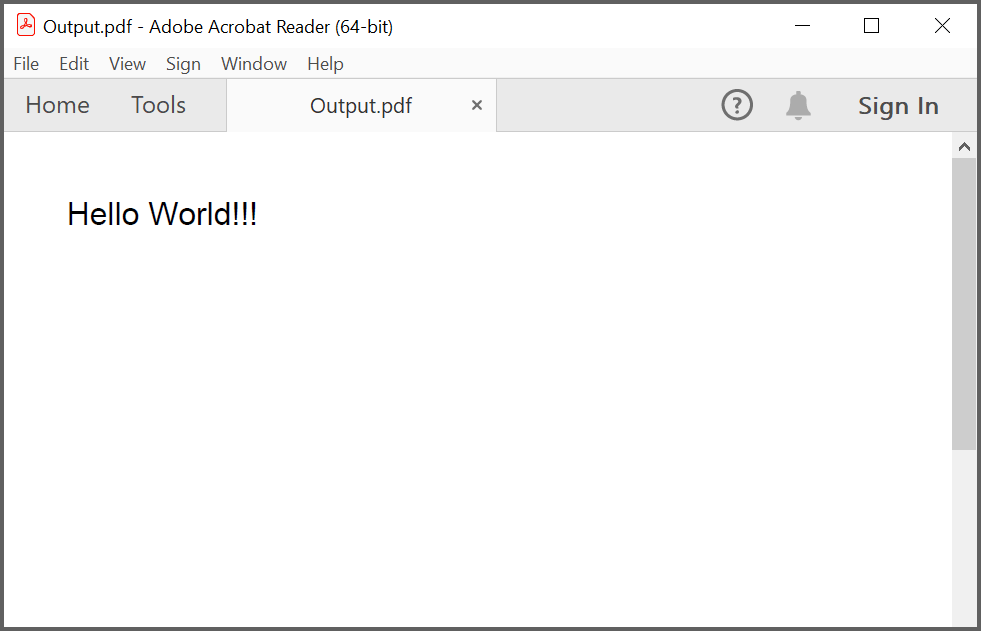
Click Generate PDF document. The browser downloads Output.pdf, which contains a single page with the text “Hello World!!!” drawn at the top-left.
Additional Configuration (Optional)
The following steps are required only if you need image or data extraction features. They are not required for the basic PDF creation shown in this guide.
If you need image and data extraction, install the data-extraction add-on and copy the ej2-pdf-lib folder into the served directory.
-
Install the add-on package:
npm install @syncfusion/ej2-pdf-data-extract --save -
Copy the
ej2-pdf-libfolder fromnode_modules/@syncfusion/ej2-pdf-data-extract/dist/ej2-pdf-libinto the same folder asindex.html. The folder must contain the required.jsand.wasmfiles. -
Confirm that the
ej2-pdf-libfolder is reachable from the served page (for example, athttp://localhost:3000/ej2-pdf-lib/).
License Registration
This guide uses the CDN distribution of the JavaScript PDF Library. No client-side
registerLicensecall is required when loading the library from the Syncfusion CDN; licensing is handled at the account level. If you switch to the NPM-based packages, add aregisterLicense('YOUR_LICENSE_KEY')call in your entry script.
Troubleshooting
| Problem | Cause | Resolution |
|---|---|---|
ej is not defined in the browser console |
The CDN script tag is missing or blocked | Confirm the <script src="https://cdn.syncfusion.com/ej2/.../ej2.min.js"></script> reference is reachable and not blocked by an ad blocker or network policy |
@section Scripts appears as plain text on the page |
The file is a static .html, not an ASP.NET view |
Replace the Razor block with a plain <script> tag inside <body>
|
| Button click does nothing | The script runs before the button is in the DOM | Move the <script> tag to the end of <body>, or wrap the listener in a DOMContentLoaded event |
Output.pdf does not download |
The browser blocks the download | Check the browser’s download settings and the downloads folder |
CORS or file:// errors |
The page is opened directly from disk | Serve the folder over http:// using npx serve or a similar static server |
WASM or .js 404s for data extraction |
The ej2-pdf-lib folder is not in a public location |
Copy the ej2-pdf-lib folder from the @syncfusion/ej2-pdf-data-extract package into the served folder |
| CDN version mismatch with other Syncfusion packages | The CDN version is out of sync with installed Syncfusion packages | Use the same Syncfusion version across CDN and any other Syncfusion packages you reference |
See Also
- JavaScript PDF Library
- JavaScript PDF Library documentation
- JavaScript PDF Library API reference
- JavaScript PDF Library examples
For build-tool-based workflows (React, Vue, Angular, TypeScript, Node.js), see the corresponding guides in the JavaScript PDF Library documentation.