UML Sequence Diagram in ASP.NET Core Diagram
A UML sequence diagram is an interaction diagram that demonstrates how objects interact with each other and the order of these interactions. The Syncfusion® ASP.NET Core Diagram control provides comprehensive support for creating and visualizing UML sequence diagrams through the UmlSequenceDiagramModel. To enable this functionality, assign the UmlSequenceDiagramModel to the Model property of the ASP.NET Core Diagram control.
UML Sequence Diagram Elements
A sequence diagram contains several key elements, such as participants, messages, activation boxes, and fragments. Let’s discuss how to implement these components using the ASP.NET Core Diagram control.
Participants
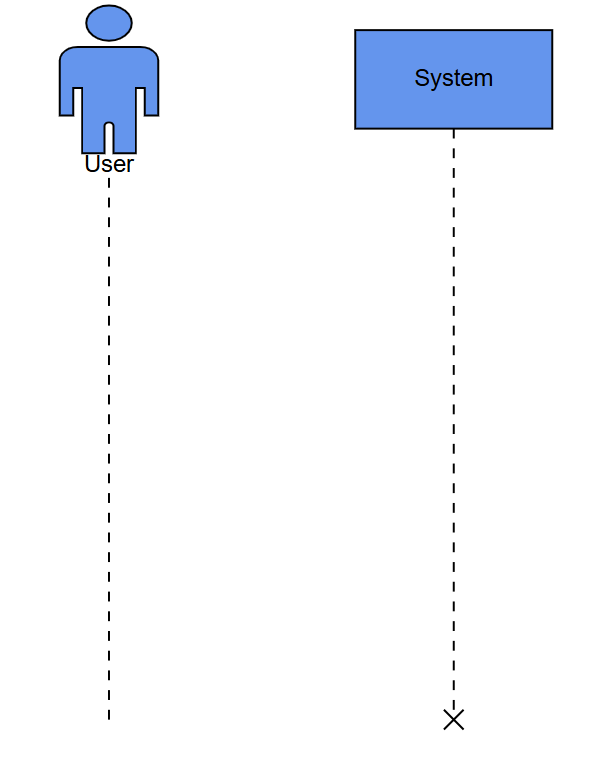
UmlSequenceParticipantModel in a sequence diagram represent the entities that interact with each other, appearing at the top of the diagram with lifelines extending vertically downward.
UmlSequenceParticipantModel Properties
| Property | Type | Description |
|---|---|---|
| id | string | number | A unique identifier for the participant |
| content | string | The display text for the participant |
| isActor | boolean | Specifies whether the participant is displayed as an actor (true) or an object (false) |
| showDestructionMarker | boolean | Indicates whether a destruction marker (X) is shown at the end of the lifeline |
| activationBoxes | UmlSequenceActivationBoxModel[] | A collection of activation boxes associated with the participant |
The following code example illustrates how to create participants.
Messages
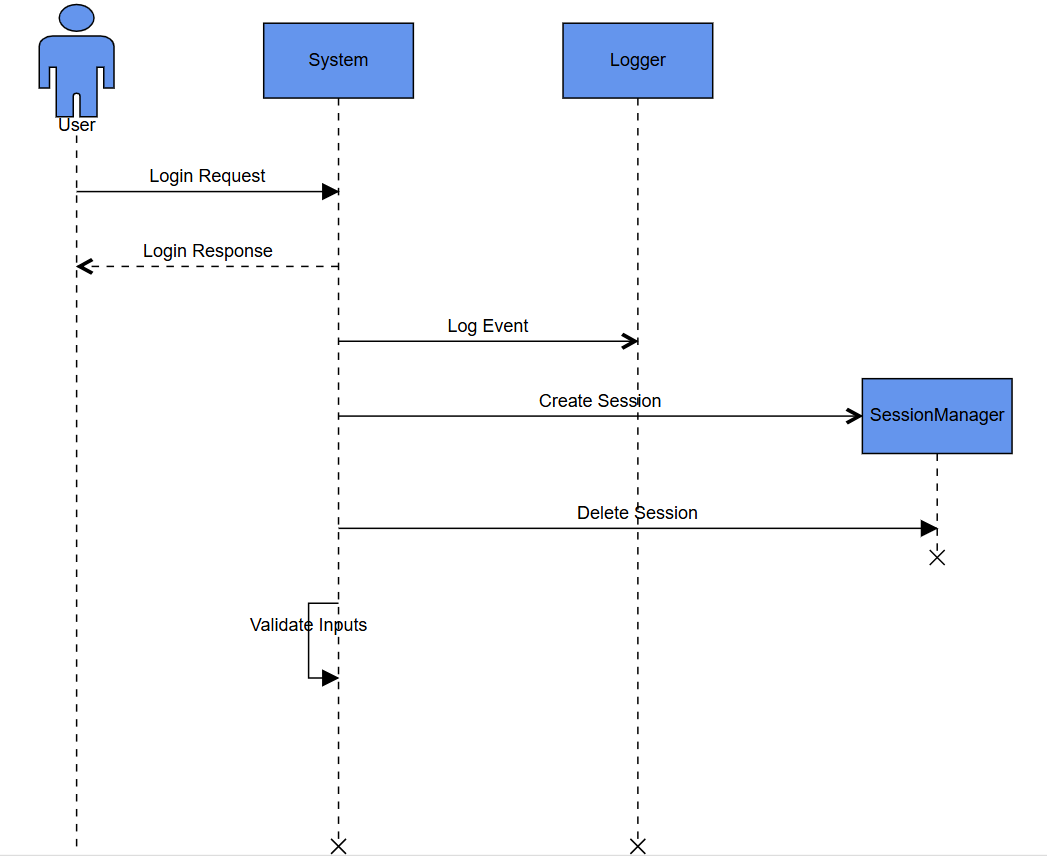
UmlSequenceMessageModel represents communication between participants and are displayed as arrows connecting lifelines.
Types of Messages
| Message Type | Description | Example |
|---|---|---|
| Synchronous | The sender waits for a response |  |
| Asynchronous | The sender continues without waiting |  |
| Reply | A response to a previous message |  |
| Create | Creates a new participant |  |
| Delete | Terminates a participant | 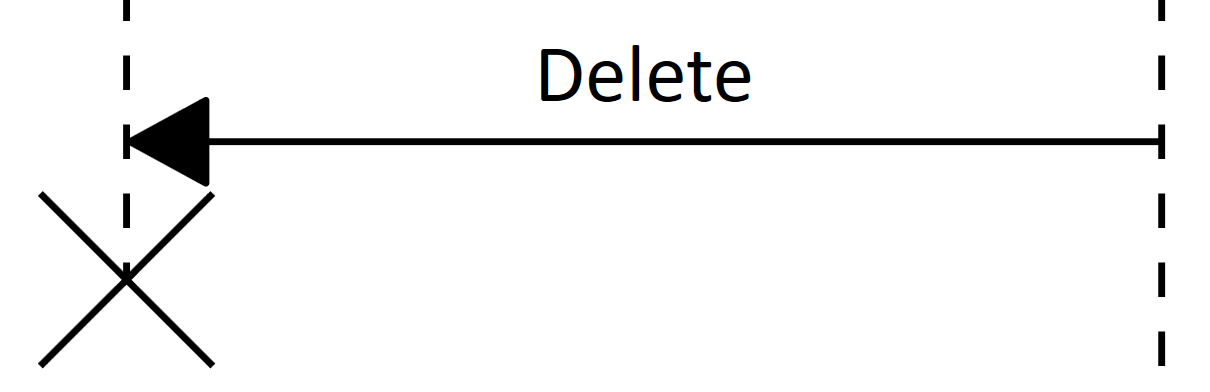 |
| Self | A message from a participant to itself |  |
UmlSequenceMessageModel Properties
| Property | Type | Description |
|---|---|---|
| id | string | number | A unique identifier for the message |
| content | string | The display text for the message |
| fromParticipantID | string | number | ID of the participant sending the message |
| toParticipantID | string | number | ID of the participant receiving the message |
| type | UmlSequenceMessageType | Type of the message (Synchronous, Asynchronous, Reply, Create, Delete, Self) |
The following code example illustrates how to create messages:
Activation Boxes
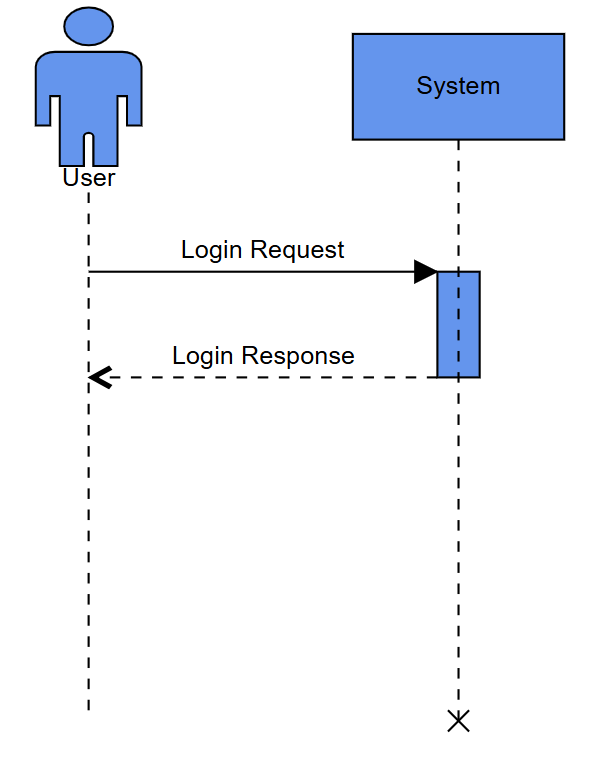
UmlSequenceActivationBoxModel represents periods when a participant is active and processing a message. They appear as thin rectangles on participant lifelines.
UmlSequenceActivationBoxModel Properties
| Property | Type | Description |
|---|---|---|
| id | string | number | A unique identifier for the activation box |
| startMessageID | string | number | ID of the message that initiates the activation |
| endMessageID | string | number | ID of the message that terminates the activation |
The following code example illustrates how to create activation boxes.
Fragments
UmlSequenceFragmentModel groups a set of messages based on specific conditions in a sequence diagram. They are displayed as rectangular enclosures that visually separate conditional or looping interactions.
Types of Fragments
The UmlSequenceFragmentType enum defines the following fragment types:
| Fragment Type | Description | Example |
|---|---|---|
| Optional | Represents a sequence that is executed only if a specified condition is met; otherwise, it is skipped. | 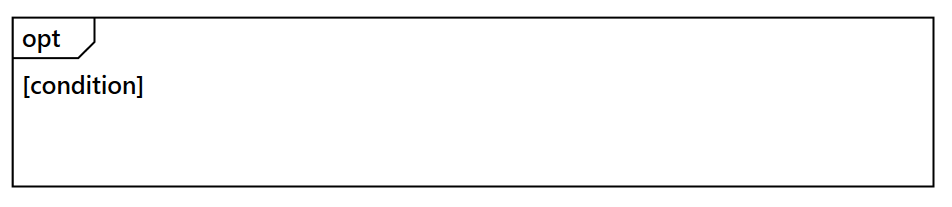 |
| Alternative | Represents multiple conditional paths (if-else structure), where only one path executes based on the condition. | 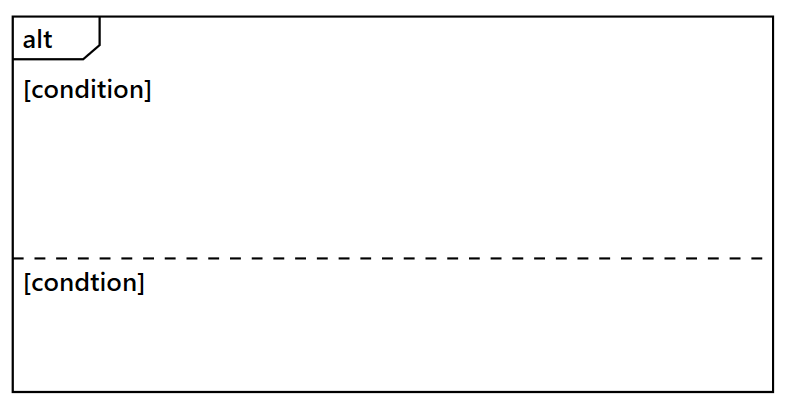 |
| Loop | Represents a repeating sequence of interactions that continues based on a loop condition. | 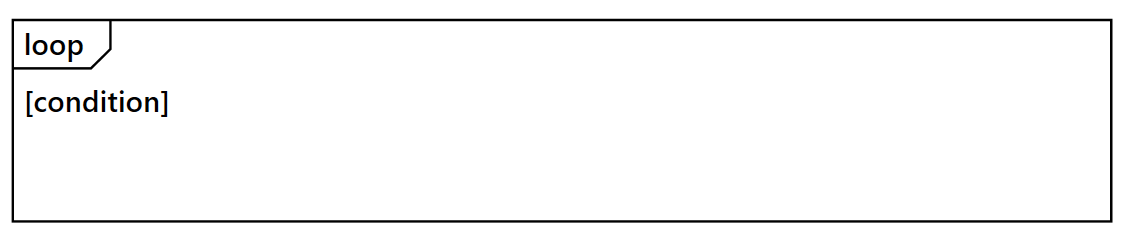 |
UmlSequenceFragmentModel Properties
| Property | Type | Description |
|---|---|---|
| id | string | number | A unique identifier for the fragment |
| type | UmlSequenceFragmentType | Type of the fragment (Optional, Loop, Alternative) |
| conditions | UmlSequenceFragmentConditionModel[] | Collection of conditions for the fragment |
UmlSequenceFragmentConditionModel Properties
| Property | Type | Description |
|---|---|---|
| content | string | Text describing the condition or parameter |
| messageIds | (string | number)[] | Collection of message IDs included in this condition section |
| fragmentIds | string[] | Collection of nested fragments ids (for complex structures) |
The following code example illustrates how to create fragments.
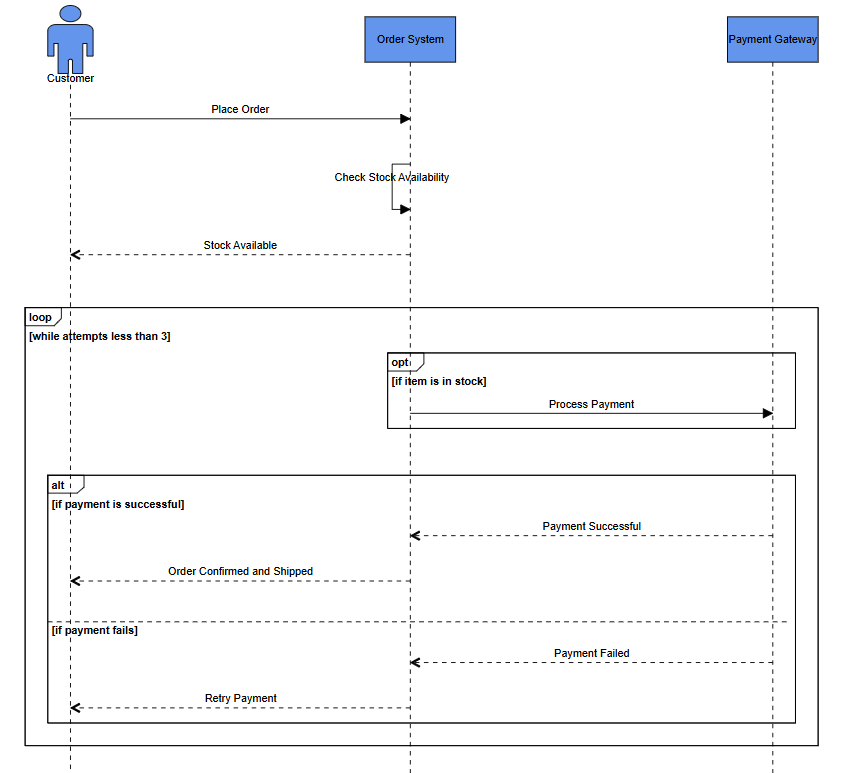
Customizing Participant Spacing in Sequence Diagram
The SpaceBetweenParticipants property in UmlSequenceDiagramModel controls the horizontal spacing between participants. The default value is 100, and it can be adjusted based on your layout requirements.