How can I help you?
Resolving the “Failed to parse assistant: name: Required” Error
28 Jan 20261 minute to read
Overview
When starting or using Syncfusion Code Studio, you may see an error dialog similar to:
Failed to parse assistant: name: Required
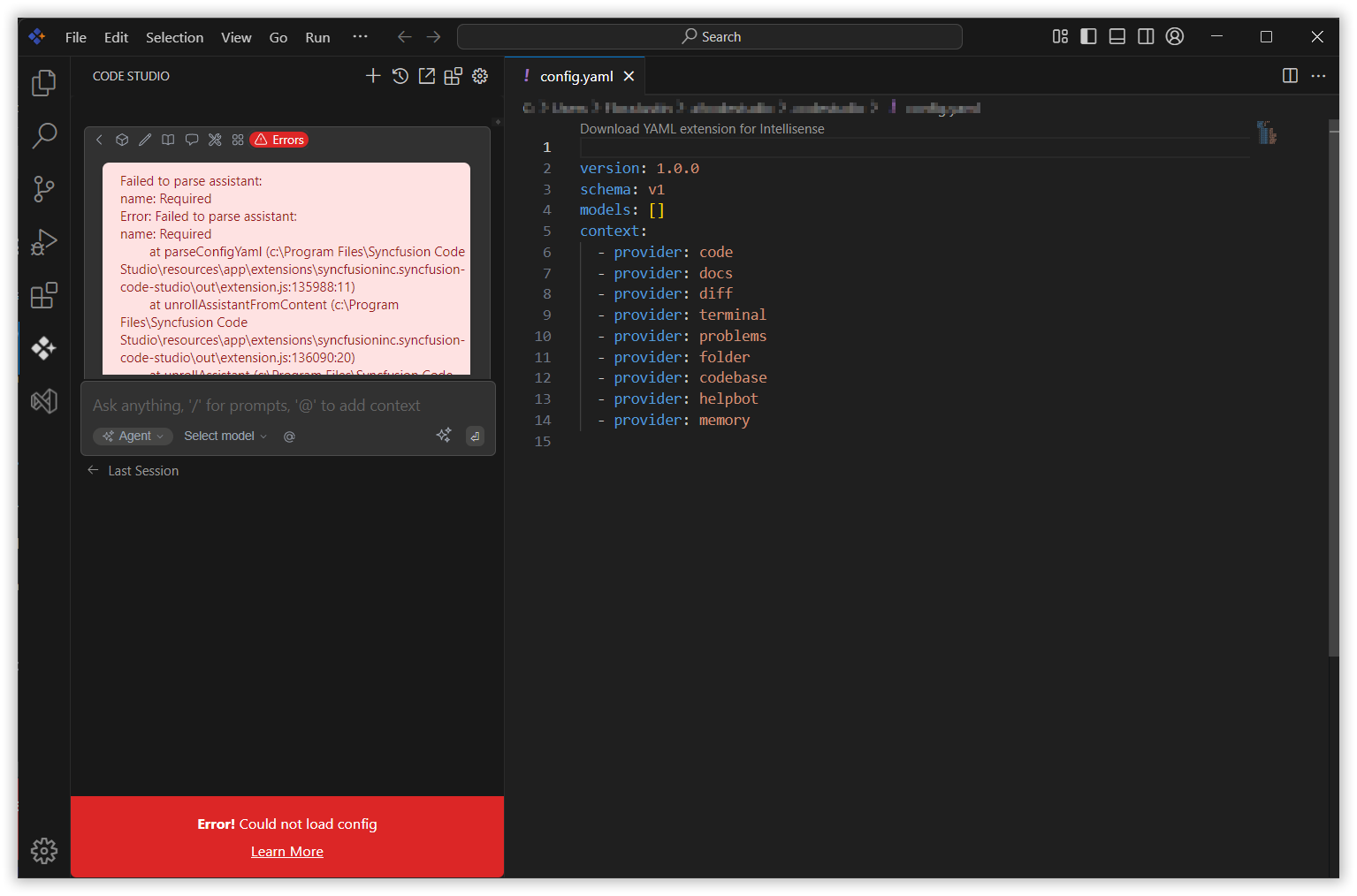
This occurs when the name field is missing in the Code Studio configuration YAML file. This guide explains how to add the missing field and resolve the issue.
Prerequisites
- Syncfusion Code Studio installed.
- Ability to edit the configuration file from within Code Studio.
Steps to Resolve
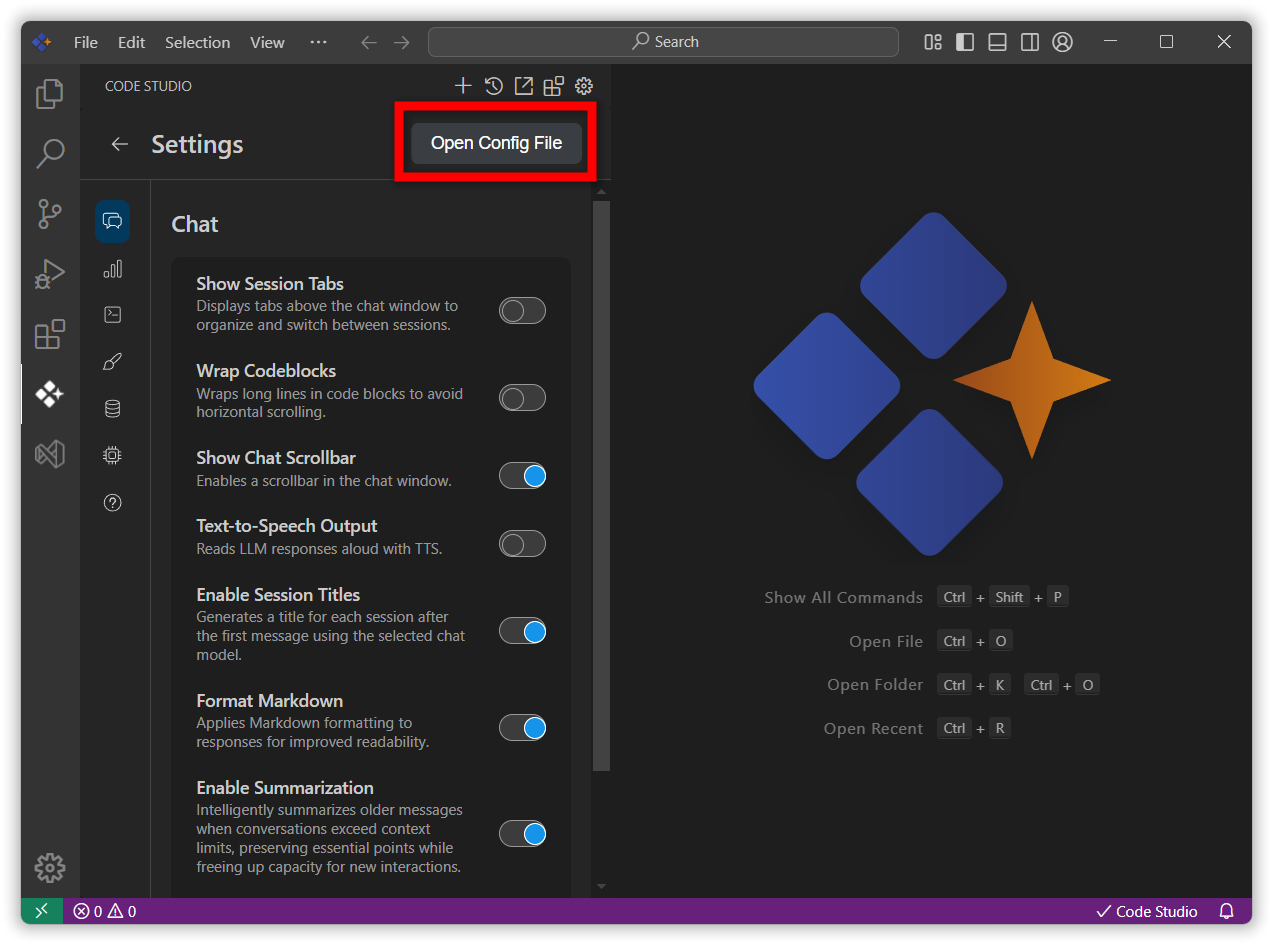
Step 1: Open the Config File from Code Studio
- In Code Studio, click the Gear (Settings) icon in the sidebar.
- Select “Open Config”. This opens the YAML configuration file.
Step 2: Add the Required name Field
- In the opened YAML file, add a
namefield for your local assistant and save the file. For example:
name: Local Assistant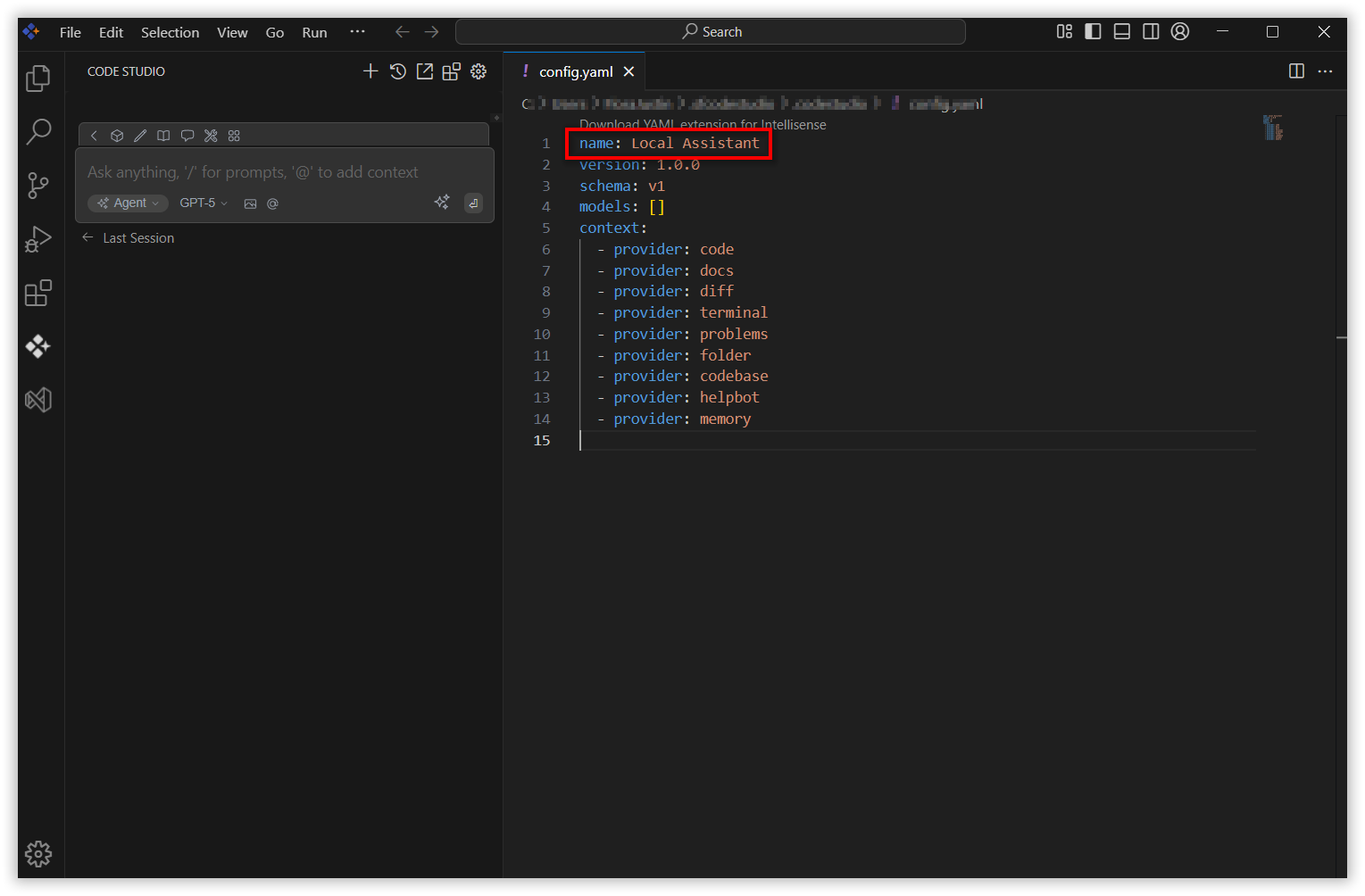
Notes:
namemust be a non-empty string and Keep YAML indentation consistent (use spaces, not tabs).
Step 3: Restart Code Studio
- Close Syncfusion Code Studio.
- Reopen it and verify the error is resolved.