How can I help you?
How to Resolve Error (Status Code 403) for O3 Model in OpenAI Integration via OpenRouter
18 Mar 20262 minutes to read
Problem Summary
When using the OpenAI O3 model through OpenRouter, requests can fail with HTTP 403 (Forbidden). This typically occurs because O3 requires a valid Tier 3 (or higher) OpenAI API key configured under a Bring Your Own Key (BYOK) setup in OpenRouter. If the key is missing, insufficient-tier, or misconfigured, OpenRouter denies the request.
Note: “Tier 3” refers to OpenAI’s usage tiers that control rate and spend limits. As of OpenAI’s documentation, Tier 3 generally requires $100+ paid and 7+ days since the first successful payment. See OpenAI Rate limits for more details.
Possible Causes
- Insufficient API Key Tier: The OpenAI key used is not Tier 3 or above, which is required for the O3 model.
- Incorrect Configuration: The key was either added incorrectly or not properly linked to the OpenRouter Integrations page.
- Usage Limits Reached: Daily request limits (50 free / 1,000 with credits) may have been exceeded.
Prerequisites
- An active OpenAI account with a valid API key (Tier 3 or higher is required for the O3 model).
- An OpenRouter account to connect and manage your API key.
Resolution Steps
Step 1: Obtain an OpenAI API Key
Log in to OpenAI
Visit OpenAI Platform and sign into your account.
Generate an API Key
- Navigate to the API keys section in the OpenAI dashboard.
- Click Create API Key and provide a descriptive name (e.g., “OpenRouter O3 Key”).
- Copy the generated key and store it securely.
Step 2: Configure OpenRouter with Your OpenAI API Key
Sign Up for OpenRouter
- Go to OpenRouter and create an account if you don’t already have one.
- Log in to your OpenRouter dashboard.
Access OpenRouter Integrations
-
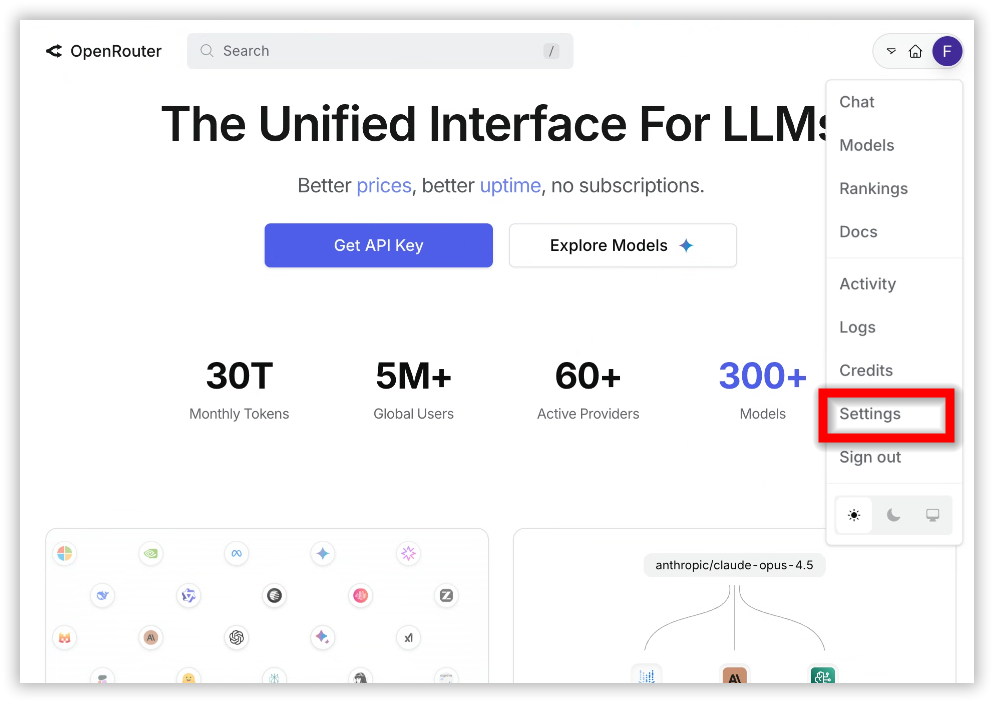
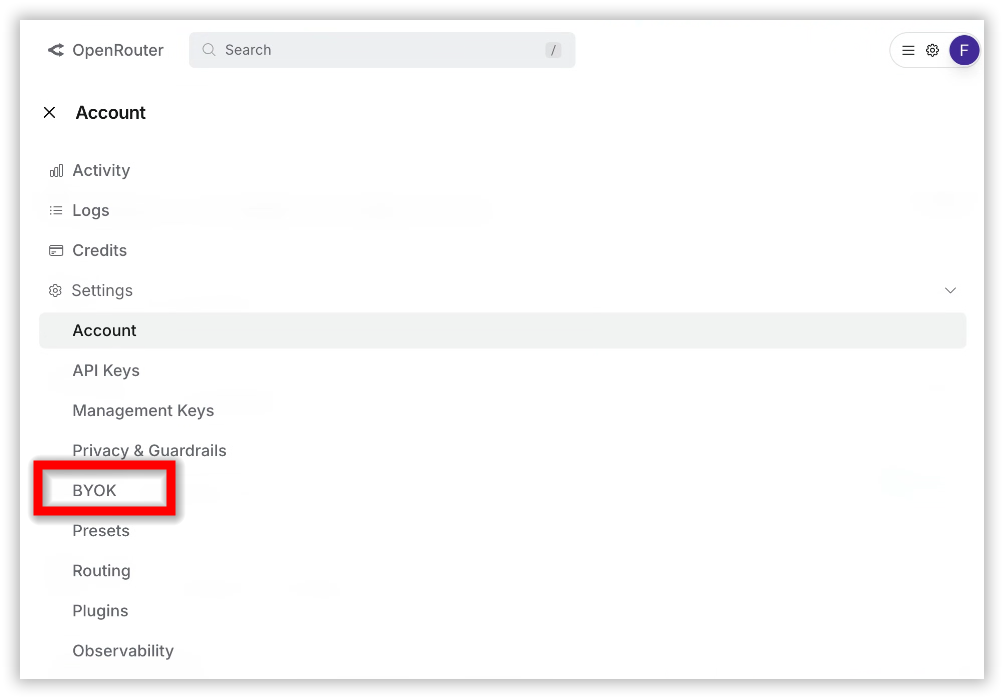
Navigate to Settings > Integrations (BYOk).
-
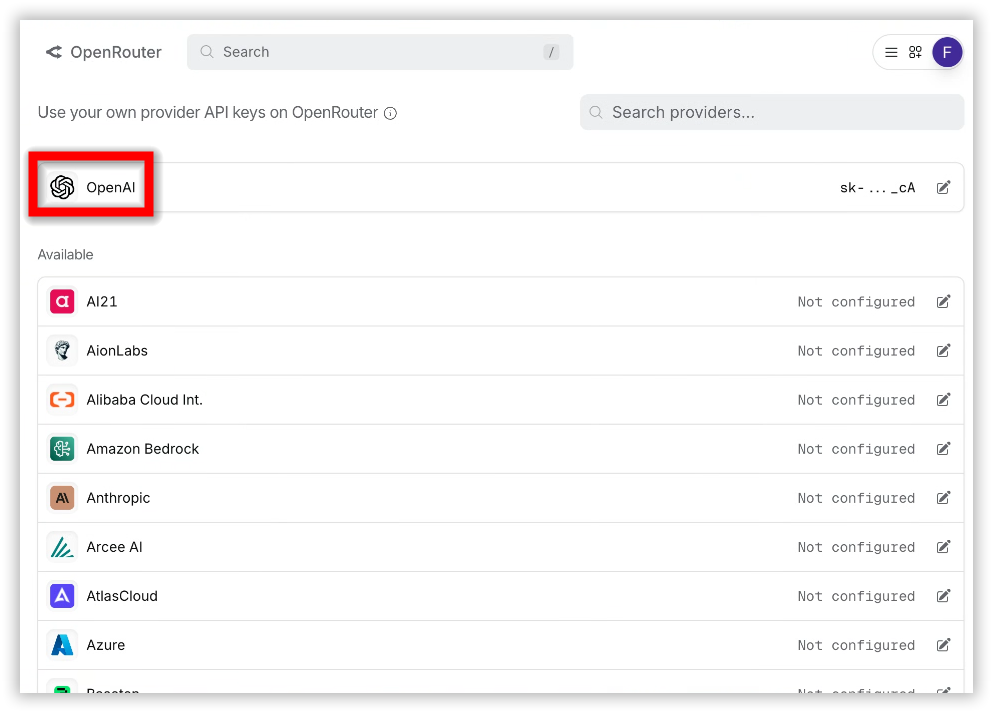
Select OpenAI as the provider for the O3 model.
- Paste your OpenAI API key into the provided field.
-
Ensure the key is Tier 3 or higher.
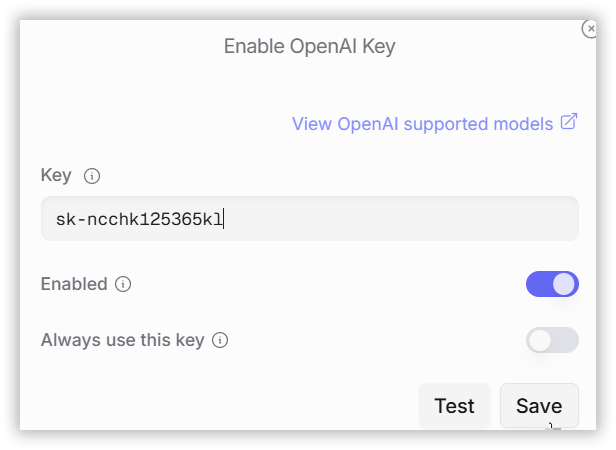
- Click Save to link your key to OpenRouter. The platform will verify your key and configure it for O3 model requests.
Step 3: Monitor Your Usage
- Check Usage Limits: Free accounts on OpenRouter have a limit of 50 requests per day. Purchasing 10+ credits increases this limit to 1,000 requests per day.
- Track Costs: The OpenRouter dashboard displays your token usage and costs based on your OpenAI API key activity.
Additional Resources
- OpenRouter Documentation – Detailed API specifications
- OpenRouter Integrations – Manage API keys
- OpenAI Platform – API key management and tier status