Automate Code Fixes and Reviews
15 Jun 20261 minute to read
Overview
This feature helps developers work faster by automating common coding tasks.
It reduces repetitive work, improves code quality, and provides instant AI assistance directly inside your editor.
Use cases
- Speeds up development
- Improve code quality
- Learn better coding practices
- Remove repetitive tasks
- Get instant help inside your editor
It’s like having a junior developer, and a senior reviewer.
How to Use Automate Code Fixes and Reviews
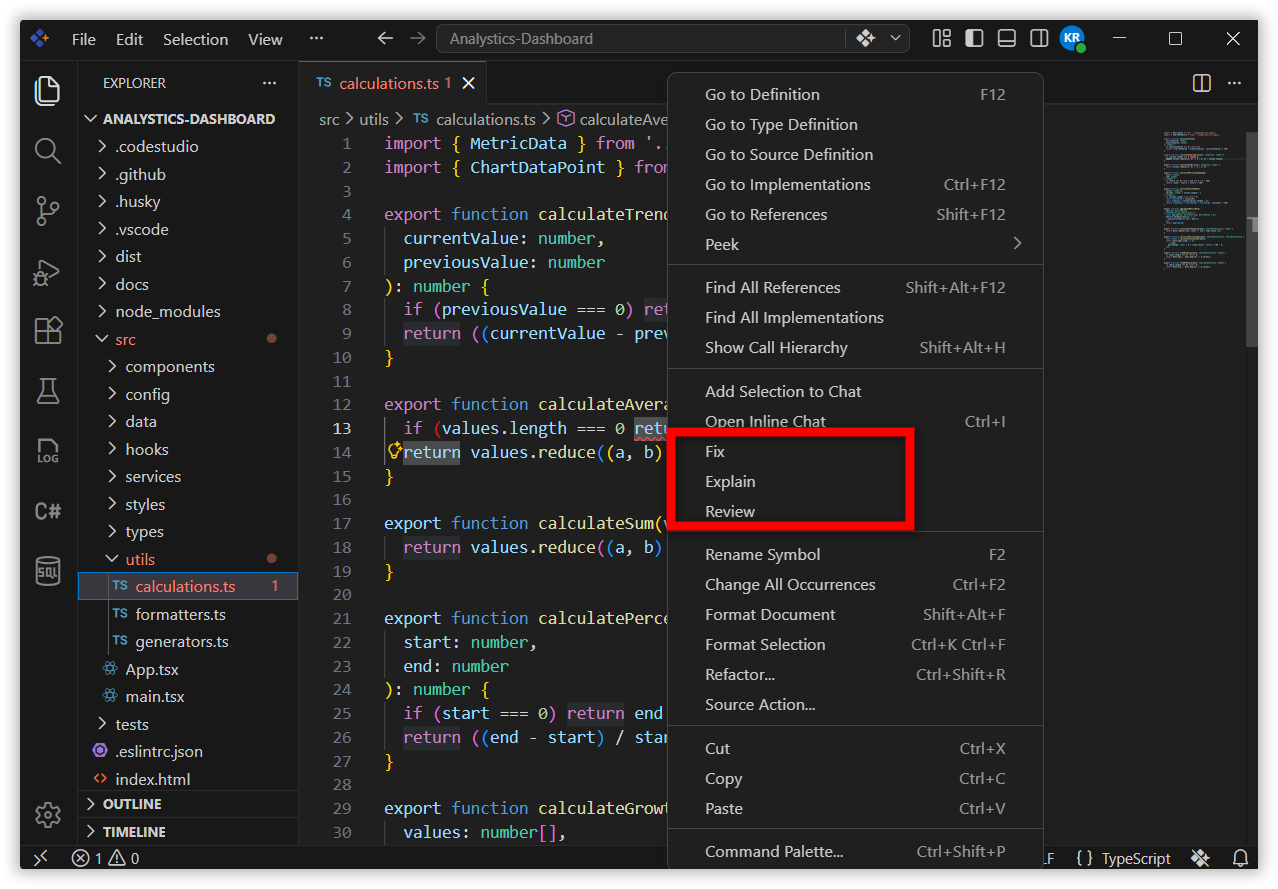
- Right‑click on the code you want help with.
- Choose what you want the AI to do:
- Fix
- Review
The AI generates results directly in your editor, where you can accept, reject, or modify them.
Fix
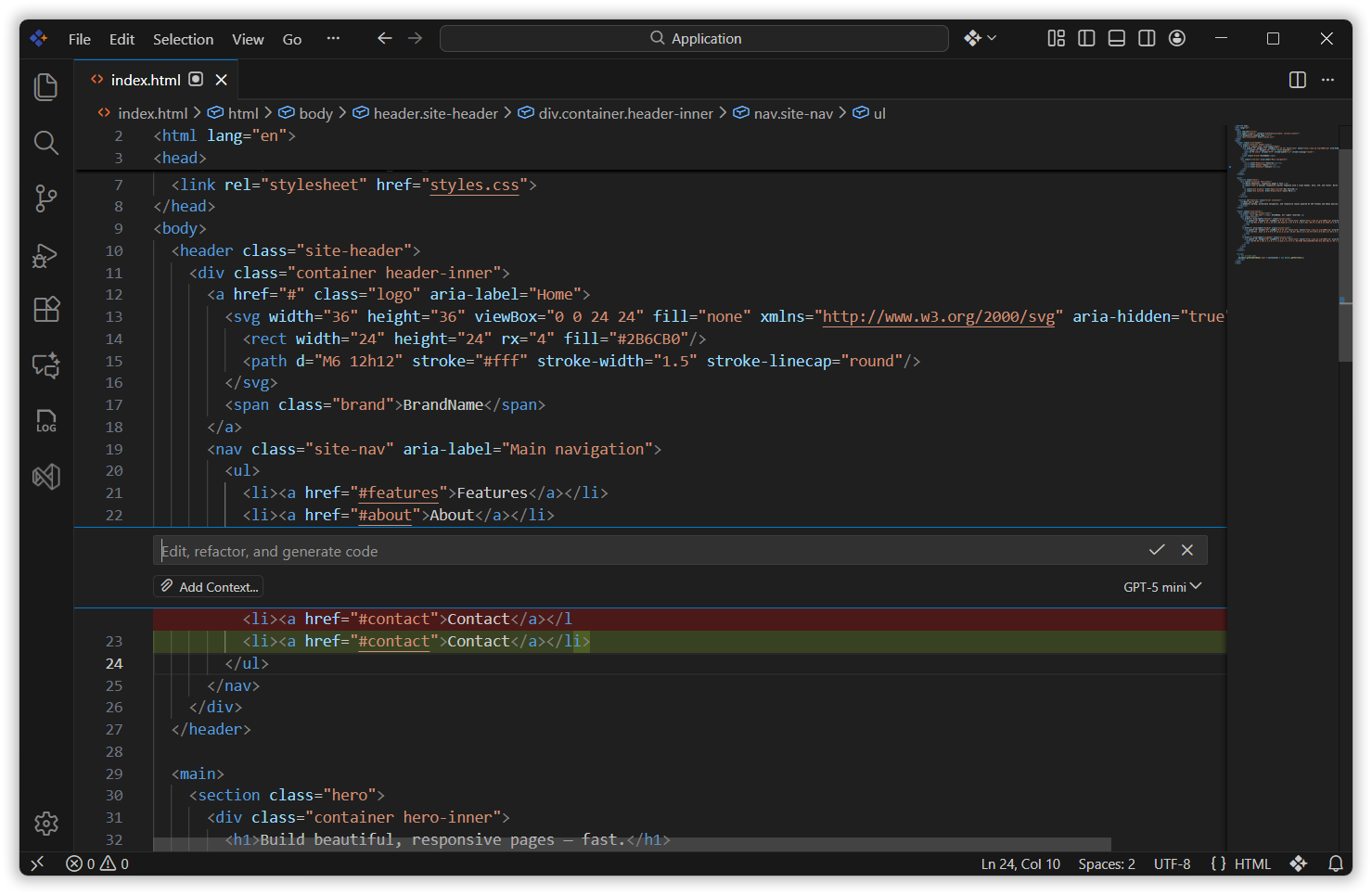
Fix automatically suggests and applies corrections to common coding issues or errors.
When you choose Fix, the AI:
- Scans the selected code
- Detects mistakes (syntax errors, logic issues, missing parts, formatting issues)
- Proposes corrected code
- Shows a preview of changes
- Allows you to Accept or Reject fixes before applying them
Review
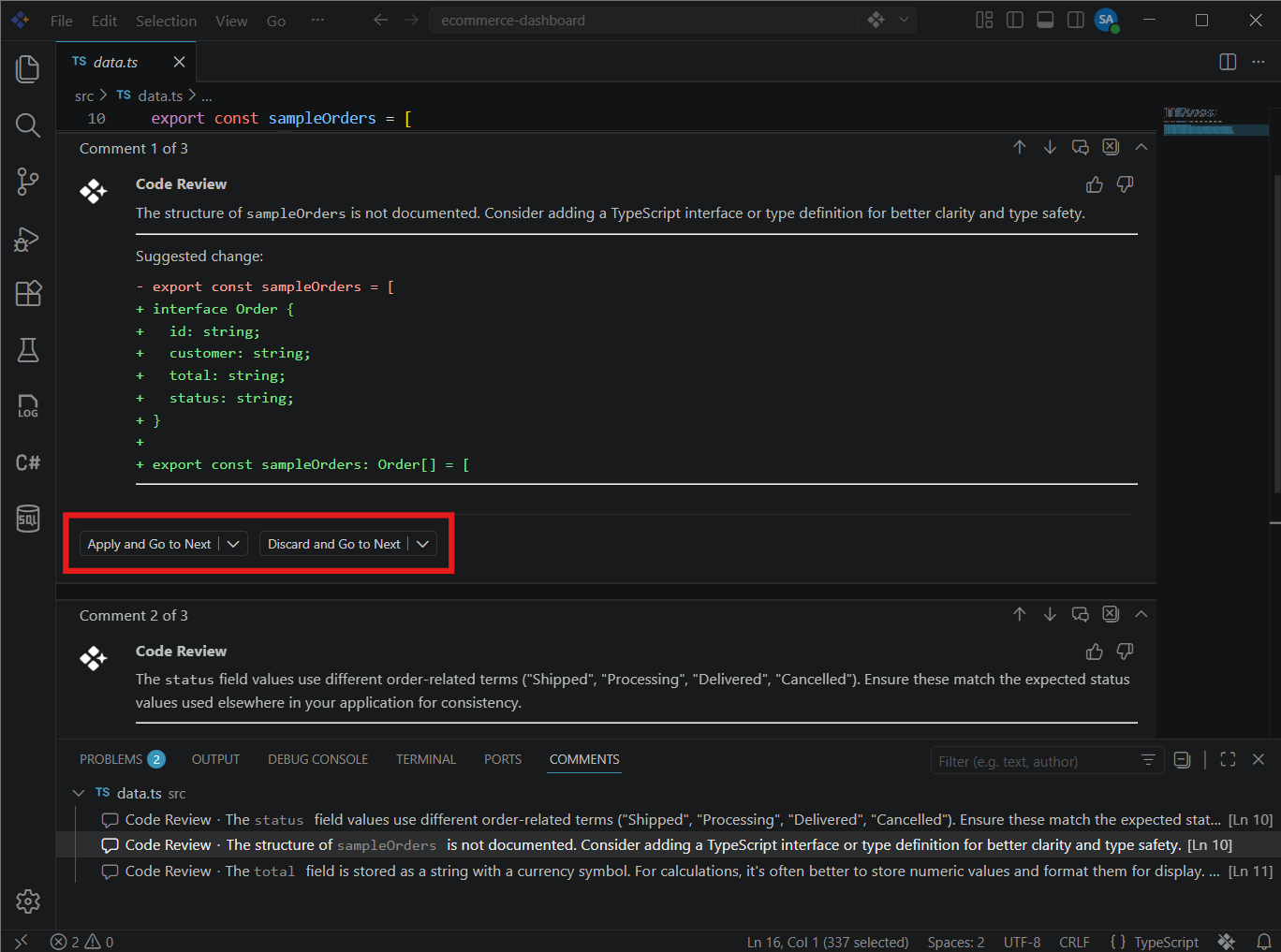
Review analyzes your code and provides improvement suggestions.
This feature works like a mini code reviewer inside your editor.
When you choose Review, the AI:
- Reads the selected code
- Identifies areas for improvement
- Suggests refactoring for cleaner structure
- Points out performance issues
- Highlights unused variables or repeated logic
- Provides best‑practice recommendations
Releted Features
- Inline Chat Inline Chat in Syncfusion Code Studio lets you talk to AI directly inside your code or terminal without switching screens.
- Autocomplete Syncfusion Code Studio’s AI Autocomplete speeds up development by giving smart inline suggestions, completing code from context, generating code from comments, and offering style‑aware alternatives for faster, cleaner coding.