Region in WPF Sunburst Chart
The Sunburst region represents the entire chart and all its elements. It includes all the chart elements like Legend, DataLabel, Levels, etc. It has some major properties as:
ItemsSource – Gets or sets the IEnumerable values used to generate the chart.
ValueMemberPath – Gets or sets the property path of the value.
Legend – Gets or sets the legend for the chart.
Levels – Gets or sets the collection of hierarchical levels for the chart.
DataLabels – Gets or sets the collection of DataLabels for the chart.
Behaviors – Gets or sets the collection of behaviors for the chart.
Start and End Angle
You can change the start and end angle of the Sunburst Chart using the StartAngle and EndAngle properties as shown in the below code:
<sunburst:SfSunburstChart StartAngle="180" EndAngle="360"></sunburst:SfSunburstChart>sunburstChart.StartAngle = 180;
sunburstChart.EndAngle = 360;
Sunburst Radius
The Sunburst Chart allows you to customize the sunburst radius by using the Radius property. The default value of this property is 0.9 and the value ranges between 0 to 1.
<sunburst:SfSunburstChart Radius="0.6"></sunburst:SfSunburstChart>chart.Radius = 0.6;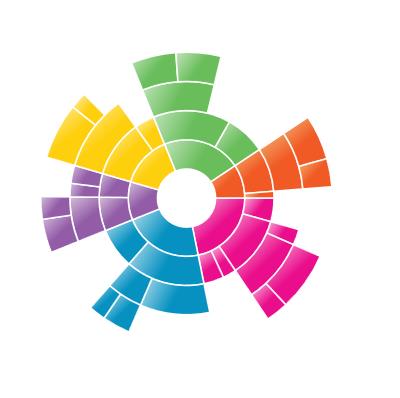
Sunburst Inner Radius
The Sunburst Chart allows you to customize the inner radius using the InnerRadius property. The default value of this property is 0.2 and the value ranges between 0 to 1.
<sunburst:SfSunburstChart InnerRadius="0.5"></sunburst:SfSunburstChart>chart.InnerRadius = 0.5;