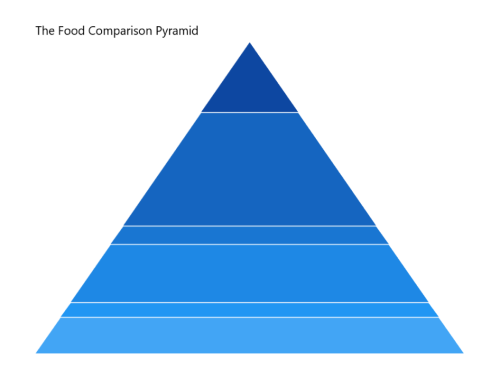
Title in WinUI Pyramid Chart
Header property is used to define the title of the chart.
<chart:SfPyramidChart x:Name="chart" Header="The Food Comparison Pyramid">

    <!-- Configure additional chart elements -->
</chart:SfPyramidChart>
SfPyramidChart chart = new SfPyramidChart();
chart.Header = "The Food Comparison Pyramid";
// Configure additional chart elements
this.Content = chart;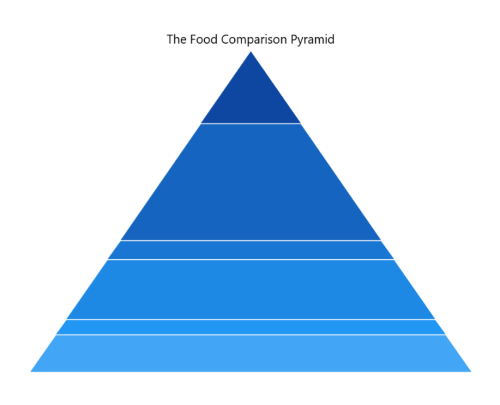
Customization
The pyramid chart provides support to add any UIElement as a title. The following code example defines a TextBlock as the chart header.
<chart:SfPyramidChart>
    <chart:SfPyramidChart.Header>
        <Border
            BorderThickness="2"
            BorderBrush="Black"
            Margin="10"
            CornerRadius="5">
            <TextBlock
                FontSize="14"
                Text="The Food Comparison Pyramid"
                Margin="5">
            </TextBlock>
        </Border>
    </chart:SfPyramidChart.Header>
</chart:SfPyramidChart>
SfPyramidChart chart = new SfPyramidChart();
// Configure additional chart elements
Border border = new Border()
{
BorderThickness = new Thickness(2),
BorderBrush = new SolidColorBrush(Colors.Black),
Margin = new Thickness(10),
CornerRadius = new CornerRadius(5)
};
TextBlock textBlock = new TextBlock()
{
Text = "The Food Comparison Pyramid",
Margin = new Thickness(5),
FontSize = 14
};
border.Child = textBlock;
chart.Header = border;
this.Content = chart;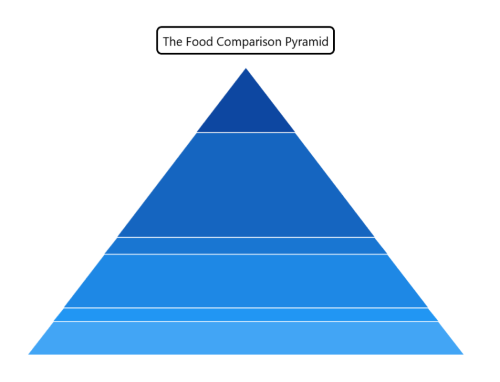
Alignment
The title text content can be aligned horizontally to the left, center, or right of the chart using the HorizontalHeaderAlignment property of the SfPyramidChart.
<chart:SfPyramidChart
    x:Name="chart"
    Header="The Food Comparison Pyramid"
    HorizontalHeaderAlignment="Left"
    ItemsSource="{Binding Data}"
    XBindingPath="FoodName"
    YBindingPath="Calories">

</chart:SfPyramidChart>
public sealed partial class MainPage : Page
{
public MainPage()
{
this.InitializeComponent();
SfPyramidChart chart = new SfPyramidChart();
chart.Header = "The Food Comparison Pyramid";
chart.HorizontalHeaderAlignment = HorizontalAlignment.Left;
chart.SetBinding(SfPyramidChart.ItemsSourceProperty, new Binding()
{
Path = new PropertyPath("Data")
});
chart.XBindingPath = "FoodName";
chart.YBindingPath = "Calories";
// Configure additional chart elements
this.Content = chart;
}
}