Axis Labels in WinUI Polar Chart
The axis labels are used to show the units, measures, or category values of the axis to visualize the data. It will be generated based on the range and values bound to the series in the chart.
Rotation
The LabelRotation property is used to define the angle for the label content.
<chart:SfPolarChart>

    <!-- Configure additional chart elements -->
    <chart:SfPolarChart.SecondaryAxis>
        <chart:NumericalAxis LabelRotation="30"/>
    </chart:SfPolarChart.SecondaryAxis>

</chart:SfPolarChart>
SfPolarChart chart = new SfPolarChart();
// Configure additional chart elements
chart.PrimaryAxis = new CategoryAxis();
chart.SecondaryAxis = new NumericalAxis()
{
LabelRotation = 30,
}
// Configure additional chart elements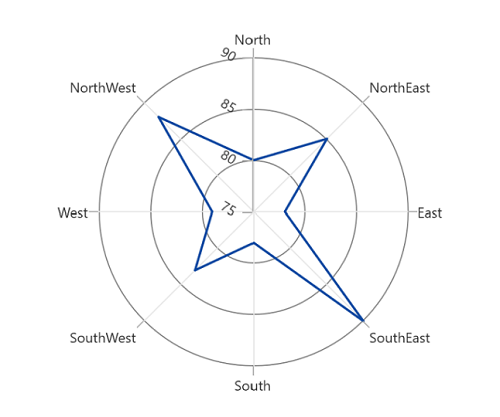
Format
Axis labels can be formatted using predefined formatting types by using the LabelFormat property based on the axis type.
<chart:SfPolarChart>
    <chart:SfPolarChart.PrimaryAxis>
        <chart:CategoryAxis/>
    </chart:SfPolarChart.PrimaryAxis>

    <chart:SfPolarChart.SecondaryAxis>
        <chart:NumericalAxis>
            <chart:NumericalAxis.LabelStyle>
                <chart:LabelStyle LabelFormat="0.0"/>
            </chart:NumericalAxis.LabelStyle>
        </chart:NumericalAxis>
    </chart:SfPolarChart.SecondaryAxis>

    <!-- Configure additional chart elements -->
</chart:SfPolarChart>
SfPolarChart chart = new SfPolarChart();
chart.PrimaryAxis = new CategoryAxis();
chart.SecondaryAxis = new NumericalAxis()
{
LabelStyle = new LabelStyle() { LabelFormat= "0.0" }
};
// Configure additional chart elements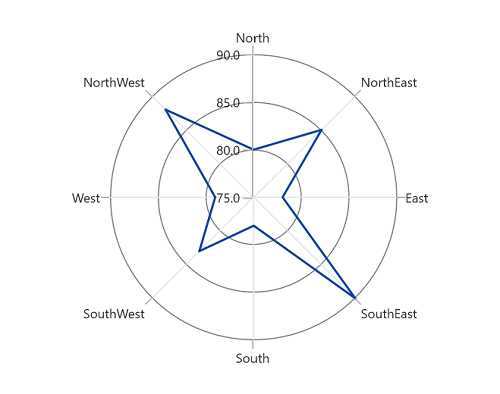
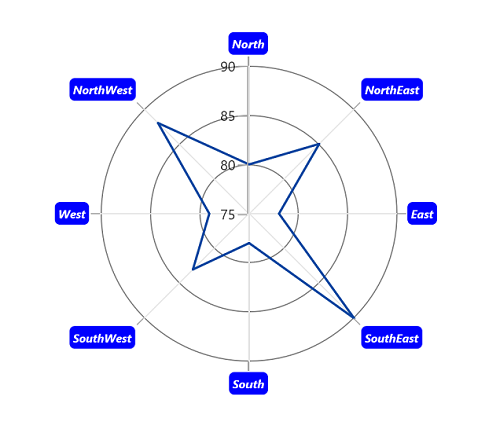
Template
The appearance of the axis labels can be customized by using the LabelTemplate property of axis.
<Grid x:Name="grid">
    <Grid.Resources>
        <DataTemplate x:Key="labelTemplate">
            <Border
                Background="Blue"
                CornerRadius="5"
                BorderThickness="1">
                <TextBlock
                    Text="{Binding Content}"
                    Foreground="White"
                    FontStyle="Italic"
                    FontSize="10"
                    FontWeight="Bold"
                    Margin="3"/>
            </Border>
        </DataTemplate>
    </Grid.Resources>

    <chart:SfPolarChart x:Name="chart">

        <!-- Configure additional chart elements -->
        <chart:SfPolarChart.PrimaryAxis>
            <chart:CategoryAxis LabelTemplate="{StaticResource labelTemplate}"/>
        </chart:SfPolarChart.PrimaryAxis>

        <chart:SfPolarChart.SecondaryAxis>
            <chart:NumericalAxis/>
        </chart:SfPolarChart.SecondaryAxis>

    </chart:SfPolarChart>
</Grid>
SfPolarChart chart = new SfPolarChart();
// The 'labelTemplate' resource is defined in XAML Resources and referenced here.
chart.PrimaryAxis = new CategoryAxis()
{
LabelTemplate = grid.Resources["labelTemplate"] as DataTemplate
};
chart.SecondaryAxis = new NumericalAxis();
// Configure additional chart elements