Axis Title in WinUI Polar Chart
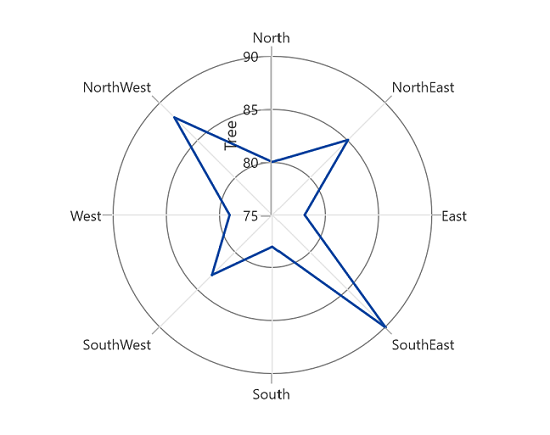
The Header property is used to define the title for the chart axis. It accepts any UIElement as content for the chart axis header.
<chart:SfPolarChart>
    <chart:SfPolarChart.PrimaryAxis>
        <chart:CategoryAxis/>
    </chart:SfPolarChart.PrimaryAxis>

    <chart:SfPolarChart.SecondaryAxis>
        <chart:NumericalAxis Header="Tree"/>
    </chart:SfPolarChart.SecondaryAxis>

    <!-- Configure additional chart elements -->
</chart:SfPolarChart>
SfPolarChart chart = new SfPolarChart();
chart.PrimaryAxis = new CategoryAxis();
chart.SecondaryAxis = new NumericalAxis()
{
Header = "Tree"
};
// Configure additional chart elementsThe polar chart supports a title for the secondary axis only.
Style
The HeaderStyle property is used to provide style for the axis header.
<chart:SfPolarChart>
    <chart:SfPolarChart.PrimaryAxis>
        <chart:CategoryAxis/>
    </chart:SfPolarChart.PrimaryAxis>

    <chart:SfPolarChart.SecondaryAxis>
        <chart:NumericalAxis Header="Tree">
            <chart:NumericalAxis.HeaderStyle>
                <chart:LabelStyle
                    FontFamily="Algerian"
                    FontSize="13"
                    Foreground="Black"/>
            </chart:NumericalAxis.HeaderStyle>
        </chart:NumericalAxis>
    </chart:SfPolarChart.SecondaryAxis>

    <!-- Configure additional chart elements -->
</chart:SfPolarChart>
SfPolarChart chart = new SfPolarChart();
// Configure additional chart elements
LabelStyle style = new LabelStyle()
{
FontFamily = new FontFamily("Algerian"),
FontSize = 13,
Foreground = new SolidColorBrush(Colors.Black)
};
chart.PrimaryAxis = new CategoryAxis();
chart.SecondaryAxis = new NumericalAxis()
{
Header = "Tree",
LabelStyle = style
};
// Configure additional chart elements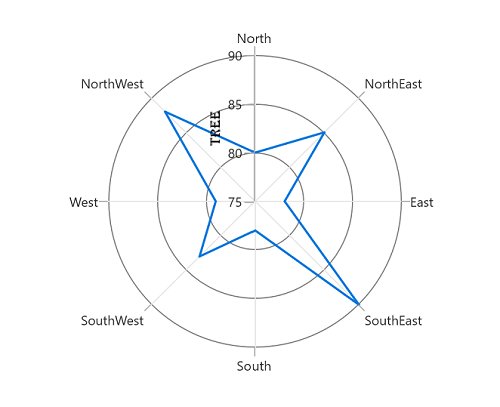
Template
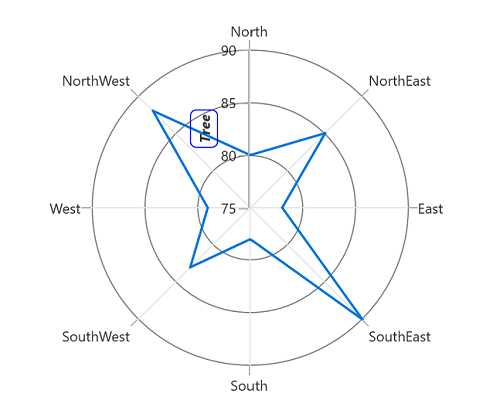
The appearance of the header can be customized using the HeaderTemplate property.
<chart:SfPolarChart x:Name="chart">
    <chart:SfPolarChart.Resources>
        <DataTemplate x:Key="headerTemplate">
            <Border
                BorderBrush="Blue"
                CornerRadius="5"
                BorderThickness="1">
                <TextBlock
                    Text="{Binding}"
                    FontSize="12"
                    Margin="3"
                    FontStyle="Italic"
                    FontWeight="Bold"/>
            </Border>
        </DataTemplate>
    </chart:SfPolarChart.Resources>

    <chart:SfPolarChart.PrimaryAxis>
        <chart:CategoryAxis/>
    </chart:SfPolarChart.PrimaryAxis>
    <chart:SfPolarChart.SecondaryAxis>
        <chart:NumericalAxis Header="Tree" HeaderTemplate="{StaticResource headerTemplate}"/>
    </chart:SfPolarChart.SecondaryAxis>

    <!-- Configure additional chart elements -->
</chart:SfPolarChart>
SfPolarChart chart = new SfPolarChart();
// Configure additional chart elements
chart.PrimaryAxis = new CategoryAxis();
// The 'headerTemplate' resource is defined in XAML Resources and referenced here.
chart.SecondaryAxis = new NumericalAxis()
{
Header = "Tree",
HeaderTemplate = chart.Resources["headerTemplate"] as DataTemplate
};