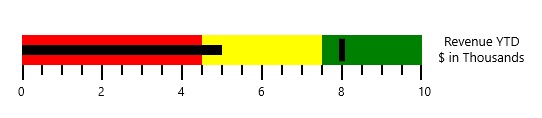
Caption in UWP Bullet Graph (SfBulletGraph)
The Caption for a bullet graph is used to specify a unique label describing the value represented in the bullet graph.
<syncfusion:SfBulletGraph>
    <syncfusion:SfBulletGraph.Caption>
        <StackPanel Margin="0,0,10,0">
            <TextBlock
                Text="Revenue YTD"
                Foreground="Black"
                FontSize="13"
                HorizontalAlignment="Center" />
            <TextBlock
                Text="$ in Thousands"
                Foreground="Black"
                FontSize="13"
                HorizontalAlignment="Center" />
        </StackPanel>
    </syncfusion:SfBulletGraph.Caption>
</syncfusion:SfBulletGraph>
SfBulletGraph bullet = new SfBulletGraph();
TextBlock _textBlock = new TextBlock() { Text = "Revenue YTD" };
TextBlock _textBlock1 = new TextBlock() { Text = "$ in Thousands" };
StackPanel _stackPanel = new StackPanel();
_stackPanel.Children.Add(_textBlock);
_stackPanel.Children.Add(_textBlock1);
bullet.Caption = _stackPanel;
this.Grid.Children.Add(bullet);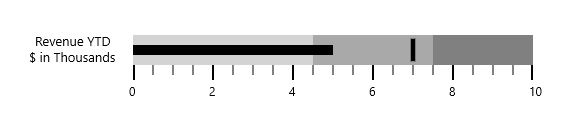
Caption position
The caption in the bullet graph can be placed at the start or end of the quantitative scale by choosing from one of the two options available in the CaptionPosition property. They are:
- Near (Default)
- Far
<syncfusion:SfBulletGraph CaptionPosition="Far" Caption="Revenue YTD" />SfBulletGraph bullet = new SfBulletGraph();
bullet.Caption = "Revenue YTD";
bullet.CaptionPosition = BulletGraphCaptionPosition.Far;
this.Grid.Children.Add(bullet);