Data Labels in ASP.NET Core Maps
Data labels provide information to users about the shapes of the Maps component. It can be enabled by setting the Visible property of the MapsDataLabelSettings to true.
Adding data labels
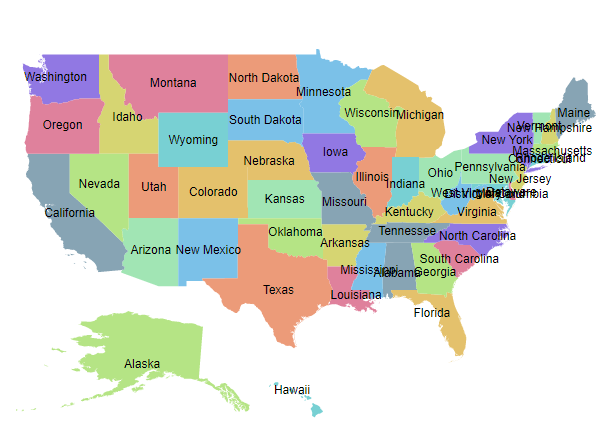
To display data labels in the Maps, the LabelPath property of MapsDataLabelSettings must be used. The value of the LabelPath property can be taken from the field name in the shape data or data source. In the following example, the value of the LabelPath property is the field name in the shape data of the Maps layer.
@using Syncfusion.EJ2.Maps;

<ejs-maps id="maps">
    <e-maps-layers>
        <e-maps-layer shapeData="ViewBag.usa">
            <e-layersettings-shapesettings autofill=true></e-layersettings-shapesettings>
            <e-layersettings-datalabelsettings visible="true" labelPath="name"></e-layersettings-datalabelsettings>
        </e-maps-layer>
    </e-maps-layers>
</ejs-maps>
using System;
using System.Collections.Generic;
using System.Diagnostics;
using System.Linq;
using System.Threading.Tasks;
using Microsoft.AspNetCore.Mvc;
using EJ2_Core_Application.Models;
using Newtonsoft.Json;
namespace EJ2_Core_Application.Controllers
{
public class HomeController : Controller
{
public IActionResult Index()
{
ViewBag.usa = GetUSMap();
ViewBag.usmap = GetUnitedStatesMap();
return View();
}
public object GetUSMap()
{
string allText = System.IO.File.ReadAllText("./wwwroot/scripts/MapsData/USA.js");
return JsonConvert.DeserializeObject(allText);
}
public object GetUnitedStatesMap()
{
string text = System.IO.File.ReadAllText(Server.MapPath("~/App_Data/USA.json"));
return JsonConvert.DeserializeObject(text, typeof(object));
}
}
}
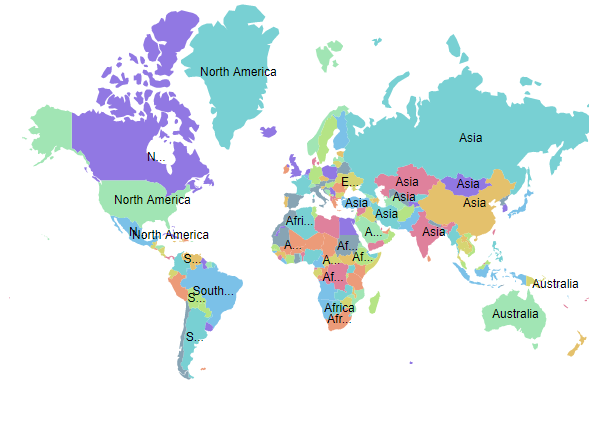
In the following example, the value of LabelPath property is set from the field name in the data source of the layer settings.
@{
    var data = new[]
    {
        new {name="Afghanistan", value=53, countryCode="AF", population=29863010, color="red",
             density=119, continent="Asia"},
        new {name="Albania", value=117, countryCode="AL", population=3195000, color="Blue",
             density=111, continent="Europe"},
        new {name="Algeria", value=15, countryCode="DZ", population=34895000, color="Green",
             density=15, continent="Africa"}
    };
}

@using Syncfusion.EJ2.Maps;

<ejs-maps id="maps">
    <e-maps-layers>
        <e-maps-layer shapeData="ViewBag.world_map" shapeDataPath="name" shapePropertyPath='new[] { "name" }' dataSource="data">
            <e-layersettings-shapesettings autofill=true></e-layersettings-shapesettings>
            <e-layersettings-datalabelsettings visible="true" labelPath="continent" smartLabelMode="Trim"></e-layersettings-datalabelsettings>
        </e-maps-layer>
    </e-maps-layers>
</ejs-maps>
using System;
using System.Collections.Generic;
using System.Diagnostics;
using System.Linq;
using System.Threading.Tasks;
using Microsoft.AspNetCore.Mvc;
using EJ2_Core_Application.Models;
using Newtonsoft.Json;
namespace EJ2_Core_Application.Controllers
{
public class HomeController : Controller
{
public IActionResult Index()
{
ViewBag.world_map = GetWorldMap();
ViewBag.worldMap = GetMap();
return View();
}
public object GetWorldMap()
{
string allText = System.IO.File.ReadAllText("./wwwroot/scripts/MapsData/WorldMap.js");
return JsonConvert.DeserializeObject(allText);
}
public object GetMap()
{
string allText = System.IO.File.ReadAllText(Server.MapPath("~/App_Data/WorldMap.json"));
return JsonConvert.DeserializeObject(allText, typeof(object));
}
}
}
Customization
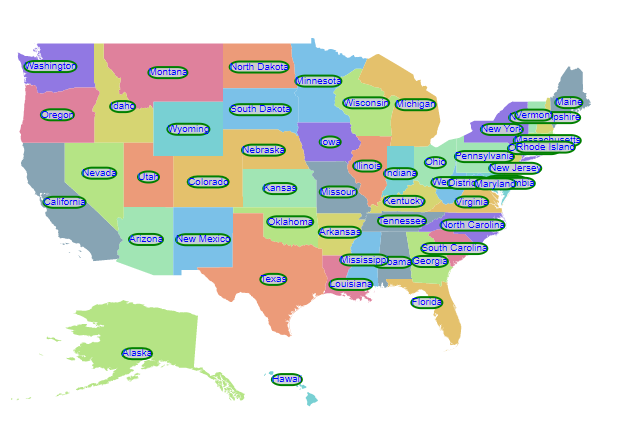
The following properties are available in the MapsDataLabelSettings to customize the data label of the Maps component.
-
Border- To customize the color, width and opacity for the border of the data labels in Maps. -
Fill- To apply the color of the data labels in Maps. -
Opacity- To customize the transparency of the data labels in Maps. -
TextStyle- To customize the text style of the data labels in Maps.
@{
    var label = new MapsDataLabelSettings
    {
        Visible = true,
        LabelPath = "name",
        Border = new MapsBorder
        {
            Color = "green",
            Width = 2,
            Opacity = 1
        },
        Fill = "#CCD1D1",
        Opacity = 0.9,
        TextStyle = new MapsFont
        {
            Color = "blue",
            Size = "10px",
            FontStyle = "Sans-serif",
            FontWeight = "normal"
        }
    };
}

@using Syncfusion.EJ2.Maps;

<ejs-maps id="maps">
    <e-maps-layers>
        <e-maps-layer shapeData="ViewBag.usa" dataLabelSettings="label">
            <e-layersettings-shapesettings autofill=true></e-layersettings-shapesettings>
        </e-maps-layer>
    </e-maps-layers>
</ejs-maps>
using System;
using System.Collections.Generic;
using System.Diagnostics;
using System.Linq;
using System.Threading.Tasks;
using Microsoft.AspNetCore.Mvc;
using EJ2_Core_Application.Models;
using Newtonsoft.Json;
namespace EJ2_Core_Application.Controllers
{
public class HomeController : Controller
{
public IActionResult Index()
{
ViewBag.usa = GetUSMap();
ViewBag.usmap = GetUnitedStatesMap();
return View();
}
public object GetUSMap()
{
string allText = System.IO.File.ReadAllText("./wwwroot/scripts/MapsData/USA.js");
return JsonConvert.DeserializeObject(allText);
}
public object GetUnitedStatesMap()
{
string text = System.IO.File.ReadAllText(Server.MapPath("~/App_Data/USA.json"));
return JsonConvert.DeserializeObject(text, typeof(object));
}
}
}
Label animation
The data labels can be animated during the initial rendering of the Maps. This can be enabled by setting the animationDuration property in the dataLabelSettings of the Maps. The duration of the animation is specified in milliseconds.
@{
var label = new MapsDataLabelSettings
{
Visible = true,
LabelPath = "name",
IntersectionAction = Syncfusion.EJ2.Maps.IntersectAction.Trim,
SmartLabelMode = Syncfusion.EJ2.Maps.SmartLabelMode.Hide,
AnimationDuration = 4000
};
var tooltip = new Syncfusion.EJ2.Maps.MapsTooltipSettings
{
Visible = true,
ValuePath = "name"
};
}
@using Syncfusion.EJ2.Maps;
<ejs-maps id="maps">
    <e-maps-layers>
        <e-maps-layer shapeData="ViewBag.usa" dataLabelSettings="label" tooltipSettings="tooltip">
            <e-layersettings-shapesettings autofill=true></e-layersettings-shapesettings>
        </e-maps-layer>
    </e-maps-layers>
</ejs-maps>
using System;
using System.Collections.Generic;
using System.Diagnostics;
using System.Linq;
using System.Threading.Tasks;
using Microsoft.AspNetCore.Mvc;
using EJ2_Core_Application.Models;
using Newtonsoft.Json;
namespace EJ2_Core_Application.Controllers
{
public class HomeController : Controller
{
public IActionResult Index()
{
ViewBag.usa = GetUSMap();
ViewBag.usmap = GetUnitedStatesMap();
return View();
}
public object GetUSMap()
{
string allText = System.IO.File.ReadAllText("./wwwroot/scripts/MapsData/USA.js");
return JsonConvert.DeserializeObject(allText);
}
public object GetUnitedStatesMap()
{
string text = System.IO.File.ReadAllText(Server.MapPath("~/App_Data/USA.json"));
return JsonConvert.DeserializeObject(text, typeof(object));
}
}
}
Smart labels
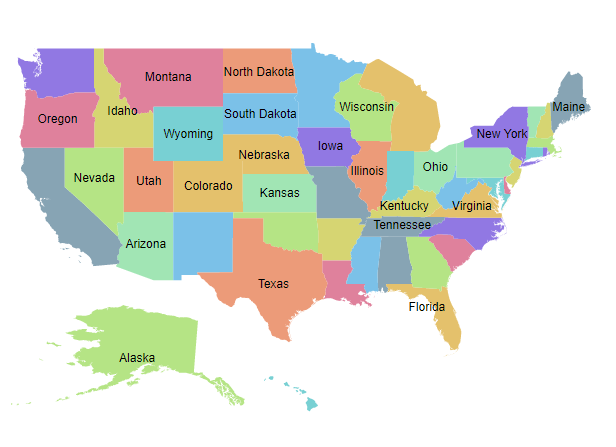
The Maps component provides an option to handle the labels when they intersect with the corresponding shape borders using the SmartLabelMode property. The following options are available in the SmartLabelMode property.
- None
- Hide
- Trim
@{
    var label = new MapsDataLabelSettings
    {
        Visible = true,
        LabelPath = "name",
        SmartLabelMode = Syncfusion.EJ2.Maps.SmartLabelMode.Hide
    };
}
@using Syncfusion.EJ2.Maps;
<ejs-maps id="maps">
    <e-maps-layers>
        <e-maps-layer shapeData="ViewBag.usa" dataLabelSettings="label">
            <e-layersettings-shapesettings autofill=true></e-layersettings-shapesettings>
        </e-maps-layer>
    </e-maps-layers>
</ejs-maps>
using System;
using System.Collections.Generic;
using System.Diagnostics;
using System.Linq;
using System.Threading.Tasks;
using Microsoft.AspNetCore.Mvc;
using EJ2_Core_Application.Models;
using Newtonsoft.Json;
namespace EJ2_Core_Application.Controllers
{
public class HomeController : Controller
{
public IActionResult Index()
{
ViewBag.usa = GetUSMap();
ViewBag.usmap = GetUnitedStatesMap();
return View();
}
public object GetUSMap()
{
string allText = System.IO.File.ReadAllText("./wwwroot/scripts/MapsData/USA.js");
return JsonConvert.DeserializeObject(allText);
}
public object GetUnitedStatesMap()
{
string text = System.IO.File.ReadAllText(Server.MapPath("~/App_Data/USA.json"));
return JsonConvert.DeserializeObject(text, typeof(object));
}
}
}
Intersect action
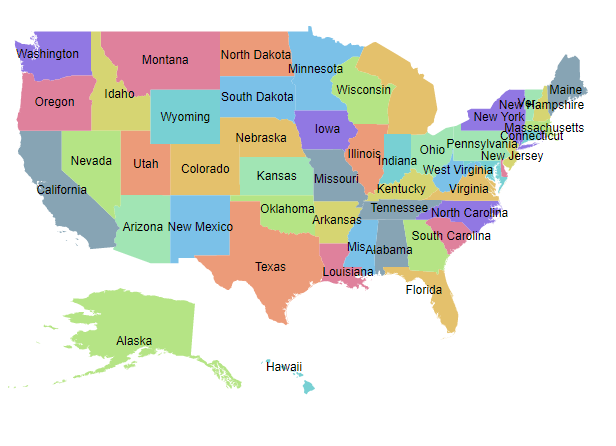
The Maps component provides an option to handle the labels when a label intersects with another label using the IntersectionAction property. The following options are available in the IntersectionAction property.
- None
- Hide
- Trim
@{
    var label = new MapsDataLabelSettings
    {
        Visible = true,
        LabelPath = "name",
        IntersectionAction = Syncfusion.EJ2.Maps.IntersectAction.Trim
    };
}
@using Syncfusion.EJ2.Maps;
<ejs-maps id="maps">
    <e-maps-layers>
        <e-maps-layer shapeData="ViewBag.usa" dataLabelSettings="label">
            <e-layersettings-shapesettings autofill=true></e-layersettings-shapesettings>
        </e-maps-layer>
    </e-maps-layers>
</ejs-maps>
using System;
using System.Collections.Generic;
using System.Diagnostics;
using System.Linq;
using System.Threading.Tasks;
using Microsoft.AspNetCore.Mvc;
using EJ2_Core_Application.Models;
using Newtonsoft.Json;
namespace EJ2_Core_Application.Controllers
{
public class HomeController : Controller
{
public IActionResult Index()
{
ViewBag.usa = GetUSMap();
ViewBag.usmap = GetUnitedStatesMap();
return View();
}
public object GetUSMap()
{
string allText = System.IO.File.ReadAllText("./wwwroot/scripts/MapsData/USA.js");
return JsonConvert.DeserializeObject(allText);
}
public object GetUnitedStatesMap()
{
string text = System.IO.File.ReadAllText(Server.MapPath("~/App_Data/USA.json"));
return JsonConvert.DeserializeObject(text, typeof(object));
}
}
}
Adding data label as a template
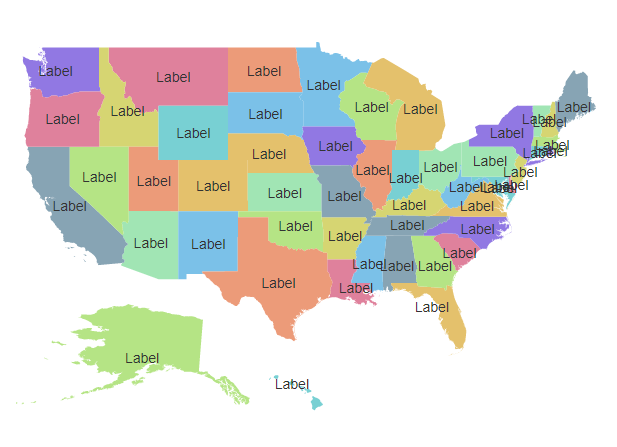
The data label can be added as a template in the Maps component. The Template property of MapsDataLabelSettings is used to set the data label as a template. Any text or HTML element can be added as the template in data labels.
The properties of data label such as,
SmartLabelMode,IntersectionAction,AnimationDuration,Border,Fill,OpacityandTextStyleproperties are not applicable toTemplateproperty. The styles can be applied to the label template using the CSS styles of the HTML element.
@{
    var label = new MapsDataLabelSettings
    {
        Visible = true,
        Template = "Label"
    };
}
@using Syncfusion.EJ2.Maps;
<ejs-maps id="maps">
    <e-maps-layers>
        <e-maps-layer shapeData="ViewBag.usa" dataLabelSettings="label">
            <e-layersettings-shapesettings autofill=true></e-layersettings-shapesettings>
        </e-maps-layer>
    </e-maps-layers>
</ejs-maps>
using System;
using System.Collections.Generic;
using System.Diagnostics;
using System.Linq;
using System.Threading.Tasks;
using Microsoft.AspNetCore.Mvc;
using EJ2_Core_Application.Models;
using Newtonsoft.Json;
namespace EJ2_Core_Application.Controllers
{
public class HomeController : Controller
{
public IActionResult Index()
{
ViewBag.usa = GetUSMap();
ViewBag.usmap = GetUnitedStatesMap();
return View();
}
public object GetUSMap()
{
string allText = System.IO.File.ReadAllText("./wwwroot/scripts/MapsData/USA.js");
return JsonConvert.DeserializeObject(allText);
}
public object GetUnitedStatesMap()
{
string text = System.IO.File.ReadAllText(Server.MapPath("~/App_Data/USA.json"));
return JsonConvert.DeserializeObject(text, typeof(object));
}
}
}