Annotations in ASP.NET Core Maps
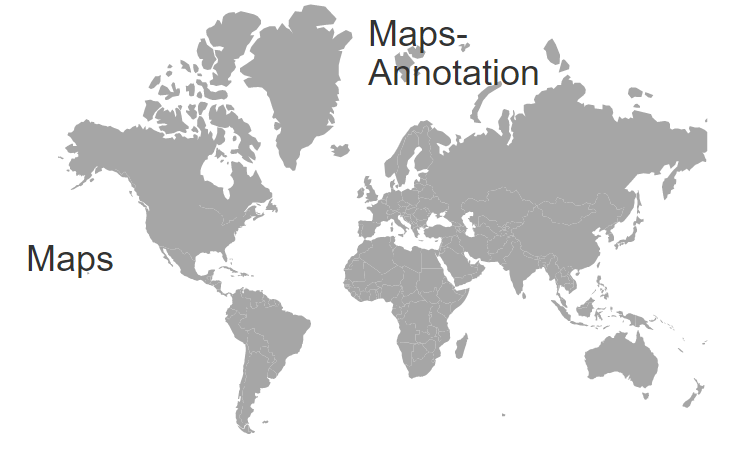
Annotations are used to mark the specific area of interest in the Maps with texts, shapes, or images. Any number of annotations can be added to the Maps component.
Annotation
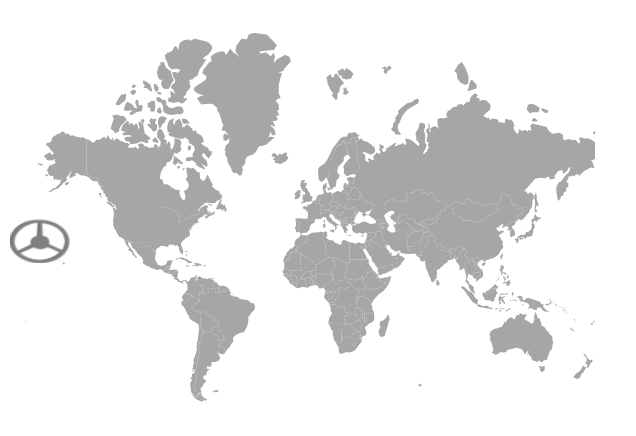
By using the Content property of MapsAnnotation, text content or id of an element or an HTML string can be specified to render a new HTML element in Maps.
@using Syncfusion.EJ2.Maps;

<ejs-maps id="maps">
    <e-maps-annotations>
        <e-maps-annotation content="#annotation" x="0%" y="50%"></e-maps-annotation>
    </e-maps-annotations>
    <e-maps-layers>
        <e-maps-layer shapeData="ViewBag.worldmap">
        </e-maps-layer>
    </e-maps-layers>
</ejs-maps>
<div id='annotation' style="display:none">
    <img src="./wwwroot/wheel.png">
</div>
using System;
using System.Collections.Generic;
using System.Diagnostics;
using System.Linq;
using System.Threading.Tasks;
using Microsoft.AspNetCore.Mvc;
using EJ2_Core_Application.Models;
using Newtonsoft.Json;
namespace EJ2_Core_Application.Controllers
{
public class HomeController : Controller
{
public IActionResult Index()
{
ViewBag.worldmap = GetWorldMap();
return View();
}
public object GetWorldMap()
{
string allText = System.IO.File.ReadAllText("./wwwroot/scripts/MapsData/WorldMap.js");
return JsonConvert.DeserializeObject(allText);
}
}
}
Annotation customization
Changing the z-index
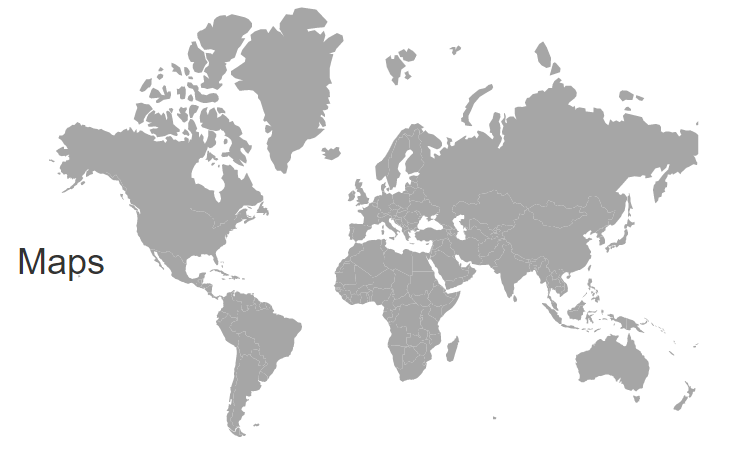
The stack order of an annotation element can be changed using the ZIndex property in the MapsAnnotation.
@using Syncfusion.EJ2.Maps;

<ejs-maps id="maps">
    <e-maps-annotations>
        <e-maps-annotation content='<div id="first"><h1>Maps</h1></div>' x="20%" y="50%" zIndex="-1"></e-maps-annotation>
    </e-maps-annotations>
    <e-maps-layers>
        <e-maps-layer shapeData="ViewBag.worldmap">
        </e-maps-layer>
    </e-maps-layers>
</ejs-maps>
using System;
using System.Collections.Generic;
using System.Diagnostics;
using System.Linq;
using System.Threading.Tasks;
using Microsoft.AspNetCore.Mvc;
using EJ2_Core_Application.Models;
using Newtonsoft.Json;
namespace EJ2_Core_Application.Controllers
{
public class HomeController : Controller
{
public IActionResult Index()
{
ViewBag.worldmap = GetWorldMap();
return View();
}
public object GetWorldMap()
{
string allText = System.IO.File.ReadAllText("./wwwroot/scripts/MapsData/WorldMap.js");
return JsonConvert.DeserializeObject(allText);
}
}
}
Positioning an annotation
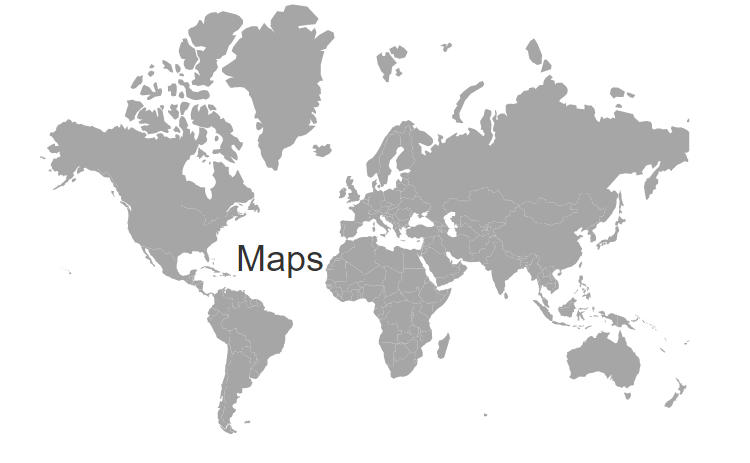
Annotations can be placed anywhere in the Maps by specifying pixel or percentage values to the X and Y properties in the MapsAnnotation.
@using Syncfusion.EJ2.Maps;

<ejs-maps id="maps">
    <e-maps-annotations>
        <e-maps-annotation content='<div id="first"><h1>Maps</h1></div>' x="40%" y="50%" zIndex="-1"></e-maps-annotation>
    </e-maps-annotations>
    <e-maps-layers>
        <e-maps-layer shapeData="ViewBag.worldmap">
        </e-maps-layer>
    </e-maps-layers>
</ejs-maps>
using System;
using System.Collections.Generic;
using System.Diagnostics;
using System.Linq;
using System.Threading.Tasks;
using Microsoft.AspNetCore.Mvc;
using EJ2_Core_Application.Models;
using Newtonsoft.Json;
namespace EJ2_Core_Application.Controllers
{
public class HomeController : Controller
{
public IActionResult Index()
{
ViewBag.worldmap = GetWorldMap();
return View();
}
public object GetWorldMap()
{
string allText = System.IO.File.ReadAllText("./wwwroot/scripts/MapsData/WorldMap.js");
return JsonConvert.DeserializeObject(allText);
}
}
}
Alignment of an annotation
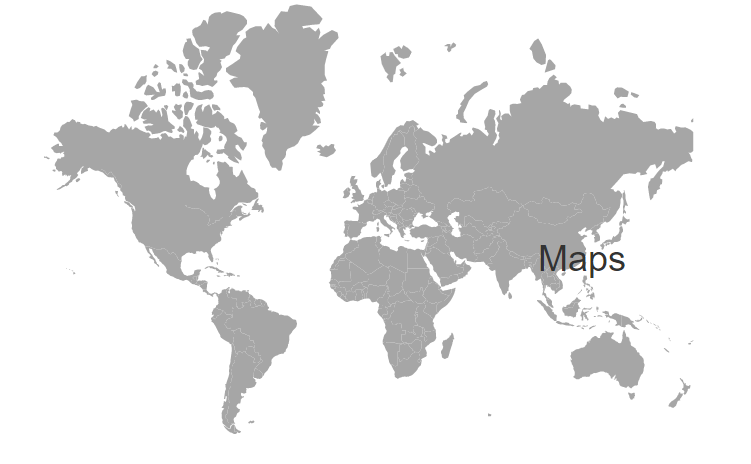
Annotations can be aligned using the HorizontalAlignment and VerticalAlignment properties in the MapsAnnotation. The possible values can be Center, Far, Near and None.
@using Syncfusion.EJ2.Maps;

<ejs-maps id="maps">
    <e-maps-annotations>
        <e-maps-annotation content='<div id="first"><h1>Maps</h1></div>' x="20%" y="50%" zIndex="-1"
                           horizontalAlignment="Center"></e-maps-annotation>
    </e-maps-annotations>
    <e-maps-layers>
        <e-maps-layer shapeData="ViewBag.world_map">
        </e-maps-layer>
    </e-maps-layers>
</ejs-maps>
using System;
using System.Collections.Generic;
using System.Diagnostics;
using System.Linq;
using System.Threading.Tasks;
using Microsoft.AspNetCore.Mvc;
using EJ2_Core_Application.Models;
using Newtonsoft.Json;
namespace EJ2_Core_Application.Controllers
{
public class HomeController : Controller
{
public IActionResult Index()
{
ViewBag.world_map = GetWorldMap();
return View();
}
public object GetWorldMap()
{
string allText = System.IO.File.ReadAllText("./wwwroot/scripts/MapsData/WorldMap.js");
return JsonConvert.DeserializeObject(allText);
}
}
}
Multiple Annotation
Multiple annotations can be added to the Maps by adding Multiple MapsAnnotation in the MapsAnnotations and customization for the annotations can be done with the MapsAnnotation.
@using Syncfusion.EJ2.Maps;

<ejs-maps id="maps">
    <e-maps-annotations>
        <e-maps-annotation content='<div id="first"><h1>Maps-Annotation</h1></div>' x="50%" y="0%" zIndex="-1"></e-maps-annotation>
        <e-maps-annotation content='<div id="first"><h1>Maps</h1></div>' x="20%" y="50%" zIndex="-1"></e-maps-annotation>
    </e-maps-annotations>
    <e-maps-layers>
        <e-maps-layer shapeData="ViewBag.worldmap">
        </e-maps-layer>
    </e-maps-layers>
</ejs-maps>
using System;
using System.Collections.Generic;
using System.Diagnostics;
using System.Linq;
using System.Threading.Tasks;
using Microsoft.AspNetCore.Mvc;
using EJ2_Core_Application.Models;
using Newtonsoft.Json;
namespace EJ2_Core_Application.Controllers
{
public class HomeController : Controller
{
public IActionResult Index()
{
ViewBag.worldmap = GetWorldMap();
return View();
}
public object GetWorldMap()
{
string allText = System.IO.File.ReadAllText("./wwwroot/scripts/MapsData/WorldMap.js");
return JsonConvert.DeserializeObject(allText);
}
}
}