About Syncfusion® Windows Forms ColorUI Control
18 Nov 20181 minute to read
The ColorUIControl allows .NET developers to provide a standard user-interface that is similar to the Visual Studio and .NET color picker drop-down for selecting colors in Windows Forms applications. The ColorUIControl implements a palette-type visual interface comprising the System, Standard, Custom, and User color groups. The control can be used either as a regular control hosted within a parent container or as a drop-down. Refer to ColorPickerButton to use ColorUIControl as a drop-down.
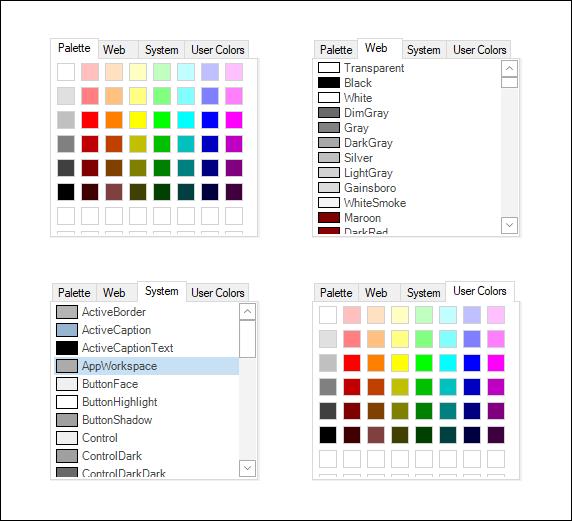
The .NET Framework provides a color dialog control that allows applications to collect color information from users. However, the color dialog control does not allow placing a control within the layout of the application to collect color information. The ColorUIControl provides an easy-to-use color palette control that can be placed inline in applications.
The ColorUIControl implements a palette-type visual interface for selecting colors at runtime. The ColorUIControl class offers a selection of colors that are divided into four color groupings that are arranged as tabs. The four color groupings are:
-
SystemColors - Consists of colors defined within the
SystemColorsclass. - StandardColors - Consists of basic colors.
- CustomColors - Provides a customizable color palette.
- UserColors - Provides different shades of user-defined colors.
Key features
-
Color Groups - ColorUI has a predefined set of colors named
Standard,System,Custom, andUser. -
Selected Color - You can choose or get the selected color both interactively and programmatically.