Loading Markdown Content in WinUI Markdown Viewer
18 Nov 20185 minutes to read
The Markdown Viewer control offers versatile options for loading Markdown content from various sources. Its Source property automatically identifies the input type and manages content loading seamlessly, supporting raw Markdown text, local file paths, as well as HTTP/HTTPS URLs.
Loading from Raw Markdown String
Assign a Markdown-formatted string to the Source property of the Markdown Viewer control to display Markdown content directly within your application.
<Grid>
<syncfusion:SfMarkdownViewer>
<syncfusion:SfMarkdownViewer.Source>
<x:String xml:space="preserve">
<
]]>
</x:String>
</syncfusion:SfMarkdownViewer.Source>
</syncfusion:SfMarkdownViewer>
</Grid>using Syncfusion.UI.Xaml.Markdown;
namespace MarkdownViewerGettingStarted
{
public partial class MainWindow : Window
{
public MainWindow()
{
InitializeComponent();
SfMarkdownViewer markdownViewer = new SfMarkdownViewer();
markdownViewer.Source =
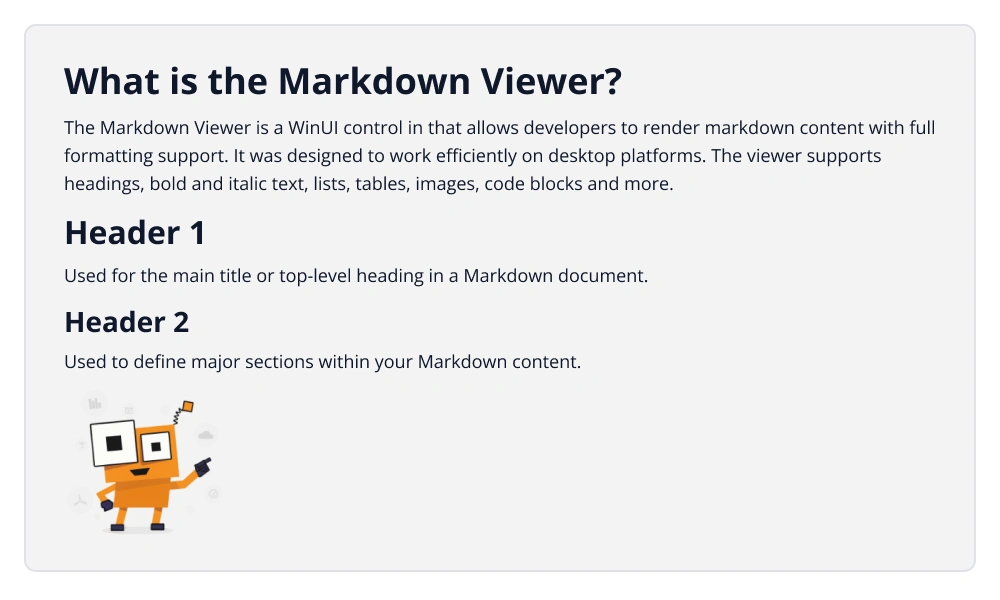
@"
# What is the Markdown Viewer ?
The Markdown Viewer is a UI control in WinUI that allows developers to render Markdown content with full formatting support. It was designed to
work efficiently on both mobile and desktop platforms. The viewer supports headings, bold and italic text, lists, tables, images, code blocks and more.
# Header 1
Used for the Main title or top-level heading in a Markdown document.
## Header 2
Used to define major sections within your Markdown content.

";
this.Content = markdownViewer;
}
}
}Loading from Local File
To load Markdown content from a local file, simply set the file path as the value of the Source property. The control automatically recognizes valid file paths and reads the file content accordingly.
C#
public partial class MainWindow : Window
{
    public MainWindow()
    {
        InitializeComponent();
        SfMarkdownViewer markdownViewer = new SfMarkdownViewer();
        string filePath = @"D:\WinUI\MarkdownViewer\Files\MarkdownContent.md";
        string markdownContent = File.ReadAllText(filePath);
        markdownViewer.Source = markdownContent;
        this.Content = markdownViewer;
    }
}
Loading from URL
The Markdown Viewer control is capable of loading Markdown content directly from publicly accessible URLs. This feature is especially useful for presenting remote documentation, release notes, or any Markdown content hosted online.
<Window>
    <syncfusion:SfMarkdownViewer Source="https://raw.githubusercontent.com/SyncfusionExamples/WinUI-tabsplitter-example/refs/heads/master/README.md">
    </syncfusion:SfMarkdownViewer>
</Window>
public partial class MainWindow : Window
{
public MainWindow()
{
InitializeComponent();
SfMarkdownViewer markdownViewer = new SfMarkdownViewer();
markdownViewer.Source = "https://raw.githubusercontent.com/SyncfusionExamples/WinUI-tabsplitter-example/refs/heads/master/README.md";
this.Content = markdownViewer;
}
}