Getting Started with WinUI Markdown Viewer
18 Nov 20185 minutes to read
This section outlines a step‑by‑step guide for integrating and using the Markdown Viewer control in your WinUI applications.
Creating an WinUI application with Markdown Viewer
-
Create a WinUI 3 desktop application.
- Install the following NuGet package in your project:
- Syncfusion.MarkdownViewer.WinUI
- Import the following namespace in XAML or C# code:
- Syncfusion.UI.Xaml.Markdown
- Initialize an instance of the
SfMarkdownViewercontrol.
You can initialize the control in both XAML and C# as shown below:
<Window
    x:Class="GettingStarted.MainWindow"
    xmlns="http://schemas.microsoft.com/winfx/2006/xaml/presentation"
    xmlns:x="http://schemas.microsoft.com/winfx/2006/xaml"
    xmlns:syncfusion="using:Syncfusion.UI.Xaml.Markdown">

    <Grid>
        <syncfusion:SfMarkdownViewer />
    </Grid>
</Window>
using Syncfusion.UI.Xaml.Markdown;
namespace MarkdownViewerGettingStarted
{
public partial class MainWindow : Window
{
public MainWindow()
{
InitializeComponent();
// Creating an instance of the SfMarkdownViewer control
SfMarkdownViewer markdownViewer = new SfMarkdownViewer();
this.Content = markdownViewer;
}
}
}Populating Source to the Markdown Viewer
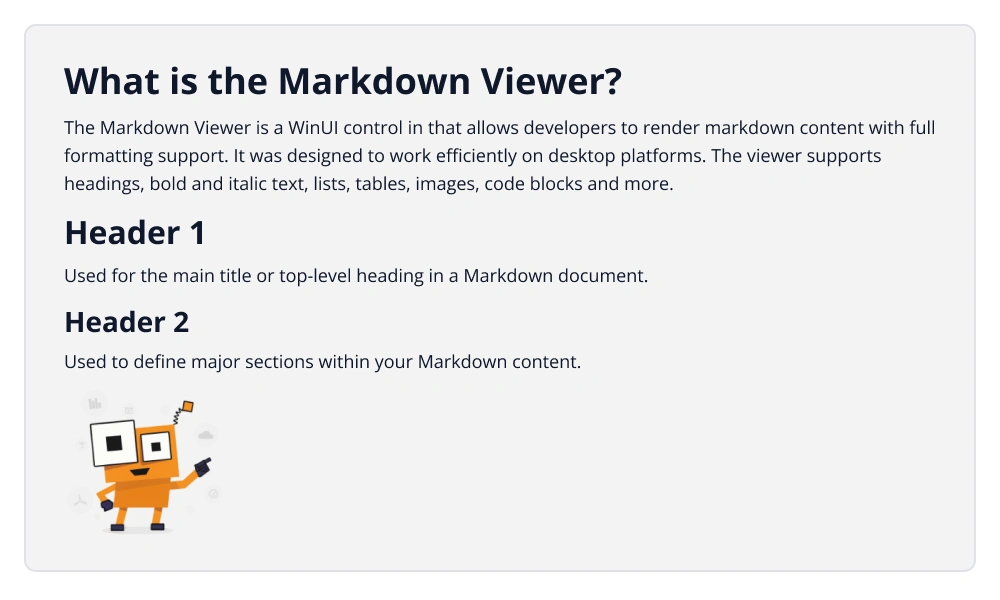
The Source property is used to supply Markdown content to the control. It supports raw Markdown text, file paths, and HTTP/HTTPS URLs.
<syncfusion:SfMarkdownViewer>
<syncfusion:SfMarkdownViewer.Source>
<x:String xml:space="preserve">
<
]]>
</x:String>
</syncfusion:SfMarkdownViewer.Source>
</syncfusion:SfMarkdownViewer>public partial class MainWindow : Window
{
public MainWindow()
{
InitializeComponent();
SfMarkdownViewer markdownViewer = new SfMarkdownViewer();
markdownViewer.Source =
@"
# What is the Markdown Viewer ?
The Markdown Viewer is a UI control in WinUI that allows developers to render Markdown content with full formatting support. It was designed to
work efficiently on both mobile and desktop platforms. The viewer supports headings, bold and italic text, lists, tables, images, code blocks and more.
# Header 1
Used for the Main title or top-level heading in a Markdown document.
## Header 2
Used to define major sections within your Markdown content.

";
this.Content = markdownViewer;
}
}