Animation in .NET MAUI Navigation Drawer
Customizing animation duration
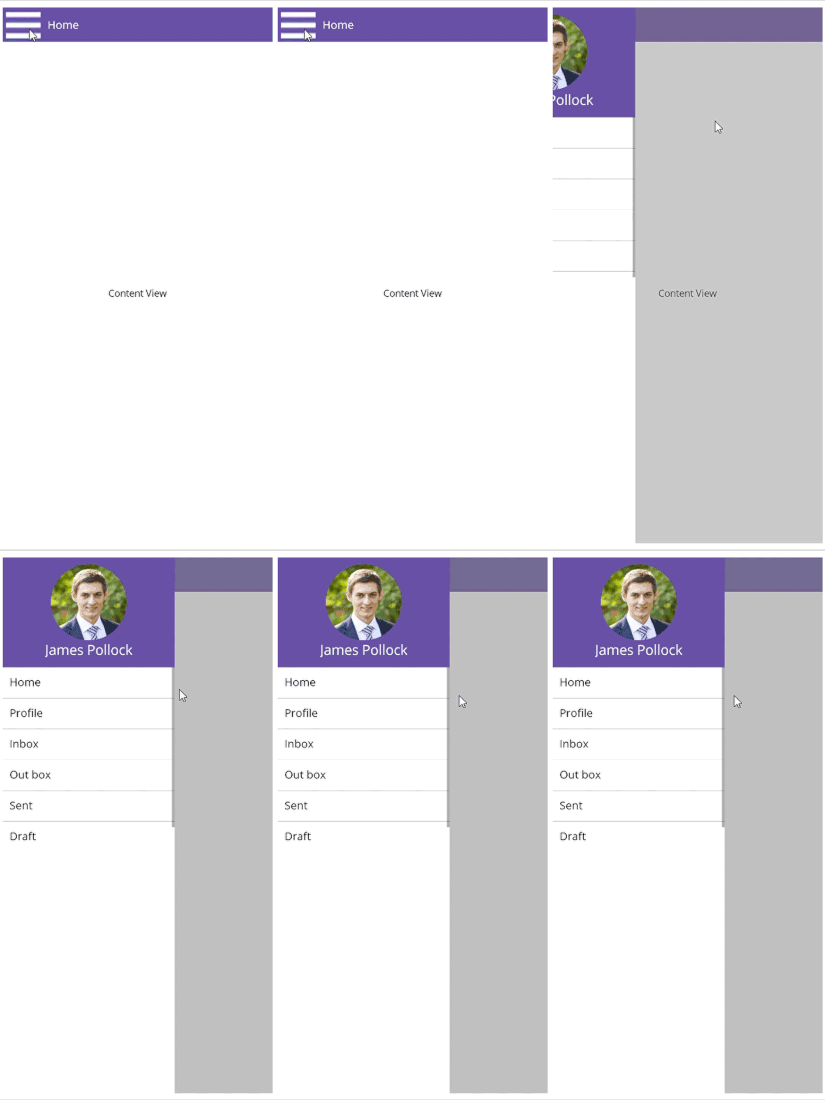
The Duration property of the Navigation Drawer specifies the timeline for completing one animation cycle. Setting a smaller duration value accelerates animation speed.
<navigationdrawer:SfNavigationDrawer x:Name="navigationDrawer">
    <navigationdrawer:SfNavigationDrawer.DrawerSettings>
        <navigationdrawer:DrawerSettings  Duration="200"/>
    </navigationdrawer:SfNavigationDrawer.DrawerSettings>
</navigationdrawer:SfNavigationDrawer>
SfNavigationDrawer navigationDrawer = new SfNavigationDrawer();
navigationDrawer.DrawerSettings = new DrawerSettings()
{
Duration = 200,
};
this.Content = navigationDrawer;The Duration property for the Navigation Drawer is measured in milliseconds.
The following screenshot illustrates the result of the above code.
Animation easing effects
The AnimationEasing property of the Navigation Drawer allows you to customize the acceleration and deceleration of the drawer’s transition animations when opening and closing. The default value for AnimationEasing is Easing.Linear.
<navigationdrawer:SfNavigationDrawer x:Name="navigationDrawer">
    <navigationdrawer:SfNavigationDrawer.DrawerSettings>
        <navigationdrawer:DrawerSettings AnimationEasing="{x:Static Easing.CubicIn}"/>
    </navigationdrawer:SfNavigationDrawer.DrawerSettings>
</navigationdrawer:SfNavigationDrawer>
SfNavigationDrawer navigationDrawer = new SfNavigationDrawer();
navigationDrawer.DrawerSettings = new DrawerSettings()
{
AnimationEasing = Easing.CubicIn,
};
this.Content = navigationDrawer;