Syncfusion® Blazor WebAssembly App Template
18 Nov 20183 minutes to read
Syncfusion® provides the Blazor WebAssembly App Template, which allows you to create a Syncfusion Blazor application using Syncfusion® components. The Syncfusion® Blazor app is created with the required Syncfusion® NuGet references, namespaces, styles, and component render code. The Template includes an easy-to-use project wizard that guides you through the process of creating an application with Syncfusion® components.
The steps below will assist you to create your Syncfusion® Blazor Application through Visual Studio 2022 or 2026:
-
Open Visual Studio 2022 or 2026.
-
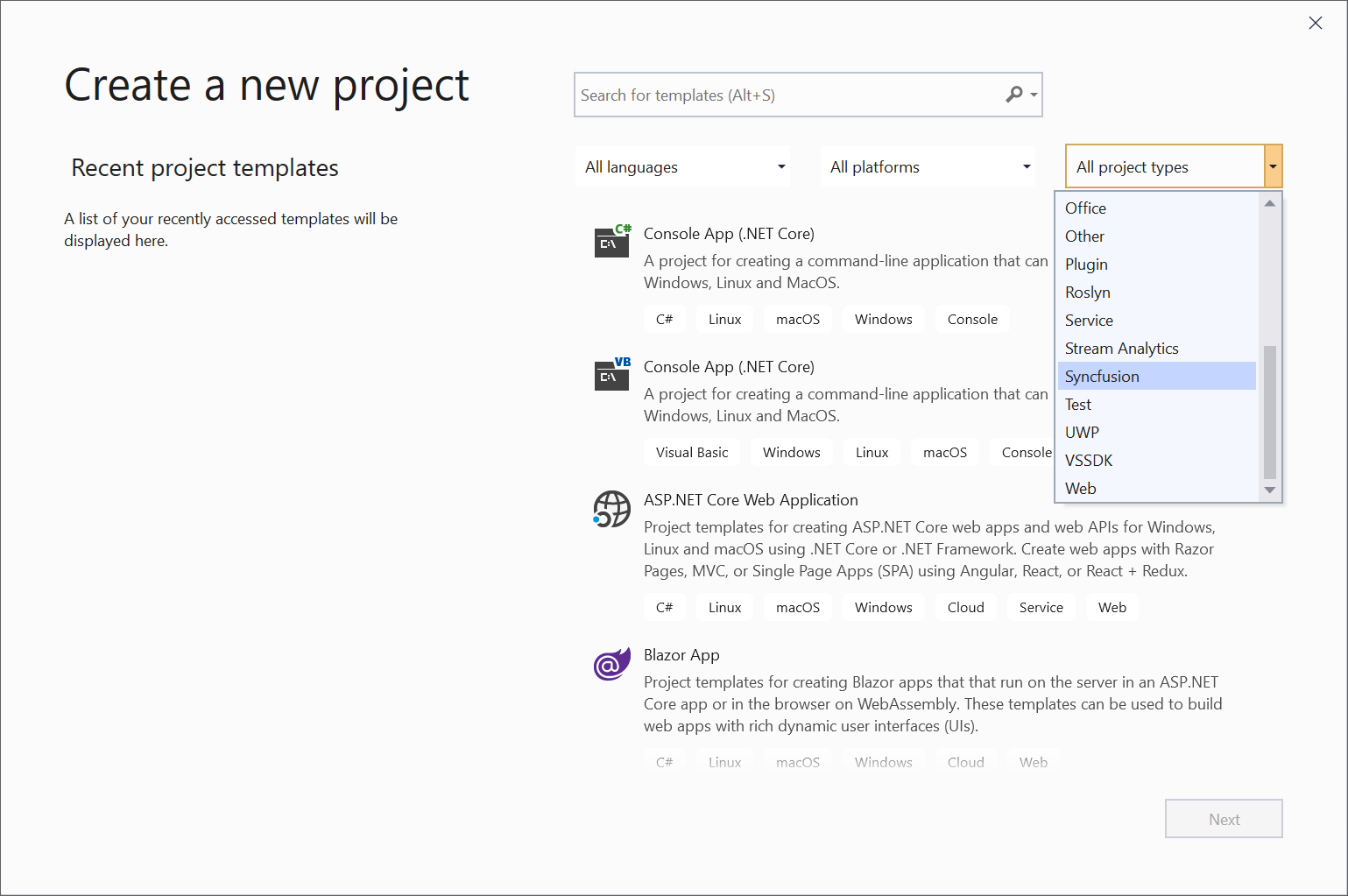
To create a Syncfusion® Blazor application, Choose File -> New -> Project from the menu. This launches a new dialogue for creating a new application. Syncfusion® templates for Blazor can be found by filtering the application type for Syncfusion or by entering Syncfusion as a keyword in the search option.
-
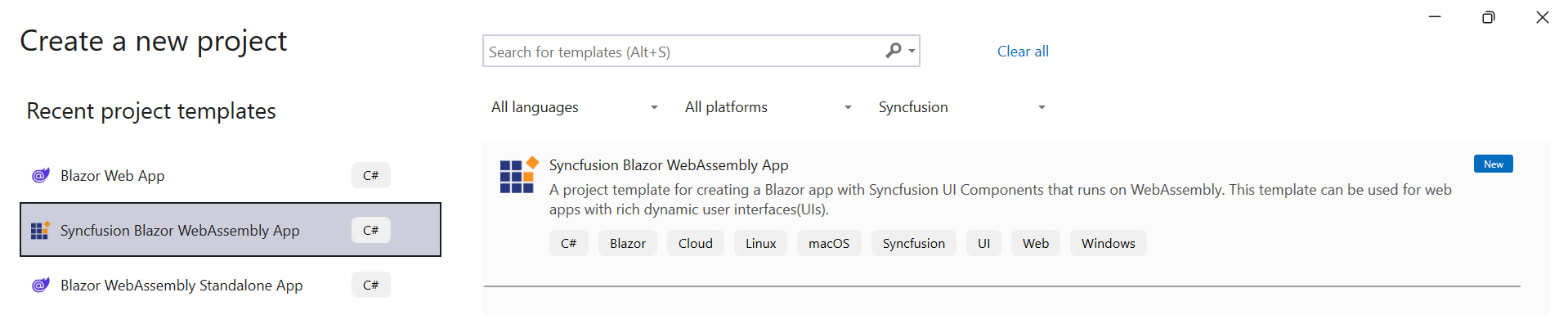
Select the Syncfusion Blazor WebAssembly App and click Next.
-
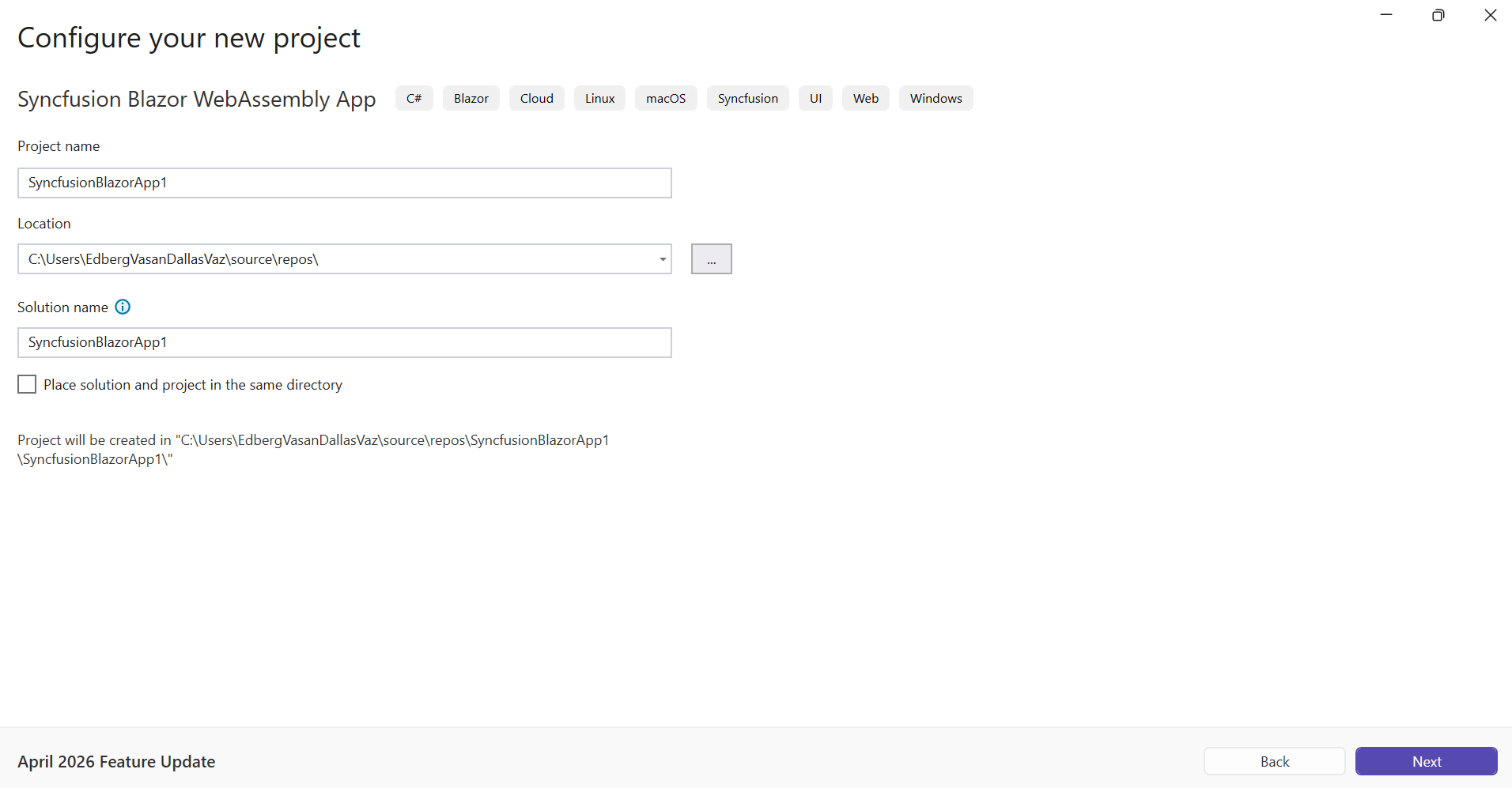
The Syncfusion Blazor WebAssembly App wizard will open to configure your new project. Click Next.
-
Configure the project options (project type, progressive web application support, and https configuration) in the wizard as needed.
Note: Refer to the .NET SDK support for Syncfusion Blazor Components here.
Project type section
Choose one of the Syncfusion® Blazor application types based on the version of the .NET SDK you are using.
.NET SDK version Supported Syncfusion Blazor Application Type .NET 10.0, .NET 9.0, .NET 8.0 Syncfusion Blazor WebAssembly App In the Syncfusion Blazor WebAssembly App application type, you can choose Progressive Web Application.
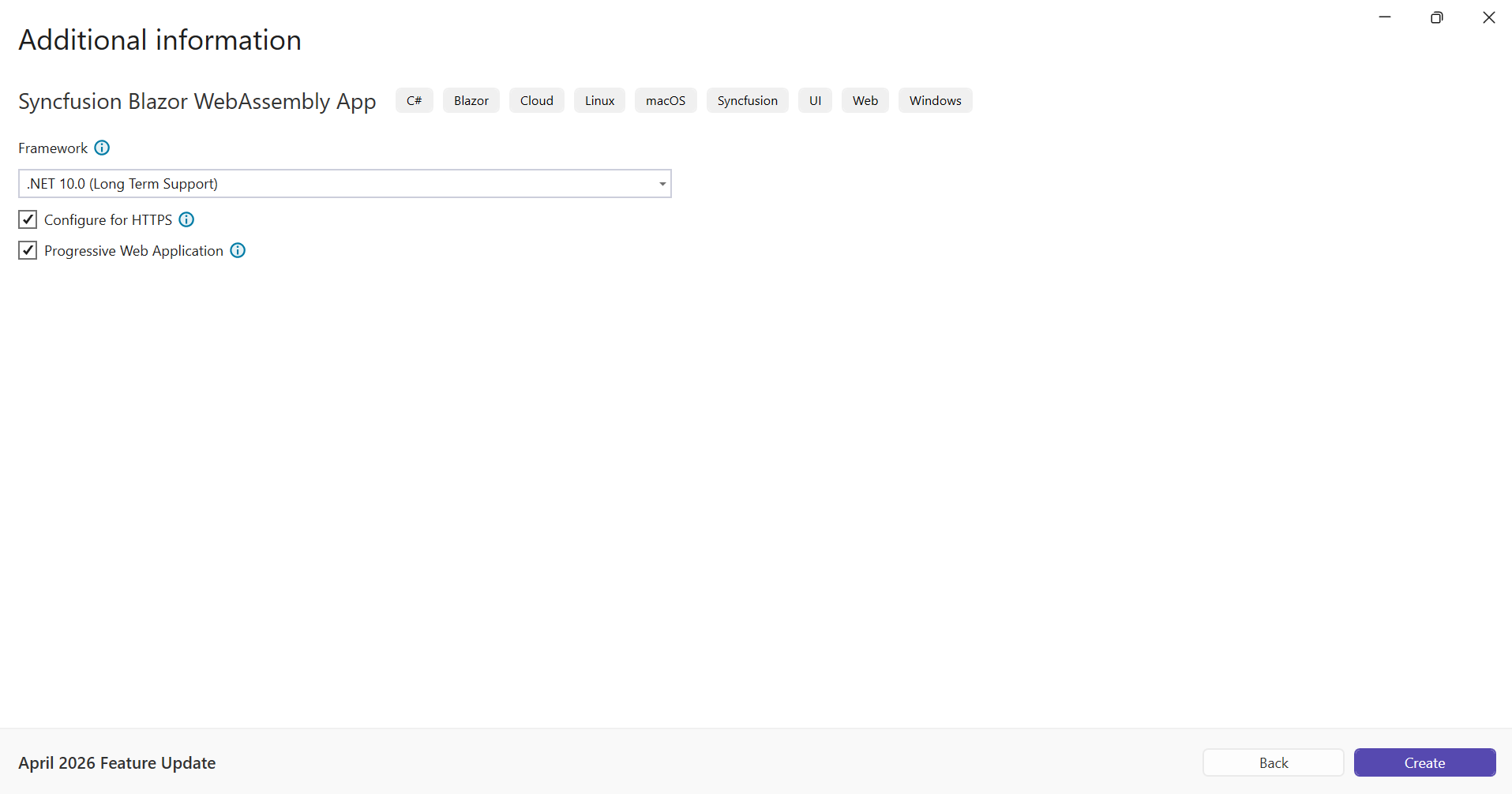
Note: The Progressive Web Application will be enabled if .NET 8.0 version or higher is installed.
-
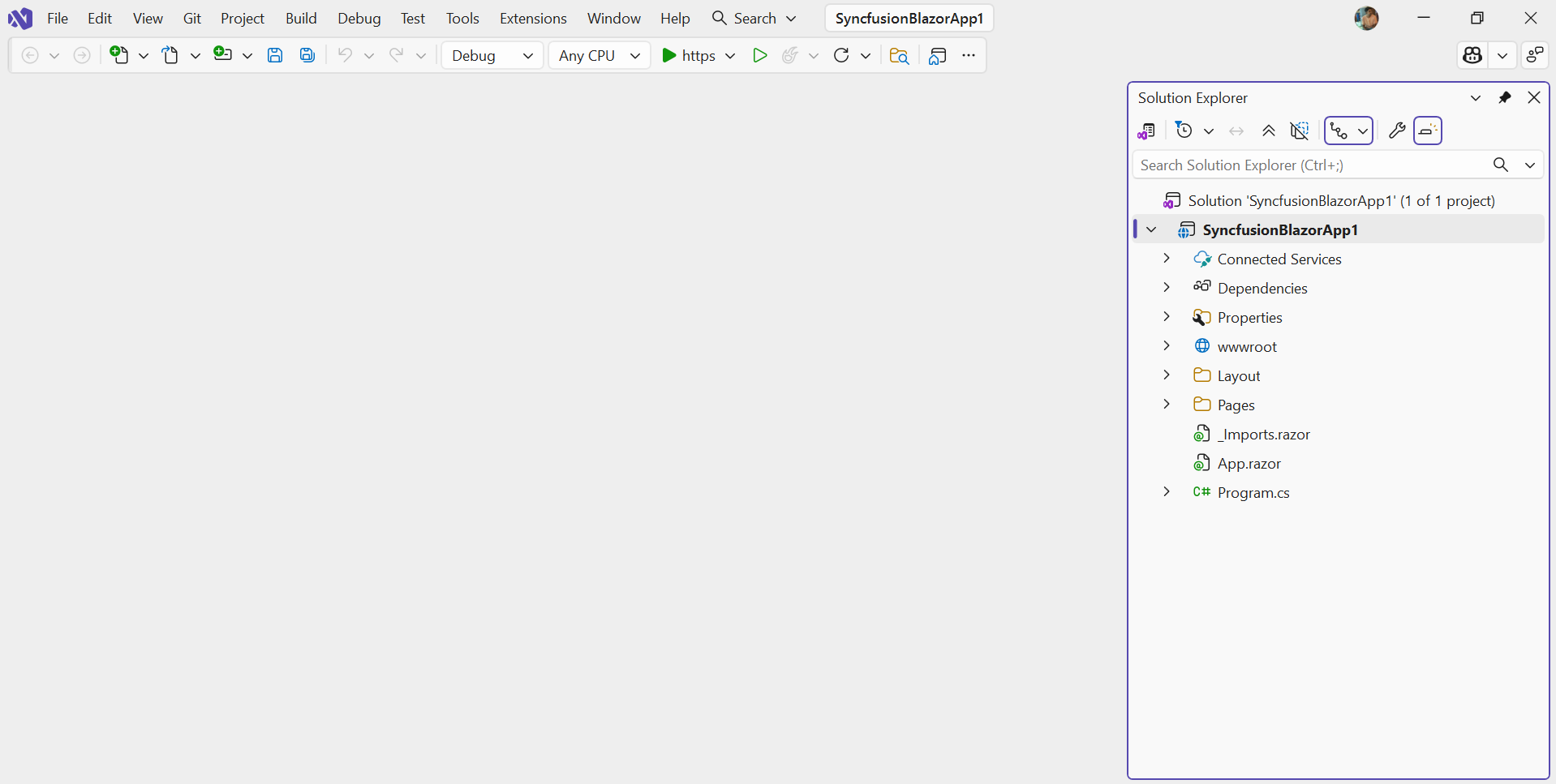
Click Create button. The Syncfusion® Blazor application has been created. The created Syncfusion® Blazor app has the Syncfusion NuGet packages, styles, and the render code for the selected Syncfusion® component.
-
The Syncfusion® Blazor application configures with most recent Syncfusion® Blazor NuGet packages version, selected style, namespaces, selected authentication, and component render code for Syncfusion® components.
-
If you installed the trial setup or NuGet packages from nuget.org you must register the Syncfusion® license key to your application since Syncfusion® introduced the licensing system from 2018 Volume 2 (v16.2.0.41) Essential Studio® release. Navigate to the help topic to generate and register the Syncfusion® license key to your application. Refer to this blog post for understanding the licensing changes introduced in Essential Studio®.