Creating a Syncfusion® Spreadsheet Editor SDK application
11 Mar 20265 minutes to read
Syncfusion® provides the Spreadsheet Editor SDK Template Studio, which allows you to create a Syncfusion Blazor application using Syncfusion® Spreadsheet Editor SDK component. The Syncfusion® application is created with the required Syncfusion® NuGet references, namespaces, styles, and component render code. The Template Studio includes an easy-to-use project wizard that guides you through the process of creating an application with Syncfusion® Spreadsheet Editor SDK component.
NOTE
Spreadsheet Editor SDK project templates from
v33.1.44are supported by the Syncfusion® Visual Studio Code project template.
The instructions below assist you in creating Syncfusion Spreadsheet Editor SDK Application using Visual Studio Code:
-
To create a Syncfusion® Spreadsheet Editor SDK application in Visual Studio Code, open the command palette by pressing Ctrl+Shift+P. Search for the word Syncfusion in the Visual Studio Code palette to get the templates provided by Syncfusion®.

-
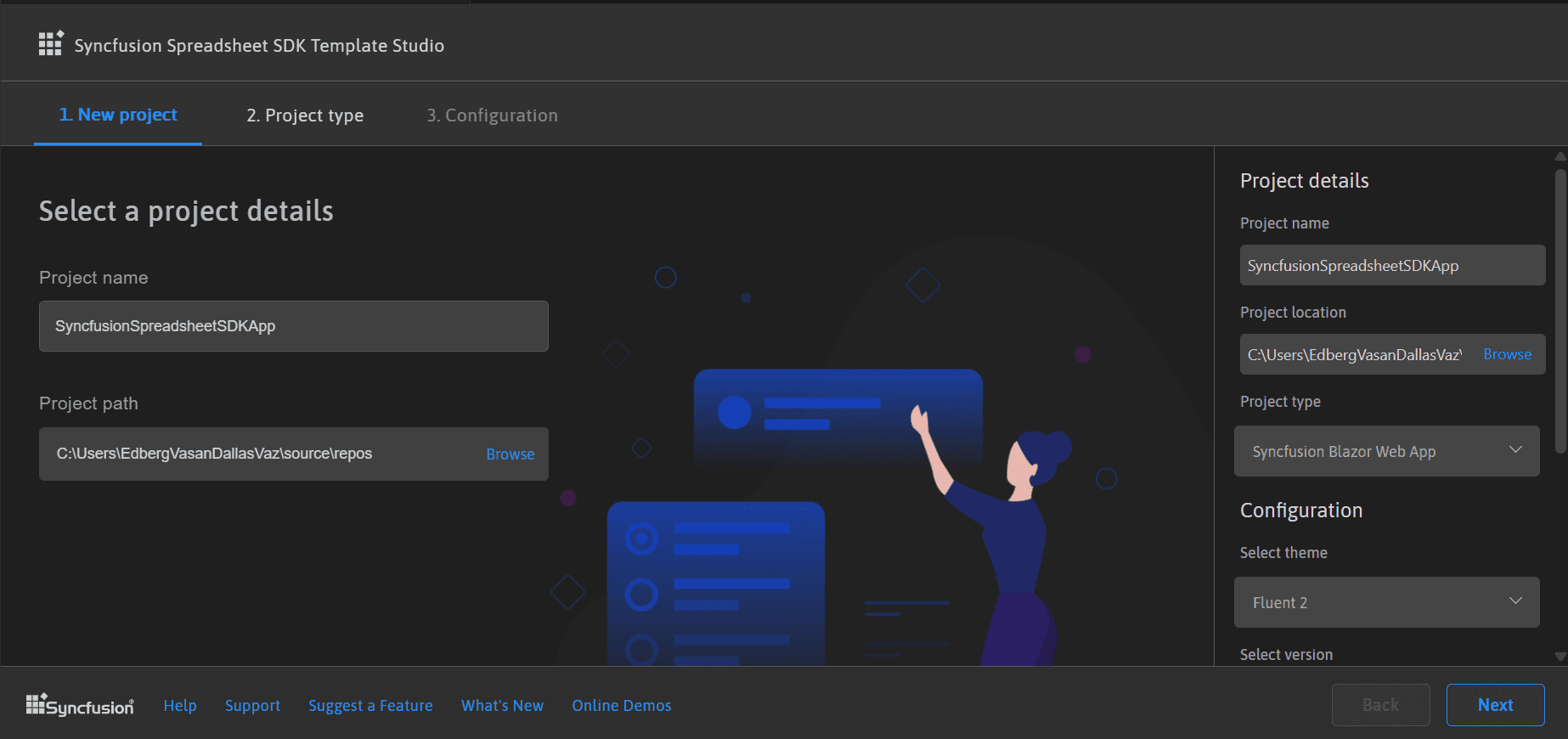
Select Syncfusion Spreadsheet Editor SDK Template Studio: Launch, then press Enter key. The Template Studio wizard for configuring the Syncfusion® Spreadsheet Editor SDK app will be launched. Provide the Project name and Project path.
-
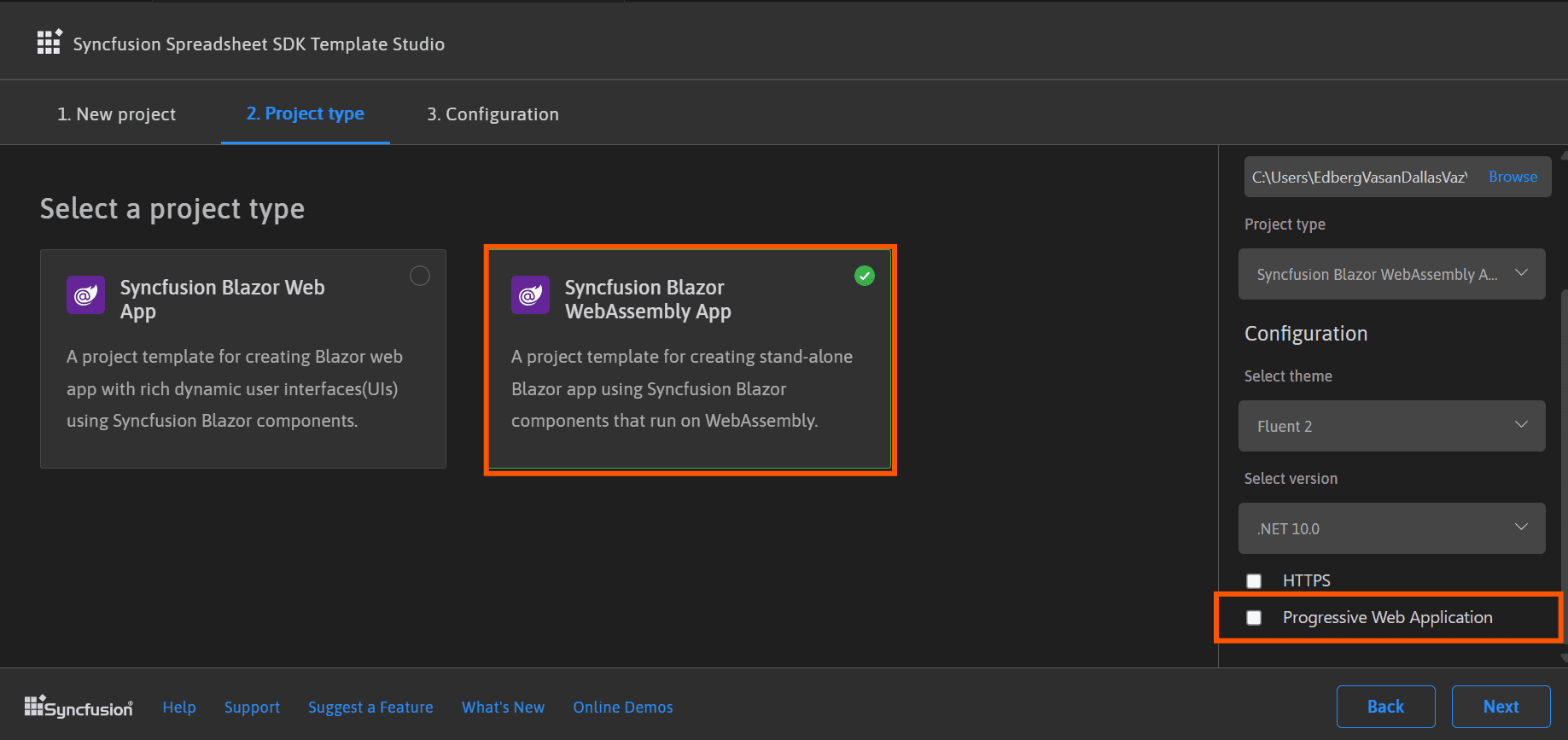
Select either Next or the Project type tab. Syncfusion® Spreadsheet Editor SDK project types will be displayed. Choose one of the following Syncfusion® Spreadsheet Editor SDK project types based on the version of the .NET SDK you are using.
.NET SDK version Supported Syncfusion Spreadsheet Editor SDK Application Type .NET 10.0, .NET 9.0, .NET 8.0 Syncfusion Spreadsheet Editor SDK Web App .NET 10.0, .NET 9.0, .NET 8.0 Syncfusion SpreadsheetDOCX Editor SDK WebAssembly App In the Syncfusion Spreadsheet Editor SDK Web App application type, you can configure the following options:
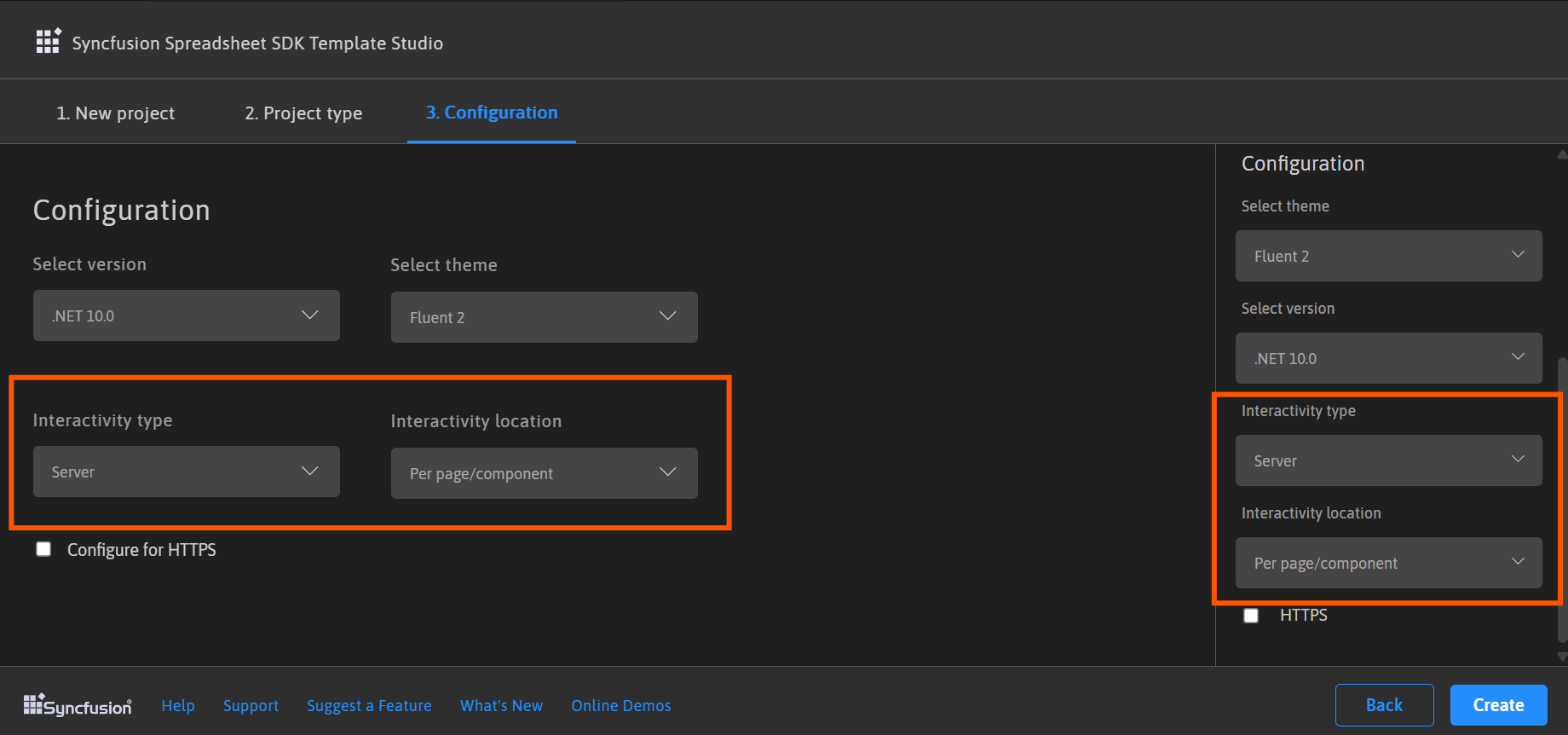
Interactivity type Server, WebAssembly, Auto (Server and WebAssembly) Interactivity location Global, Per page/component 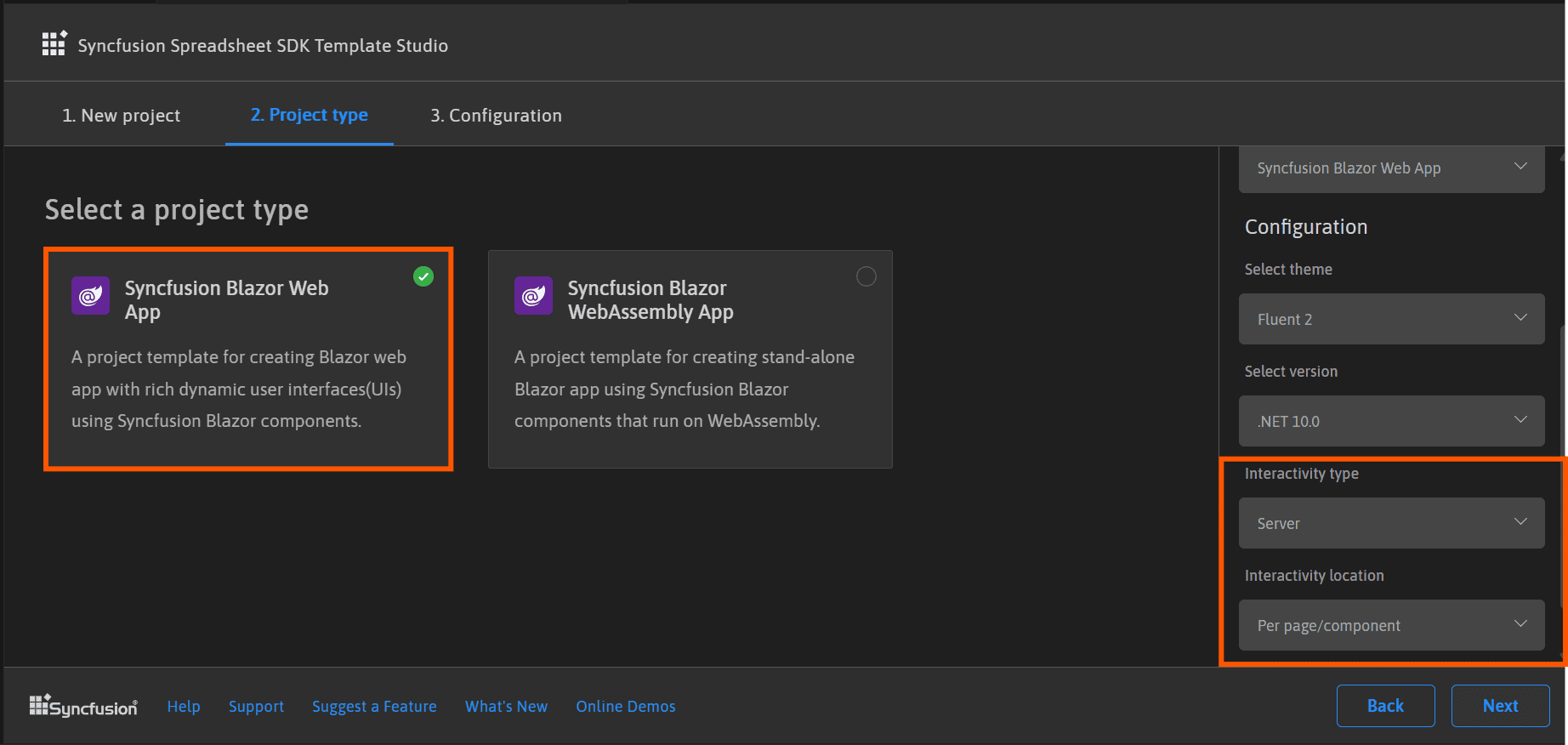
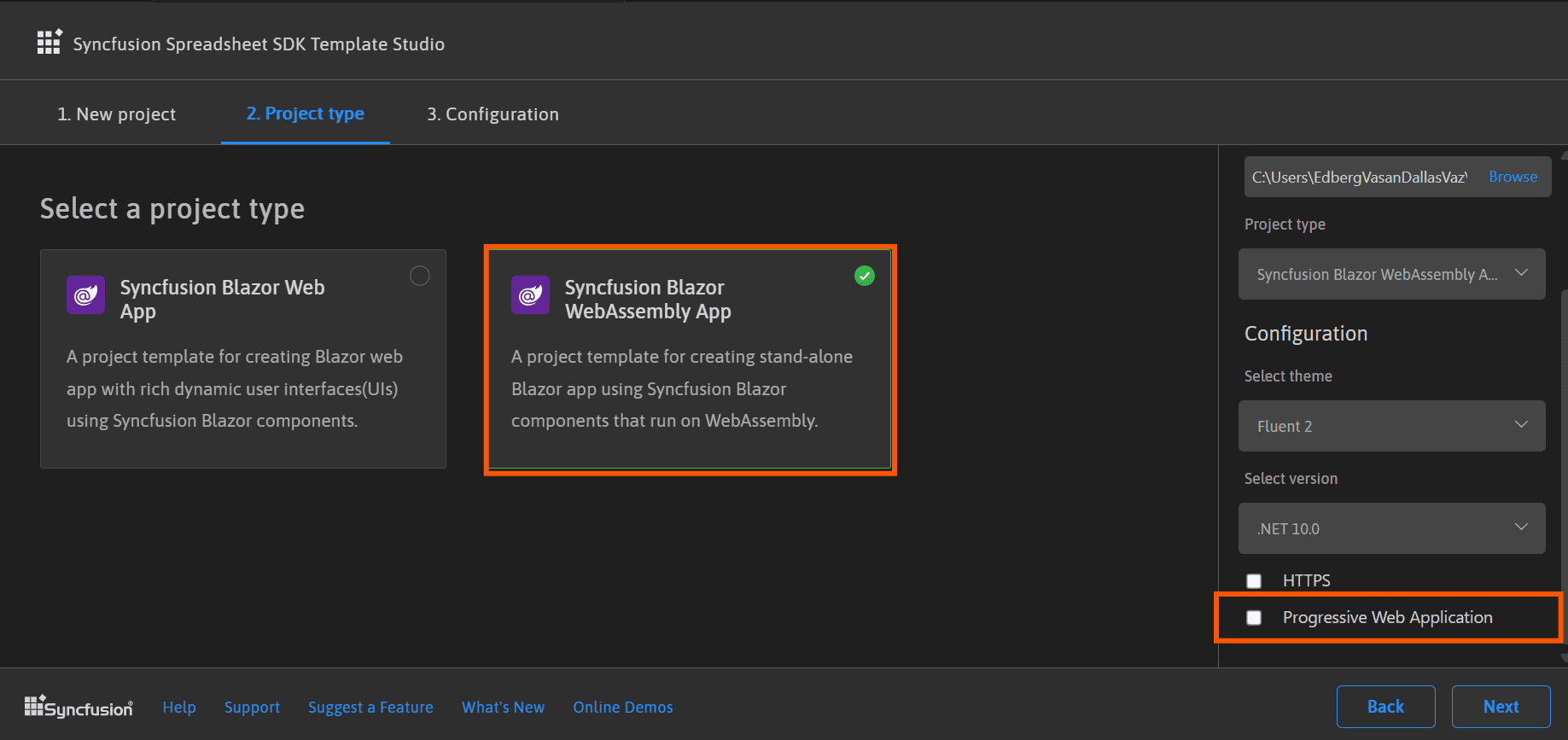
In the Syncfusion Spreadsheet Editor SDK WebAssembly App application type, you can choose Progressive Web Application.
-
Click Next or the Configuration tab to load the Configuration section. You can choose the required (.NET10.0, .NET 9.0 and .NET 8.0), themes, Spreadsheet Editor SDK Web App, and Spreadsheet Editor SDK Web Assembly application types.
If you choose the Spreadsheet Editor SDK Web App application type, you can customize the Interactivity type and Interactivity location options.
If you choose the Spreadsheet Editor SDK Web Assembly App application type, you can customize the Progressive Web Application option.
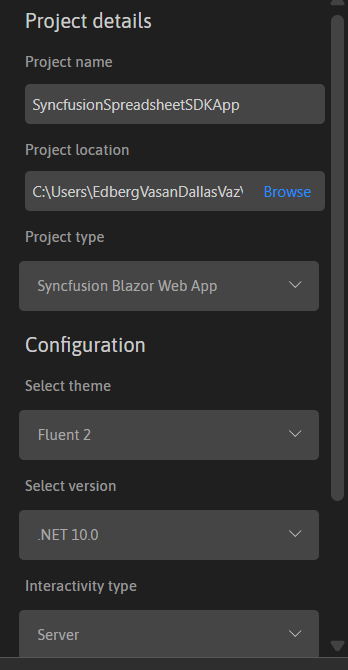
Project details section
You can change the configuration details below in the Project Details section to change the application type or change the configurations.
-
Click Create button. The Syncfusion® Spreadsheet Editor SDK application has been created. The created Syncfusion® Spreadsheet Editor SDK app has the Syncfusion NuGet packages, styles, and the render code for Syncfusion® Spreadsheet Editor SDK component.
-
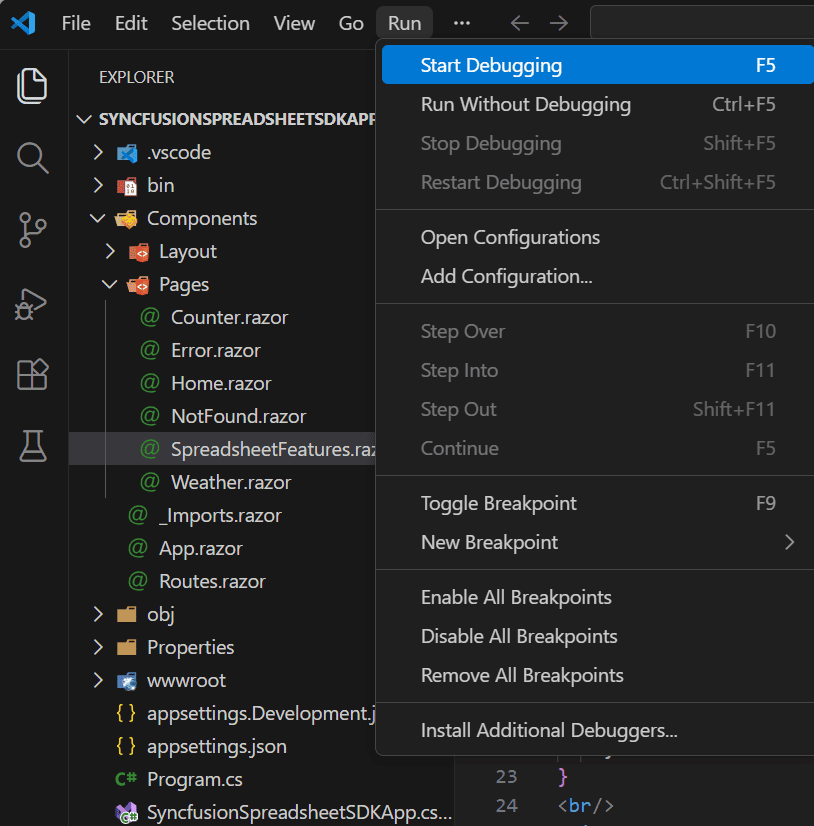
You can run the application to see the Syncfusion® component. Click F5 or go to Run>Start Debugging.
-
The Syncfusion® Spreadsheet Editor SDK application configures with most recent Syncfusion® Spreadsheet Editor SDK NuGet packages version, selected style, namespaces, selected authentication, and component render code for Syncfusion® component.
-
If you installed the trial setup or NuGet packages from nuget.org you must register the Syncfusion® license key to your application since Syncfusion® introduced the licensing system from 2018 Volume 2 (v16.2.0.41) Essential Studio® release. Navigate to the help topic to generate and register the Syncfusion® license key to your application. Refer to this UG topic for understanding the licensing details in Essential Studio® for Spreadsheet Editor SDK.
Syncfusion® integration
The Syncfusion® Spreadsheet Editor SDK application configures with latest Syncfusion® Spreadsheet Editor SDK NuGet packages, styles, namespaces, and component render code for Syncfusion® Spreadsheet Editor SDK component are added in the created application.
NuGet Packages
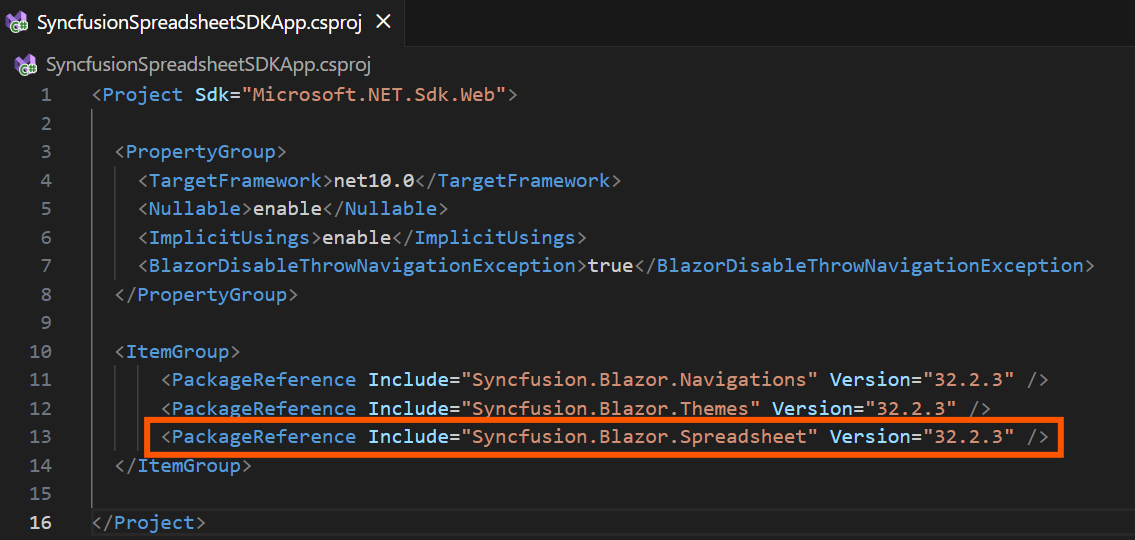
The NuGet package will be added as NuGet references for all application types.
Style
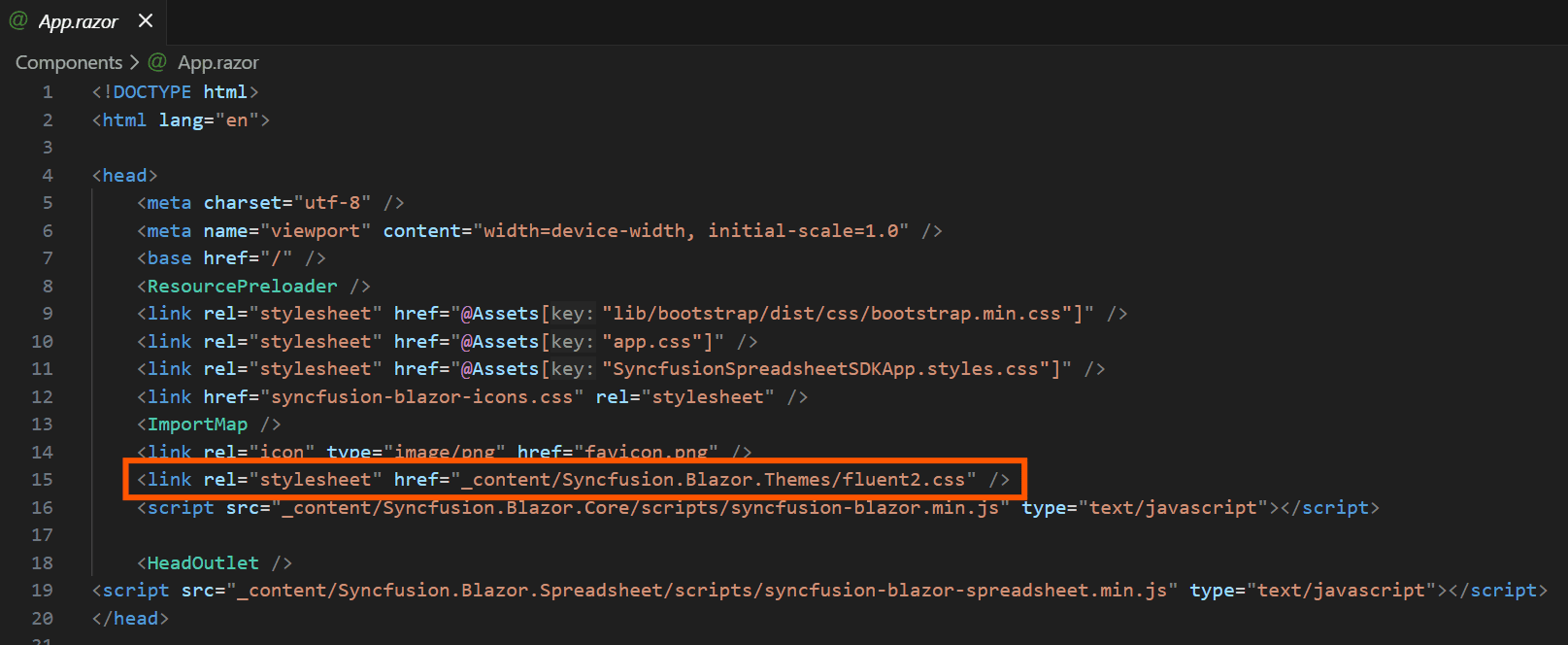
The selected theme is added from Syncfusion® NuGet and its reference at these locations in Spreadsheet Editor SDK application.
| Application type | File location |
|---|---|
| Syncfusion Spreadsheet Editor SDK Web App | ~/Components/App.razor |
| Syncfusion Spreadsheet Editor SDK WebAssembly App (Progressive Web Application) | {Client Project location}/wwwroot/index.html |
| Syncfusion Spreadsheet Editor SDK WebAssembly App | {Project location}/wwwroot/index.html |
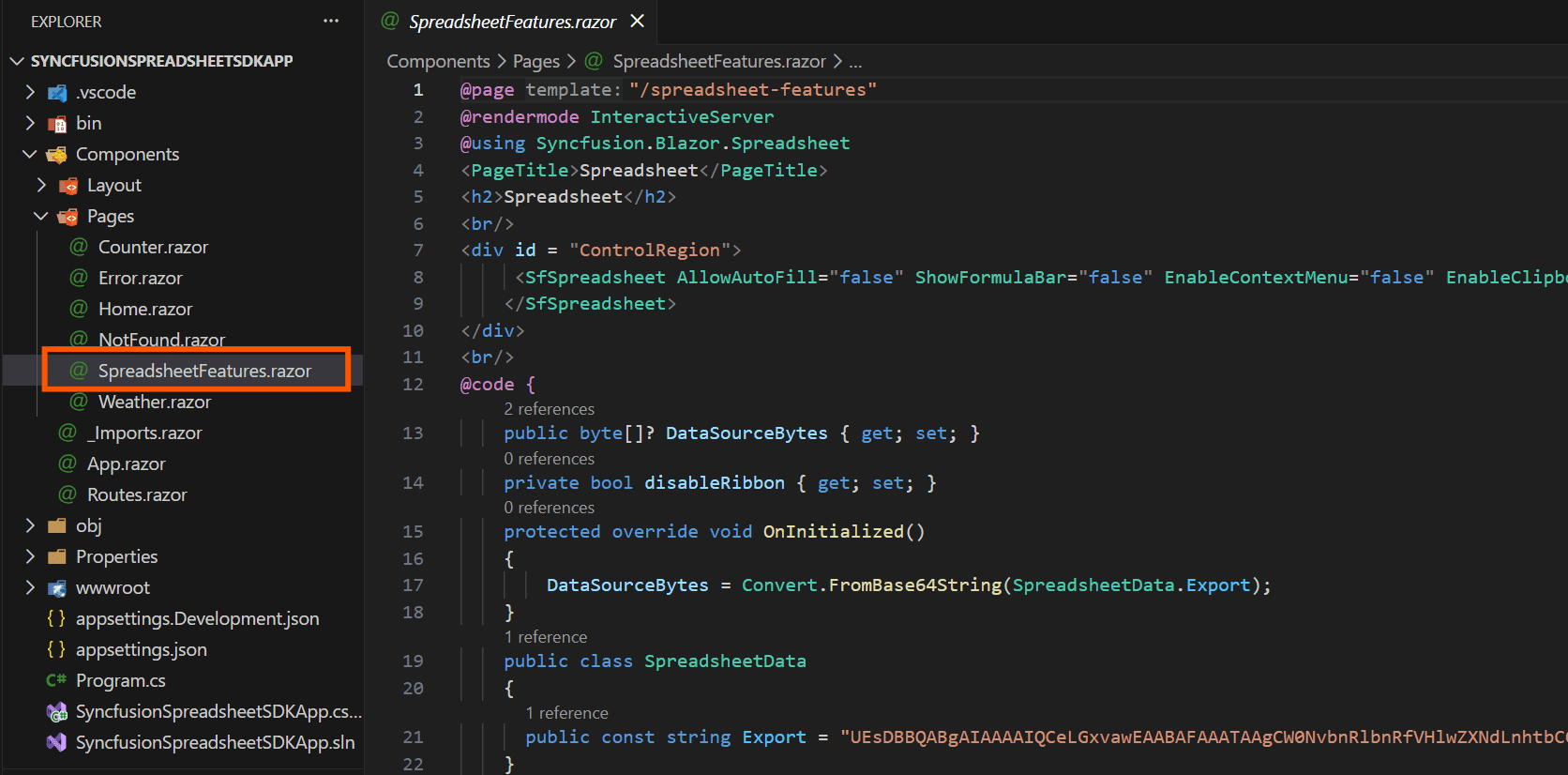
Component render code
The Syncfusion® Spreadsheet Editor SDK component render code is in the Razor files in the pages folder. The render code is updated in these Razor files.