Sample Creator for Syncfusion® DOCX Editor SDK
16 Jul 20265 minutes to read
The Syncfusion® DOCX Editor SDK Sample Creator is a tool that lets you create Syncfusion® ASP.NET Core or ASP.NET MVC projects with sample code for Syncfusion® DOCX Editor SDK component features and control configurations.
IMPORTANT
The Syncfusion® DOCX Editor SDK Sample Creator utility is available from v31.2.2.
Create a Syncfusion® ASP.NET Core or ASP.NET MVC Web Application from the Sample Creator
The following steps help you create the Syncfusion® ASP.NET Core or ASP.NET MVC Web Application via the Sample Creator utility.
-
Launch the Syncfusion® DOCX Editor SDK Control Panel and click the Sample Creator button to launch the DOCX Editor SDK Sample Creator utility.
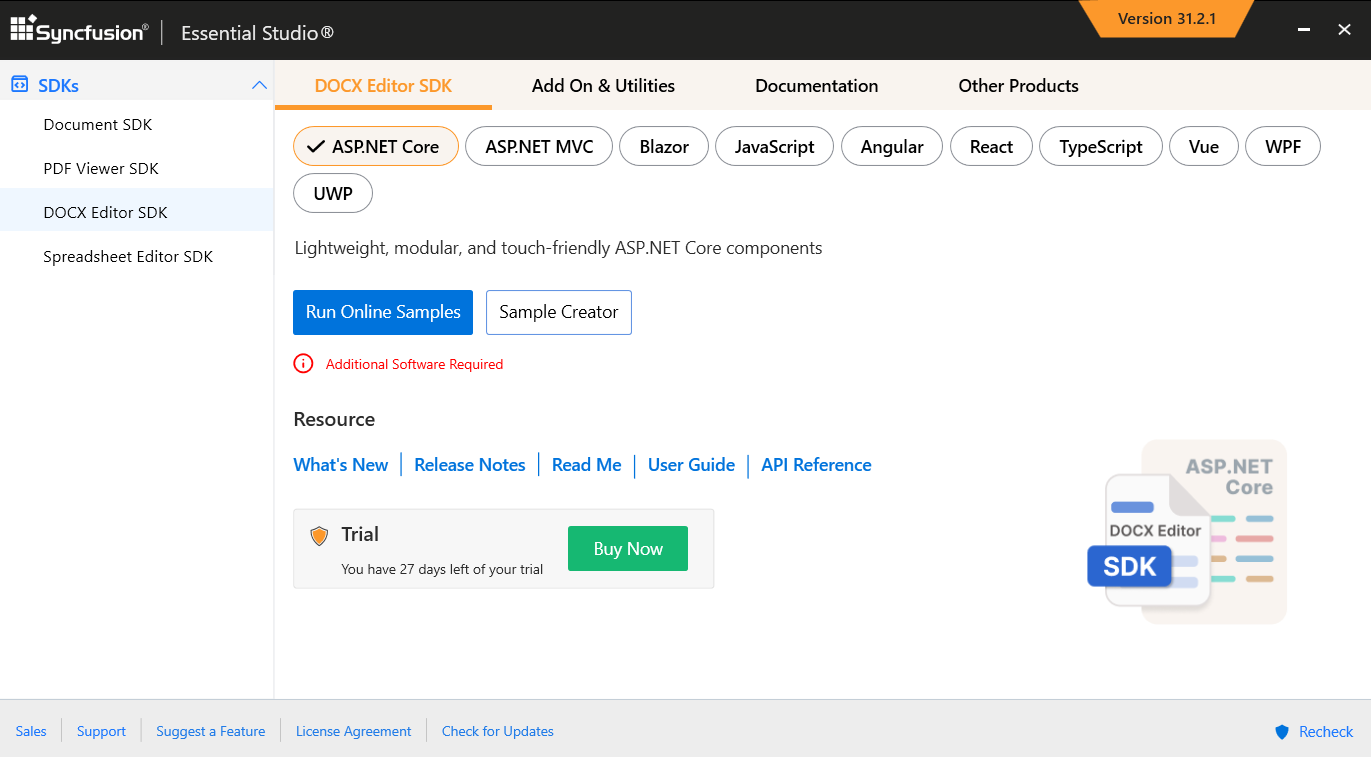
Project Configuration
-
You can configure the following project details in the Sample Creator.
-
Platform Type – Select the type of platform, either ASP.NET Core or MVC.
-
ASP.NET Core:
- Select the VS Version – Choose the Visual Studio Version.
- .NET Core – Choose the .NET Core version.
- Assets From – Load the Syncfusion® assets from either CDN or NPM.
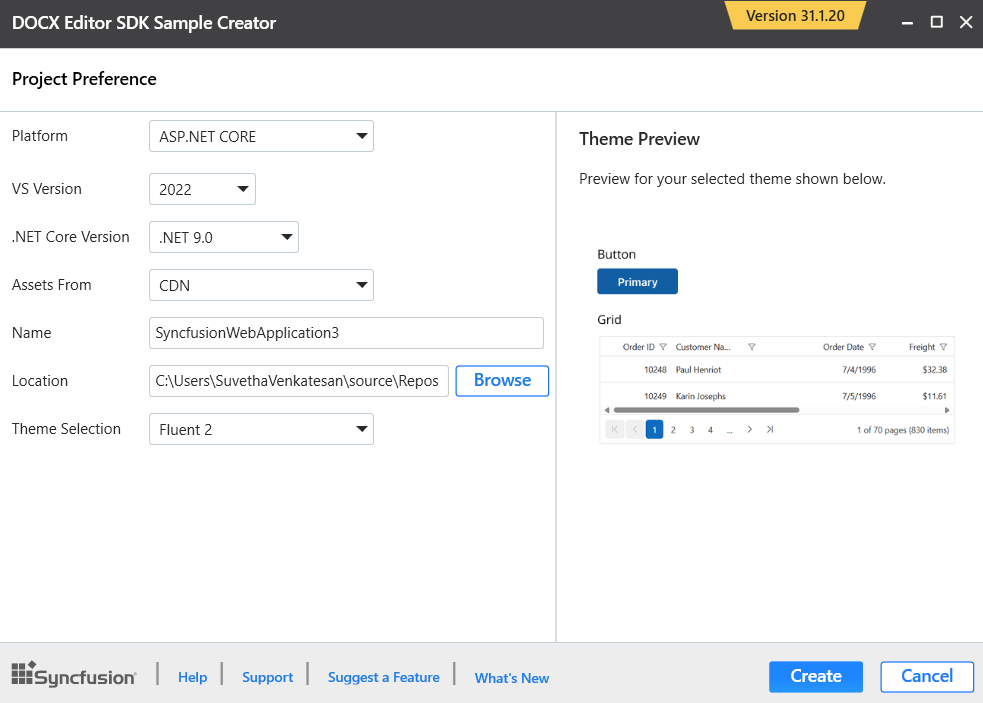
-
ASP.NET MVC:
- Select the VS Version – Choose the Visual Studio Version.
- .NET Framework – Choose the .NET Framework version.
- Assets From – Load the Syncfusion® assets from either CDN or NuGet.
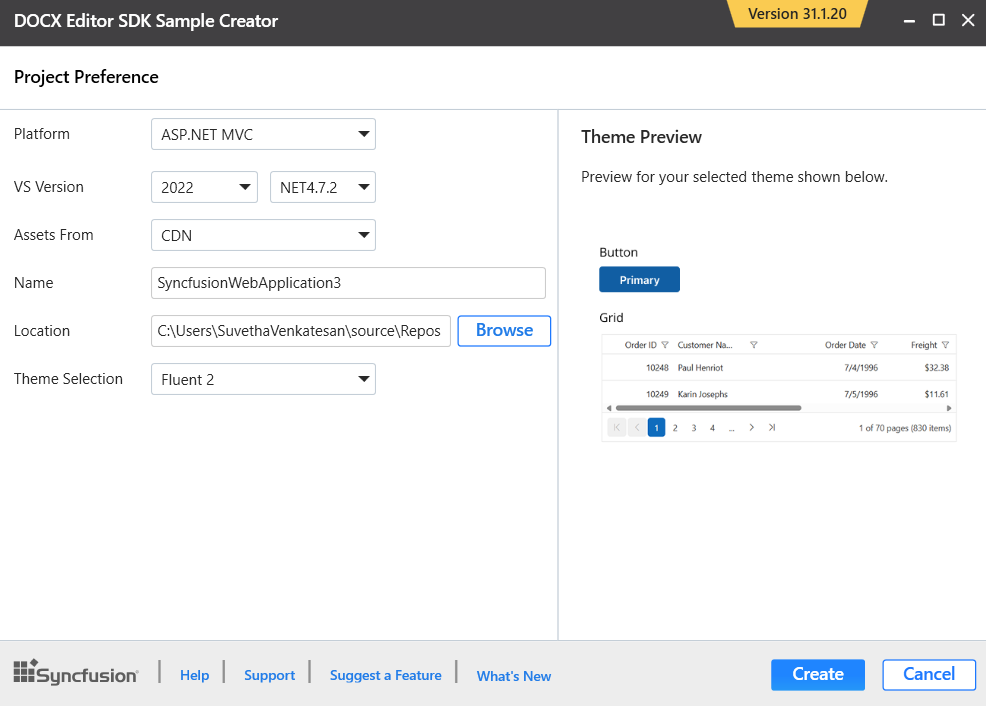
-
-
Name – Name your Syncfusion® ASP.NET Core or ASP.NET MVC application.
-
Location – Choose the target location of your project.
-
Theme Selection – Choose the required theme. The Theme Preview section shows the control preview before creating the Syncfusion® project.
-
-
Click the Create button. After creating the project, open the project by clicking Yes. If you click No, the corresponding location of the project will be opened. Refer to the following screenshot for more information.
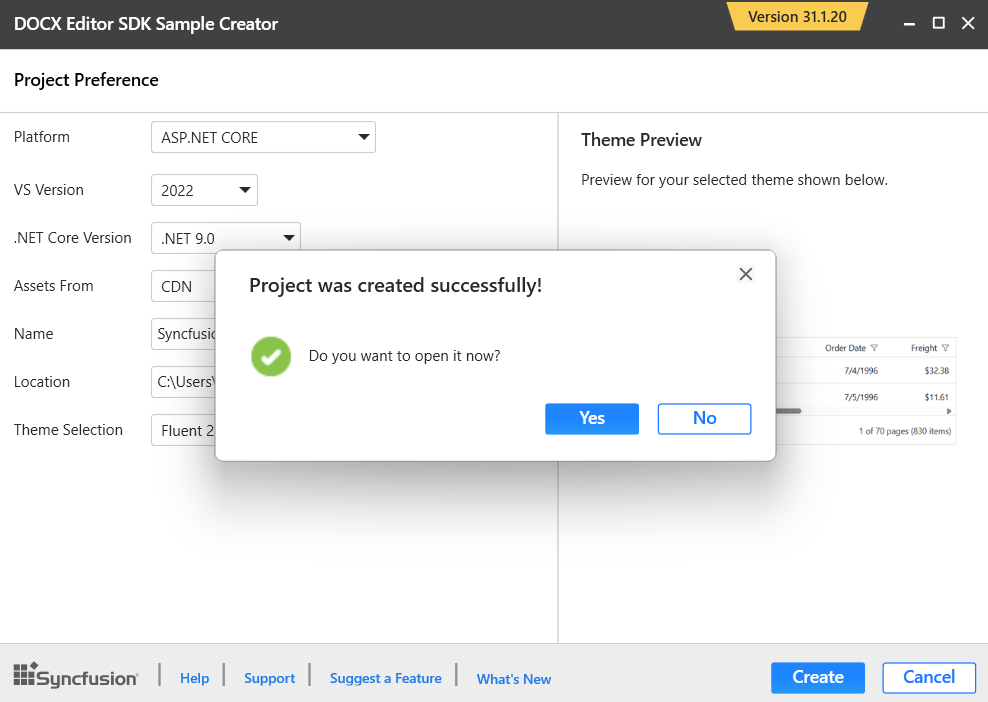
-
The new Syncfusion® project is created with the resources.
-
The required DOCX Editor SDK Controller and View files are added in the project.
-
ASP.NET Core:
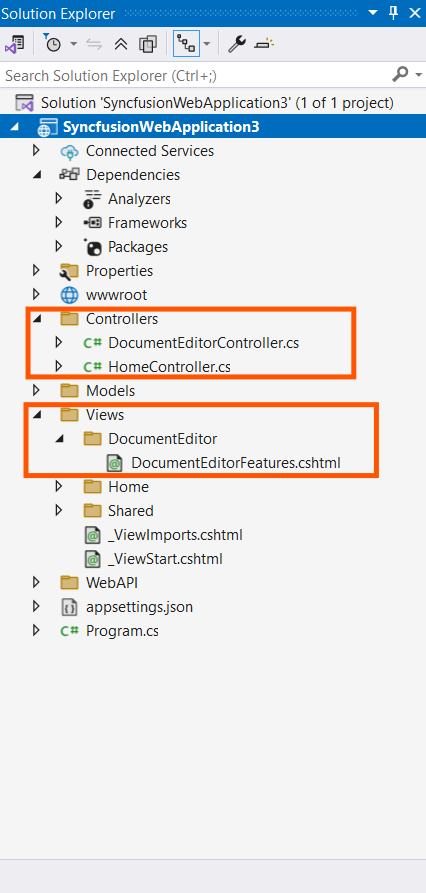
-
ASP.NET MVC:
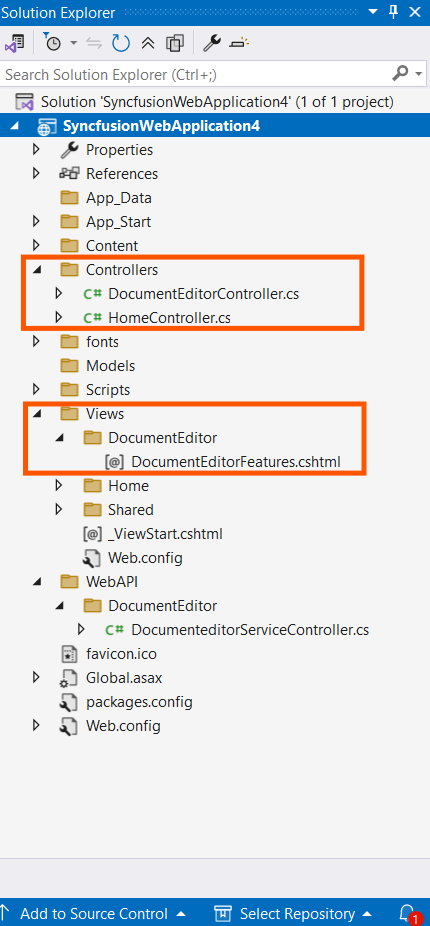
-
-
The required Syncfusion® DOCX Editor SDK scripts and theme files are included.
-
ASP.NET Core:
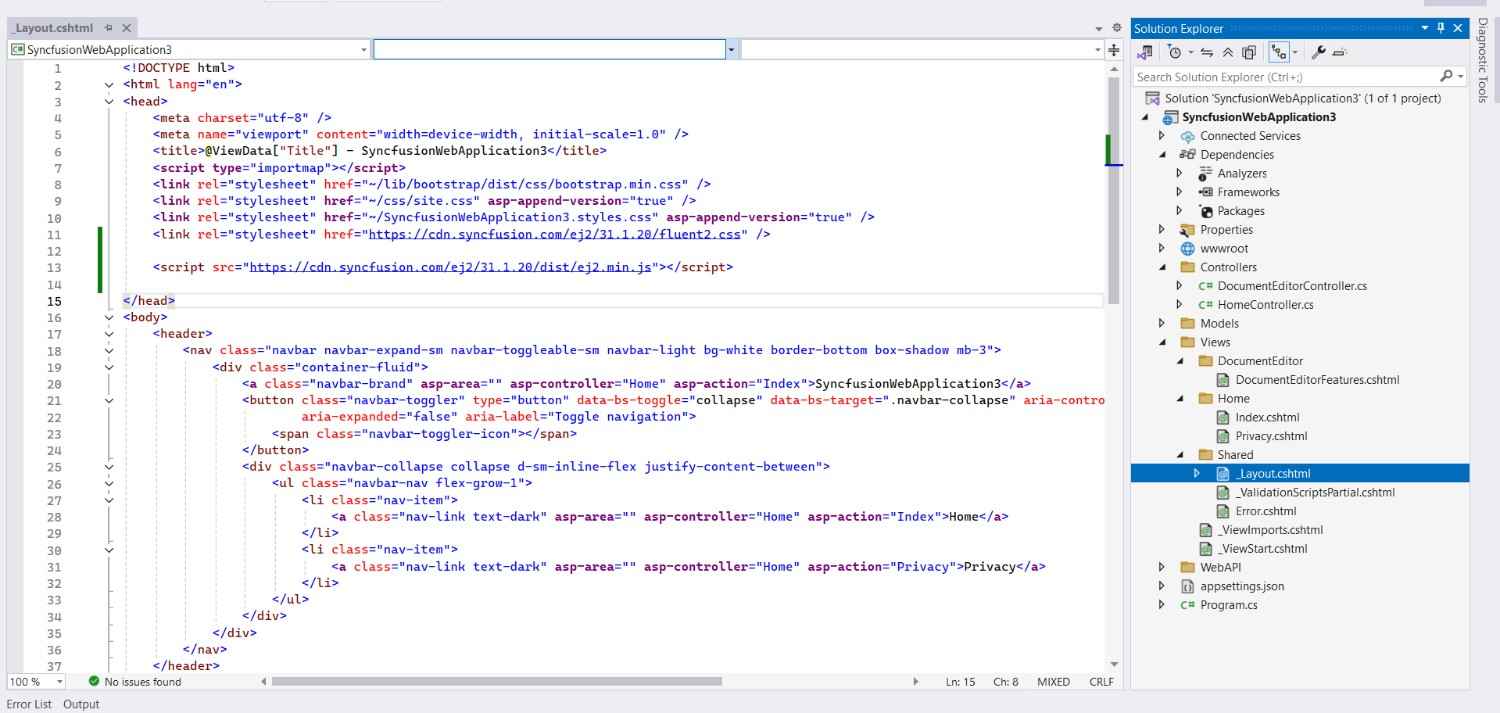
-
ASP.NET MVC:
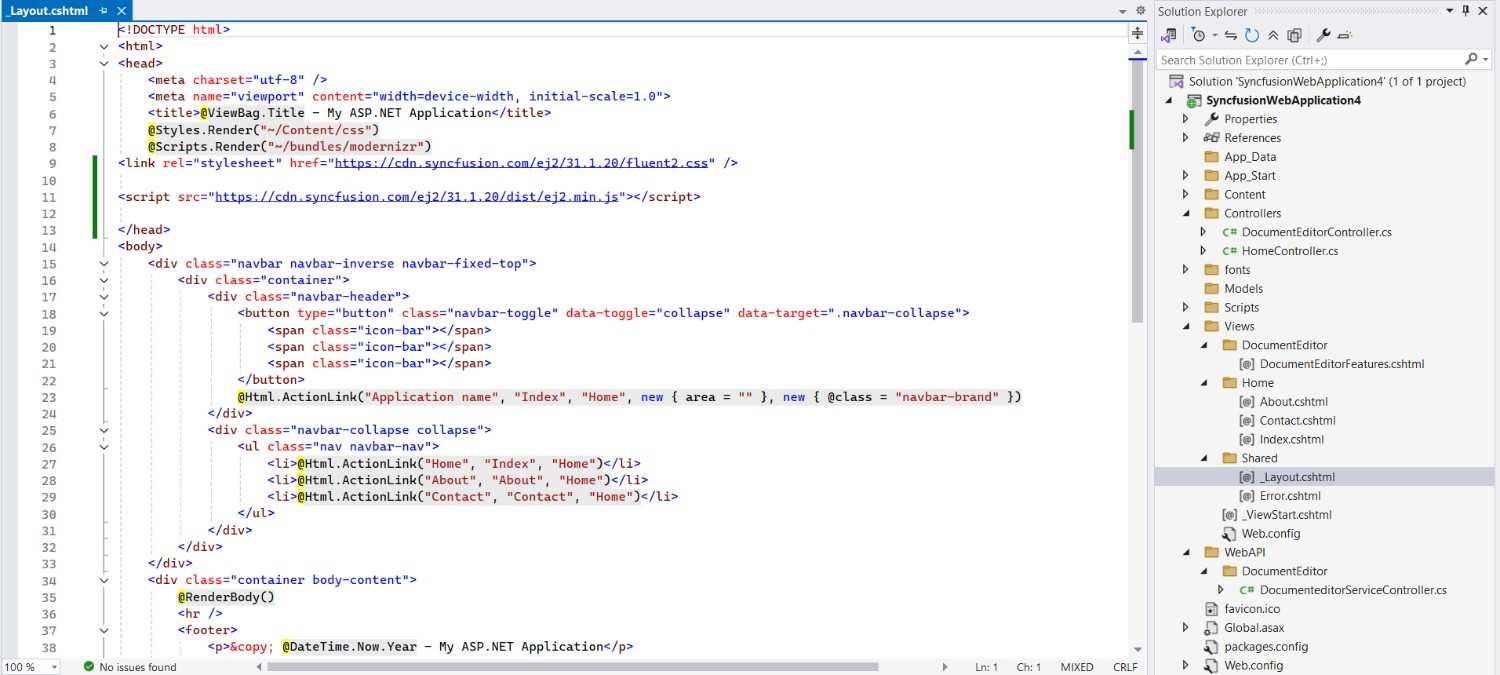
-
-
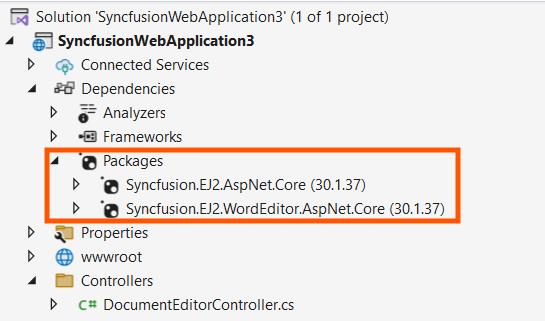
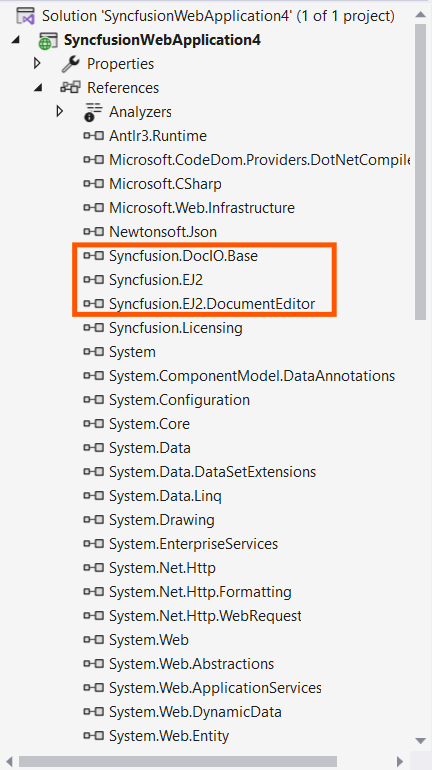
The required Syncfusion® DOCX Editor SDK assemblies are added for the selected control under Project Reference.
-
ASP.NET Core:
-
ASP.NET MVC:
-
-