Sample Creator for Syncfusion® Document SDK
20 Jan 20265 minutes to read
The Syncfusion® Document SDK Sample Creator lets you create Syncfusion® ASP.NET Core or ASP.NET MVC projects based on the platform selection with sample code for required Syncfusion® Document SDK component features and control configuration.
IMPORTANT
The Syncfusion® Document SDK Sample Creator utility is available from v31.2.2
Create Syncfusion® ASP.NET Core or ASP.NET MVC Web Application from Sample Creator
The following steps help you to create the Syncfusion® ASP.NET Core or ASP.NET MVC Web Application via the Sample Creator utility.
-
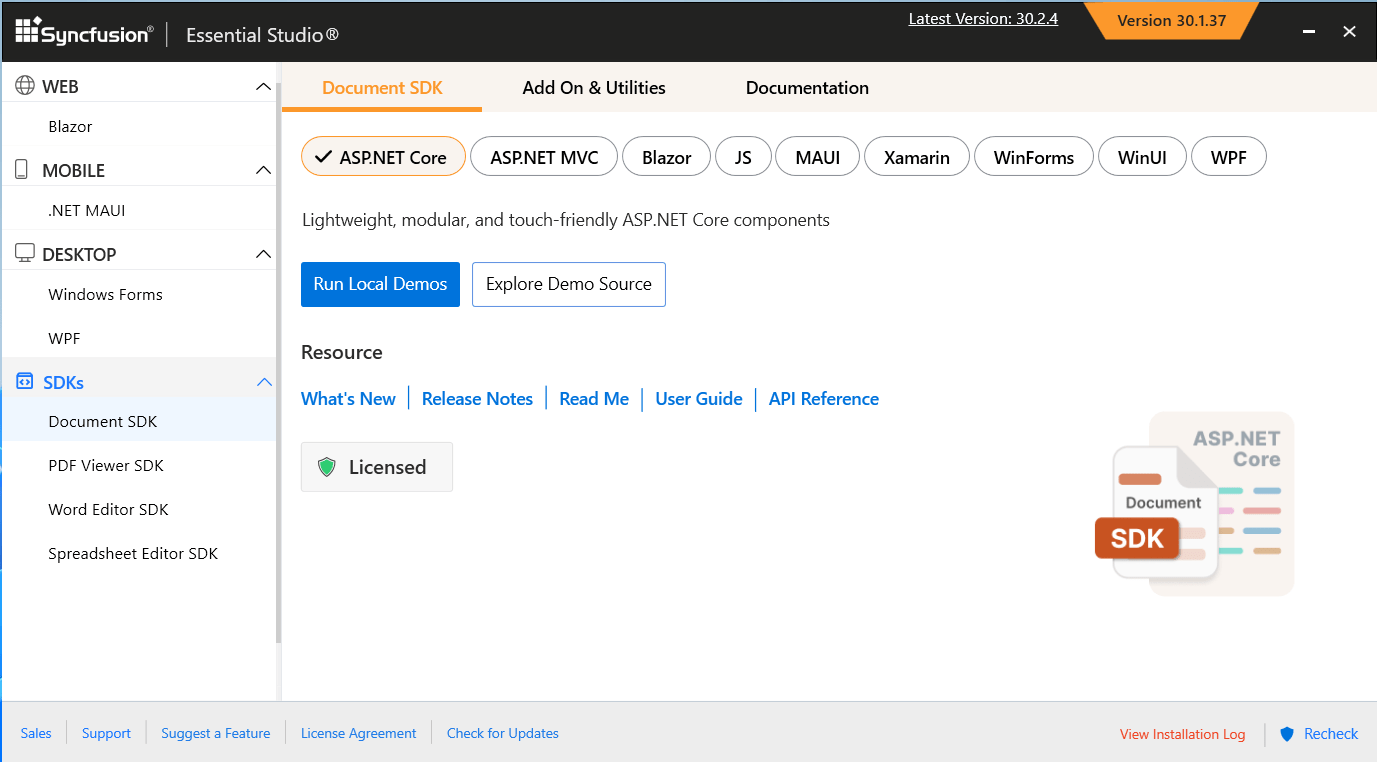
Launch the Syncfusion® Document SDK Control Panel and click the Sample Creator button to launch the Document SDK Sample Creator utility.
-
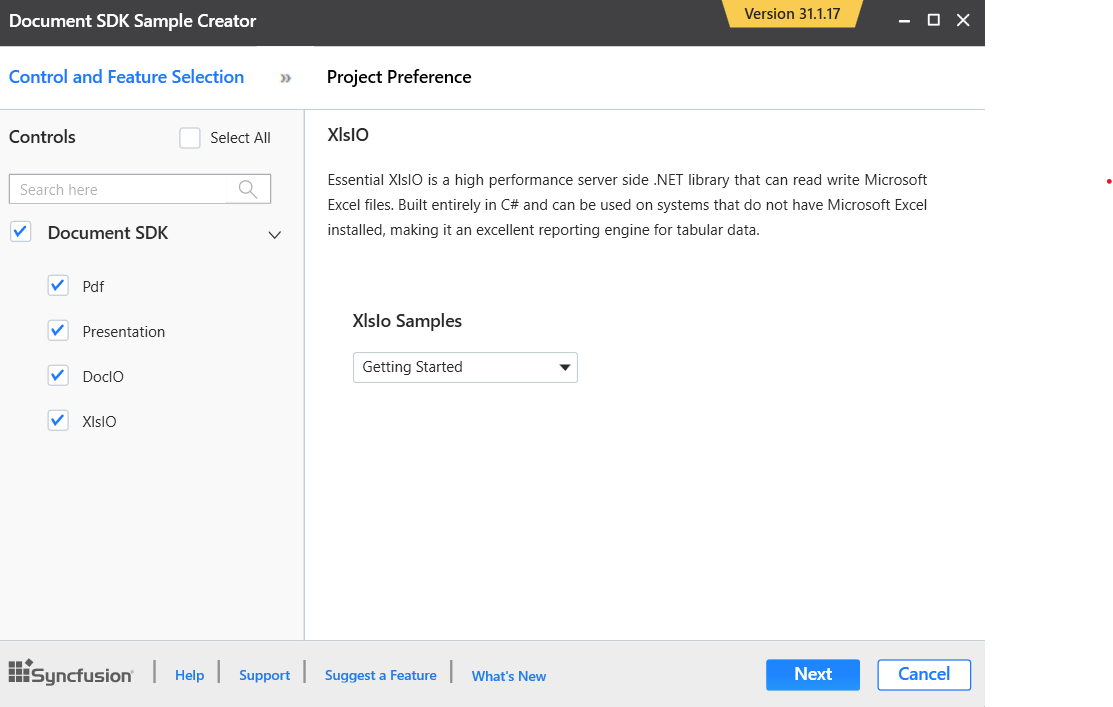
Syncfusion® Sample Creator Wizard displaying the Syncfusion® Document SDK Controls and its Feature Selection section
Controls Selection
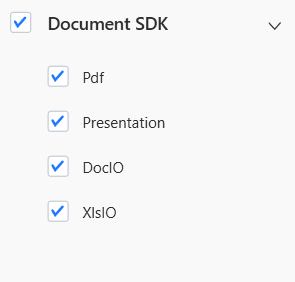
Listed here are the Syncfusion® Document SDK controls so you can choose the required controls.
Project Configuration
-
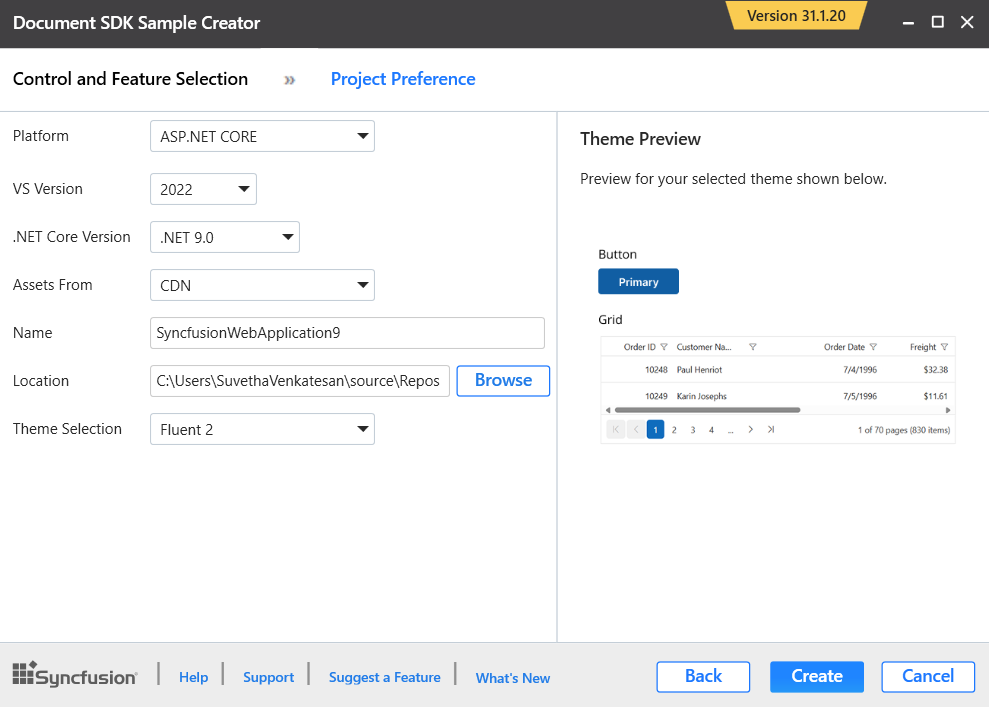
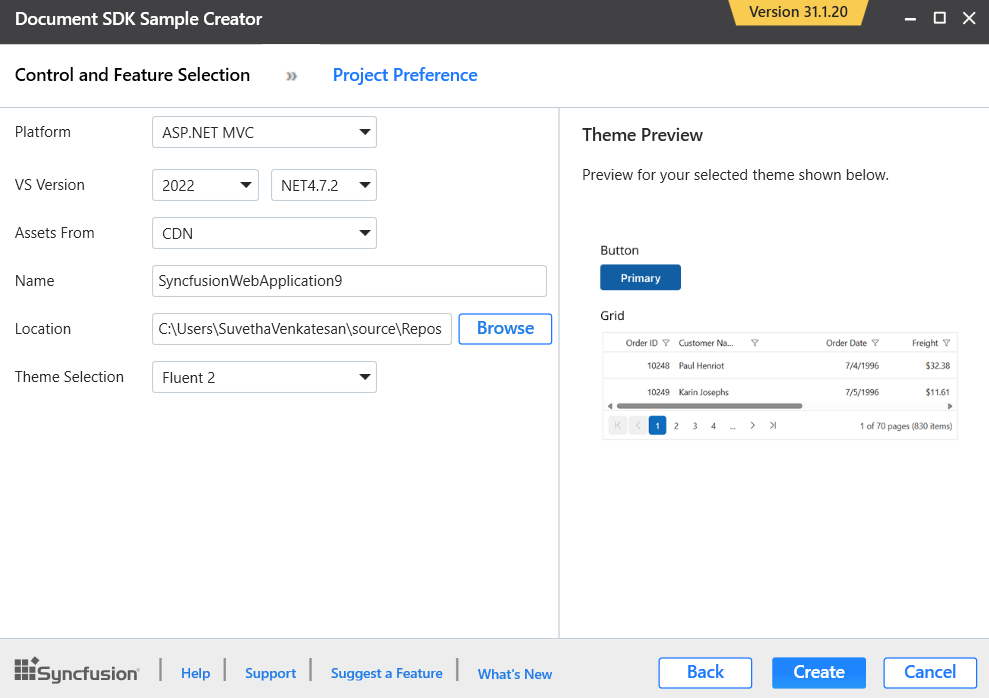
You can configure the following project details in the Sample Creator.
-
Platform Type – Select the type of platform either ASP.NET Core or MVC.
-
ASP.NET Core:
- Select the VS Version - Choose the Visual Studio Version
- .NET Core – Choose the .NET Core version
- Assets From – Load the Syncfusion® assets to either CDN or NPM.
-
ASP .NET MVC:
- Select the VS Version - Choose the Visual Studio Version
- .NET Framework – Choose the .NET Framework version
- Assets From – Load the Syncfusion® assets to either CDN or NuGet.
-
-
Name – Name your Syncfusion® ASP.NET Core or ASP.NET MVC Application.
-
Location – Choose the target location of your project.
-
Theme Selection – Choose the required theme.The Theme Preview section shows the controls preview before create the Syncfusion® project.
-
-
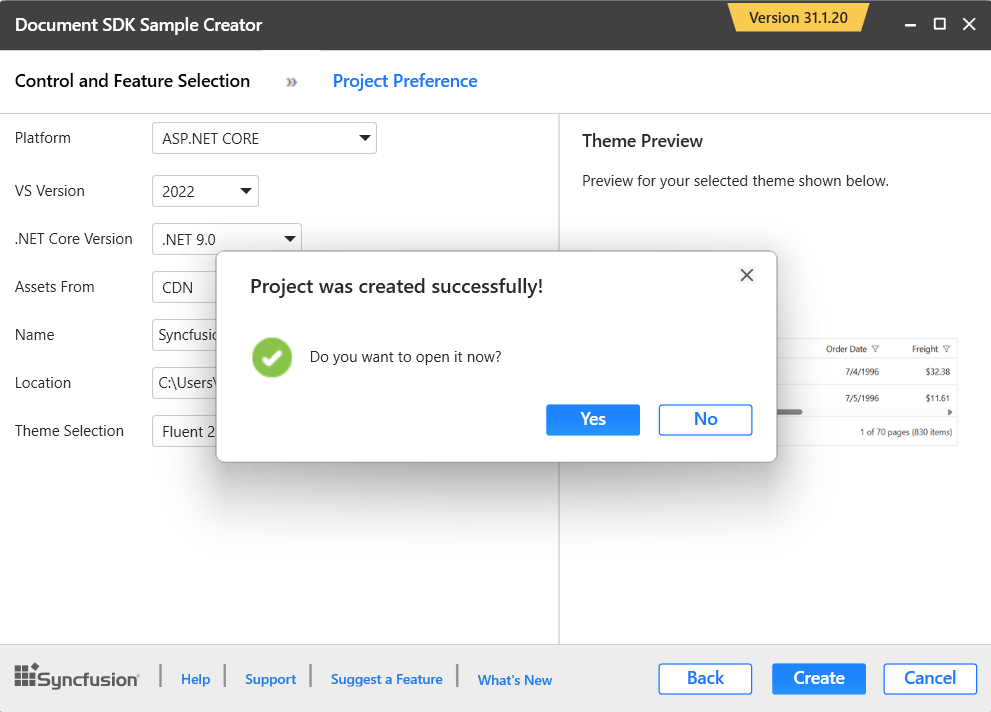
Click Create button. After creating the project, open the project by clicking Yes. If you click No, the corresponding location of the project will be opened. Refer to the following screenshot for more information.
-
The new Syncfusion® project is created with the resources.
-
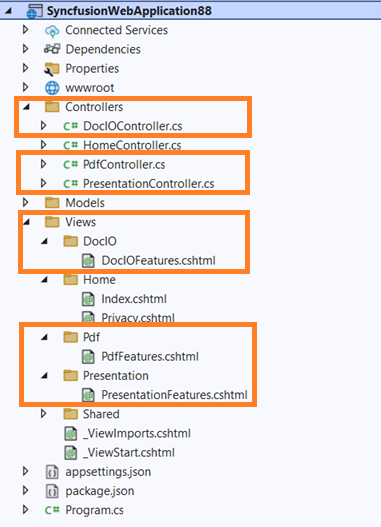
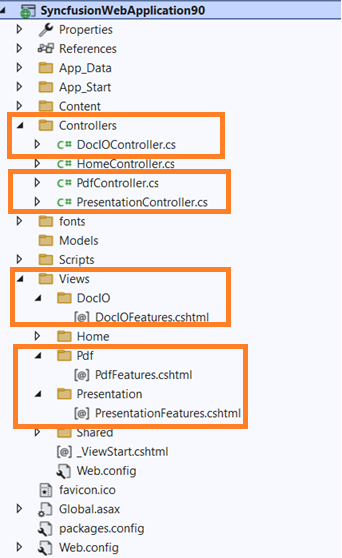
Added the required Controllers and View files in the project.
-
ASP.NET Core:
-
ASP.NET MVC:
-
-
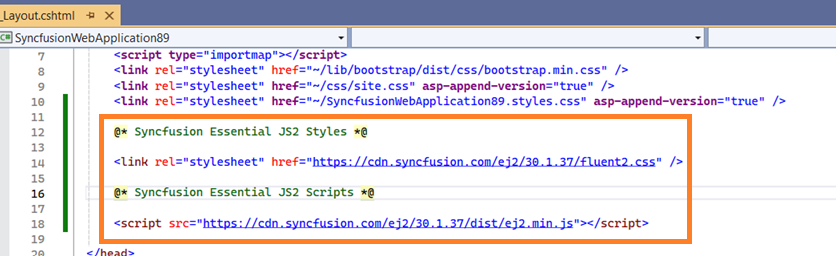
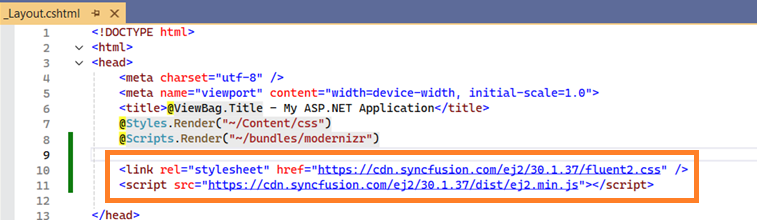
Included the required Syncfusion® scripts and theme files.
-
ASP.NET Core:
-
ASP.NET MVC:
-
-
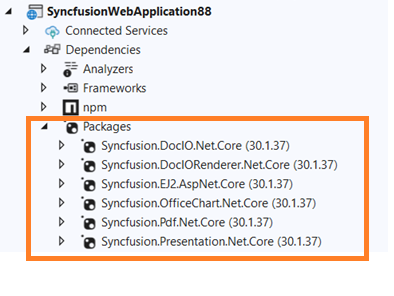
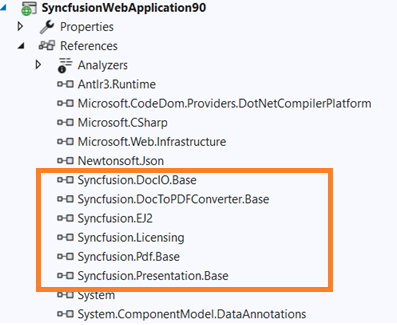
The required Syncfusion® assemblies are added for selected controls under Project Reference.
-
ASP.NET Core:
-
ASP .NET MVC:
-
-