Syncfusion® ASP.NET MVC Extension - Download and Installation
18 Nov 20182 minutes to read
Syncfusion® publishes the Visual Studio extension in the Visual Studio marketplace. You can either install it directly from Visual Studio or download and install it from the Visual Studio marketplace.
Prerequisites
The following software prerequisites must be installed to install the Syncfusion® ASP.NET MVC extension, as well as to create, add snippets, convert, and upgrade Syncfusion® ASP.NET MVC applications.
The extension supports the Community, Professional, and Enterprise editions of Visual Studio. ASP.NET MVC project creation also requires the .NET desktop development and ASP.NET and web development workloads to be installed with Visual Studio.
Install through the Visual Studio Manage Extensions
The steps below assist you in installing the Syncfusion® ASP.NET MVC extensions from Visual Studio Manage Extensions.
-
Open Visual Studio.
-
Navigate to Extensions > Manage Extensions to open the Manage Extensions dialog.
-
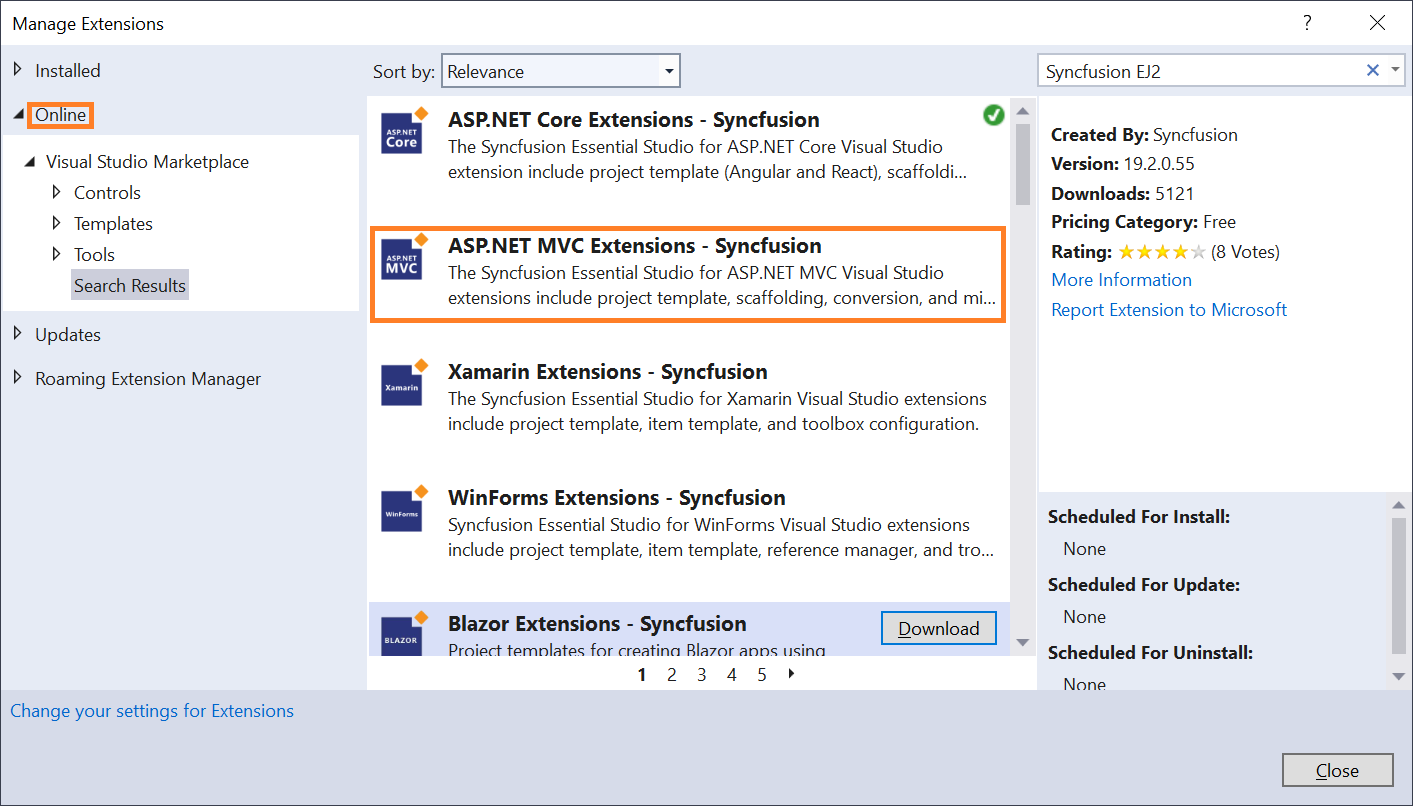
On the left, click the Online tab and type “ASP.NET MVC Extension - Syncfusion®” in the search box.
-
Click the Download button for “ASP.NET MVC Extension - Syncfusion®”.
-
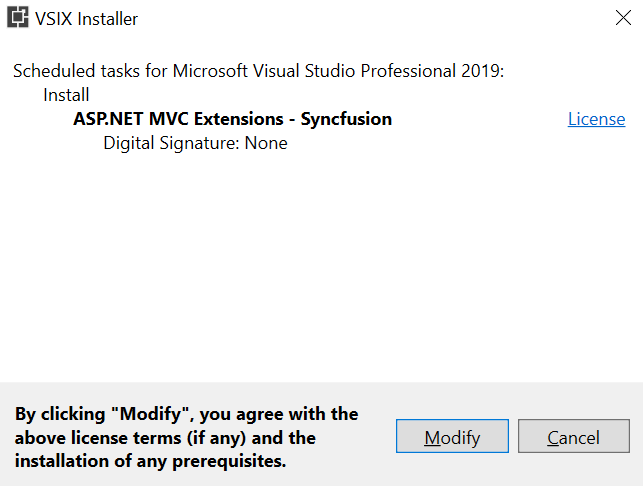
Close all Visual Studio instances after downloading the extensions to begin the installation process. You will see the following VSIX installation prompt.
-
Click the Modify button.
-
After the installation is complete, open Visual Studio.
-
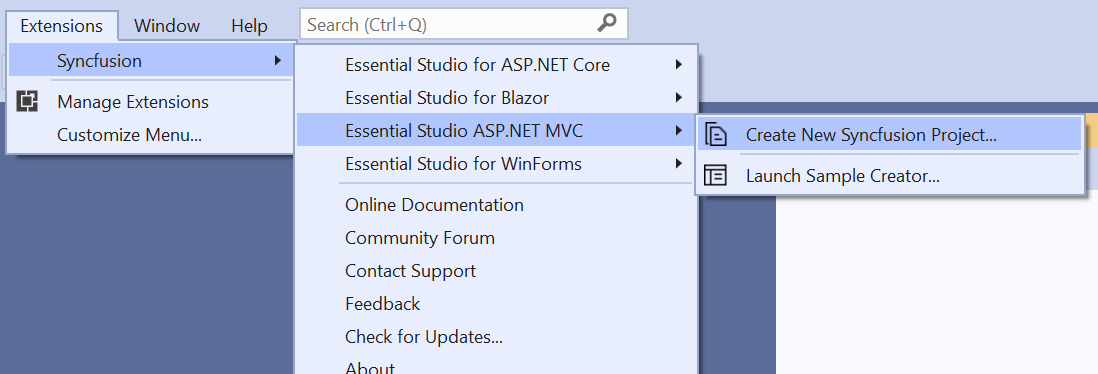
Now, under the menu Extensions, you can use the Syncfusion® extensions from the Visual Studio.
Install from the Visual Studio Marketplace
The steps below illustrate how to download and install the Syncfusion® ASP.NET MVC extension from the Visual Studio Marketplace.
-
Download the Syncfusion ASP.NET MVC Extensions from the Visual Studio Marketplace.
-
Close all running Visual Studio instances, if any.
-
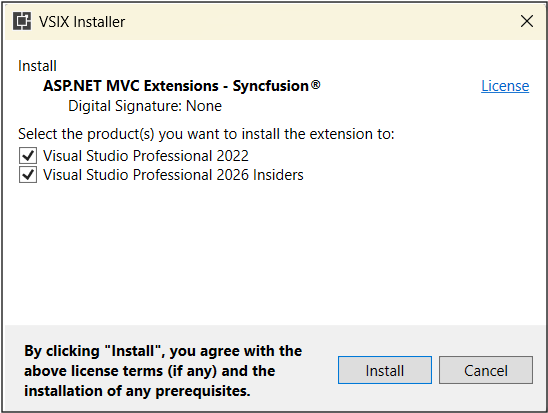
Double-click to install the downloaded VSIX file. You will see the VSIX installation prompts for the Visual Studio version. If Visual Studio is not installed, it will not be possible to install the extension.
-
Click the Modify button.
-
After the installation is complete, open Visual Studio. You can now use Syncfusion® extensions from the Visual Studio under the Extensions menu.