Open and save Presentation in ASP.NET Core
3 Aug 20263 minutes to read
Syncfusion® PowerPoint is a .NET Core PowerPoint library used to create, read, edit, and convert PowerPoint documents programmatically without Microsoft PowerPoint or interop dependencies. Using this library, you can open and save a PowerPoint presentation in ASP.NET Core.
Steps to open and save PowerPoint Presentation programmatically
Step 1: Create a new C# ASP.NET Core Web application project.
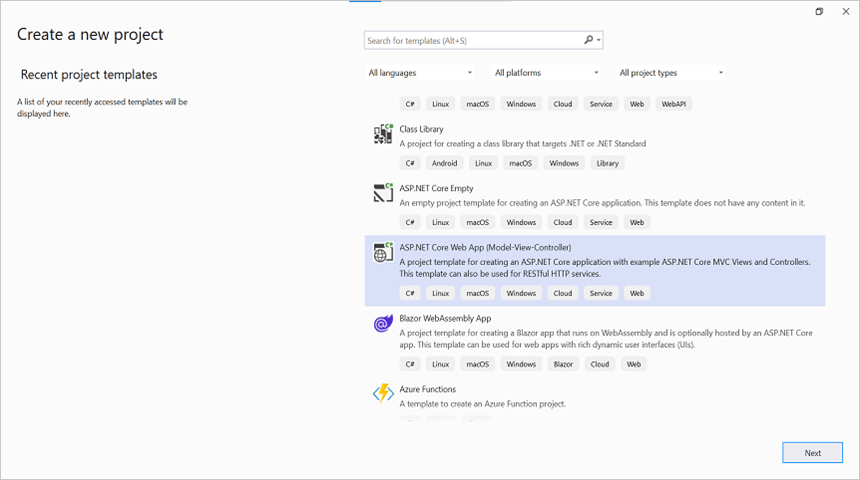
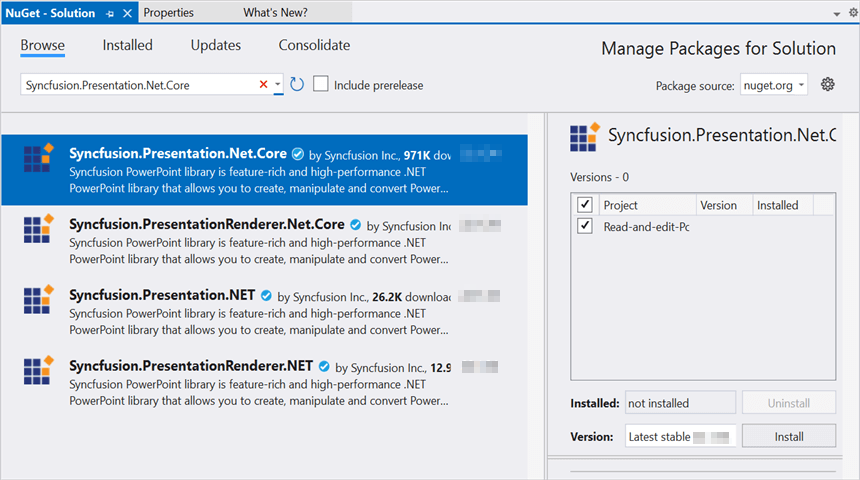
Step 2: Install the Syncfusion.Presentation.Net.Core NuGet package as a reference to your .NET Core application from NuGet.org.
Starting with v16.2.0.x, if you reference Syncfusion® assemblies from trial setup or from the NuGet feed, you also have to add the “Syncfusion.Licensing” assembly reference and include a license key in your projects. Please refer to this link to know about registering Syncfusion® license key in your application to use our components.
Step 3: Include the following namespaces in HomeController.cs.
using System.IO;
using Syncfusion.Presentation;
Step 4: A default action method named Index will be present in HomeController.cs. Right-click on the Index method and select Go To View, where you will be directed to its associated view page Index.cshtml.
Step 5: Add a new button to Index.cshtml as shown below.
@{
    Html.BeginForm("OpenAndSavePresentation", "Home", FormMethod.Get);
    {
        <div>
            <input type="submit" value="Open and Save Presentation" style="width:150px;height:27px" />
        </div>
    }
    Html.EndForm();
}
Step 6: Add a new action method OpenAndSavePresentation in HomeController.cs and include the below code snippet to open an existing Presentation in ASP.NET Core.
//Open an existing PowerPoint presentation.
IPresentation pptxDoc = Presentation.Open(Path.GetFullPath(@"Data/Template.pptx"));
Step 7: The following code snippet demonstrates how to access a shape on a slide and change the text within it:
//Get the first slide from the PowerPoint presentation.
ISlide slide = pptxDoc.Slides[0];
//Get the first shape of the slide.
IShape shape = slide.Shapes[0] as IShape;
//Change the text of the shape.
if (shape != null && shape.TextBody != null && shape.TextBody.Text == "Company History")
{
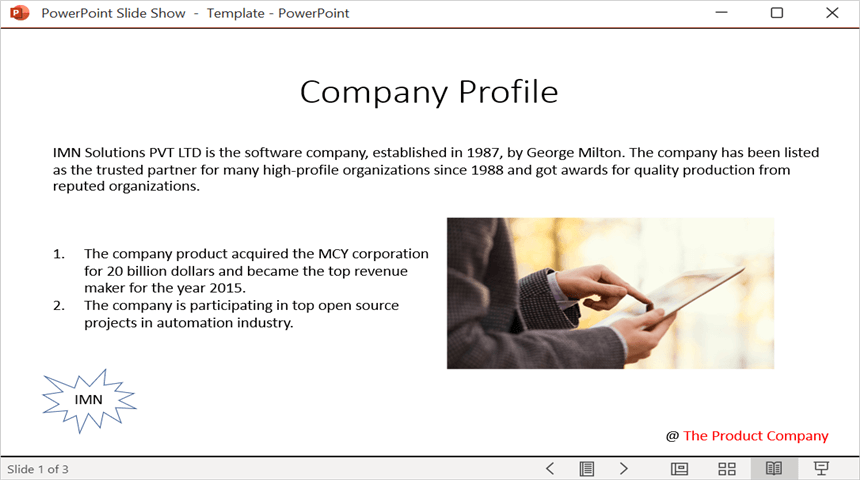
    shape.TextBody.Text = "Company Profile";
}
Step 8: Add the following code to save the PowerPoint presentation in ASP.NET Core. The action method returns the saved file as a download:
//Save the PowerPoint presentation as a stream.
MemoryStream pptxStream = new();
pptxDoc.Save(pptxStream);
pptxDoc.Close();
pptxStream.Position = 0;
//Download Powerpoint document in the browser.
return File(pptxStream, "application/vnd.openxmlformats-officedocument.presentationml.presentation", "Result.pptx");
You can download a complete working sample from GitHub.
By executing the program, you will get a PowerPoint document as follows.
Looking for the full .NET PowerPoint Library component overview, features, pricing, and documentation? Visit the .NET PowerPoint Library page.