Built-in Context Menu in React PDF Viewer
14 Aug 20264 minutes to read
The React PDF Viewer includes a context-sensitive menu that updates dynamically based on the element being right-clicked within the document. This page lists the default menu items available for different document elements.
The context menu is enabled by default. To disable it, set the contextMenuOption property to None.
Context Menu Scenarios
Menu items vary depending on the target element:
-
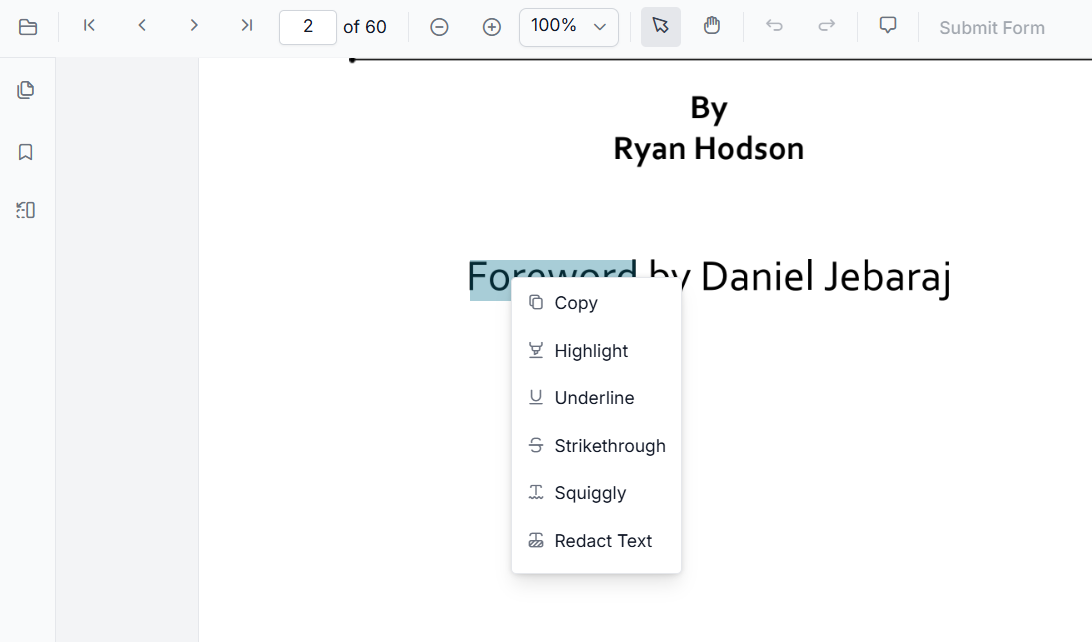
Text: Displays options to annotate and copy selected text.
-
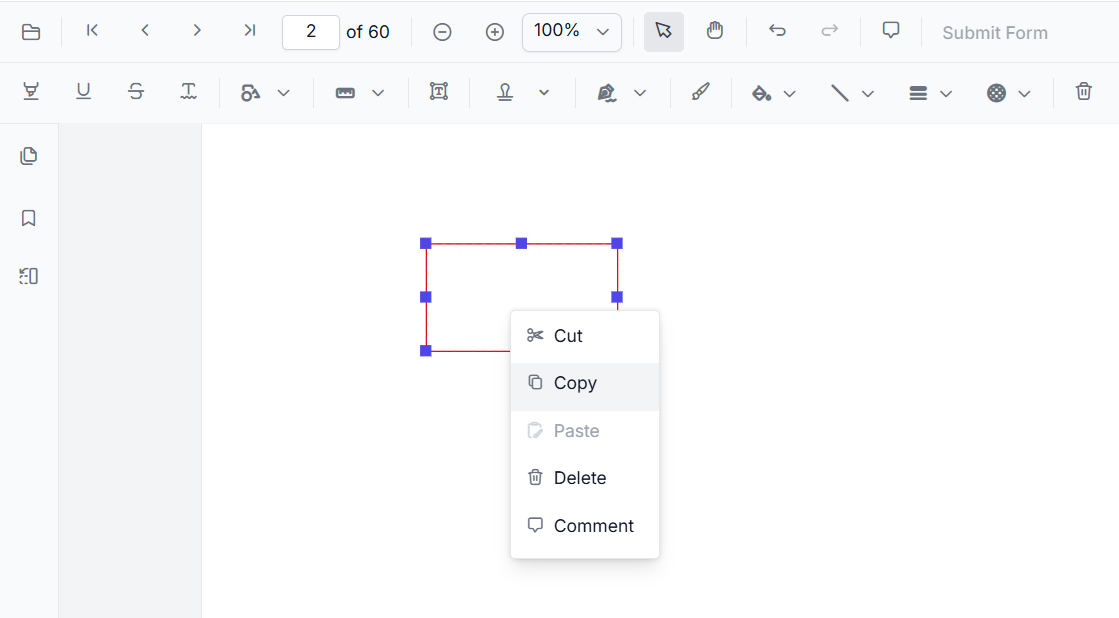
Annotations: Provides options to copy, cut, paste, or remove annotations, and add comments.
-
Form Fields: Shows standard form field interactions, such as modifying properties. The context menu for form fields appears only when the viewer is in Form Designer mode. To enable it, add
FormDesignerto theInject servicesarray and set theenableFormDesignerproperty totrue.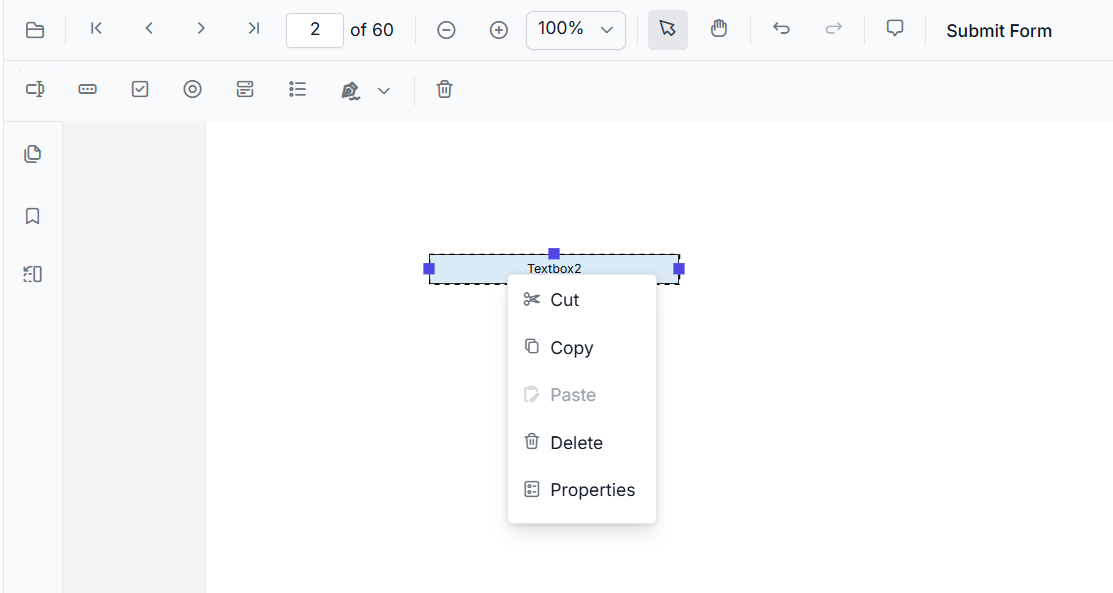
-
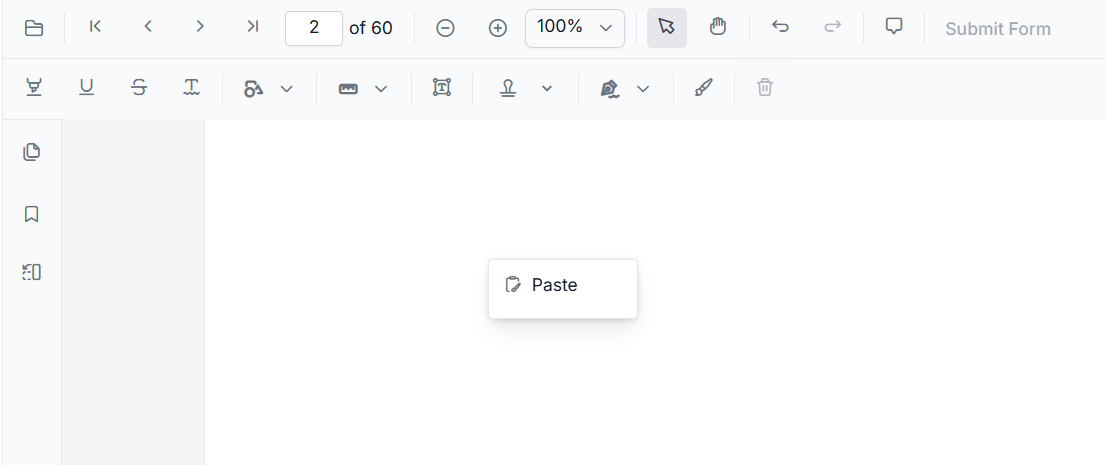
Empty Space: Displays the option to paste a previously copied annotation or form field.
Default Item Reference
Text Menu Items
The following table describes the default items available when right-clicking selected text:
| Item | Description |
|---|---|
| Copy | Copies selected text to the clipboard. |
| Highlight | Highlights selected text using the default highlight color. |
| Underline | Applies an underline to the selected text. |
| Strikethrough | Applies a strikethrough to the selected text. |
| Squiggly | Applies a squiggly underline to the selected text. |
| Redact Text | Redacts the selected text. |
Annotation Menu Items
Default items when right-clicking an annotation:
| Item | Description |
|---|---|
| Copy | Copies the selected annotation for pasting within the same page. |
| Cut | Removes the selected annotation and copies it to the clipboard. |
| Paste | Pastes a previously copied or cut annotation. |
| Delete | Permanently removes the selected annotation. |
| Comments | Opens the comment panel for the annotation. |
Form Field Menu Items
These items appear when the viewer is in Form Designer mode and a form field is selected:
| Item | Description |
|---|---|
| Copy | Copies the selected form field for duplication. |
| Cut | Removes the selected form field for relocation. |
| Paste | Pastes a copied or cut form field. |
| Delete | Removes the selected form field from the document. |
| Properties | Launches the properties dialog for the specific form field. |
The availability of the context menu is a client-side feature and is independent of server configurations.