Liquid Glass Effect for .NET MAUI PDF Viewer
14 Aug 20264 minutes to read
The Liquid Glass Effect introduces a modern, translucent design with adaptive color tinting and light refraction, creating a sleek, glass like user experience that remains clear and accessible. This section explains how to enable and customize the effect in the SfPdfViewer control.
Apply liquid glass effect
Follow these steps to enable and configure the Liquid Glass Effect in the SfPdfViewer control:
Step 1: Wrap the control inside glass effect view
To apply the Liquid Glass Effect to Syncfusion® .NET MAUI SfPdfViewer control, wrap the control inside the SfGlassEffectView class.
For more details, refer to the Liquid Glass Getting Started documentation.
Step 2: Enable the liquid glass effect on SfPdfViewer
Set the EnableLiquidGlassEffect property to true in the SfPdfViewer control to apply the Liquid Glass Effect. When enabled, the effect is also applied to its dependent controls and provides responsive interaction for a smooth and engaging user experience.
Step 3: Customize the background
To achieve a glass like background in the SfPdfViewer control, set the Background property to Transparent. The background will then be treated as a tinted color, ensuring a consistent glass effect across the controls.
The following code snippet demonstrates how to apply the Liquid Glass Effect to the SfPdfViewer control:
<Grid>
    <Grid.Background>
        <LinearGradientBrush StartPoint="0,0"
                             EndPoint="0,1">
            <GradientStop Color="#0F4C75"
                          Offset="0.0"/>
            <GradientStop Color="#3282B8"
                          Offset="0.5"/>
            <GradientStop Color="#1B262C"
                          Offset="1.0"/>
        </LinearGradientBrush>
    </Grid.Background>

    <core:SfGlassEffectView EffectType="Regular"
                            CornerRadius="20">
        <syncfusion:SfPdfViewer x:Name="pdfViewer"
                                Background="Transparent"
                                EnableLiquidGlassEffect="True">
        </syncfusion:SfPdfViewer>
    </core:SfGlassEffectView>
</Grid>
using Syncfusion.Maui.Core;
using Syncfusion.Maui.PdfViewer;
var grid = new Grid();
var gradientBrush = new LinearGradientBrush
{
StartPoint = new Point(0, 0),
EndPoint = new Point(0, 1),
GradientStops =
{
new GradientStop { Color = Color.FromArgb("#0F4C75"), Offset = 0.0f },
new GradientStop { Color = Color.FromArgb("#3282B8"), Offset = 0.5f },
new GradientStop { Color = Color.FromArgb("#1B262C"), Offset = 1.0f }
}
};
grid.Background = gradientBrush;
var glassEffectView = new SfGlassEffectView
{
EffectType = GlassEffectType.Regular,
CornerRadius = 20
};
var pdfViewer = new SfPdfViewer
{
Background = Colors.Transparent,
EnableLiquidGlassEffect = true
};
glassEffectView.Content = pdfViewer;
grid.Children.Add(glassEffectView);
this.Content = grid;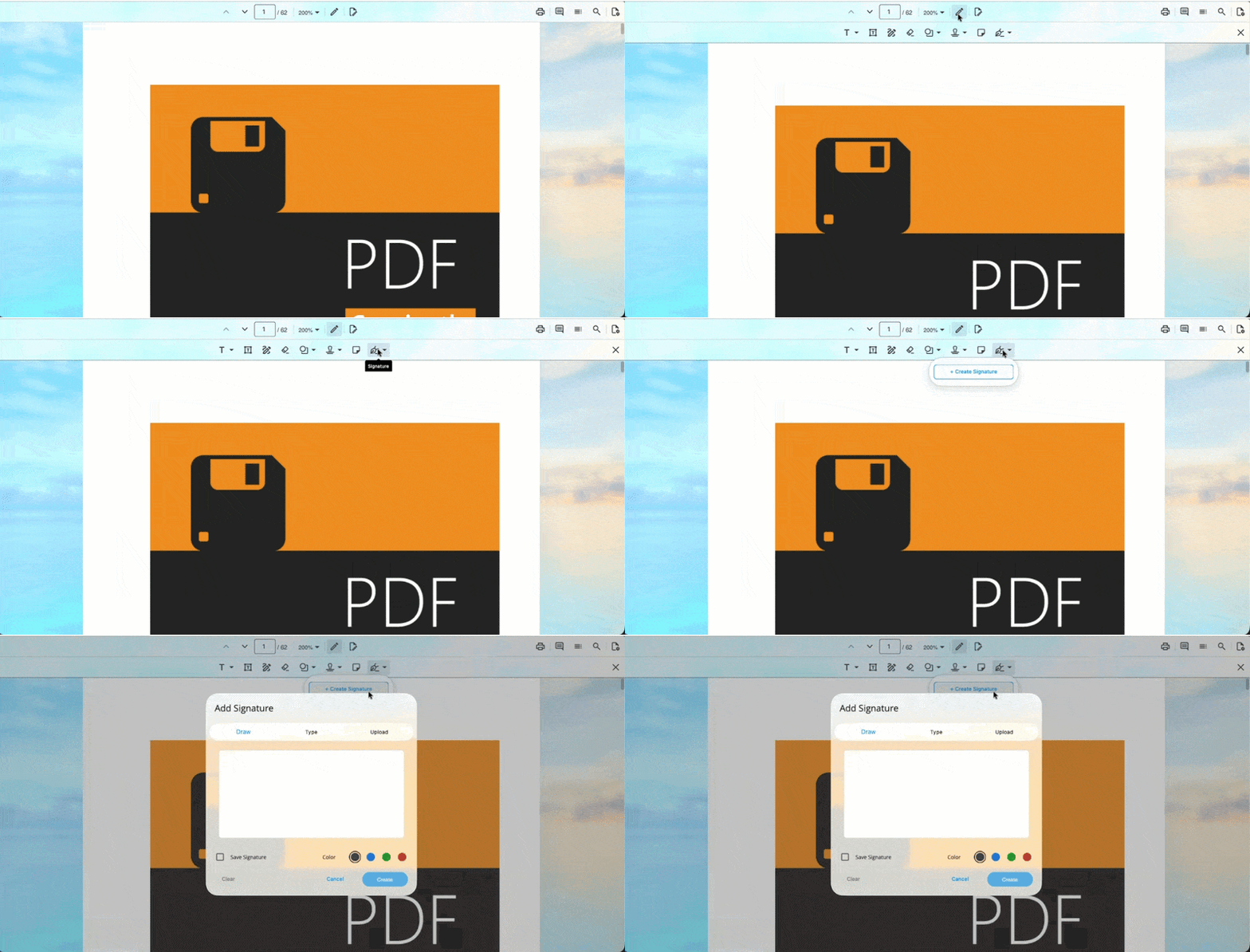
- Supported on
macOS 26 or higherandiOS 26 or higher.- This feature is available only in
.NET 10.