How to Use Local Script and Style References in JavaScript (ES5) PDF
14 Aug 20263 minutes to read
Step 1: Create an application folder named my-app for Essential JS 2 JavaScript components.
Step 2: Download the global scripts and styles from the Essential Studio JavaScript (Essential JS 2) build installed on your machine.
Syntax:
Script:
**(installed location)**/Syncfusion/Essential Studio/JavaScript - EJ2/{RELEASE_VERSION}/Web(Essential JS 2)/JavaScript/{PACKAGE_NAME}/dist/{PACKAGE_NAME}.min.jsStyles:
**(installed location)**/Syncfusion/Essential Studio/JavaScript - EJ2/{RELEASE_VERSION}/Web(Essential JS 2)/JavaScript/{PACKAGE_NAME}/styles/material.css
Example:
Script:
C:/Program Files (x86)/Syncfusion/Essential Studio/JavaScript - EJ2/19.3.53/Web(Essential JS 2)/JavaScript/ej2/dist/ej2.min.jsStyles:
C:/Program Files (x86)/Syncfusion/Essential Studio/JavaScript - EJ2/19.3.53/Web(Essential JS 2)/JavaScript/ej2-js-es5/styles/material.css
Alternatively, clone the Essential JS 2 quickstart project and install the required packages by running the following commands.
git clone https://github.com/syncfusion/ej2-quickstart.git quickstart
cd quickstart
npm install
Step 3: Download the pdfium.js and pdfium.wasm files from the following links:
Syntax:
pdfium.js:https://cdn.syncfusion.com/ej2/{Version}/dist/ej2-pdfviewer-lib/pdfium.js
pdfium.wasm:https://cdn.syncfusion.com/ej2/{Version}/dist/ej2-pdfviewer-lib/pdfium.wasm
Example:
pdfium.js:https://cdn.syncfusion.com/ej2/35.1.37/dist/ej2-pdfviewer-lib/pdfium.js
pdfium.wasm:https://cdn.syncfusion.com/ej2/35.1.37/dist/ej2-pdfviewer-lib/pdfium.wasm
Step 4: Create a folder named my-app/resources and copy the EJ2 scripts and styles from the installed location into the my-app/resources directory. Include the ej2-pdfviewer-lib folder and PDF documents in the same location. The ej2-pdfviewer-lib folder should contain pdfium.js and pdfium.wasm files.
Step 5: Add the div element and initialize the Essential JS 2 PDF Viewer component in index.html with the local script and style references. Assign local file paths to the documentPath and resourceUrl properties within the PDF Viewer setup. The documentPath should refer to your PDF file, while the resourceUrl should point to the directory containing the supporting resources.
<!DOCTYPE html>
  <html xmlns="http://www.w3.org/1999/xhtml">
       <head>
          <title>Essential JS 2</title>
          <!-- Essential JS 2 material theme -->
          <link href="resources/ej2-js-es5/styles/material.css" rel="stylesheet" type="text/css"/>

          <!-- Essential JS 2 PDF Viewer's script -->
          <script src="resources/ej2.min.js" type="text/javascript"></script>
       </head>
       <body>
          <!--element which is going to render-->
          <div id="container">
               <div id="PdfViewer" style="display:block;height:580px;width:100%;">
               </div>
          </div>
          <script>
               //Initialize PDF Viewer component
               var pdfviewer = new ej.pdfviewer.PdfViewer({
                    documentPath: window.location.origin + '/resources/pdfsuccinctly.pdf',
                    resourceUrl: window.location.origin + '/resources/ej2-pdfviewer-lib'
               });
               //PDF Viewer control rendering starts
               pdfviewer.appendTo('#PdfViewer');
          </script>
       </body>
  </html>
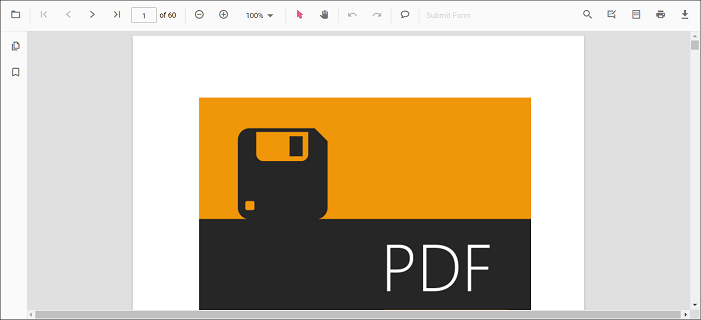
Step 6: Run the index.html file in a web browser to render the Essential JS 2 PDF Viewer component as shown below.
View the sample in GitHub to load PDF Viewer with local resources.